Background
Your company needs to be capital-efficient and secure, and you obviously want to automate everything. Removing user access and cleaning up licenses when they’re no longer needed are crucial activities when it comes to maintaining least-privilege and keeping down costs. But this can get time-consuming quickly. In Lumos, you can use deprovisioning webhooks to automate removal of access or licenses for virtually any app, resource, or permission. This article describes some common scenarios where deprovisioning webhooks are useful and how to set them up.Common use cases
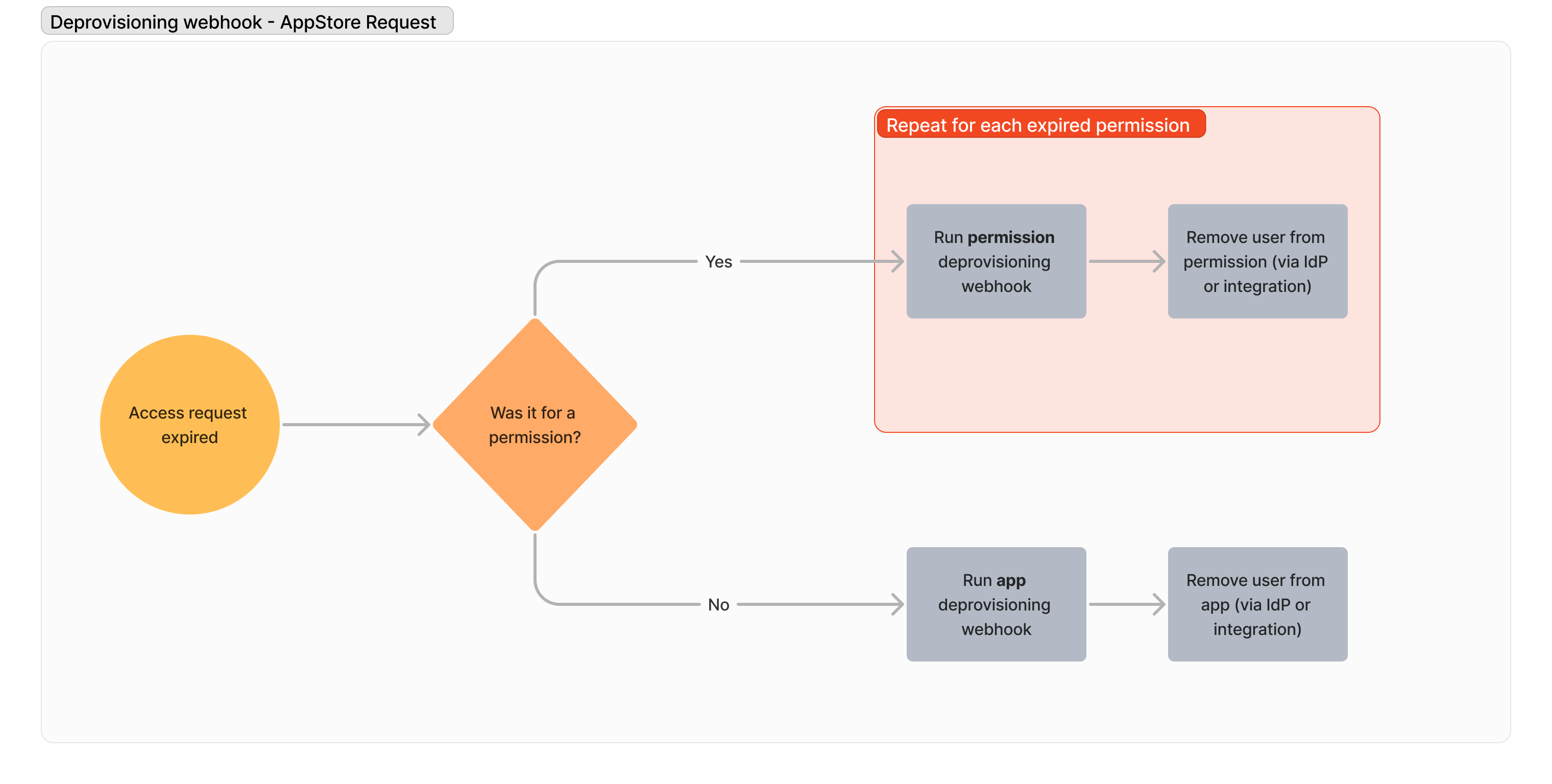
If you’re looking for inspiration, below are some sample scenarios where Lumos customers have used deprovisioning webhooks to eliminate manual work, save costs, and improve security.- Removing time-based access Let’s say you want to assign someone an app license for 30 days via a provisioning webhook. At the end of that 30 days — how should access be removed? See Provisioning Webhooks You can set a deprovisioning webhook that automatically removes the access that was created after the timeframe expires.
- Automating removals for audits Removing access that’s no longer needed is often a time-consuming and error-prone part of the Access Review process. While Lumos has integrations to your IdP and many service providers, internal tools or complex entitlements may need a more bespoke solution. You can call a deprovisioning workflow at the end of an Access Review to remove access automatically in the exact way that’s needed. See Using Lumos for Access Reviews
- Removing inactive accounts If someone is no longer using their access to an app, you can create an inactivity workflow that asks them (or the system owner) whether they still need it. If it’s no longer needed, you can run a deprovisioning webhook to automatically remove that access with no human intervention. See Creating an Inactivity Workflow
What’s sent in the webhook?
Lumos sends a JSON payload of data about the user’s access when the webhook is triggered. The format of this payload is below.How should my script or workflow respond?
Please follow the general guidance on how to format your webhook responses here: Creating Webhooks The allowed “response” values for deprovisioning webhooks can be found below. If the user was deprovisioned (Success)Where can I use deprovisioning webhooks?
Deprovisioning webhooks can be triggered in any of the following scenarios:- To remove access when a time-based access request expires. See Requesting Access to an App
- To remove access when an account is marked as rejected in an access review. See Using Lumos for Access Reviews
- To remove access when an account is flagged for removal in an inactivity workflow. See Inactivity Workflows 101