

- Timeouts in the Lumos webhook system before your system finishes processing.
- External service/API timeouts (e.g., AWS API Gateway limits) after Lumos stops waiting for a response.
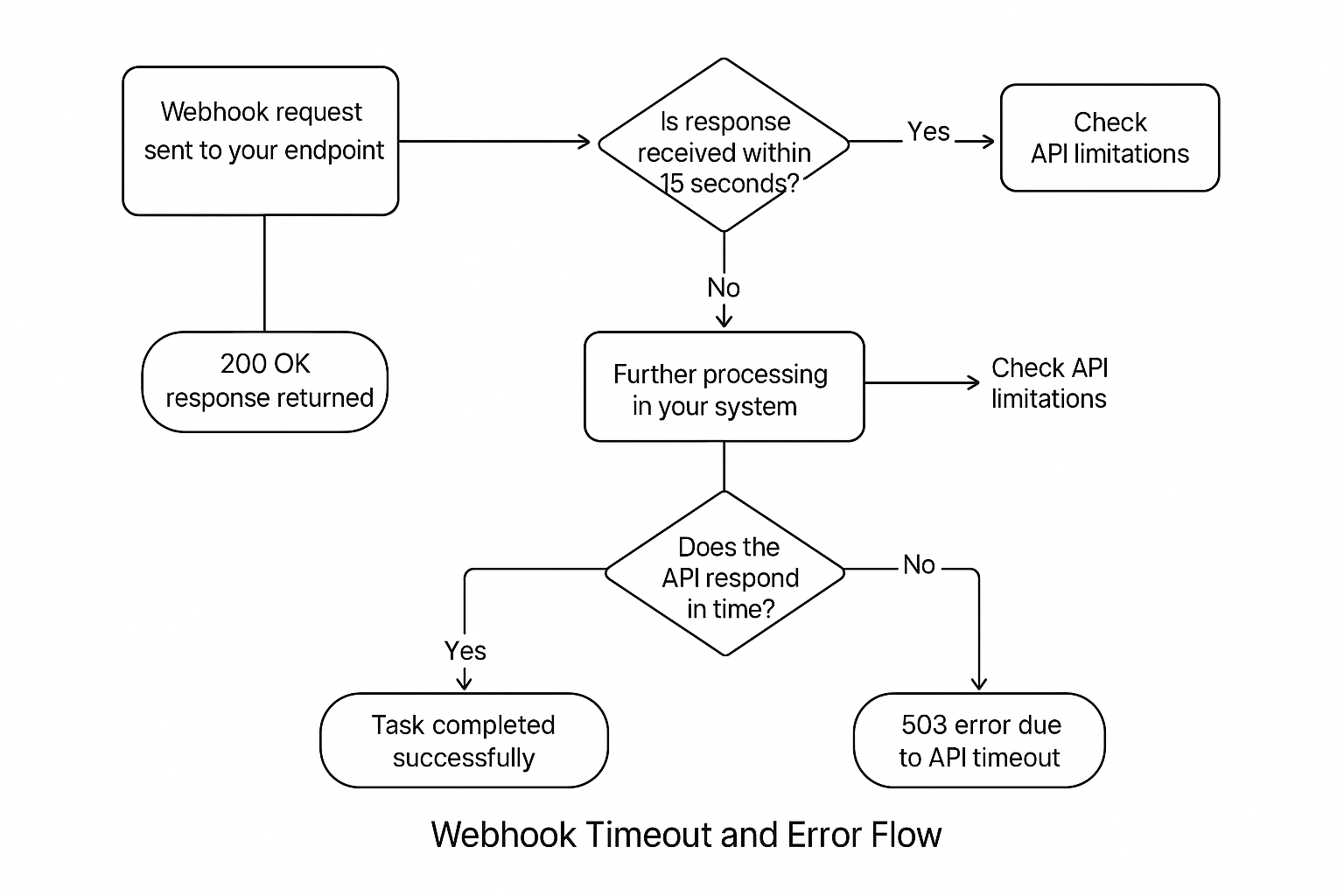
Common Scenarios and Root Causes
Scenario 1: Lumos marks the webhook as failed due to 15-second timeout, but your system completed successfully later
Symptoms:- Lumos shows a task as failed (
timeouterror). - Customer confirms the task was processed successfully.
- Lumos logs stop listening after 15 seconds, causing a disconnect.
Lumos, by default, stops waiting after 15 seconds. If your endpoint takes longer to respond (even if it eventually returns
200 or 204), Lumos will mark it as failed.
Scenario 2: Upstream API (e.g., AWS API Gateway) times out after 30 seconds, returning 503
Symptoms:
- Lumos no longer shows a timeout (after timeout extended to 60 seconds).
- Logs from your side show
503errors after ~30 seconds. - Occurs when your system is calling APIs with their own short timeout windows (like AWS API Gateway’s default 30-second limit).
AWS API Gateway (and similar services) have hard-coded timeouts. Your webhook may be waiting on these APIs beyond their timeout limits, causing them to return
503 errors, which propagate back to your webhook.
Best Practices to Avoid Webhook Failures and Noise
Always acknowledge Lumos quickly
- Return a
200 OKresponse with the following JSON payload within 15 seconds:
- If your actual deprovisioning process takes longer, handle it asynchronously and return immediately to Lumos.
Check for upstream API limitations
-
If calling APIs like AWS API Gateway:
- Validate the timeout limits (commonly 30 seconds).
- Consider raising the API Gateway timeout (if possible).
- Prefer asynchronous processing to avoid hitting hard timeouts.
Use retries cautiously
- Lumos does not currently retry automatically after a failure marked as a timeout.
- You may implement retry logic within your webhook handler for robustness.
Review logs and monitor
- Use tools like Datadog to correlate Lumos execution timeouts with your internal success logs.
- Proactively monitor for patterns of
503errors from APIs.