
Background

Webhooks extend the way Lumos connects with your company apps. SeeExtending Lumos With Webhooks This guide shows you how to set up a webhook so that you can use it in your workflows.

Steps

1. Go to your webhooks in Lumos.

2. Click “Add Webhook” and choose the type.
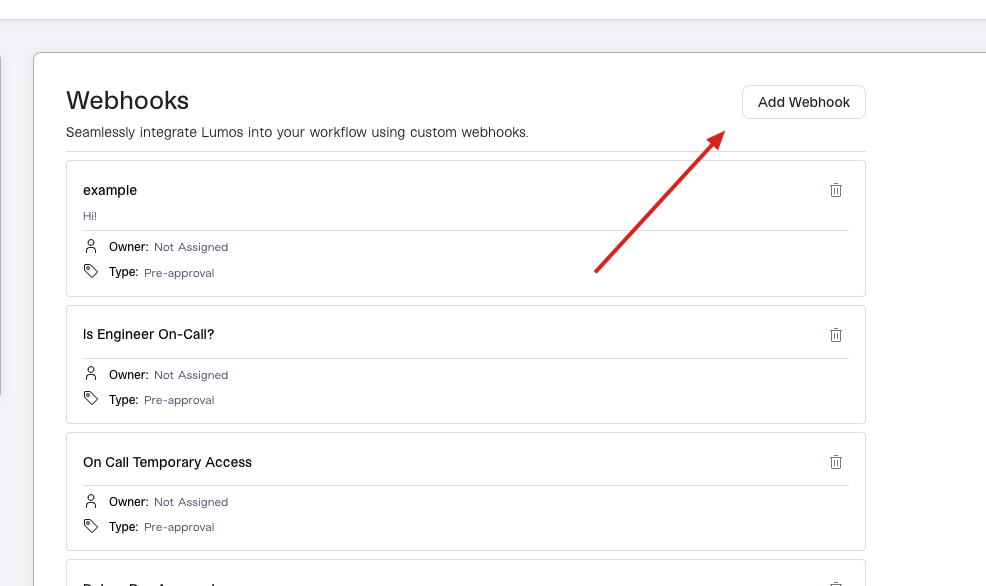
3. Fill in the details.

  • Name: Add a name that will be clear when you’re adding it to a workflow later.
  • Description [Optional]: Add a helpful description of what the webhook does.
  • Endpoint URL: This is the URL to which Lumos will send the webhook payload (via HTTP POST) in order to trigger your script or workflow. This endpoint needs to be accessible over the public internet.
  • Custom Headers: Often, iPaaS solutions like Okta Workflows and Workato will require a specific type of authentication. Even if you’re using a custom serverless function, Lumos recommends authenticating requests with some kind of shared credential, such as an API key.

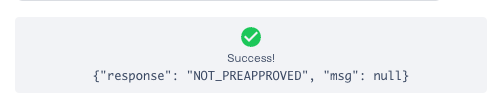
4. Click “Test Webhook”.

If your remote workflow or function is configured properly, you’ll see a success message like the one below. For details on the response format Lumos is expecting, please read the “Expected response format” section below.
5. Click “Save”.

Expected response format

Your script/workflow needs to return a JSON payload when it finishes to be successfully parsed by Lumos, with the exception of Provisioning, Deprovisioning, and SIEM webhooks. Provisioning and Deprovisioning webhooks will also be considered successful if your script/workflow returns an HTTP 204 response. SIEMwebhooks will be considered successful with any HTTP 2XX response. For all other webhooks, either of the following payload formats can be successfully parsed by Lumos, though the data in the “output” key will be used first, if found.
Webhooks that are not successfully parsed are marked as “Failed” in Lumos, even if your remote script/workflow finished. It’s important that your webhook responds in the correct format. Lumos looks for the value in the “response” key to determine whether the script completed the task (provisioning, deprovisioning, etc.) successfully. Information about expected response values for each webhook type is below: Provisioning Webhooks Deprovisioning Webhooks Request Validation Webhooks Pre-Approval Webhooks

FAQs

I cannot get the “Test Webhook” to succeed.

First, make sure that your _Endpoint URL_and Custom Headers are correct and contain all required info. If so, make sure that your webhook returns a response to Lumos in the expected response format above.