Background
The Lumos AppStore is where your employees request and gain access to systems. Features such as pre-approvals, connectors to your identity provider, and Slack-first approvals reduce the time to resolve employee access requests. However, not all provisioning can be automated through your Identity Provider (IdP). Many applications do not support SAML or SCIM provisioning, and even the ones that do don’t always support provisioning to groups, roles, and licenses. Here are some common examples that often aren’t covered by your IdP:- Internal Admin Tools
- Internally Managed Databases and Developer Resources
- SaaS Tools that don’t yet support SCIM provisioning
Video overview
To watch a past Lumos webinar on webhooks, visit the Lumos University page and click the Extending Lumos beyond Lumos, Part 1 (Webhooks) link.What are inline webhooks?
Inline Webhooks let you execute custom scripts before, during, or after an access request in Lumos. Your scripts can be hosted on an iPaaS tool like Okta Workflows, or through a serverless function such as AWS Lambdas.Types of inline webhooks
Lumos supports 4 types of Inline Webhooks: Provisioning, Deprovisioning, Pre-Approval, and Request Validation Hooks.-
Provisioning
Provisioning Webhooks let you automate access provisioning for any application, resource, or permission, regardless of whether or not it is connected to your Identity Provider.
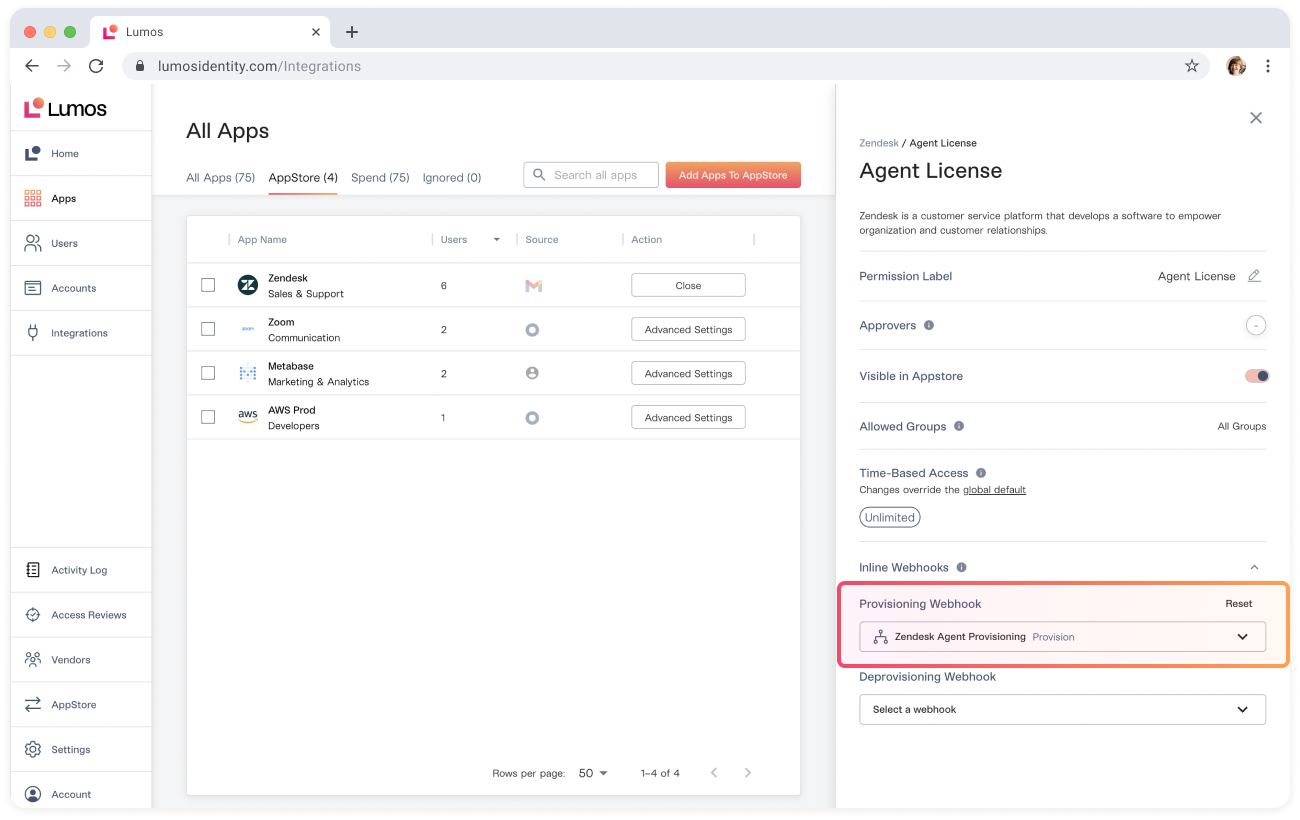
Let’s say you have an application, Zendesk, which supports automatic provisioning through Okta, but you can’t assign licenses via Okta. Through Lumos, you can create a Provisioning Webhook to grant different types of Agent Licenses and assign each Webhook to a different permission within Lumos.
Now, anytime someone is approved to access a Zendesk Agent License, Lumos will hit your external script to automatically provision access and no manual work is needed.
-
Deprovisioning
Deprovisioning Webhooks let you automate access removal for any application, resource, or permission, regardless of whether or not it is connected to your Identity Provider.
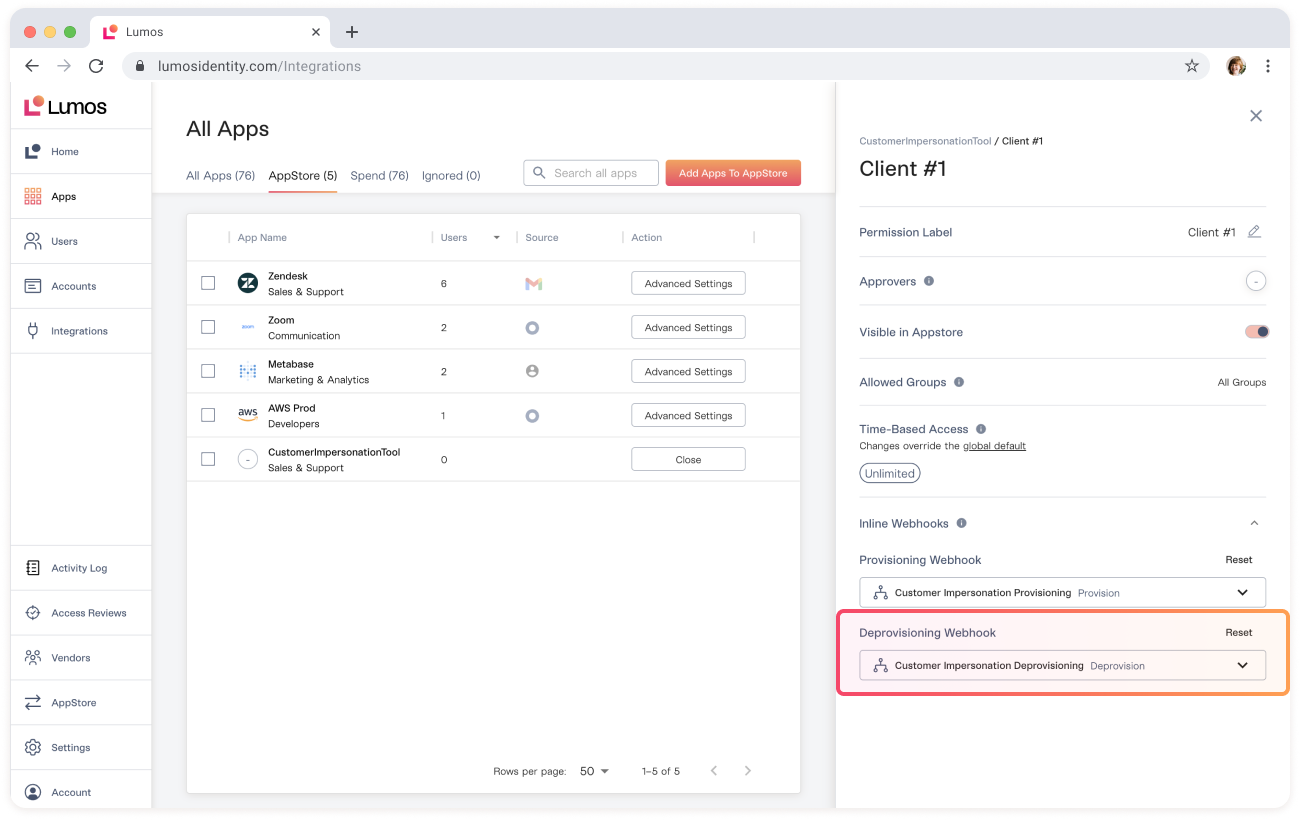
Let’s say you have an application, CustomerImpersonationTool, an internal tool to let your support team impersonate customer instances of your software. Through Lumos, you can create a Provisioning and Deprovisioning Webhook to automate the process of getting and removing access to this system.
Now you can restrict employees to only access this system for 2 hours at a time, and access is automatically removed when they are done.
-
Pre-Approval
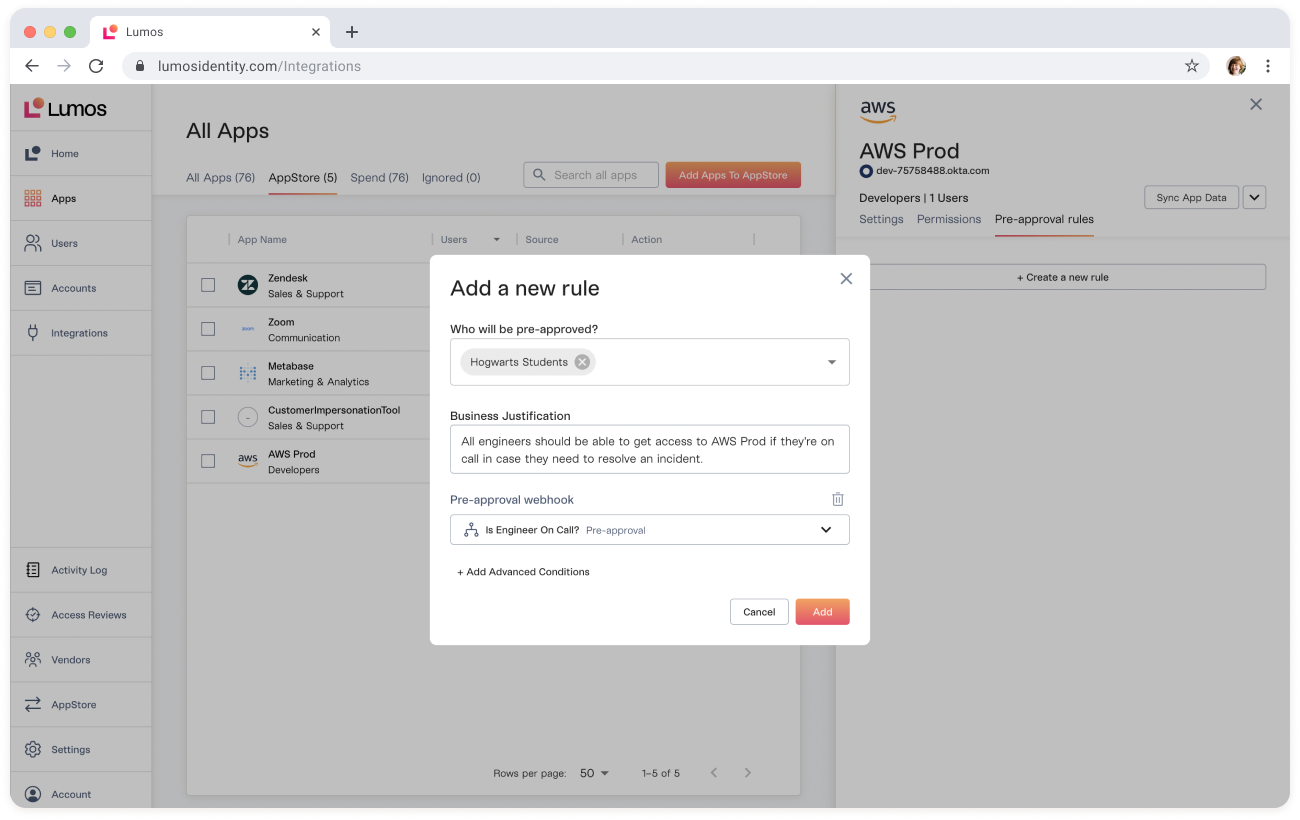
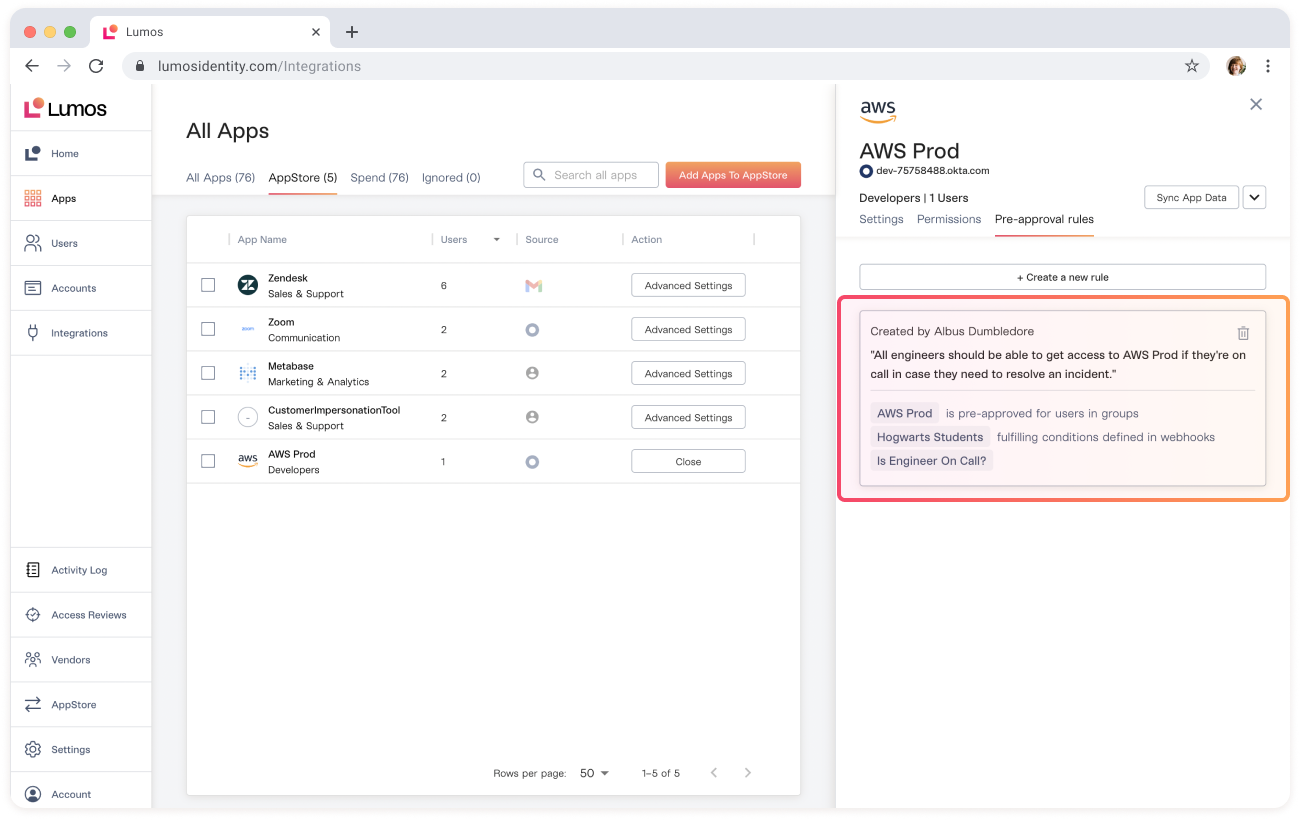
Pre-Approval Webhooks let you create custom conditions for pre-approving access to systems. For example, you can create a rule that pre-approves access to AWS for engineers who are on-call.
- Request Validation Sometimes you don’t want employees to be able to request access to tools unless they’ve completed a required compliance or security training. Through Request Validation hooks, you can create a custom validation check that is run before employees request access to a system. For example, you may want to check whether they have completed a KnowBe4 training before accessing a sensitive database. If an employee tries to request access before completing their training, you can customize the error message they will receive and ask them to complete the training first.
Payload, required response format
The payload that Lumos sends to your script will depend on the type of webhook: Provisioning Webhooks Deprovisioning Webhooks Request Validation Webhooks Pre-Approval Webhooks The HTTP response/payload format that your script needs to return to Lumos for the webhook to be parsed successfully can be found here:Creating Webhooks For each webhook type, whether the webhook was “successful” or not will change the nature of the data you need to send Lumos (see to the specifications in each webhook article linked above).Creating a webhook
Check out this article for step-by-step instructions:Creating WebhooksStoring your webhook data
All Webhook data aside from the name of the Webhook is stored securely at rest, as if it were a credential. You can safely store sensitive credentials such as API keys, usernames, and passwords in your Webhook headers.Auditing inline webhooks
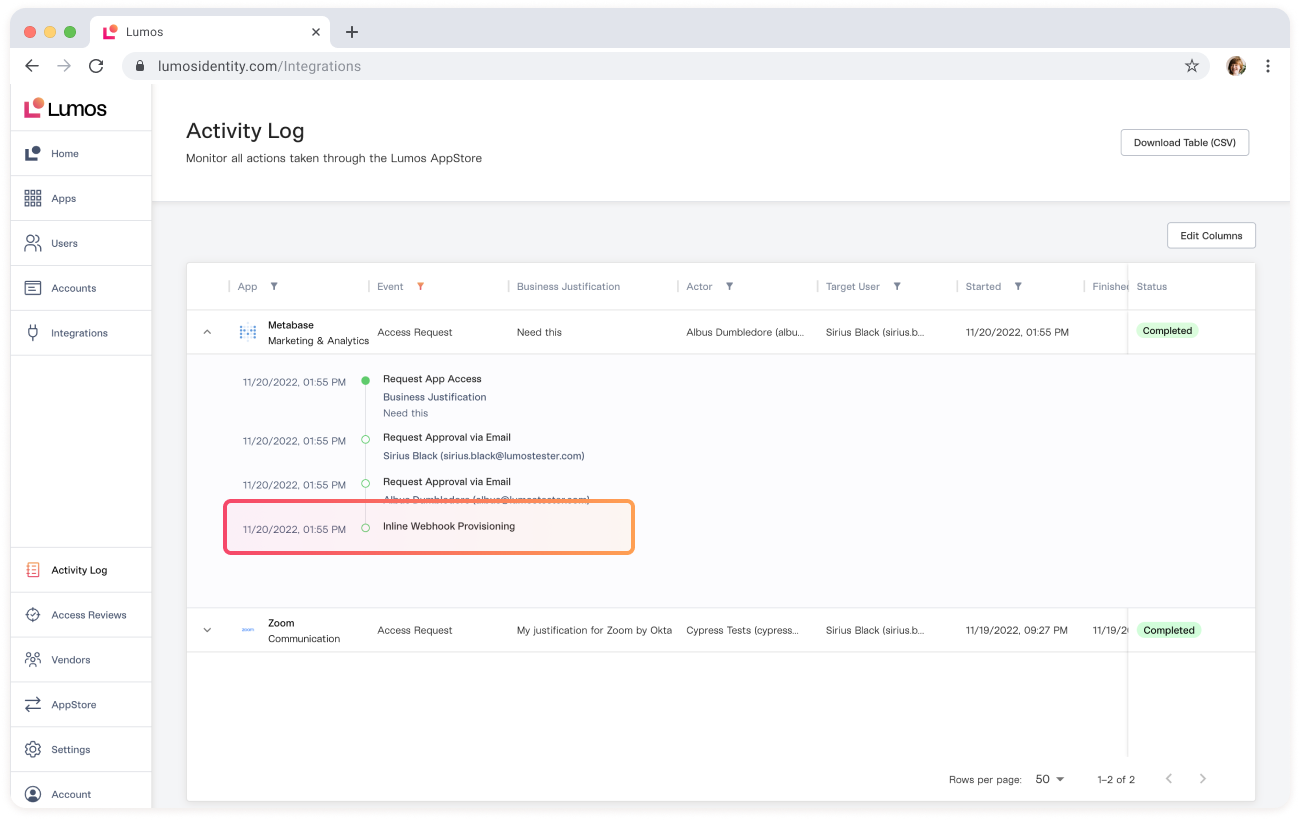
All provisioning, deprovisioning, and pre-approval webhook executions are logged in your ActivityLog as part of the request they are a part of.