

Background
The Lumos AppStore allows you to create a single, self-service portal for all of your employees to find and request the access they need. The AppStore also automates provisioning and deprovisioning for these access requests. This article covers the options available when configuring provisioning and deprovisioning workflows. Note: some of the features shown here are in Early Access. If you do not see them in your tenant, contact your CSM to enable them.App vs Permission Provisioning
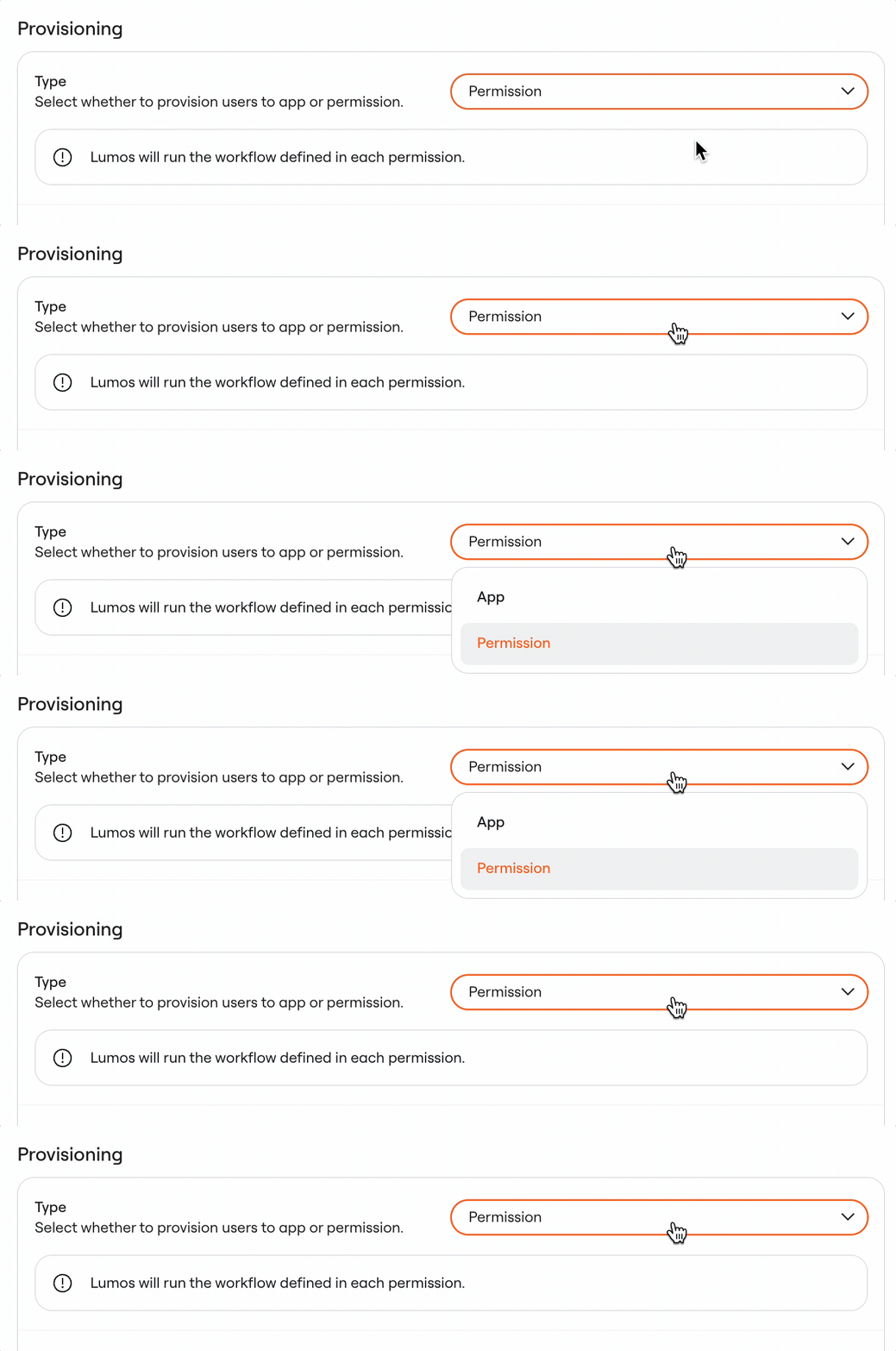
When you configure your AppStore, you have two options for how to provision access:- App - use this option if you only care about provisioning initial access to an application
- Permission - use this option when there are multiple permissions that an employee might need to request access to (for example, different licenses)
Provisioning Workflows
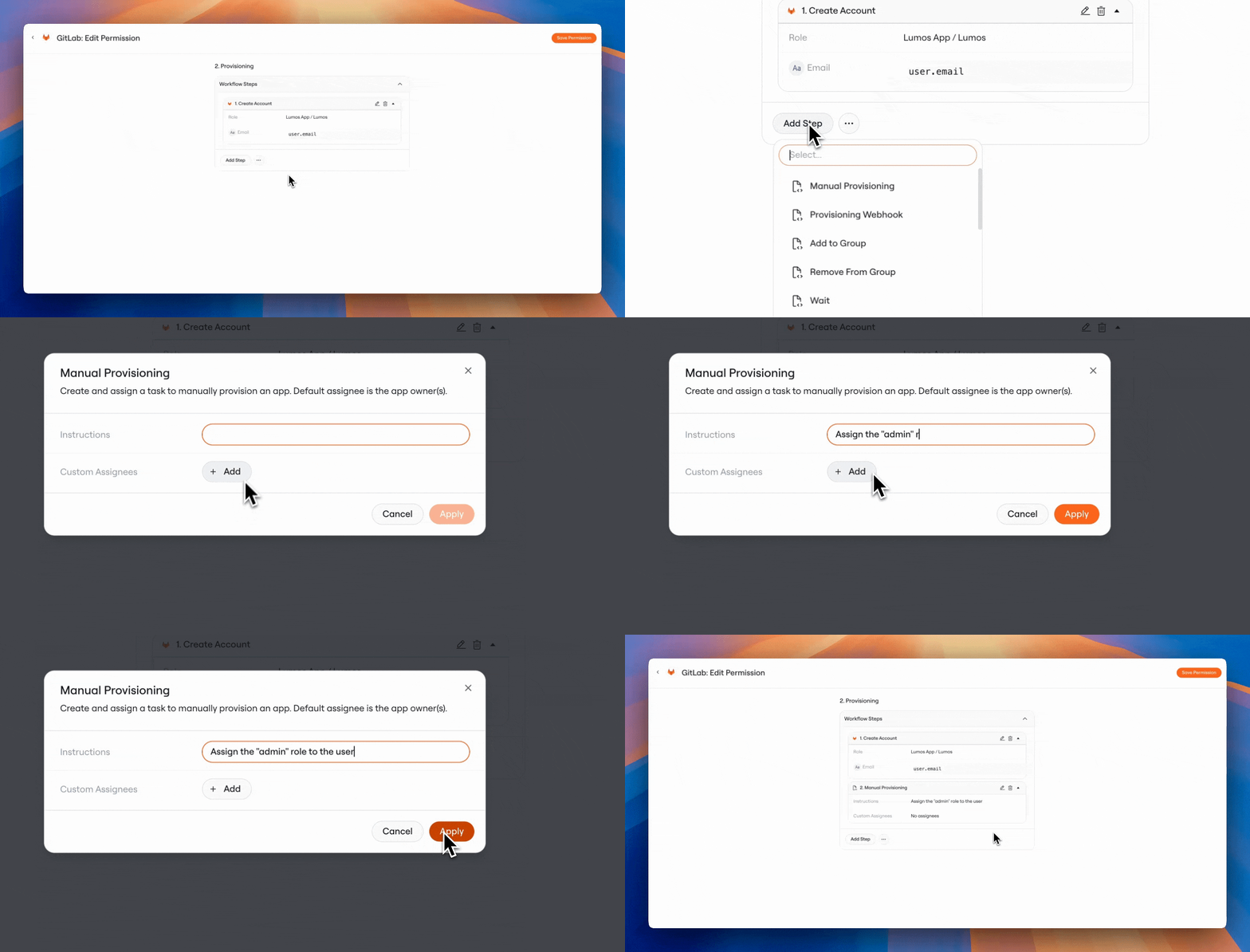
Within an app or permission, the “Provisioning” section allows you to configure how access is granted to that particular resource. You have the option to run any number of steps as part of this workflow, including:- Add to Group - add the user to an Okta, Google, or AzureAD group
- Remove from Group - remove the user from an Okta, Google, or AzureAD group
- Run Webhook - run a provisioning webhook
- Request Manual Provisioning - create a Task with custom instructions to send to admins, in order for them to manually provision access
De-Provisioning Workflows
If you allow it, employees can request access to apps and permissions for a limited period of time in Lumos. This is called Time-Based Access. This feature is commonly used for:- Restricting access to high-risk infrastructure to only 2-4 hours at a time
- Limiting PII access to the length of a particular project (e.g. 14 days)
- Requesting expensive licenses for only 14 days at a time to encourage a “shared pool” of licenses
FAQs
Which actions can I run as part of my workflows?
You can run any action available within the Lumos integrations ecosystem. Provisioning and deprovisioning workflows are built on top of the Lumos core workflows platform, which is constantly being updated with new actions to include in your workflows. You can even run actions from one app inside of the workflow for another app. Some example use cases include:- Adding the user to an Okta group called
zoom-usersas part of your Zoom provisioning workflow - Assigning a user to a specific Active Directory entitlement as part of the workflow for a custom application