

Background
When users request an app, Lumos can surface a list of permissions to choose from. By default, users can select multiple permissions, which is incompatible with the workflow of some apps. You can configure your apps to be single select only, meaning users will only be able to select one permission.Instructions
- Go to the admin AppStore table and open the settings of the app that you’d like to configure.
- Toggle the “Allow Request for Multiple Permissions” to off.
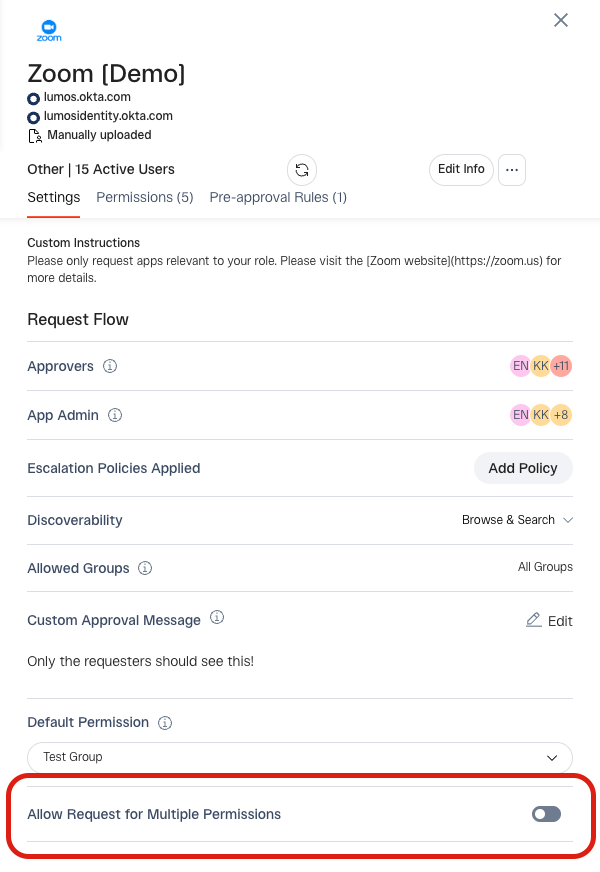
- Setup complete.
What if I want to set this as the default?
You can set all apps added to your AppStore to be toggled off by default.- Go to the AppStore settings page.
- Configure your default toggle here - this will drive the default value when you add a new app to the AppStore. (You can still toggle this on at the app level. This setting only sets the default.)
