Background
Custom Requests let employees request apps that aren’t in your AppStore yet, so you can roll out the AppStore before you’ve added every approved app. Custom Requests give your employees a way to request any app from the Lumos AppStore, even if the app isn’t in your AppStore yet. SeeRequesting Access to an App This makes the AppStore the entry point for all of your access requests.Steps
1. Enable ITSM.
SeeConnecting Your ITSM2. Find the “Sync Custom Requests” tab in your ITSM settings.
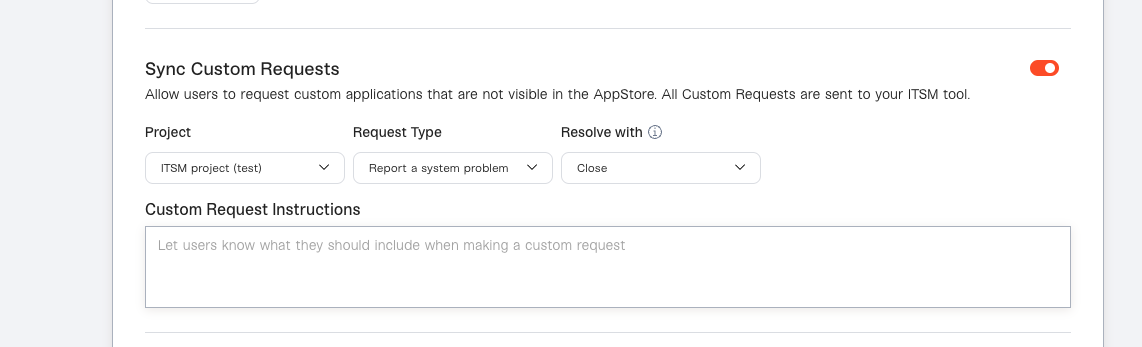
3. Flip the toggle to the right, then choose where you want them to go in your ITSM.
Specify the Project, Request Type, and Resolve with transition to finish the configuration. Since Custom Requests will require someone from your team to take action in your ITSM, make sure you specify a destination that’s being actively monitored.4. (Optional) Set Custom Instructions
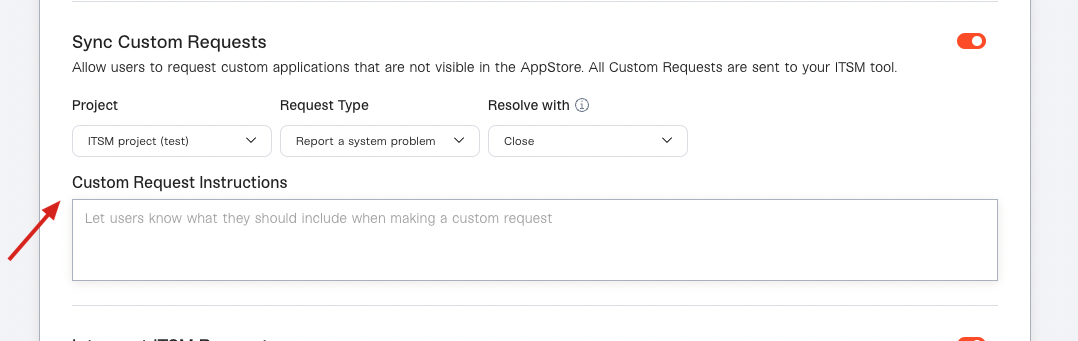
If you want to ask requesters for additional info before they submit a custom request, or set expectations on how you’ll be following up with them, you can add instructions.