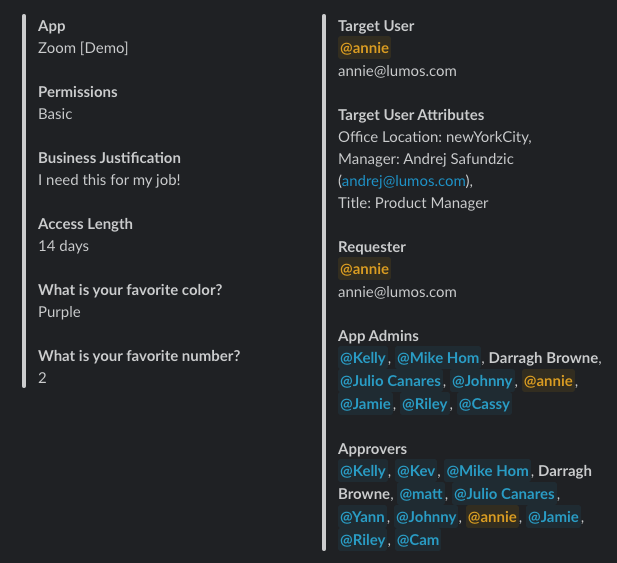
Background
Custom intake fields collect the information your provisioners need before a requester can submit an AppStore request. For example, you can require the requester’s GitHub username so that it appears in your provisioning notification.Instructions
1. Navigate to the app’s AppStore settings
You should see a new section called Custom Fields:2. Click +Add New Field, and you’ll select either a Text or Single Select option.
If Text Field: Add your prompt (for example, ‘Please enter your GitHub username’) and add an optional description. If Single Select Dropdown: Add your prompt and add an optional description. Click “Next”, which will pop open a modal for you to enter in your dropdown values. You can use Enter as your delimiter here. Lumos supports up to 50 values in the dropdown.3. Setup complete
When users request this app, they’ll now be asked to populate these required values.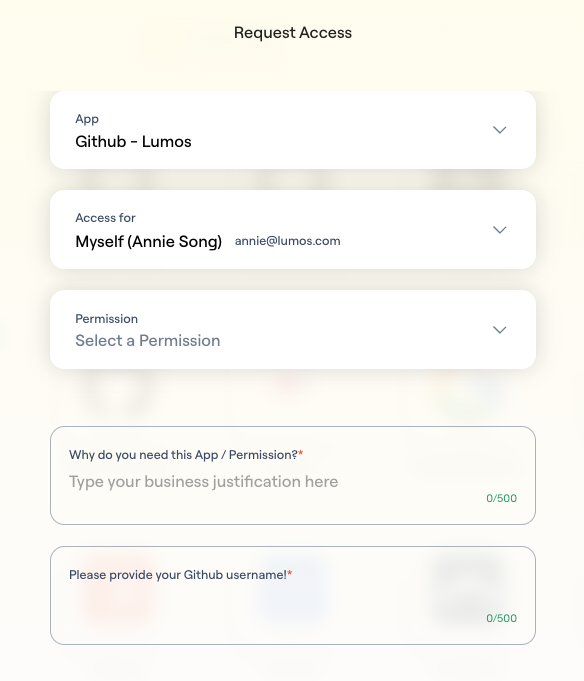
FAQs
1. Where can I see the user responses to the custom intake form questions?
Notifications (Slack, email), the Lumos Task Center, ITSM, SIEM, and the Activity Log.