

Background
Access requests often depend on a small set of approvers—managers, executives, or app owners. When those approvers are out of office or rely on executive assistants (EAs) to handle routine approvals, requests can get stuck. Without delegation, teams typically rely on workarounds like:- Manually reassigning tasks
- Temporarily changing managers in the HR system
- Escalation policies that only trigger after delays
What Is Delegation?
Delegation allows an approver (the owner) to assign their approval tasks to another user (the delegate). When delegation is active:- New approval tasks are sent to the delegate
- Actions are recorded as “performed by the delegate on behalf of the owner”
- The owner retains accountability and audit ownership
Configuring Delegation
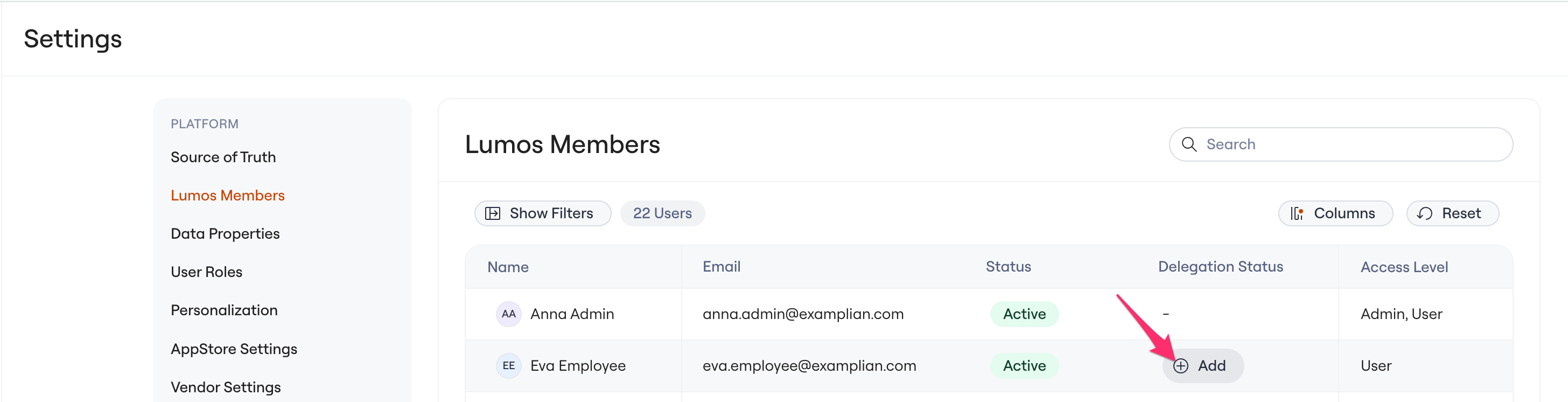
1. Navigate to Delegation Settings (Admin)
- Go to the Admin Console -> Settings -> Lumos Members
- Add delegation for a given identity
or Navigate to Task Center (User)
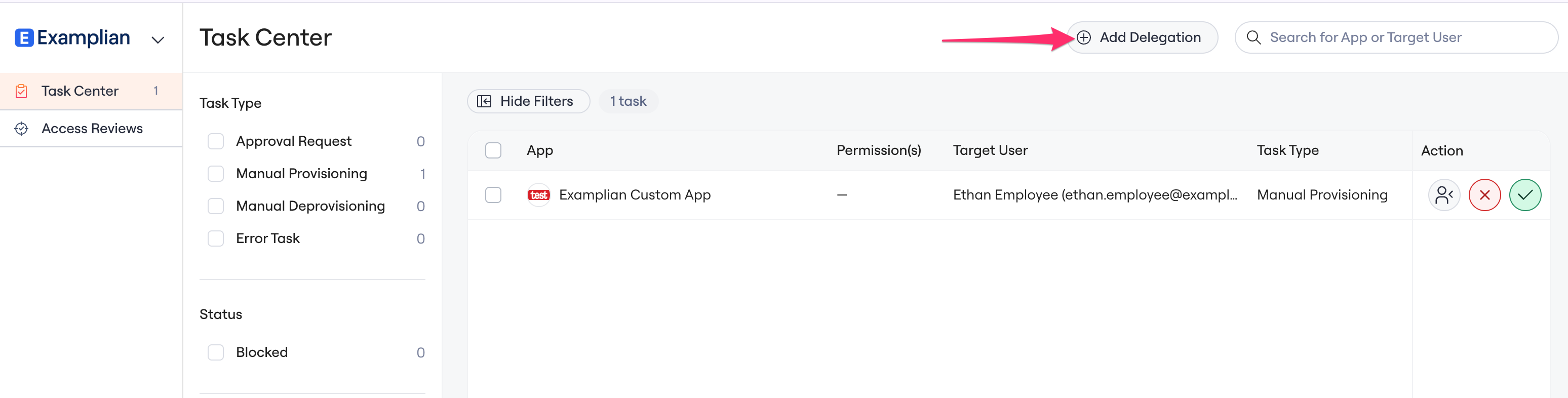
2. Create a Delegation Rule
Click Create Delegation, then configure:-
Owner
The person whose approvals will be delegated -
Delegate
The person who will receive and act on those approvals -
Timeframe
- Set a start and end date for OOO coverage, or
- Leave the end date blank for ongoing delegation (for example, executive to EA workflows)
-
Scope (if available)
- Choose what delegation applies to. In Beta, this is restricted to all approvals and all tasks.
3. Save and Activate
Once saved:- Delegation becomes active at the configured start time
- When delegation starts, all open approvals and tasks are routed to the delegate.
- Both the owner and delegate are notified
What Delegates See
When acting as a delegate:- Approvals and tasks appear in the delegate’s task list
- Each task clearly indicates it was delegated from another user
- The delegate can approve or deny requests just like the original approver
Managing Delegation
Admins (and approvers, if enabled) can:- View Active, Upcoming, and Expired delegations
- End a delegation early
- Update dates or change the delegate
Governance and Safety
Lumos enforces guardrails to reduce risk:- No self-approval
Delegates cannot approve their own access requests - No circular delegation
Delegation loops (for example, A → B → A) are prevented - Active users only
Delegates must be active users; delegation may end automatically if a delegate is deactivated
Common Use Cases
Manager OOO coverageRoute approvals to a peer or direct report during PTO or leave. Executive assistant workflows
Allow EAs to handle routine approvals while executives focus on exceptions. Temporary coverage
Quickly assign a delegate when someone is unexpectedly unavailable.
FAQs
Can Delegation reassign Access Review assignments to other reviewers? No, currently delegation only reassigns Tasks in the Task Center (Approval tasks, manual provisioning / deprovisioning tasks, error tasks). Does delegation affect task and approvals that are already pending?Delegation typically applies to all open approvals and task at the delegation start time. Existing tasks and approval will move from the owner to delegate when enabled. Is delegation the same as escalation?
No. Delegation is a proactive assignment of responsibility. Escalation is a reactive fallback when tasks or approvals are delayed. Can I have more than one delegate?
Only one delegate is supported at this time.