

Background
Lumos Analytics for Compliance Reporting shows whether your user Access Reviews are on track, how effectively you remove terminated accounts and manage access to sensitive applications, and how your reviews are progressing. Use it to report to leadership and identify where to improve access management for your most sensitive systems.Quarterly Access Review Snapshot
At a glance, gain quick insights into your in-scope applications and understand how many are in need of review as defined by common SOC2, SOX, ISO 27001, PCI, HITRUST and other standard user access review requirements.Overall Review Metrics
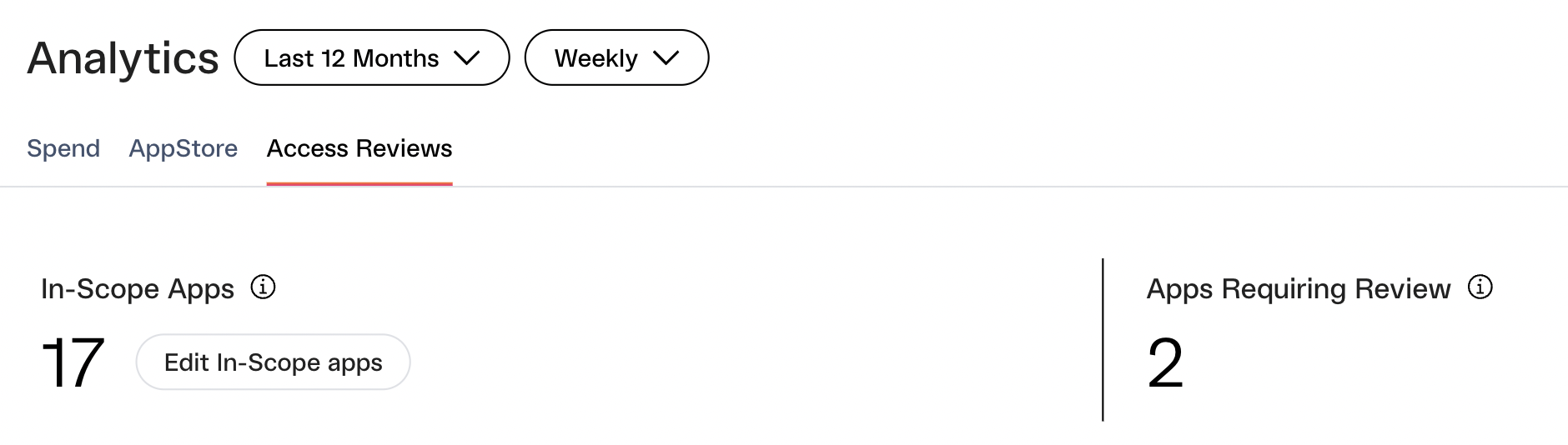
- In-Scope Apps — the number of apps manually selected as in scope. By default, Lumos initially selects the apps included in any historical access reviews.
- Apps Requiring Review —any in-scope app that has not had an access review completed in the standard audit window of 90 days.
Upcoming Review Deadlines
Stay on top of deadlines for ongoing access reviews involving relevant apps. Monitor:- Time left until the next review deadline
- Any overdue reviews
- Progress with a simple completion bar showing the # of app reviews completed out of the total
Review History
View the last review date of your most sensitive apps, enabling you to identify candidates for user access reviews.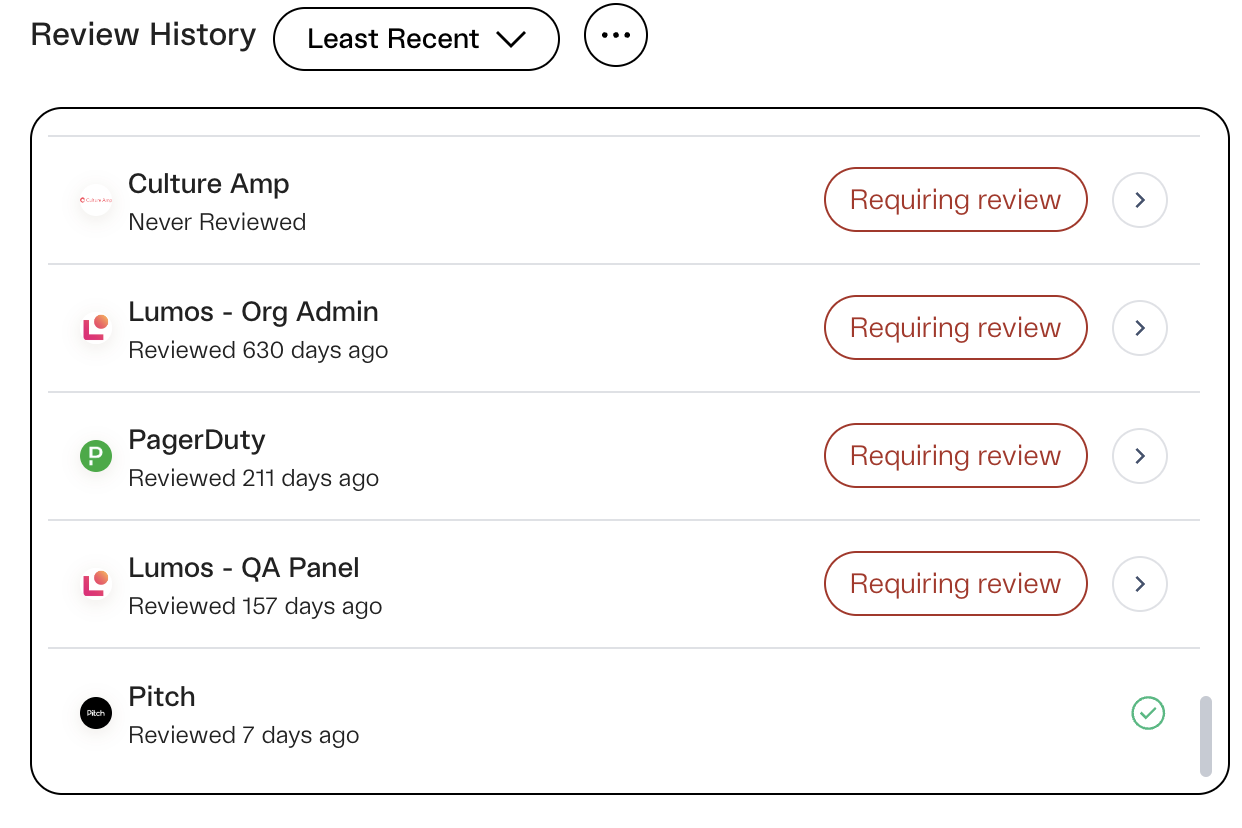
Understanding Trends in High-Risk Access
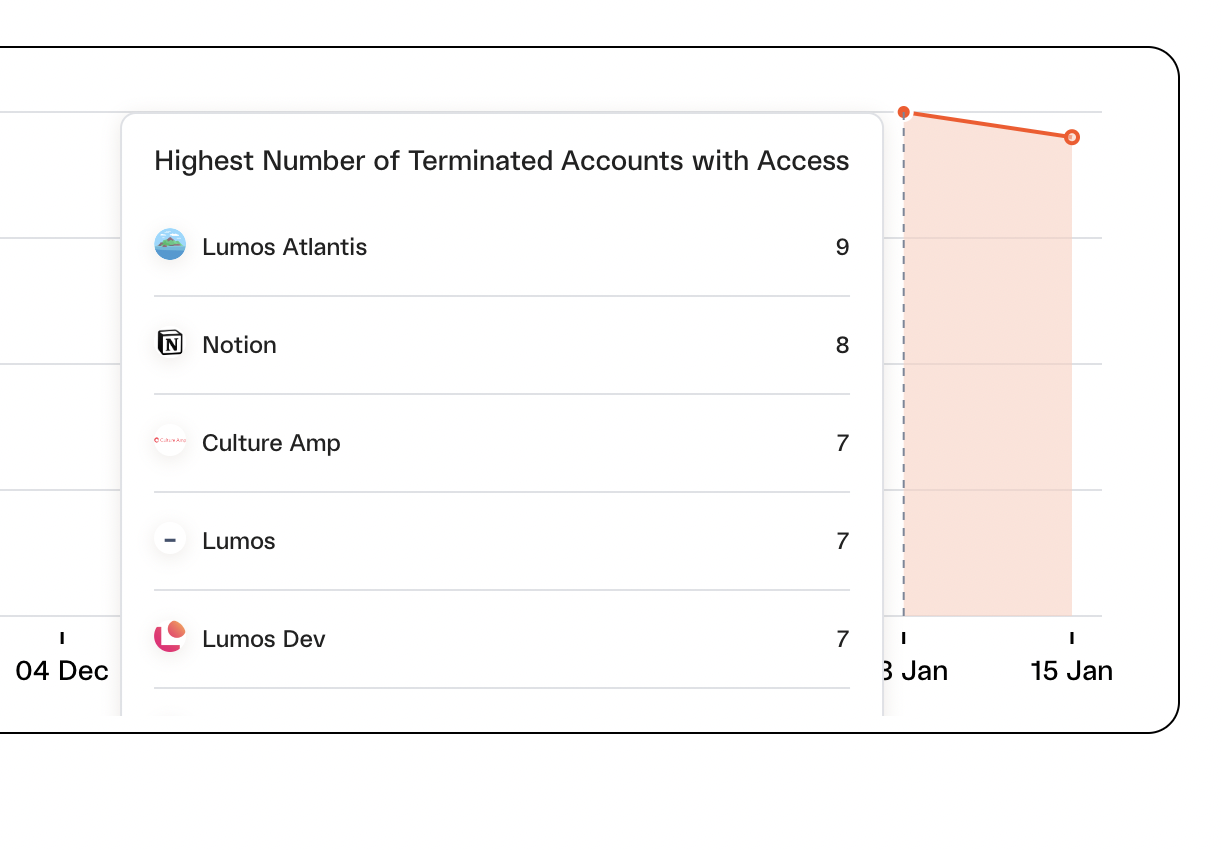
Track and monitor how effectively you are removing terminated employee access for all in-scope apps.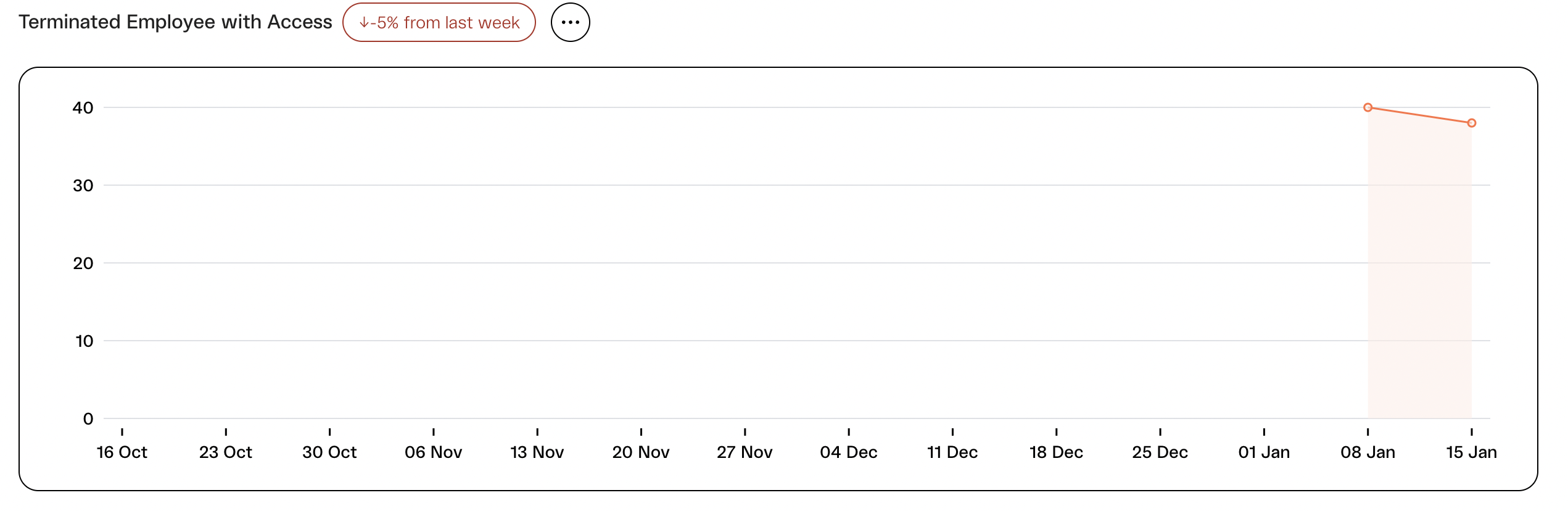
Understanding the Impact of your Access Review
Report on the volume of work done over the course of your review in terms of # of accounts reviewed and see how that trends over time with Lumos.Volume of Reviewed Accounts
-
View the total number of accounts reviewed
- For a permission-based review, an account is counted if any permission has been reviewed for that account.
- View trend for the Last Month, 3 Months, 6 Months and 12 Months.
- View trend as a Weekly or Monthly time series.
Volume of Rejected Accounts
- Monitor how the total access that required removal during access reviews changes over time with Lumos.
- Report on progress being made to remove unnecessary access and assess whether you’re successfully reducing the frequency of unnecessary access cases that require removal over time.
Breakdown of Apps with Rejected Accounts
- Analyze the app-specific breakdown of rejected access to pinpoint apps potentially lacking sufficient access controls, leading to extensive access removal during reviews, particularly terminated access.
Review Decision Breakdown
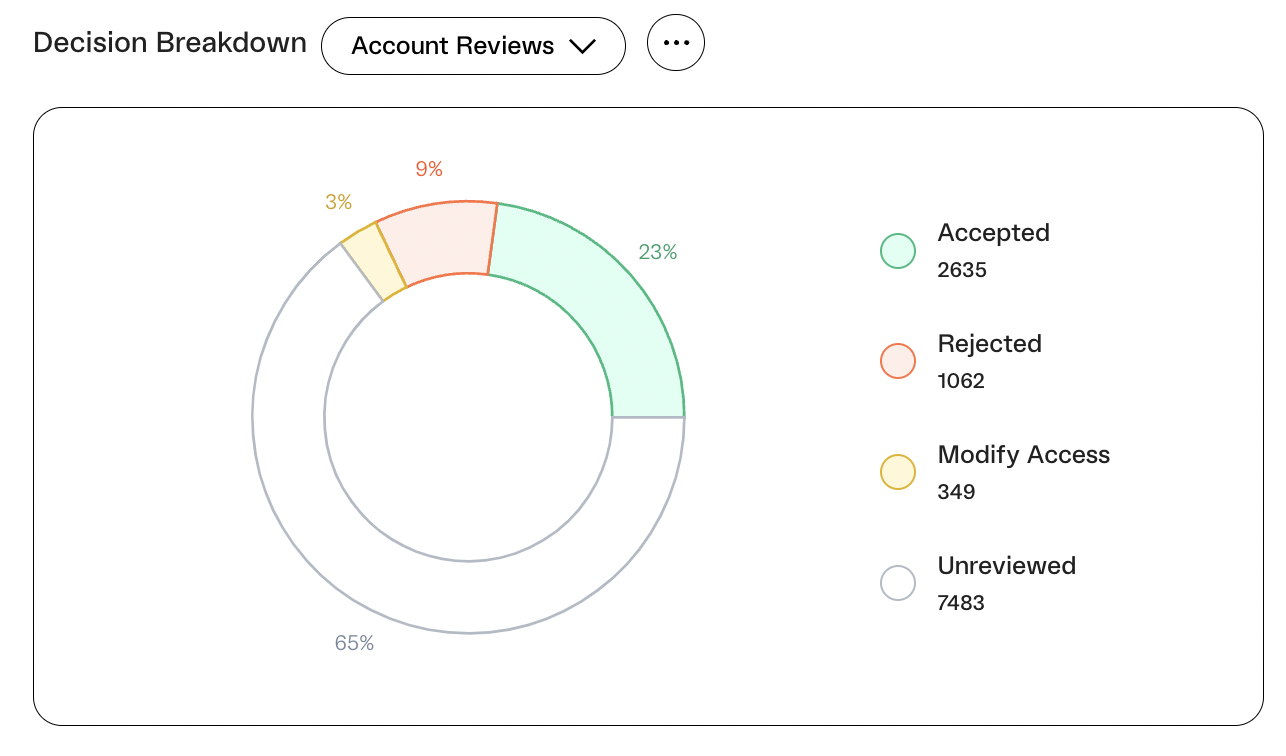
- View and report on the overall review progress across your app reviews.
- Share the final decision breakdown for recently completed reviews.
-
Toggle by account/ permission reviews to see the respective decision breakdowns by review types
- See the accepted/ rejected/ modified breakdown by the total # of accounts across all account reviews
OR - See the accepted/ rejected/ modified breakdown by the total # of permissions reviewed across all permission based reviews
- See the accepted/ rejected/ modified breakdown by the total # of accounts across all account reviews