Background
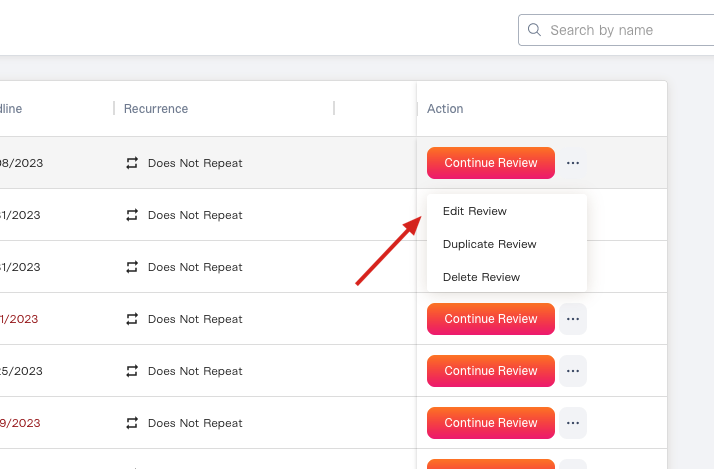
You’ve created an access review and realize that you need to change some of the details, like the name of the review or the deadline. This article shows you how to edit an existing Access Review. If you want to edit settings for specific access review apps and not the review as a whole, see Editing Access Review App SettingsSteps
1. Find the access review you want to edit.If it’s a scheduled or recurring review, visit the Scheduled tab. SeeScheduling an Access Review 2. Click the ”…” button and choose “Edit Review”.