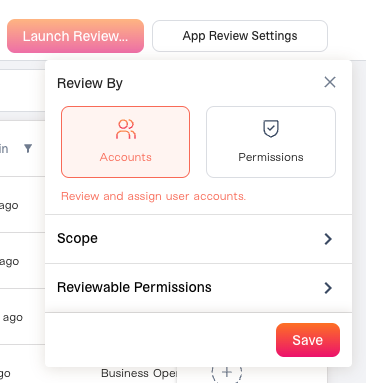
When you go to configure your access review, you’ll see a drop-down option:
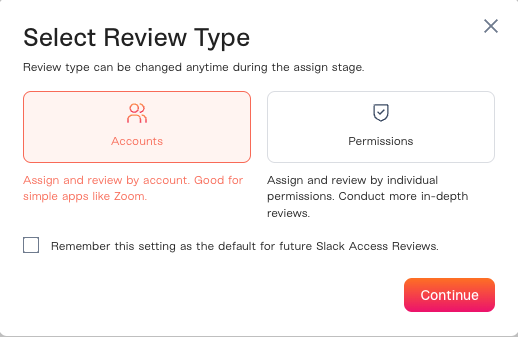
Or when you click Continue Review you may see this confirmation modal (where you’ll be able to “save” the default based on app to help with future reviews):
This is asking you to configure whether you want to do an Account-First or Permission-First review. Not sure which one to choose? Let’s dive in. Account-based Access Review: Reviewers decide whether a user should keep their account on an app (yes/no). The review unit is the user’s account on an app. The reviewer sees the user and their account status and decides to approve or reject the entire account. Permission-based Access Review: Reviewers decide at the individual permission / entitlement level. Each role, group, or license assigned to a user is reviewed separately. The reviewer can approve some permissions and reject others for the same user on the same app.

When should I do an Account-First review?

  • You are reviewing whether or not someone should have access to an app.
  • You’re reviewing a simple application with a single/very few permissions.
  • This is likely a corporate application.

When should I do an Permission-First review?

  • You are reviewing on a permission basis. You want to review whether someone’s specific level of access.
  • You’re reviewing a complex application where it’s common for a user to have multiple permissions.
  • You want to delegate your reviewers based on permission (ex: Abby reviews Permission A, Bob reviews Permission B, etc)
  • This is likely a sensitive/developer application.

That was easy, wasn’t it?

If you accidentally configured Account-First and meant to configure it as Permission-First, you can edit this by clicking “App Review Settings”: