

Overview
With Advanced Admin Configurations, you can:- Customize how and when Access Reviews recur
- Configure the content and recipient of launch notifications
- Define reviewer decision behaviors
- Set policies for auditor notes and justifications
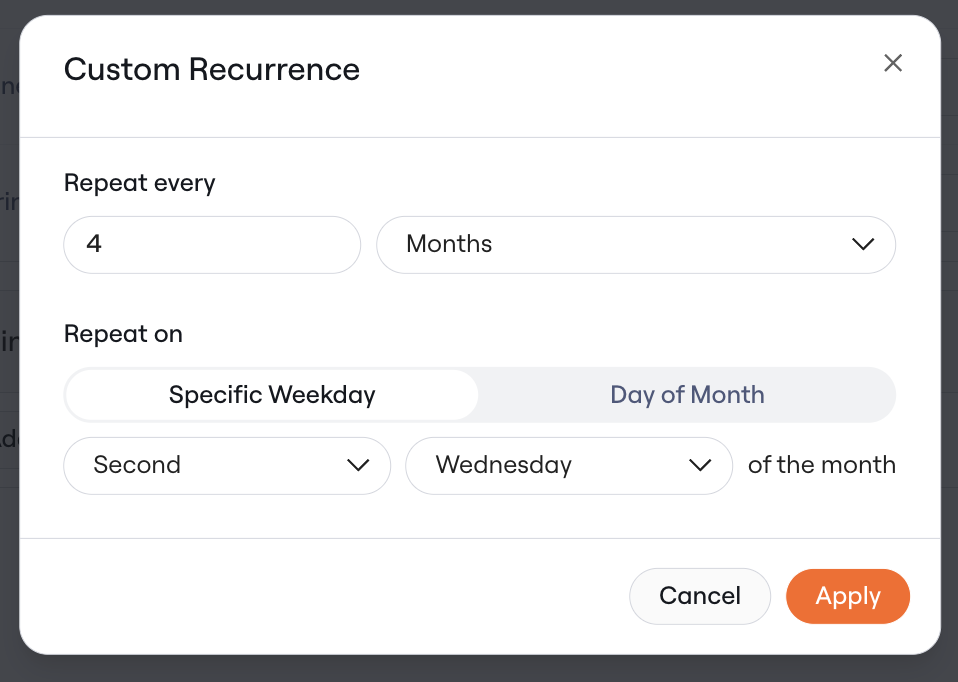
1. Advanced Recurrence Options
Admins can now define recurring Access Review campaigns using:- Weekday-based cadence (e.g., “First Monday of every month”)
- Date-based cadence (e.g., “15th of every month”)
2. Custom Contact in Notifications
In Access Review Settings, Admins can specify a custom contact for campaign notifications. By default, the reviewer (actor) is listed as the contact, but this setting allows for a central contact, such as an IT administrator or compliance lead, to be designated instead.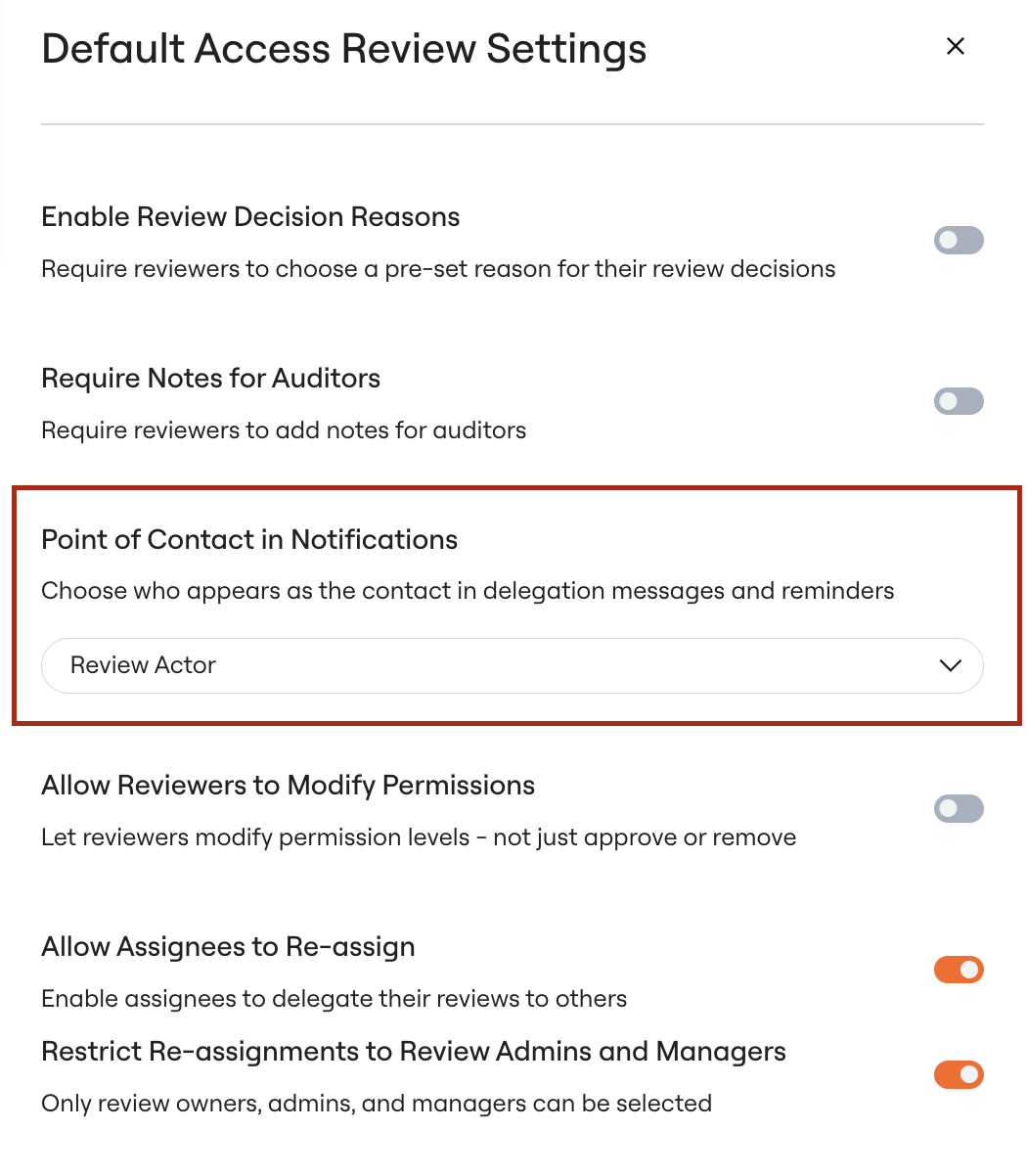
3. Reviewer Decision Actions
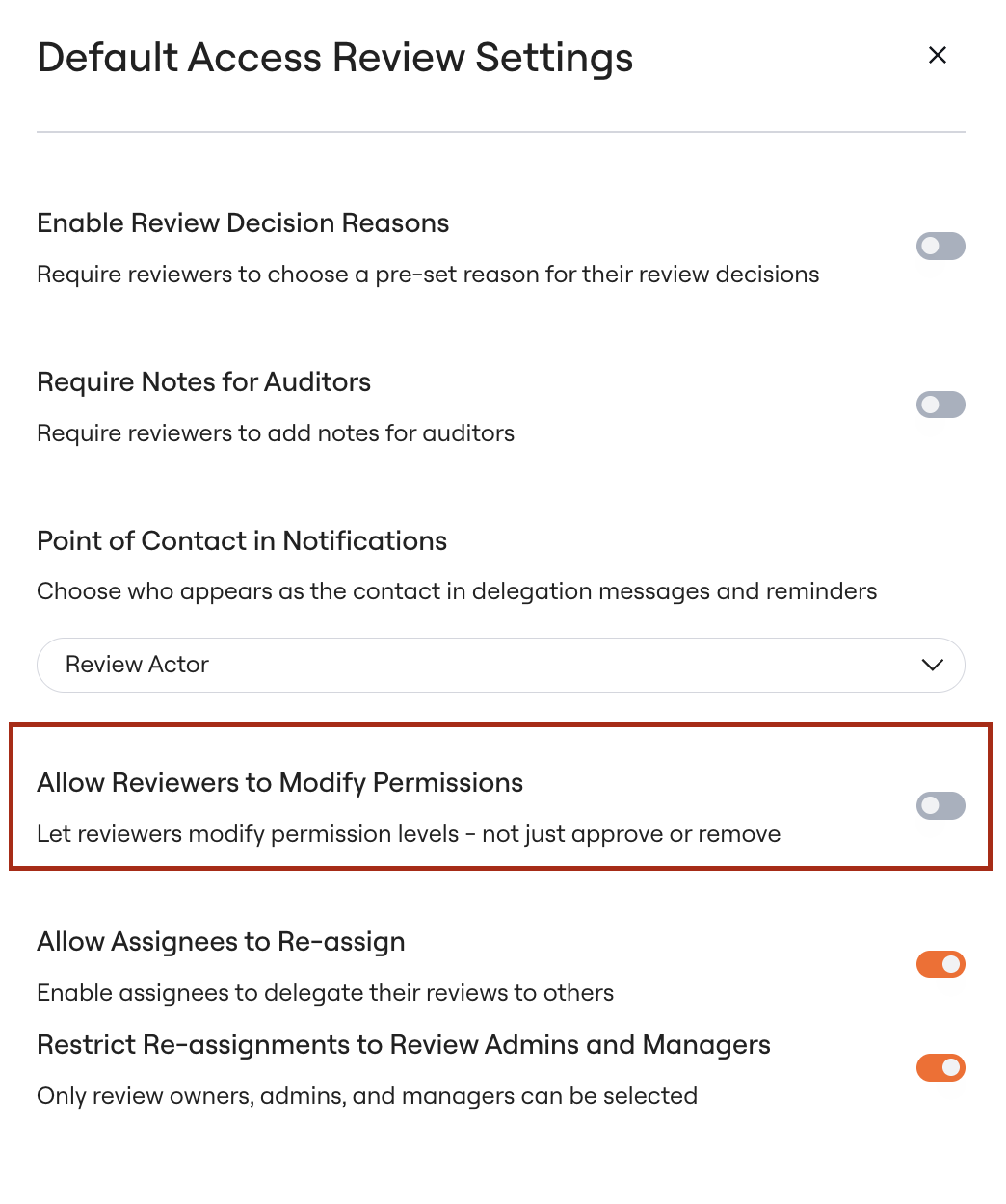
Admins can control whether reviewers are allowed to modify permissions as part of a “Reject” decision. This setting is available in Access Review Settings:- Enabled (default): Reviewers can adjust specific permissions when rejecting access
- Disabled: Rejecting access removes all associated permissions without reviewer customization
4. Enhanced Launch Notification Customization
Admins can now add line breaks and hyperlinks to the customizable content in Access Review launch notifications. This helps provide clear, structured instructions and links to relevant policies or training resources.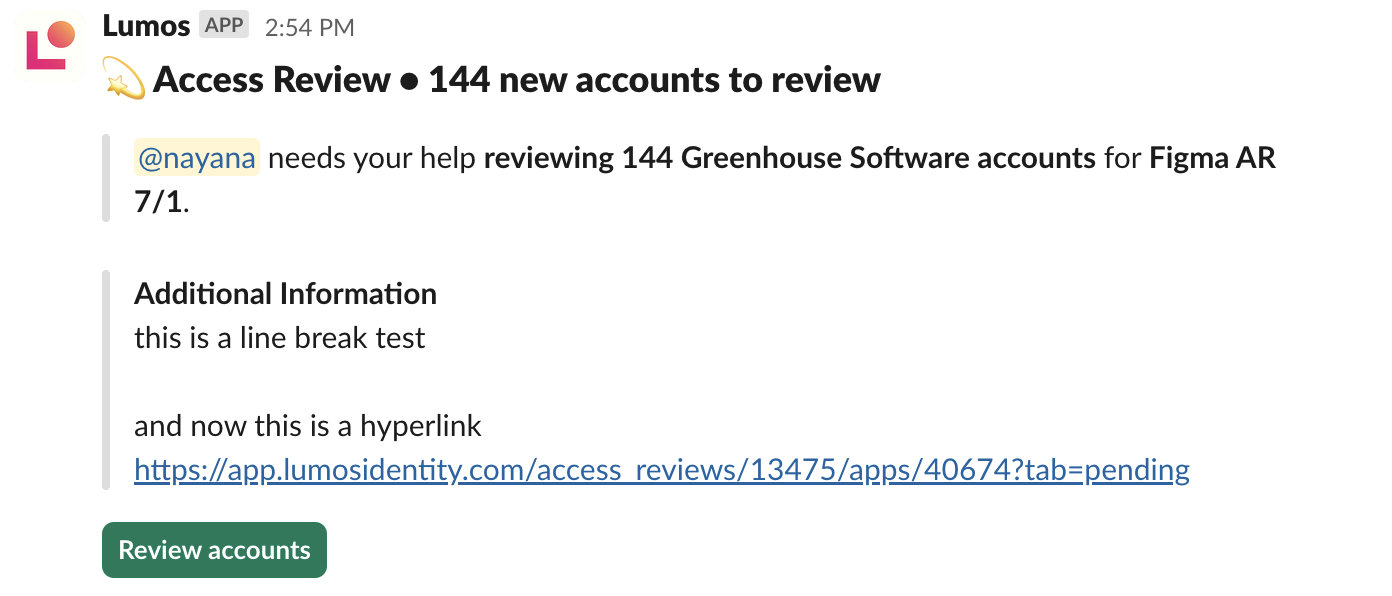
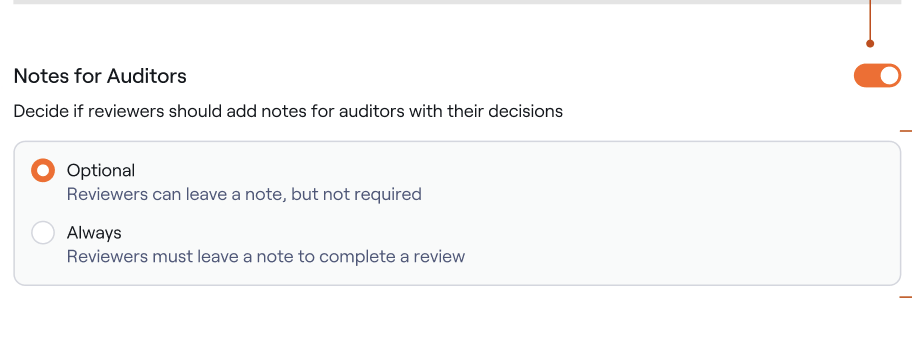
5. Auditor Note Configuration
Admins can configure whether auditor notes are:- Required
- Optional
- Unavailable
Additional Notes
These features are available for all Lumos customers using Access Reviews. To access them:- Navigate to Access Reviews in the admin dashboard.
- Select or create a campaign.
- Go to Access Review Settings to configure the advanced options.