

Background
Some auditors require SOX organizations to guarantee that rejected access is removed within 24-48 hours of the review decision. To support this requirement, Lumos can run review decisions and access removals in parallel.Enabling Automated removals
- Firstly in order to enable kicking off removals after a set time, you can select Edit Default Review Settings in the main Access Reviews settings.\

- You can then enable “Start Automated Removals” \
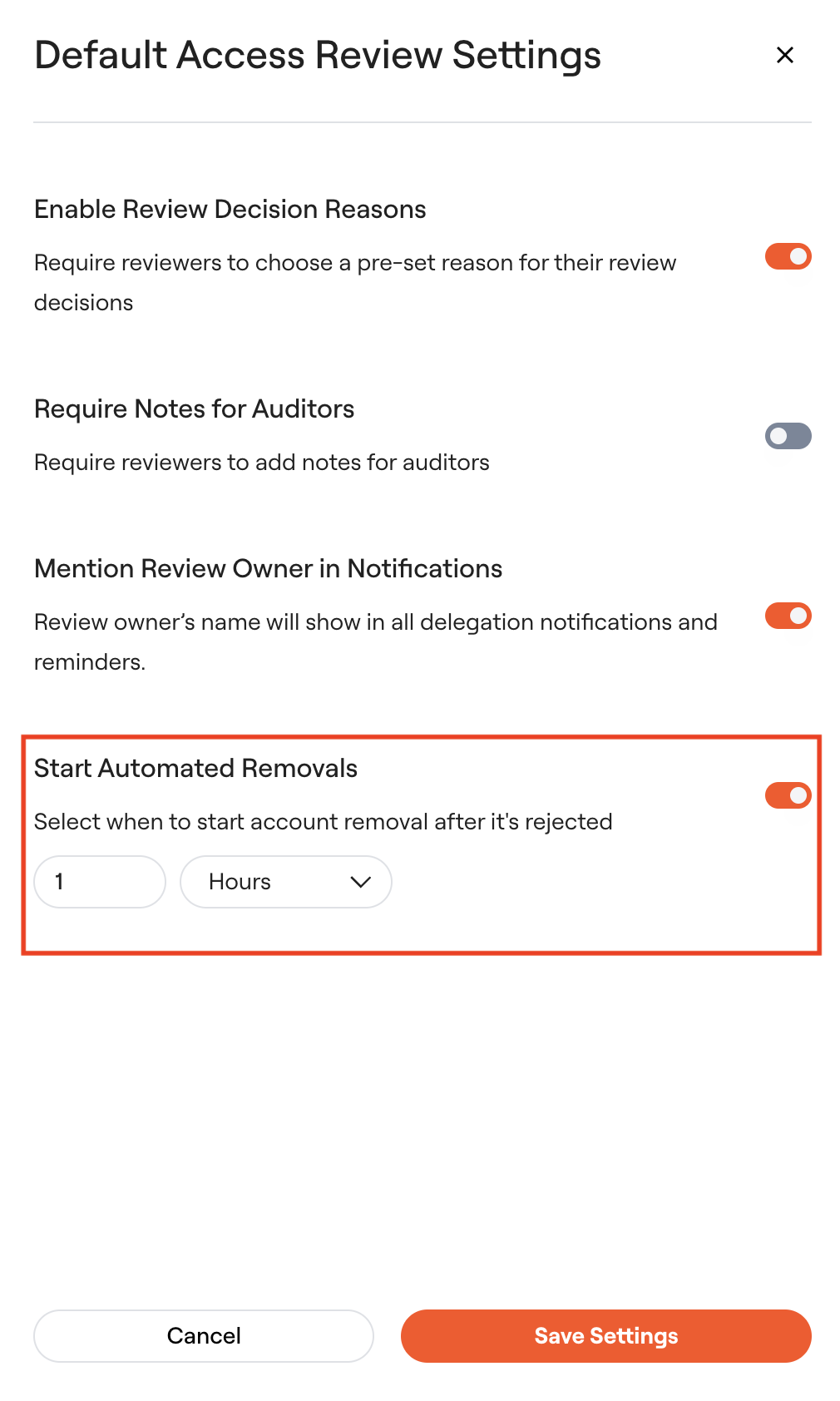
- You can configure the length of time after which removals are automatically completed. The timer starts the moment that a reviewer submits their review decision. The options are X hours or X days after the review decision. \
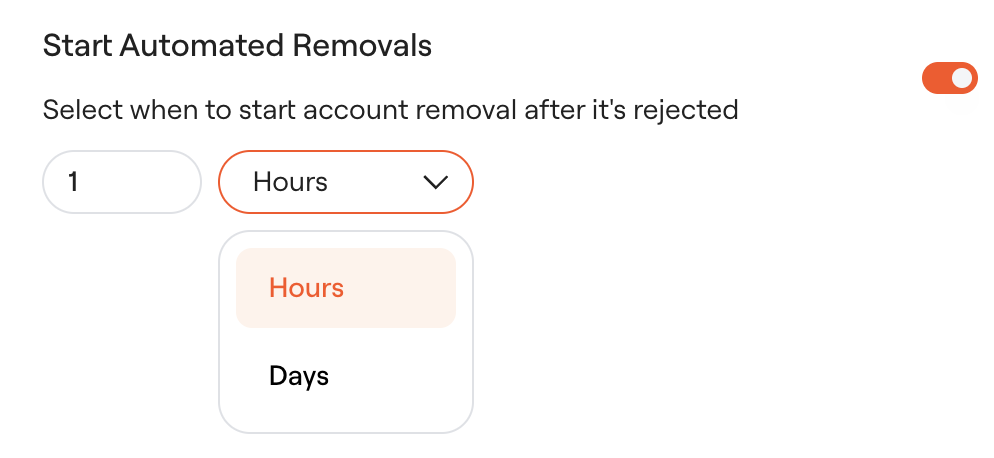
- Click “Save Settings”
How the workflow works
Admin Experience
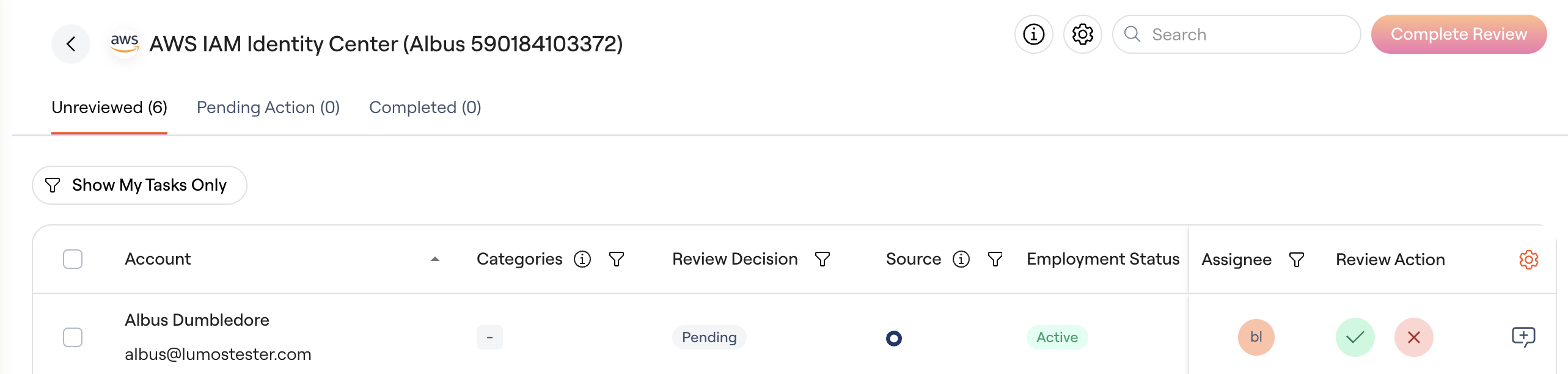
- Upon launching the review, admins should see the tabs: Unreviewed, Pending Action and All Accounts
- Unreviewed shows all unreviewed accounts across all reviewers. The admin can select the Show My Tasks Only filter to just see their pending review decisions.
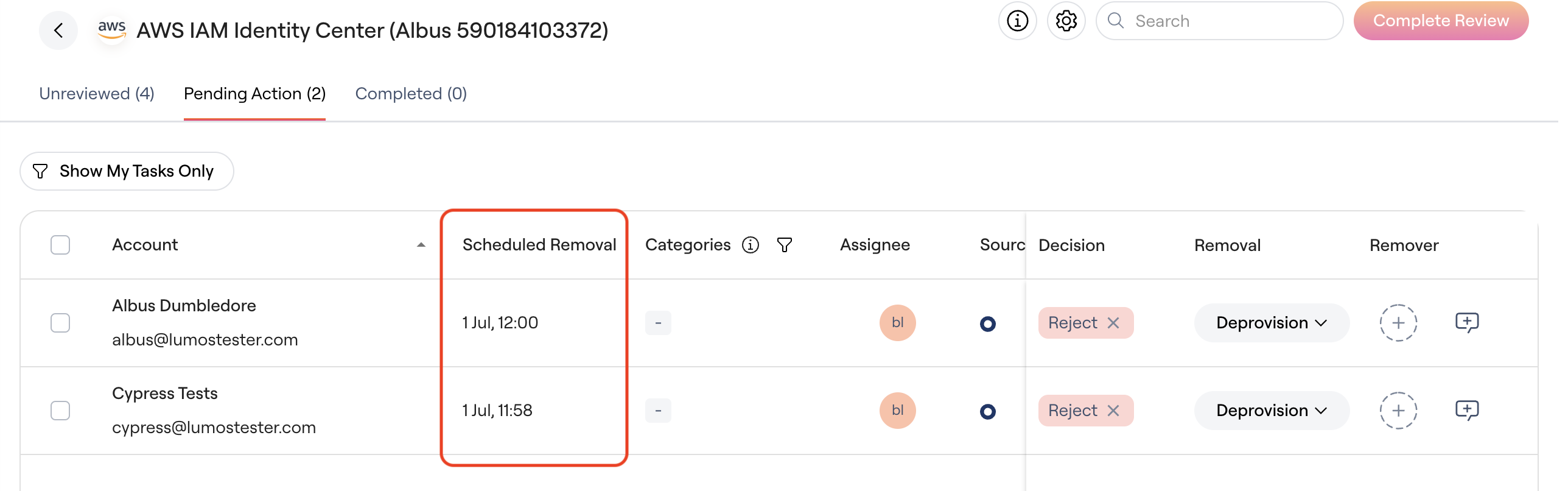
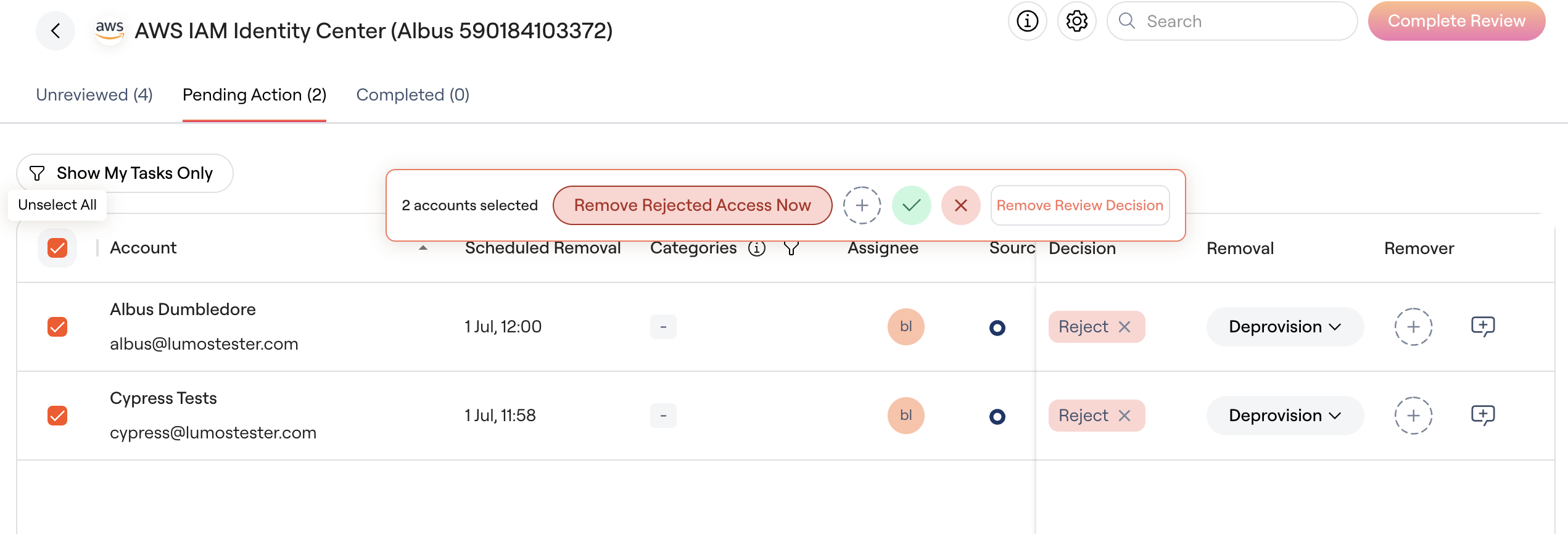
- Pending Action shows any accounts with pending auto-removals and/or requiring manual evidence upload.
-
Admins can view the datetime of scheduled removal.
-
- The bulk removal method is the default removal method defined on the main Apps to review page
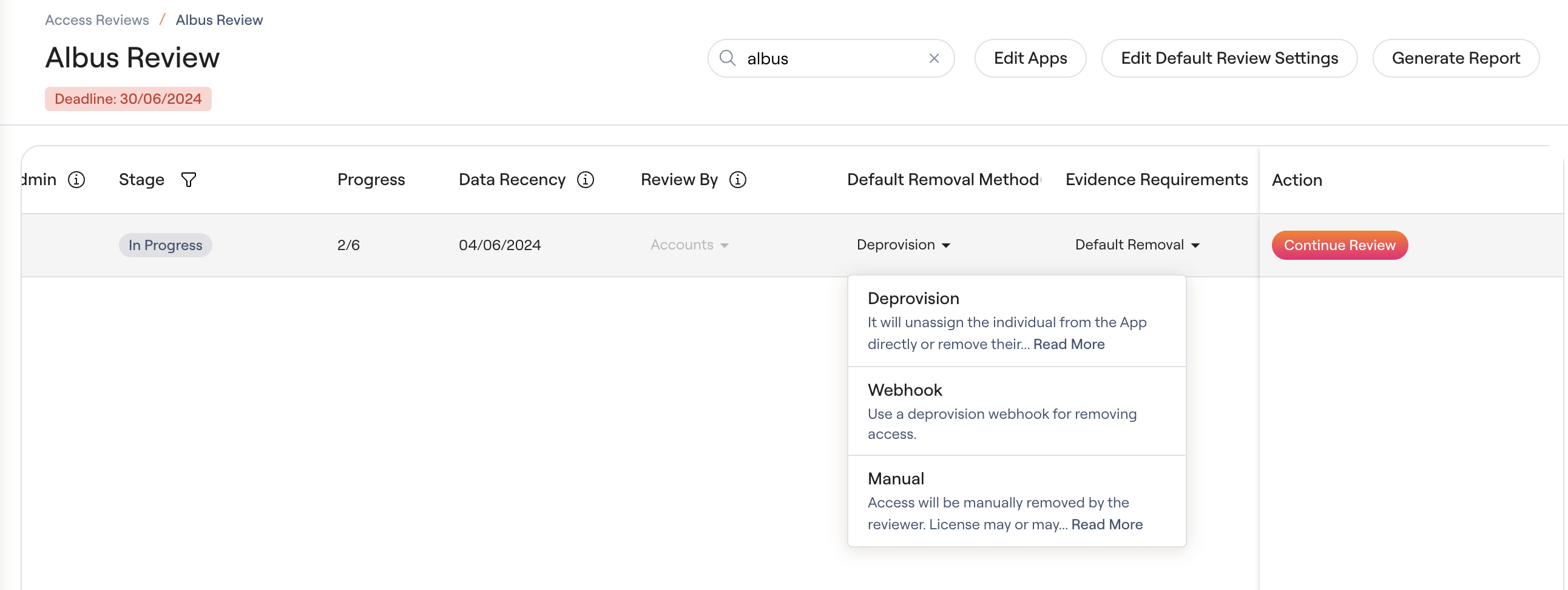
- The bulk removal method is the default removal method defined on the main Apps to review page
-
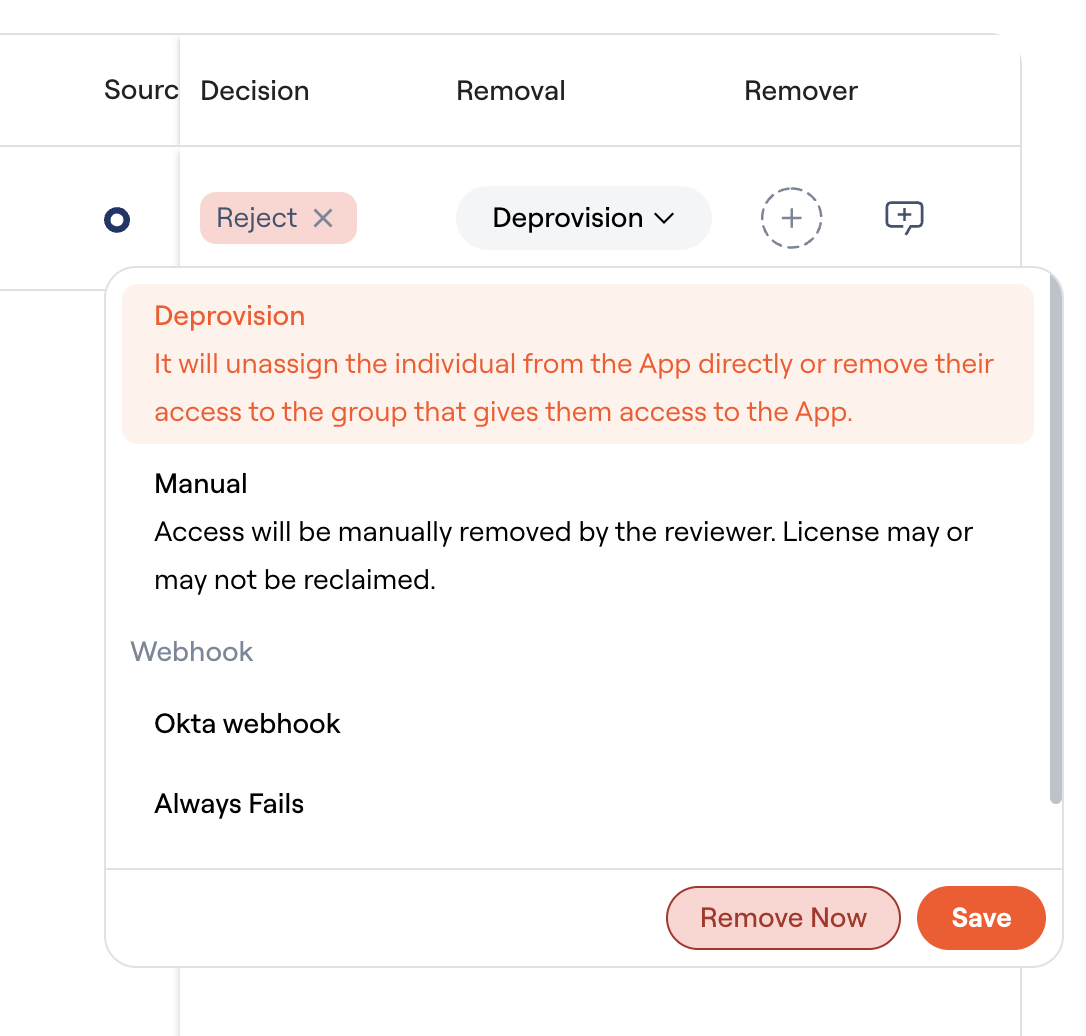
Admins can also update the removal method for an individual account
-
Admins can also choose to immediately remove any rejected accounts instead of waiting for the auto-removal timer.\
Reviewer Experience
- Non admin reviewers should see review tabs: Unreviewed, Reviewed, All Accounts.
- Upon completing their assigned review decisions, reviewers should have all accounts moved from Unreviewed to the Reviewed tab.
- The status of their review is also updated to Completed.
- Reviewers should just see the review status as Approved/ Rejected/ Modified after their review decisions are completed.
- Reviewers are NOT prompted to select removal options or upload evidence unless they are a Lumos admin or are assigned as a remover.
Remover Experience
- Users and/or groups can be assigned as removers in the review for manual apps.
- Removers should see the tabs: Unreviewed (if also a reviewer), Pending Action, All Accounts
- Removers are prompted to upload evidence.
Automated Removals vs Manual Removals
- When you have enabled “Start Automated Removals”, all rejected accounts are immediately moved to the Pending action tab.
- Automated removals follow the set time for removal to be completed.
- Manual removals are prompted immediately upon the rejection decision. The same applies to generating ITSM tickets.
Audit Reporting
- Lumos provides the timestamp for the review decision in the Reviewed on column and the timestamp for the removal in the Removal Method column.
