Background
Reviewable entitlements only come into play for an Account-First Review. Why is this? This is because in an Entitlement-First Review, every entitlement is reviewable; you’ll scope your review down to contain the set of entitlements you’re reviewing. For Account-First Reviews, you have the ability to Modify Account, which allows you to accept or reject specific entitlements (that are *ahem ahem* reviewable). Entitlements can refer to licenses and/or roles if pulled directly from the app (e.g. via a Lumos integration), or can also be the Okta group(s) that are giving the user access to that app. You may not wish to make all of these reviewable by way of an access review. This is why you can configure reviewable entitlements, which will actually narrow down entitlements that can be reviewed for your audit.Instructions
1. Go to the Access Review that you wish to scope.
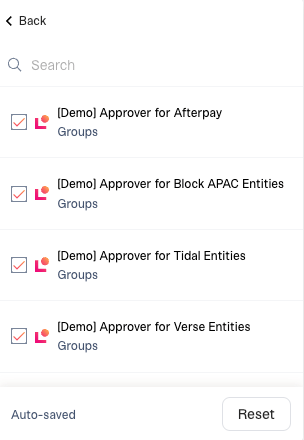
2. Click “App Review Settings” > “Reviewable Permissions”
3. Select the entitlements that you want to make reviewable
Based on your app, you’ll see a list of possible attributes to scope down by. This may include:- Data from direct Lumos integrations (I.e. Role)
- Data from your IdP (I.e. Groups in Okta)
- Manually enriched columns