

Background
Delta Reviews highlight what has changed for each app since its last Access Review, so Reviewers can focus on recent updates instead of re-reviewing unchanged access in detail.How it works
View Updates to Users and Permissions
Delta Reviews highlights all relevant changes to an application since the last time it was reviewed. Lumos always compares the current Access Review to the most recent completed Access Review of the same app and type (accounts-first or permissions-first). See Choosing Account or Entitlement Access Reviews for the difference.-
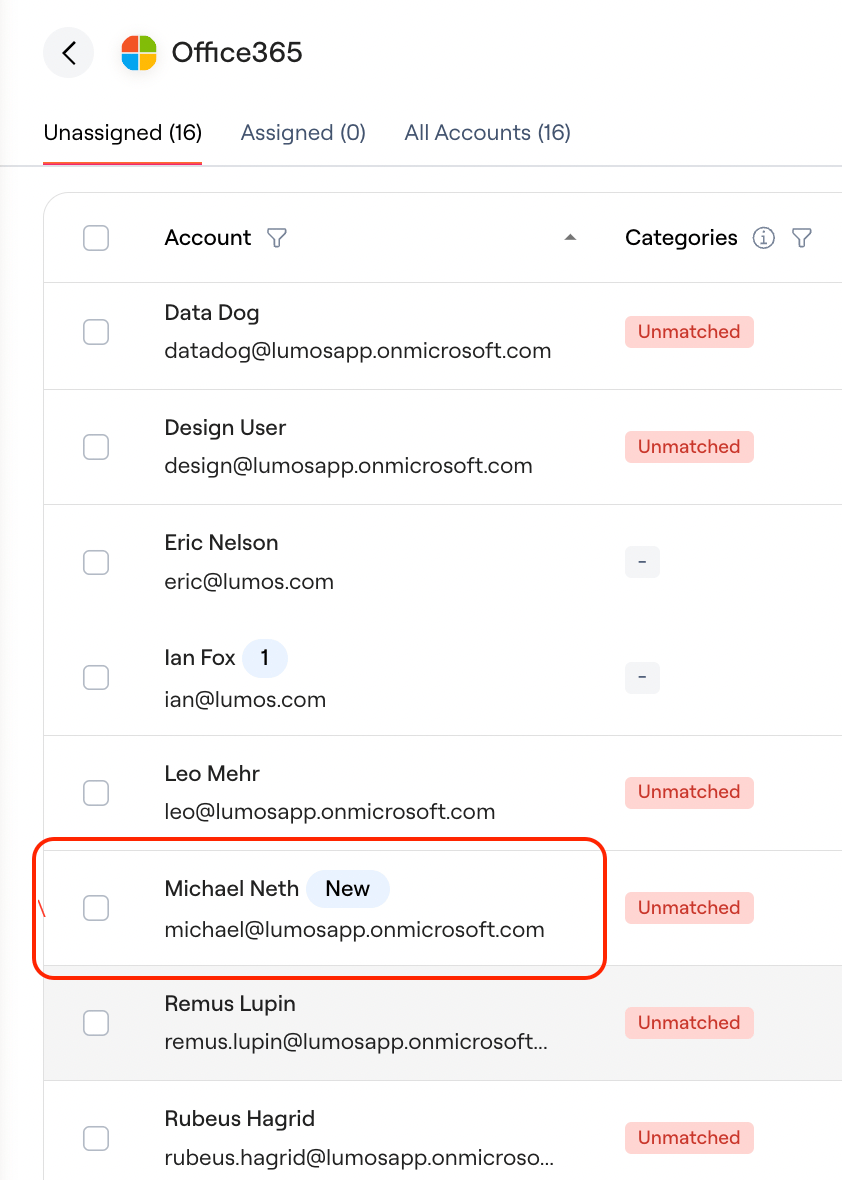
In an accounts-first review, the [New] tag will flag any accounts that were not in a previous review. This can be for one of the following reasons:
- New user added to the application
-
New user included in the scope of the review
-
A Change icon identifies these accounts and details the change in scope that now includes them
-
A Change icon identifies these accounts and details the change in scope that now includes them
-
The Changes modal shows the number of changes and details of those changes, including:
- User-based changes such as change to team, title and any custom user attribute brought into Lumos (for example, office location).
- Permission-based changes such as any new permissions granted to an account
- Review-based changes such as any accounts rejected or modified in the last review; or any accounts previously not included in scope of the review.
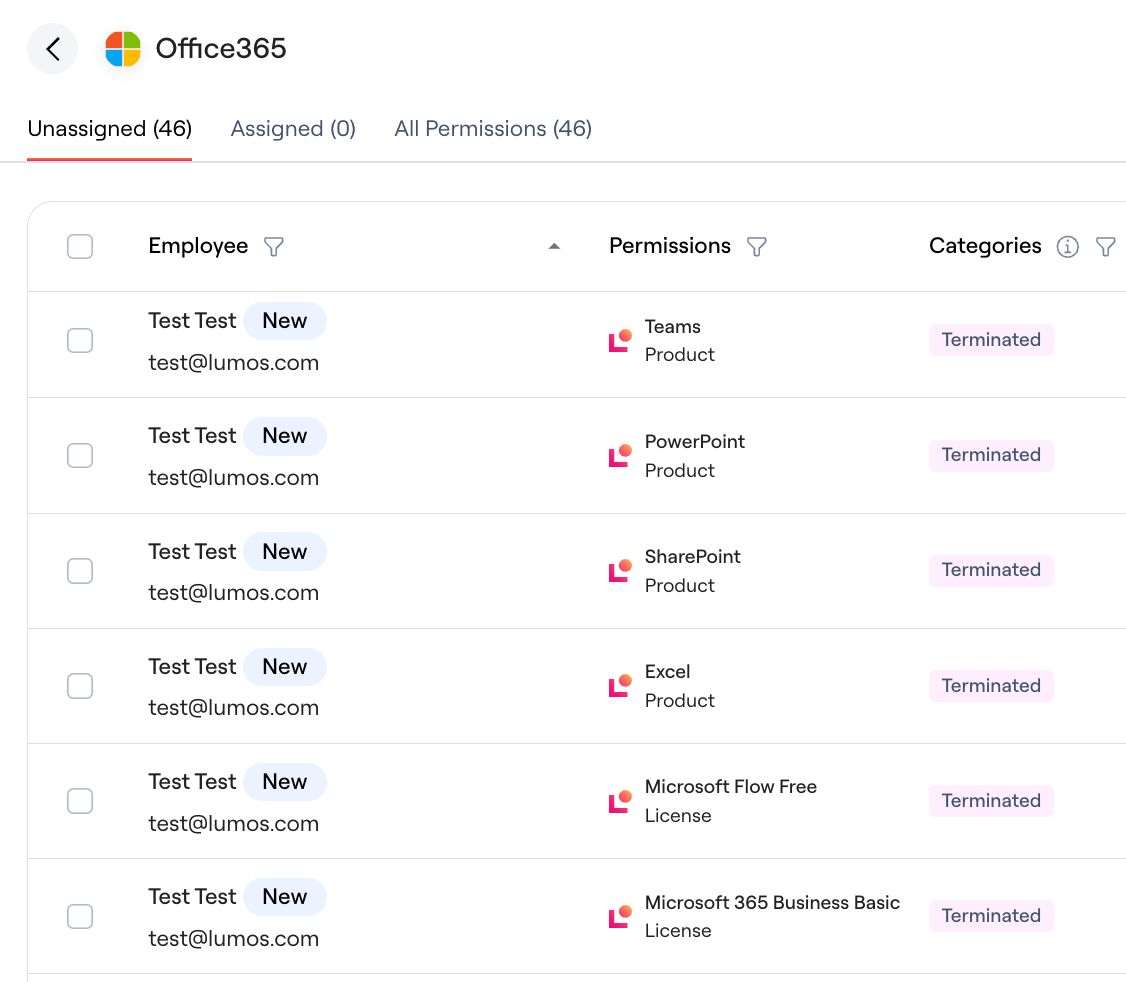
- Similarly in a permissions-first review, you can identify new accounts and permissions with the [New] tag.
See Review History
Maintain context from previous review decisions.- Click the time icon to see a history of the most recent (up to 5) review decisions including past review decision, auditor notes, past reviewer name and timestamps.
Filter to Accounts with Changes
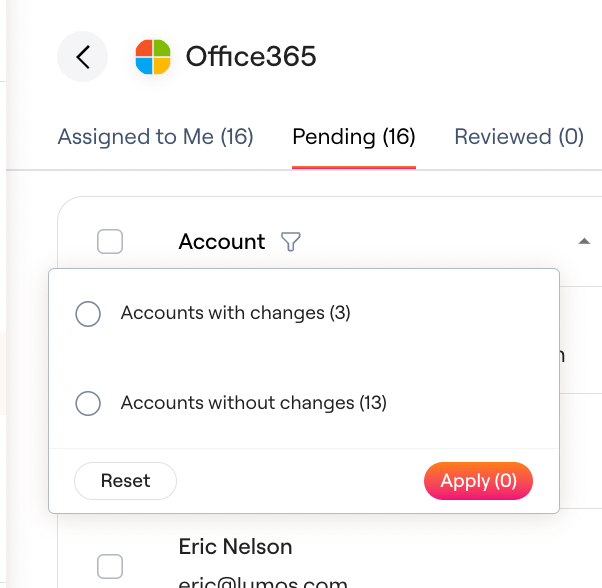
Streamline your reviews by filtering to accounts with or without changes. To review unchanged accounts first:- Filter to accounts without changes since your last review. This list shows accounts from your last review that weren’t rejected or left unreviewed and haven’t changed since.
- Review them quickly, since they’ve been reviewed before.
- Bulk select and approve them, leaving notes for the auditor as needed.
- Filter to accounts with changes and review each one in depth.
Scope Reviews to Accounts with Changes
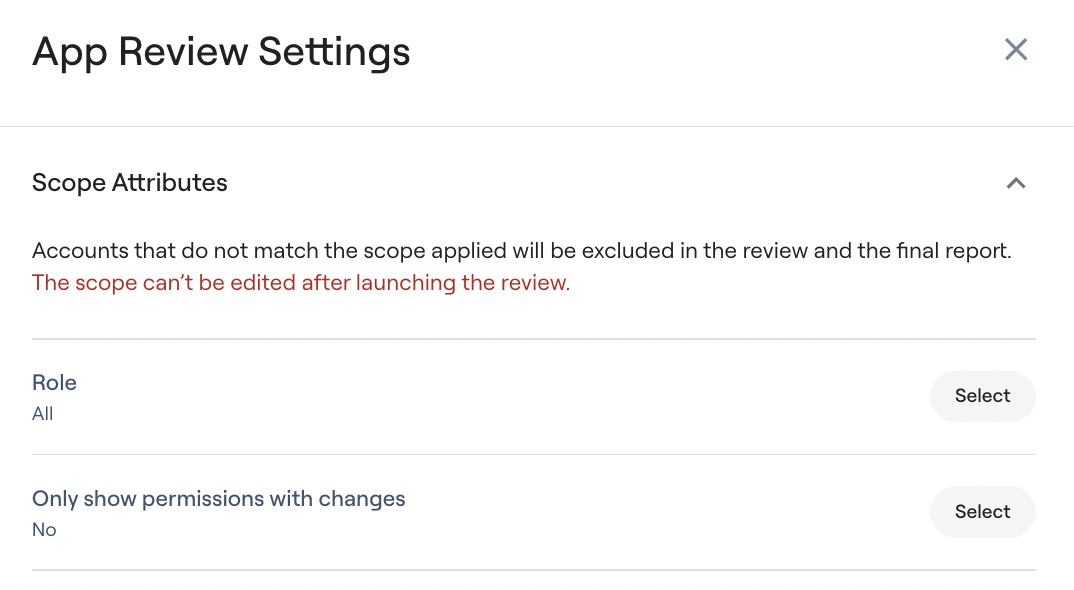
Streamline your reviews by reviewing only accounts with changes.- In the app review’s App Review Settings, under Review Scope > Attributes, set Only show accounts with changes (or Only show permissions with changes in a permission review) to Yes. This leaves out any accounts without changes since the last review.
- The setting needs a previous review to compare against, and you can’t change it after the app review launches.
- This removes any accounts that were approved in your last Access Review.
FAQs
What is the basis for comparison in Delta Reviews? Delta Reviews use the most recent Access Review of the same type for comparison, regardless of when it was conducted. This ensures a relevant comparison between accounts-first and permissions-first reviews. The comparison review’s timestamp is clearly displayed in the changes modal for transparency, as shown below. Note: These comparisons are not limited to duplicated or recurring reviews. What types of changes are flagged in a Delta Review? Delta Reviews flag:- User-based changes: Changes to team, title, and any custom user attribute in Lumos (e.g., office location).
- Permission-based changes: New permissions granted to an account
- Review-based changes: Accounts rejected or modified in the last review, including those not previously within the review scope.
- New users added to the application.
- Accounts newly included in the review scope.
- New permissions granted to existing users (This displays a [New] tag in a permissions-first review but just appears in the Changes modal for an accounts-first review)