

Segregation of Duties (SoD) in Access Reviews
What is Segregation of Duties (SoD)?
Segregation of Duties (SoD) is a foundational principle in internal controls—especially for organizations subject to compliance frameworks like SOX. The goal: no single user should have too much access across critical systems, which could lead to fraud, errors, or data breaches. With Lumos, you can define SoD rules and flag violations by identifying toxic combinations of roles or permissions that should not coexist—across or within applications.Defining SoD rules
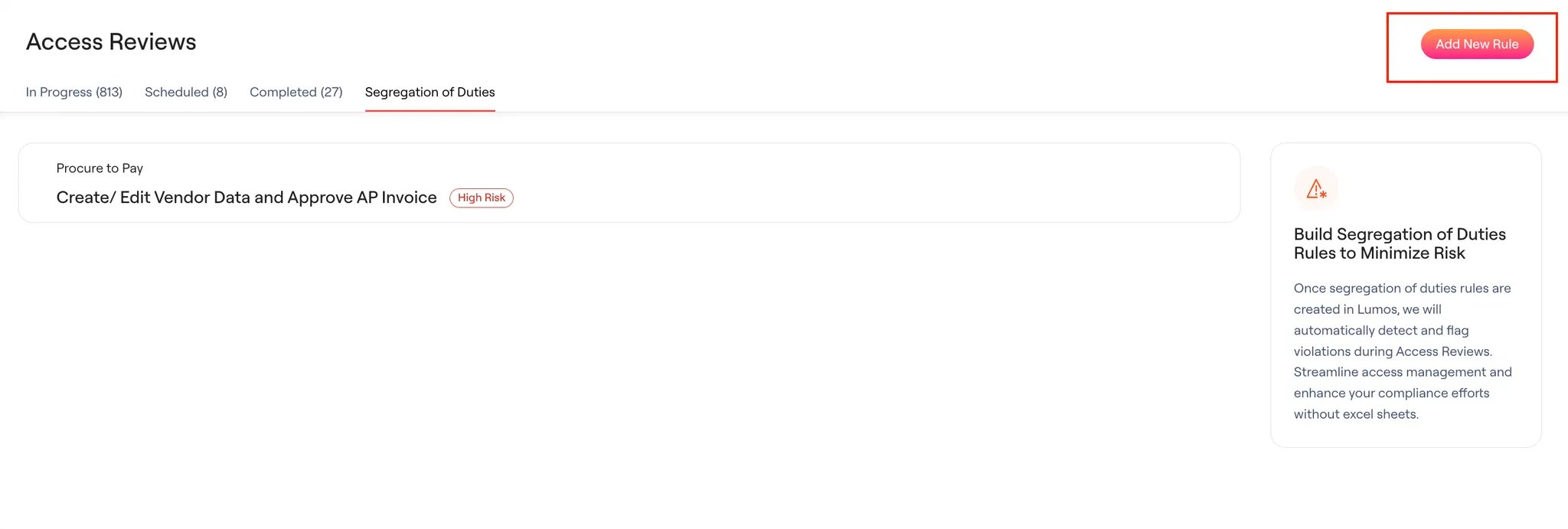
To create SoD rules, you need the Admin role, or a custom role with both the View and Manage permissions for SoD Policies. View shows the Segregation of Duties tab, and Manage adds the Add New Rule button. To create a new SoD rule:-
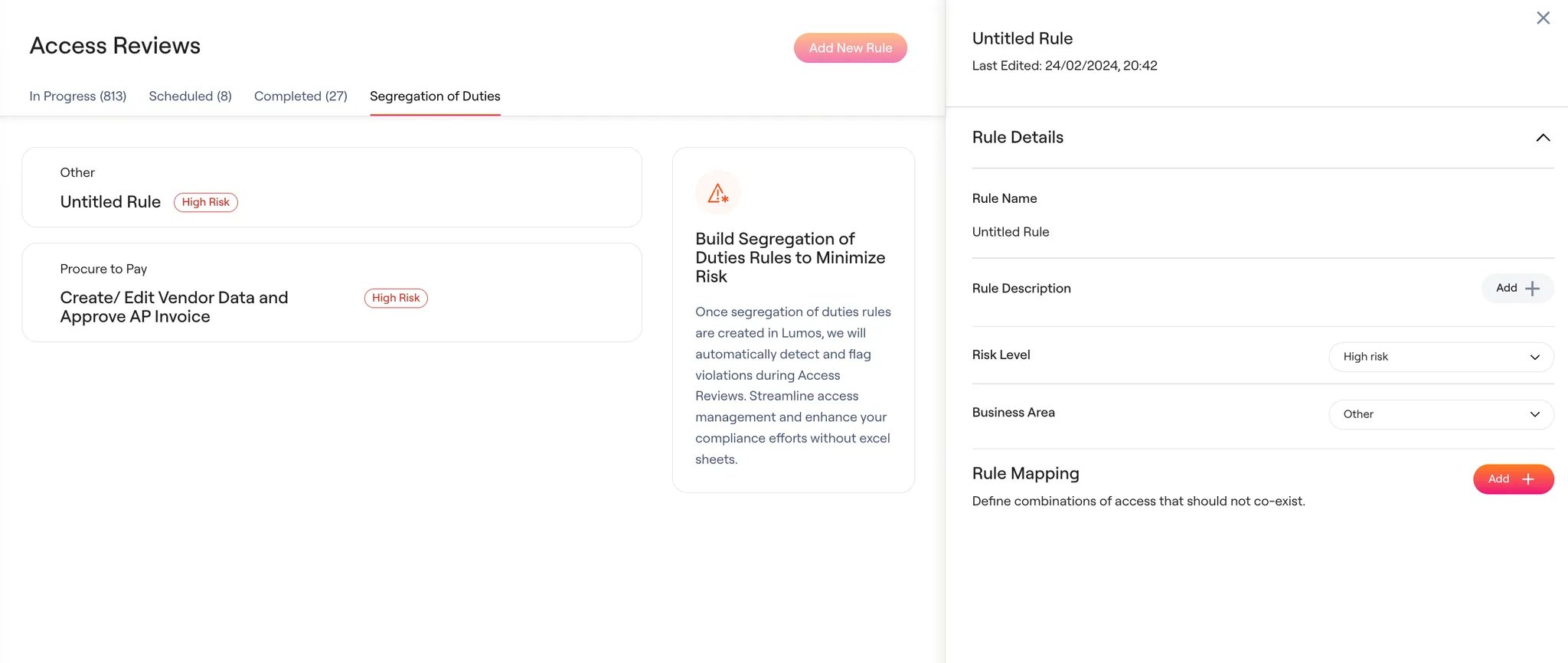
On the Access Reviews page, open the Segregation of Duties tab and click Add New Rule.
-
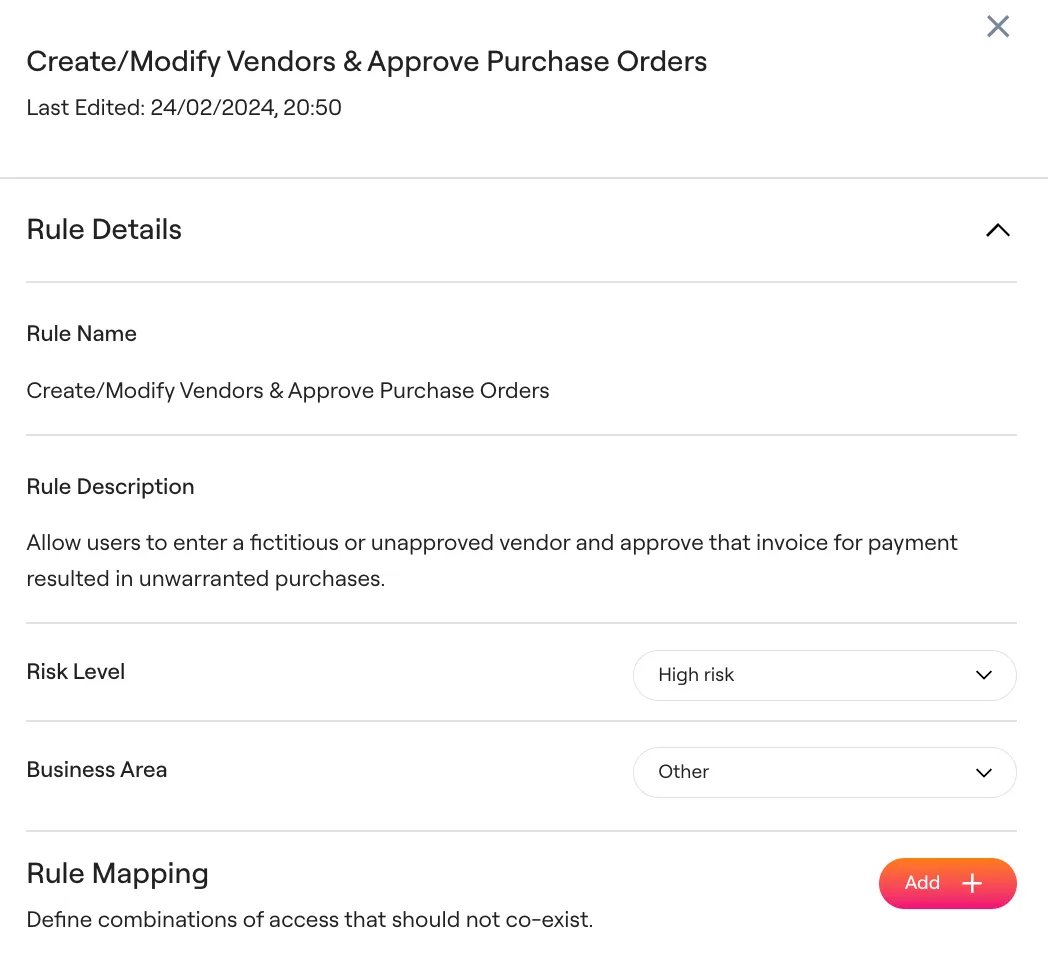
Name the rule and optionally add a description to clarify its purpose and impact.
-
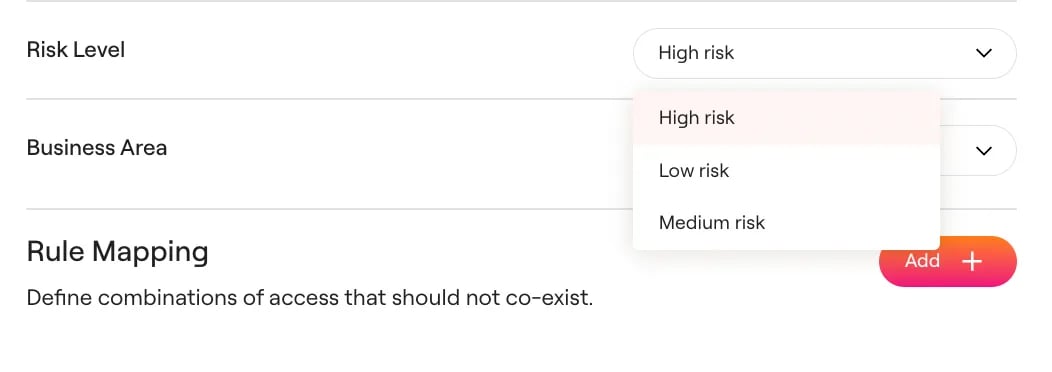
Set a Risk Level (default is High). Risk levels aren’t used in reviews.
- Define a Business Area (e.g., Procure to Pay, Record to Reconcile) to organize rules.
-
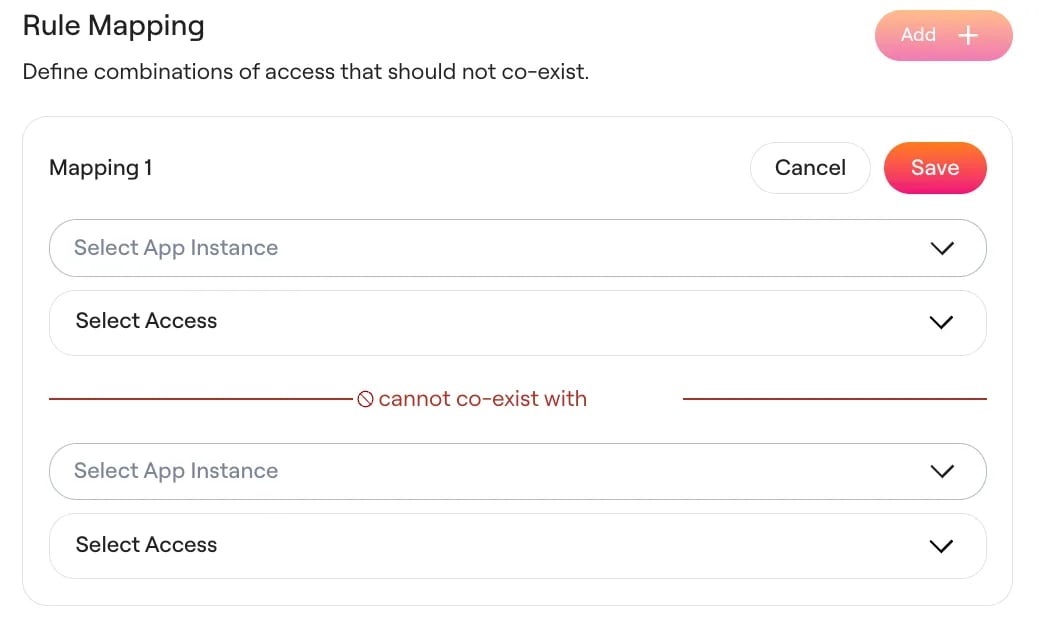
Map out toxic role combinations by selecting:
- Application A + Role/Permission A
- Application B + Role/Permission B
Reviewing SoD violations in Access Reviews
Once you’ve defined SoD rules in Lumos, you can detect and act on violations during User Access Reviews (UARs).Identifying violations
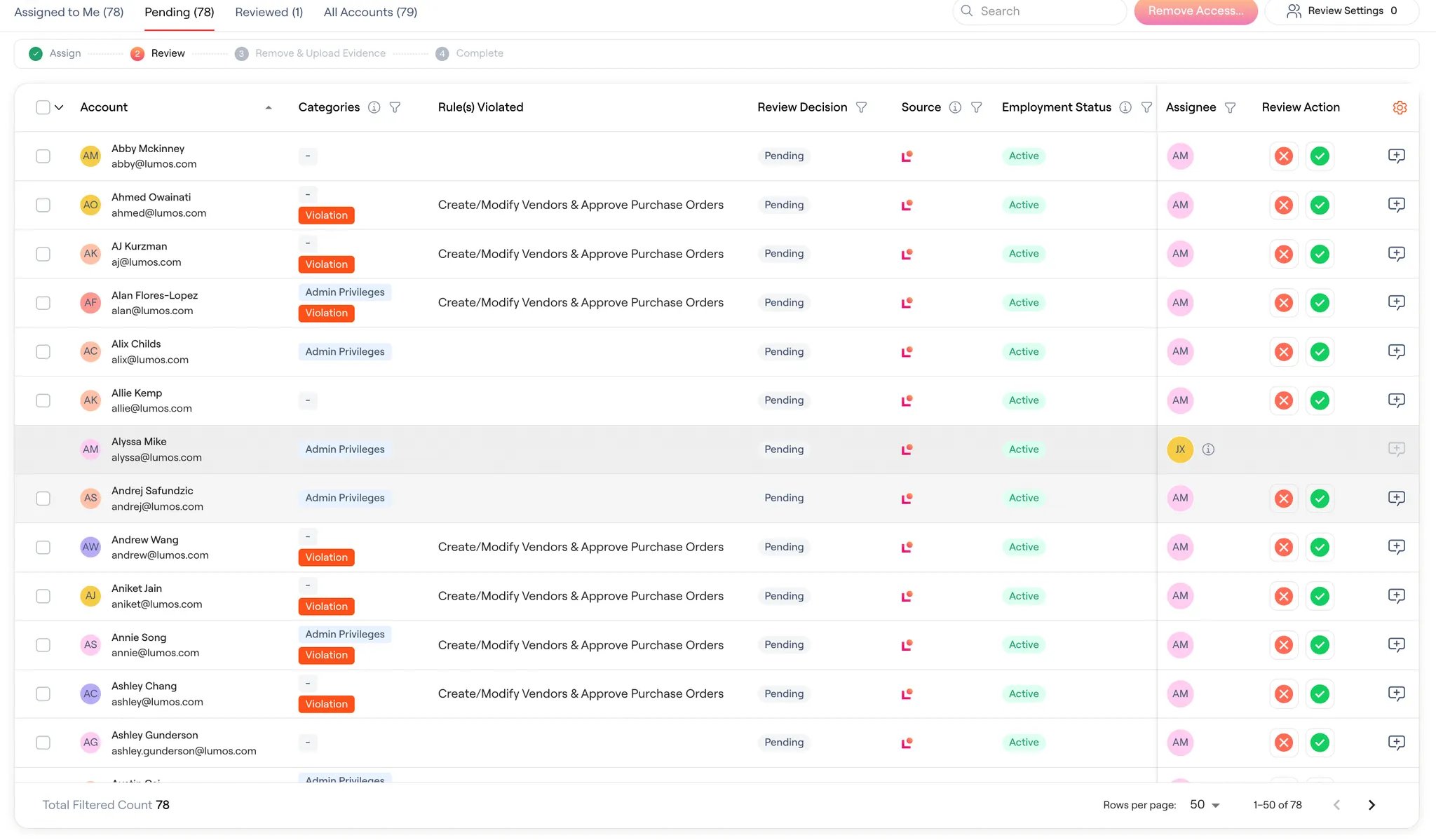
- Accounts with SoD violations are tagged with the SoD Rule Violation category. See Understanding Categories in the Access Review.
- A new column called “SOD Rule(s) Violated” displays the specific rule(s) triggered by the conflict.
- These violations are flagged even if the conflicting roles/permissions are across different applications.
Scoping Access Reviews to SoD rules
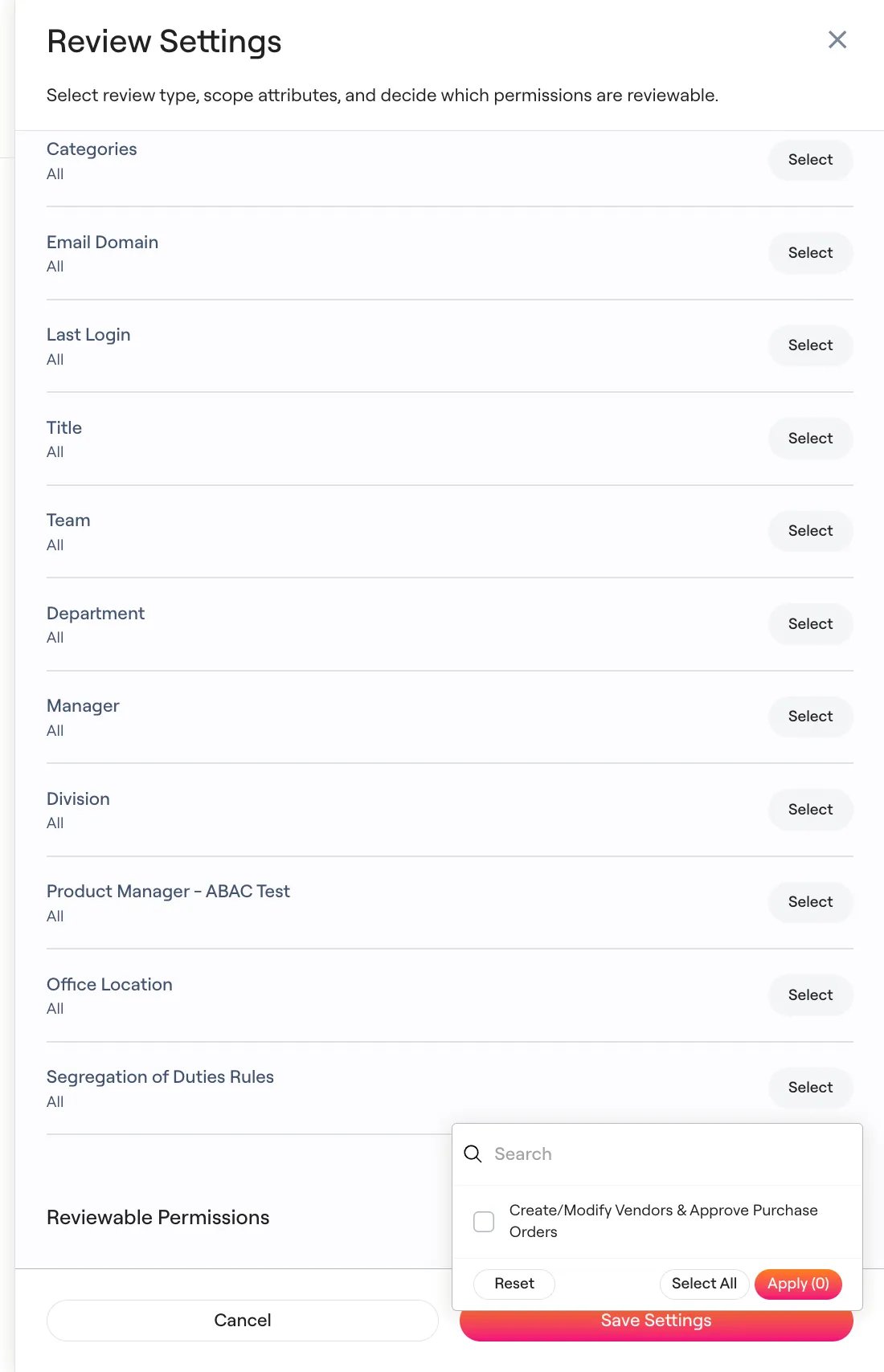
You can scope an Access Review to only include accounts that violate specific SoD rules, making it easier to focus on high-risk users. To do so:- Go to Review Settings in your Access Review.
- Scroll to the Segregation of Duties Rules filter.
- Select the rule(s) you want to review.
- Click Apply, then Save Settings.
Ideal for
- Public companies and SOX-regulated organizations
- Teams managing access to sensitive systems like ERP, HRIS, CRM, and financial tools
Known limitations
- Lumos does not provide out-of-the-box SoD rule templates or pre-mapped combinations of permissions.