Background
Onboarding now runs on standardized account workflows, and you can optionally give Onboarding its own provisioning workflow per app. Previously, AppStore, Onboarding, and Movers always shared a single provisioning workflow for an app. If you configure nothing, behavior is unchanged: Onboarding continues to use the app’s default provisioning workflow. References Standardized Account WorkflowsWhy use this
- Provision new hires differently than requesters. Give Onboarding a workflow with extra steps (for example, a manual welcome task) without changing how AppStore requests provision.
- You don’t have to configure anything. If the app’s default provisioning workflow works for new hires too, leave it as is. Onboarding uses the app’s default workflow until you assign it one of its own.Configuring an Onboarding workflow
-
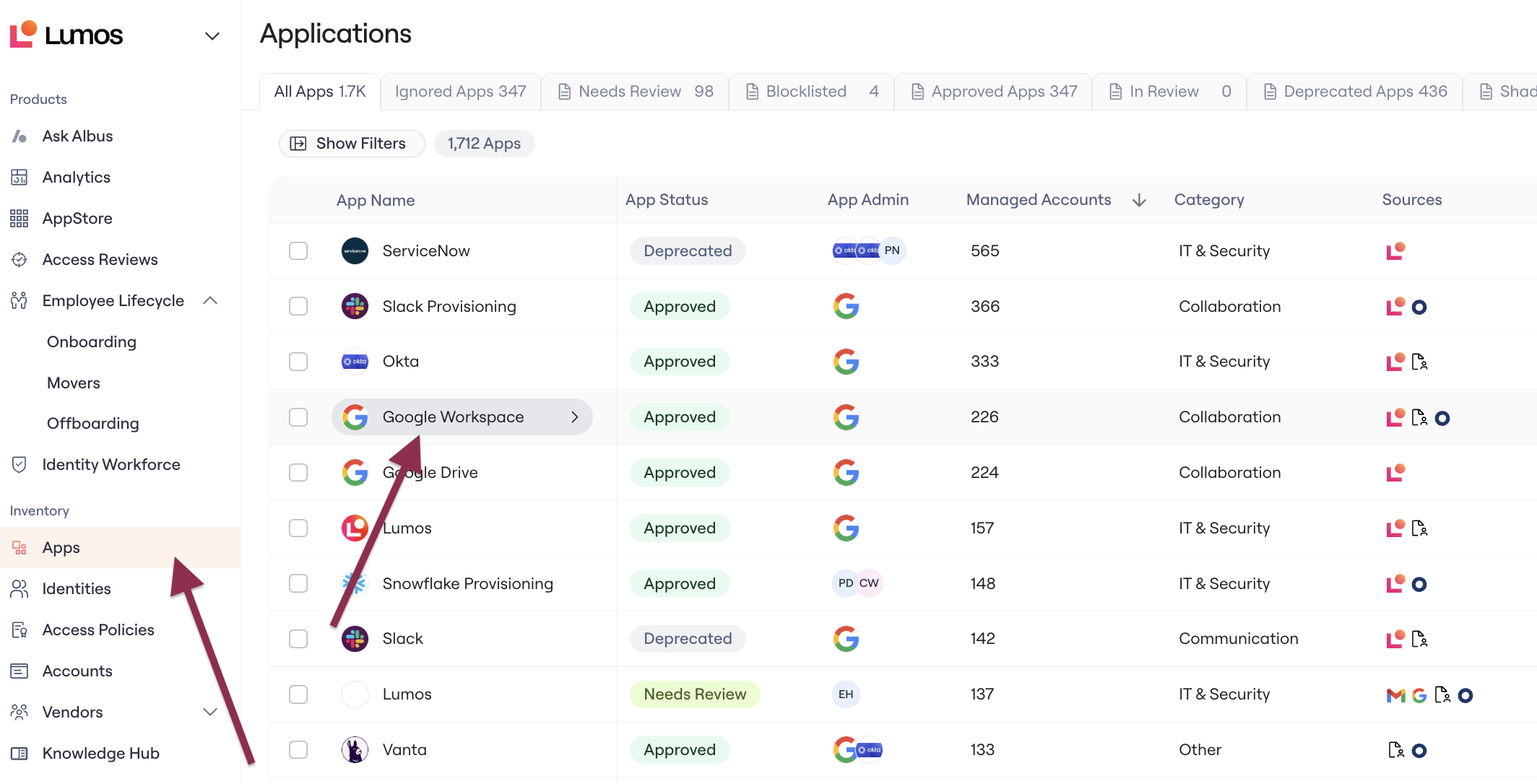
In the left nav, go to Apps > Select the app you want to configure to open its page.
-
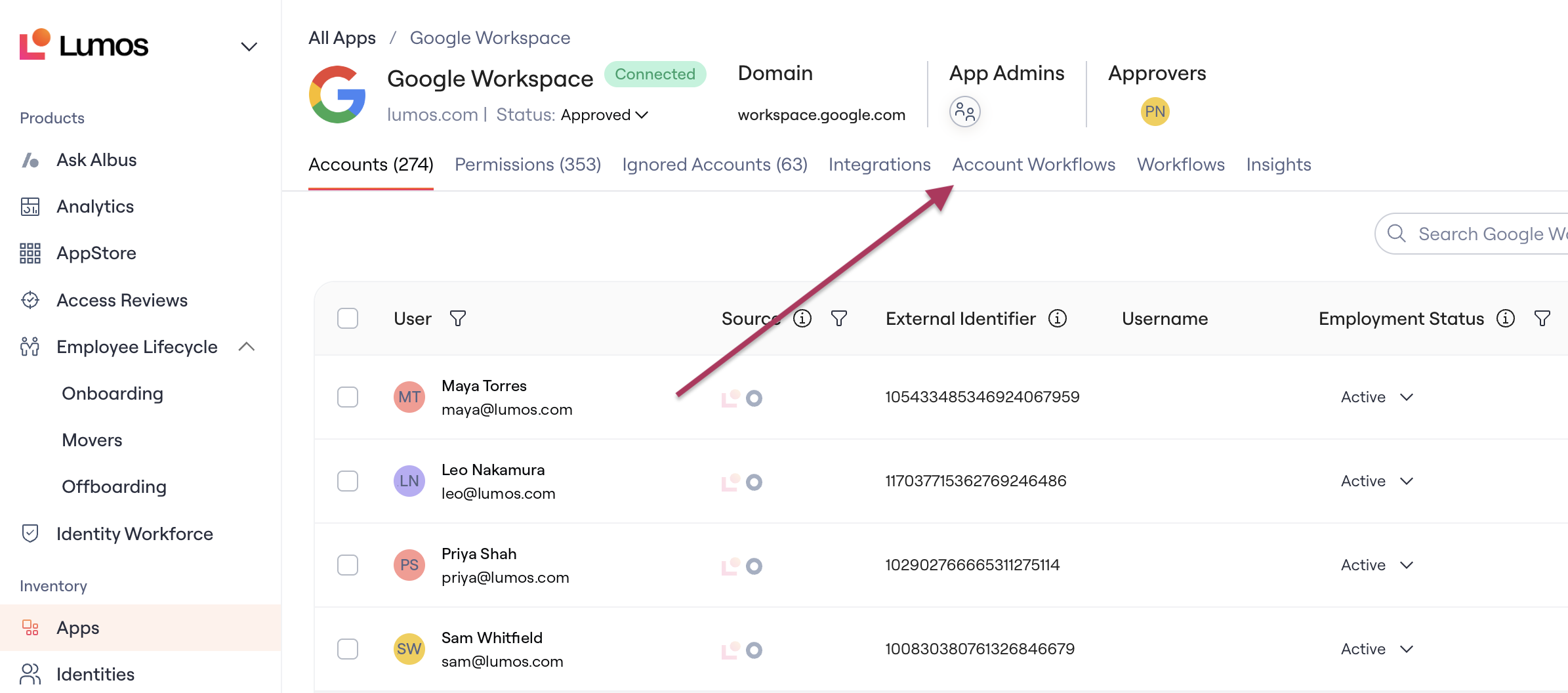
Navigate to the Account Workflows tab.
-
View existing workflows, or click Create Workflow to create a new one (details in Standardized Account Workflows)
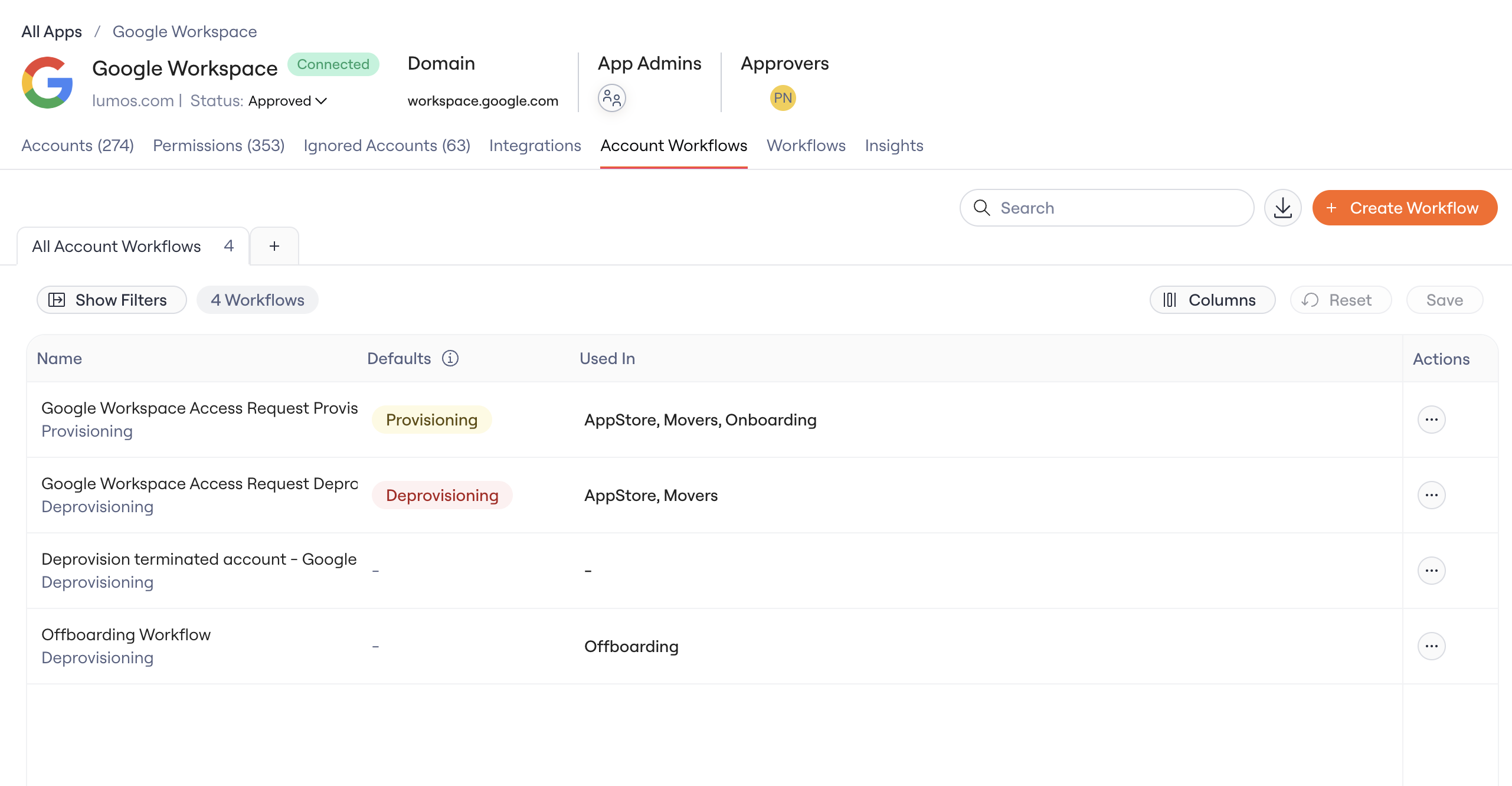
- Navigate to the Provisioning workflow you want to use for Onboarding. Every workflow is assigned as either Provisioning or Deprovisioning. Onboarding provisions access, so only provisioning workflows are available for it.
-
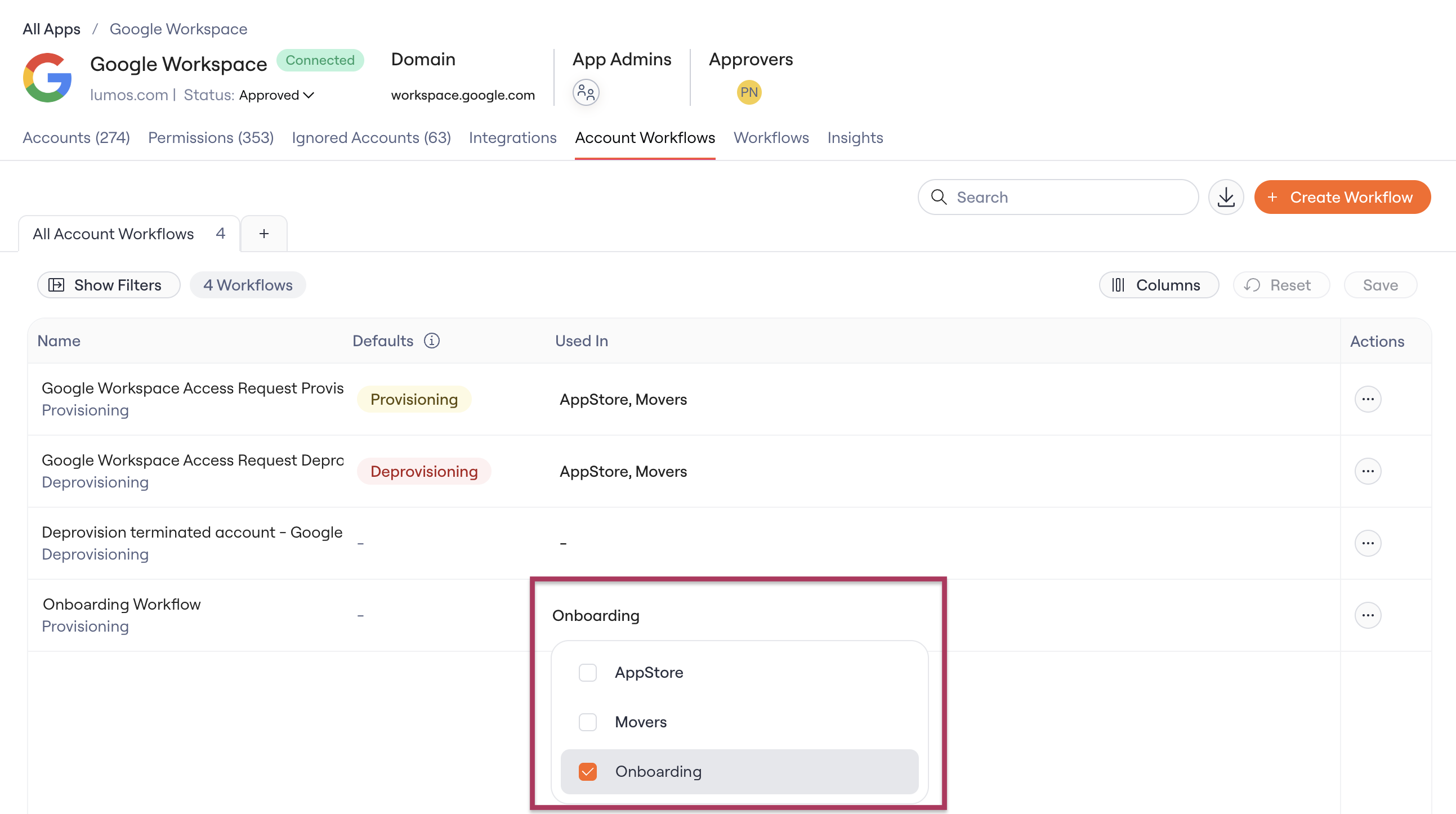
In the workflow’s Used in setting, check Onboarding.