Background
Custom Requests let employees request apps that aren’t in your AppStore yet, so you can roll out the AppStore before you’ve added every approved app. This makes the AppStore the entry point for all of your access requests. See Requesting Access to an App.Steps
1. Enable ITSM.
See Connecting Your ITSM.2. Find the “Sync Custom Requests” tab in your ITSM settings.
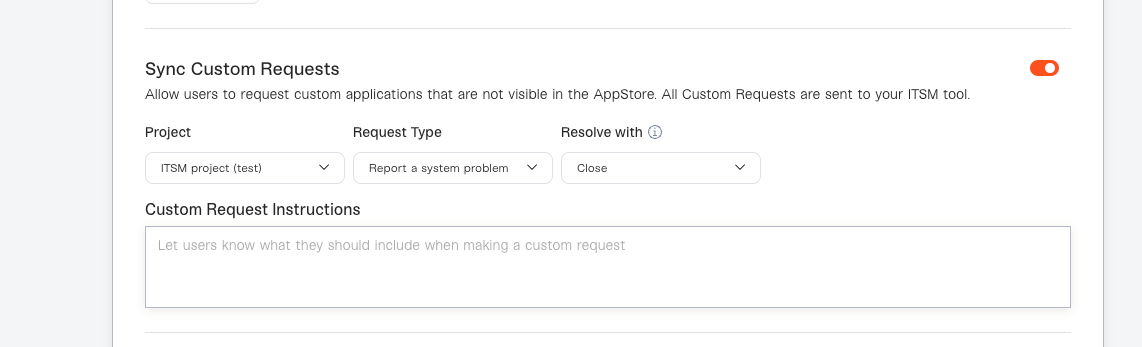
3. Flip the toggle to the right, then choose where you want them to go in your ITSM.
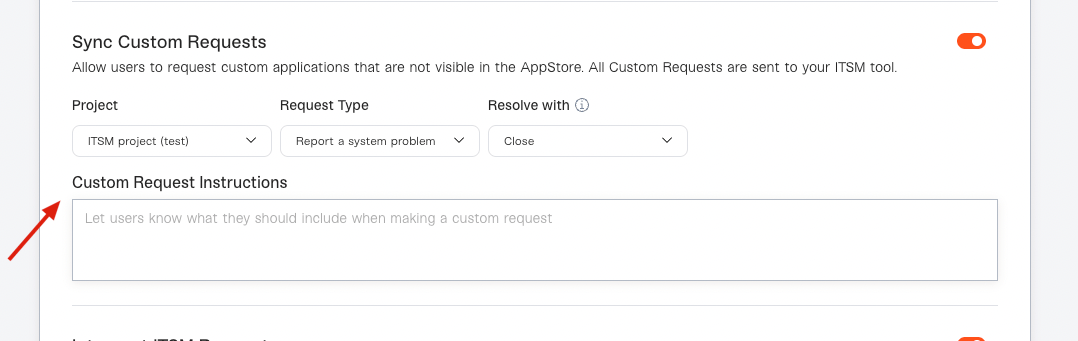
Specify the Project, Request Type, and Resolve with transition to finish the configuration. Custom Requests require someone from your team to take action in your ITSM, so specify a destination that your team actively monitors.4. (Optional) Set Custom Instructions
To ask requesters for additional info before they submit a custom request, or to set expectations for how you’ll follow up with them, add instructions.