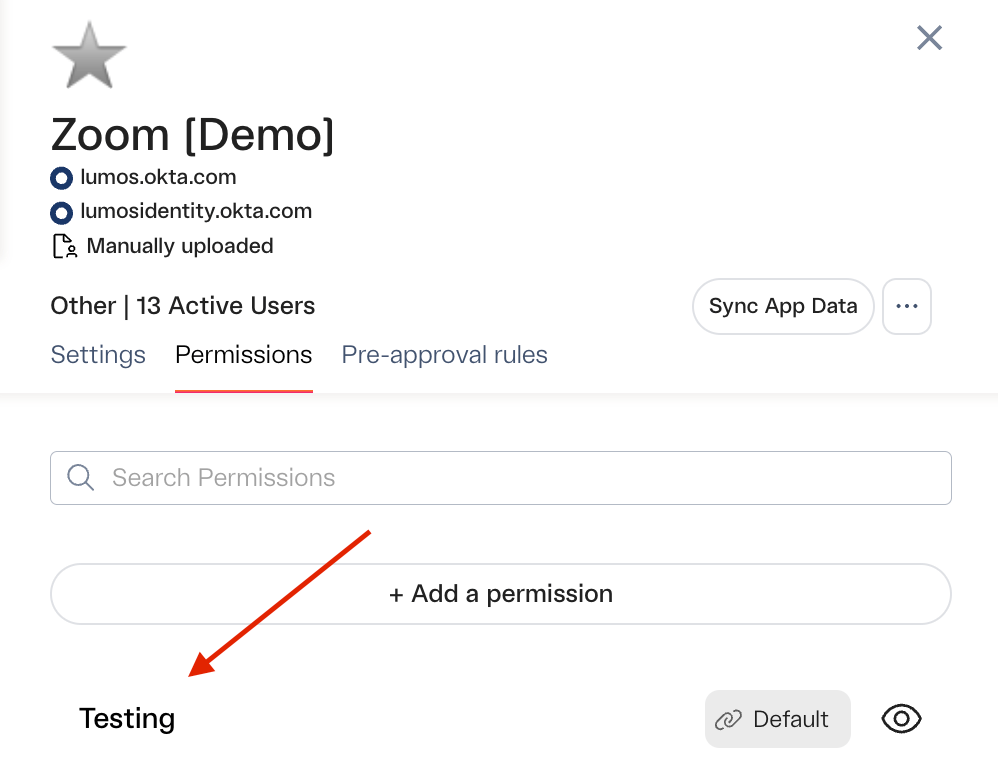
Situation
You added an app to the AppStore and want people to be able to request an entitlement that doesn’t already appear in the Permissions tab. If the group/role is assigned to your app in your IdP and you’re just not seeing it in the Permissions tab in Lumos, click on the sync button and refresh the page once the sync completes.Solution
Create a custom entitlement. In Lumos, you can create and attach entitlements for an app that don’t exist in the downstream app or IdP. This can be really helpful when you don’t want to create more groups or resources in your IdP or downstream application, but you still want people to be able to specify what they need in Lumos when they request access to an app.Steps
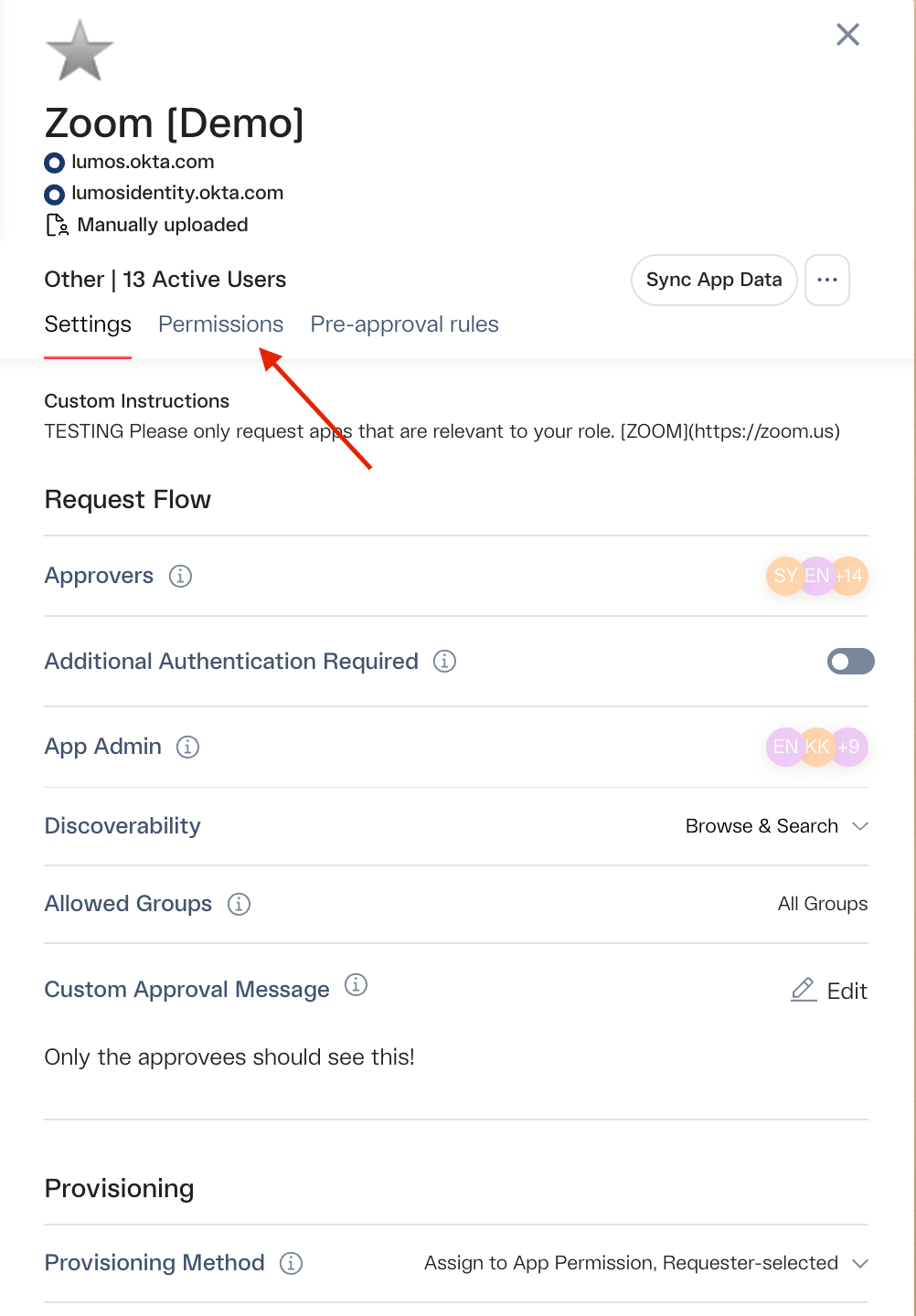
1. Navigate to the AppStore settings for the app and click the _Permissions_tab.
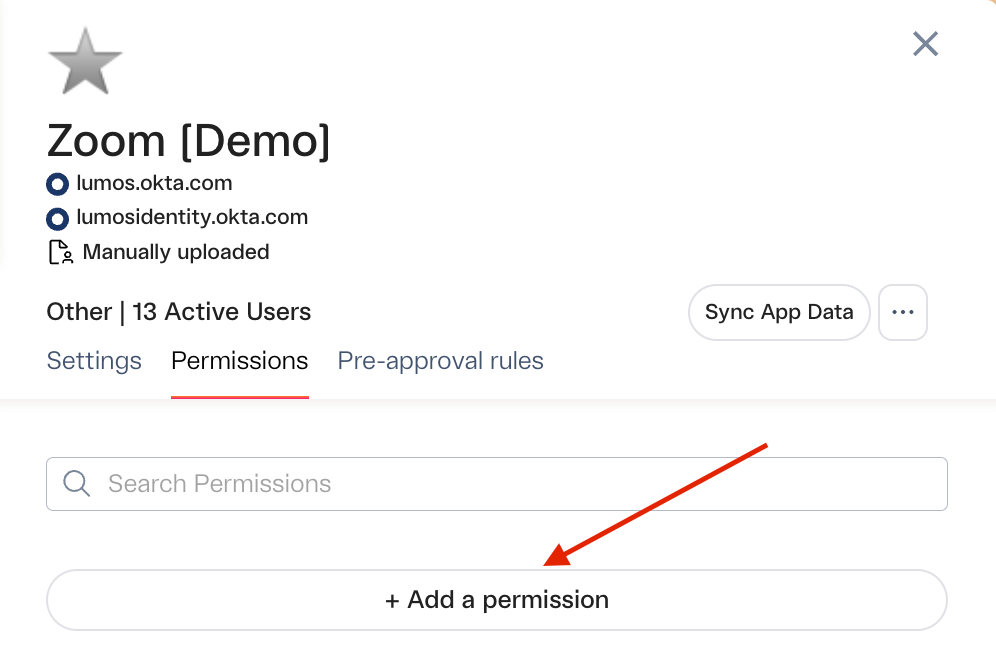
2. Click the “+Add a permission” button
3. Give the entitlement a name and configure the settings
If you want to automatically add people to an IdP/email provider group after approval, set the Provisioning Group value.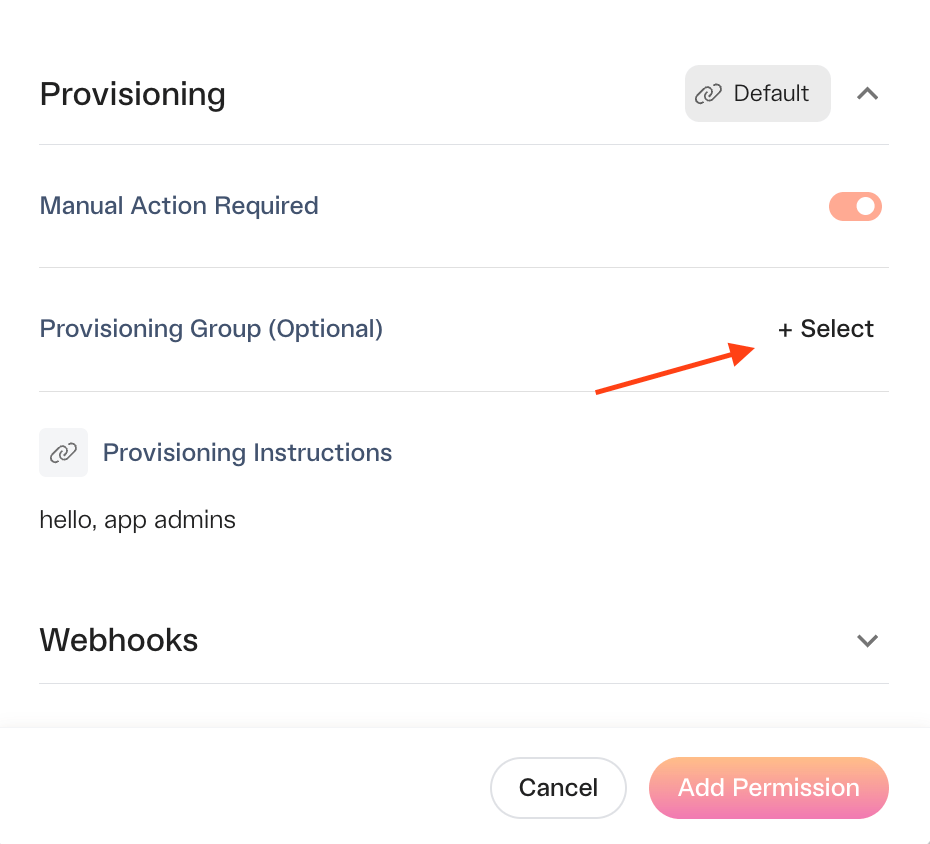
4. Click Add permission.
5. Your new entitlement is ready to use
More information on setting up approval workflows for the entitlement can be found here:Setting Up Entitlement-Based Approvals