
Background

Lumos automatically reminds people of tasks they have to complete in the AppStore so that you don’t have to. This article explains how AppStore notification logic works and how to configure the settings. For information on Access Review notifications, see Access Review Notifications.

Task Center reminders

Lumos sends a daily Slack reminder to anyone who has an incomplete task in the Task Center. Lumos doesn’t currently send these reminders by email. The reminder contains a link to the Task Center so that the employee can find all of their tasks in one place. These reminders are delivered at 17:00 UTC. If you need to configure a different time for your tenant, contact support@lumos.com.
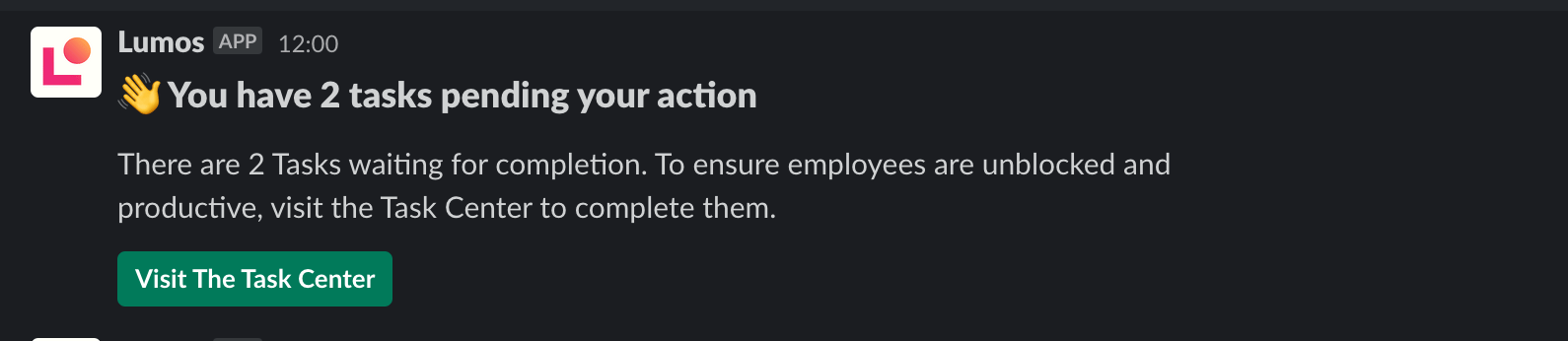
daily-reminder.png
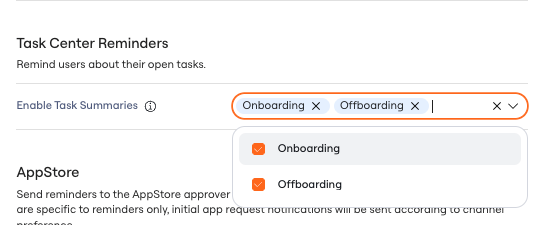
You can set up Task Center reminders for Onboarding and Offboarding tasks in your Notification Settings.
Screenshot 2025-09-19 at 3.22.00 PM.png

AppStore reminder settings

If you want Lumos to deliver more frequent notifications for AppStore tasks (approvals and provisioning tasks), you can set up more frequent reminders in your notification settings. See Approving Access Requests and Confirming Provisioning For Access Requests
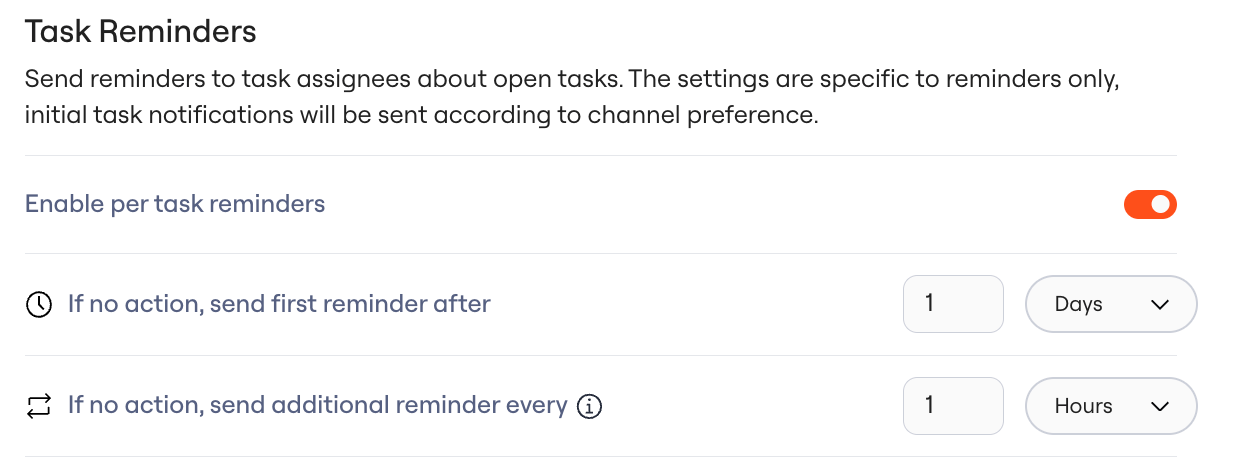
Task Reminders settings with the Enable per task reminders toggle on, a first reminder after 1 day and an additional reminder every 1 hour.
To turn these reminders on, go to Task Reminders in your notification settings and turn on Enable per task reminders. Then set the two settings below. Each one takes a number and a unit of Minutes, Hours, or Days, and applies to both approval and provisioning tasks.
  • If no action, send first reminder after sets how long after a task is created Lumos sends the first reminder.
  • If no action, send additional reminder every sets how long Lumos waits between reminders after the first one. The shortest interval it accepts is 5 minutes.
Task Reminders are off by default. When you turn them on, the first reminder is set to 3 hours and additional reminders to every 1 hour until you change them. Lumos sends up to 5 reminders for each task, and the first reminder counts toward the 5. You can’t change this limit. The notification Lumos sends when the task is first assigned does not count. After the fifth reminder, Lumos falls back to the daily Task Center reminder described above, so space out your reminders appropriately. For example, if you send the first reminder after 1 day and an additional reminder every 1 day, an approver who doesn’t act gets reminders about 1, 2, 3, 4, and 5 days after the task was created.