

After this article
You’ll understand how to use the Lumos Activity Log to report on AppStore tasks.Background
Auditors may ask you to prove that AppStore requests have the right approvals in place. The Activity Log records who approved each request and when.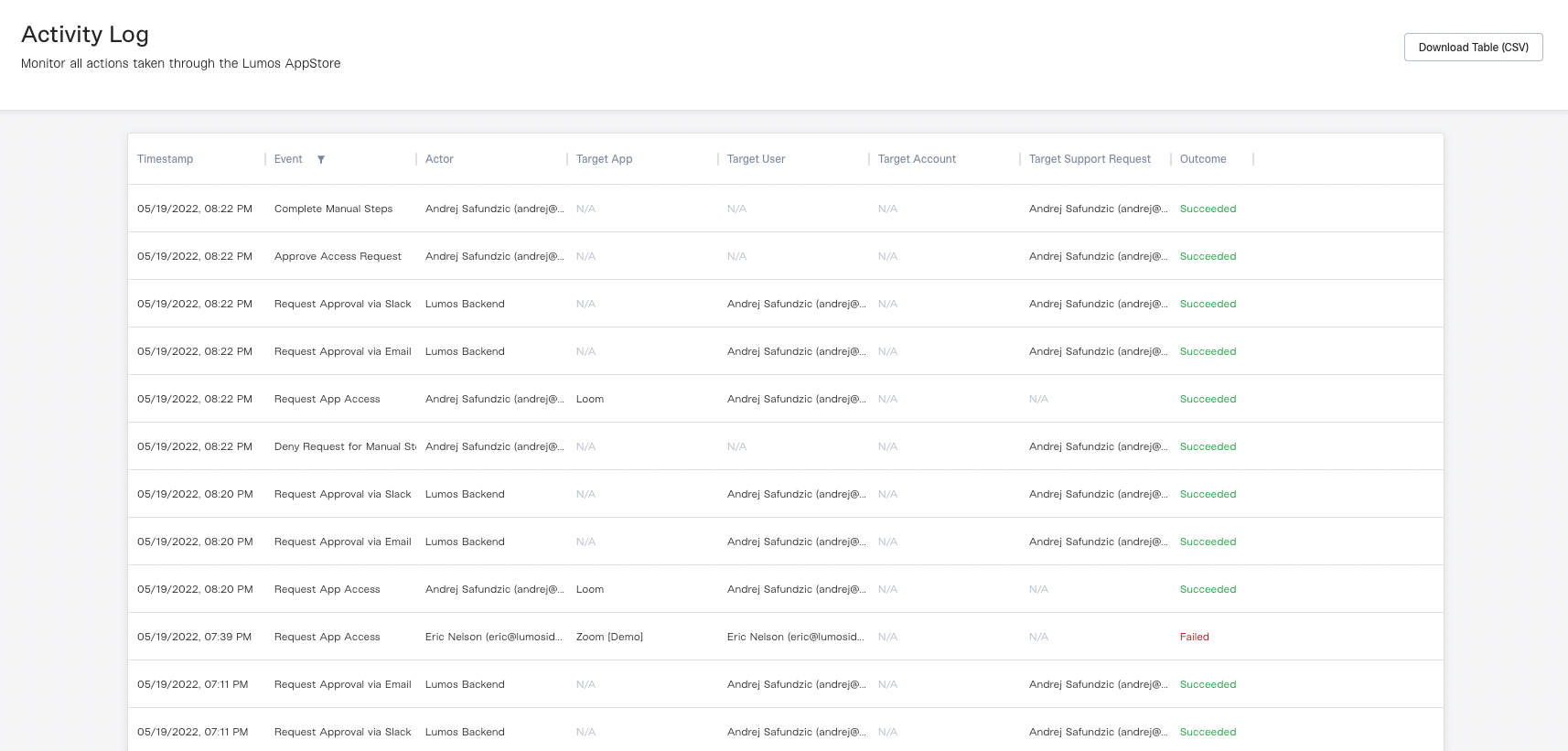
Finding the Activity Log
Lumos Admins can find the Activity Log in the sidebar of the AdminView.Downloading The Activity Log
To export the Activity Log to a CSV file, click the “Download Table (CSV)” button in the upper right corner of the Activity Log page.Activity Log Events
The table below describes some of the events on the AppStore tab of the Activity Log. The Activity Log also records events from other areas of Lumos, such as Access Reviews and access policy changes. In each row, the Actor column shows who performed the action, and the Target User/Account column shows the user the request is for. The Event column shows a category, such as Access Request, rather than the individual event. To find a specific event, use the Event Name filter. That filter lists every Lumos event on every tab, so some of its names never produce rows on the AppStore tab.Override and escalation events
These events appear on the AppStore tab under Access Request rows. Pick them in the Event Name filter to find them.
The Created Escalation Policy, Updated Escalation Policy, and Deleted Escalation Policy events also appear in the Event Name filter, but they show up on the All and Other tabs, not on the AppStore tab.