

Background
Certain access management processes require manual work from your end users. Some of these tasks are routed through notifications and are immediately actionable from Slack or email. All users can also navigate to the Lumos Task Center to act on the tasks routed to them.Using the Task Center
-
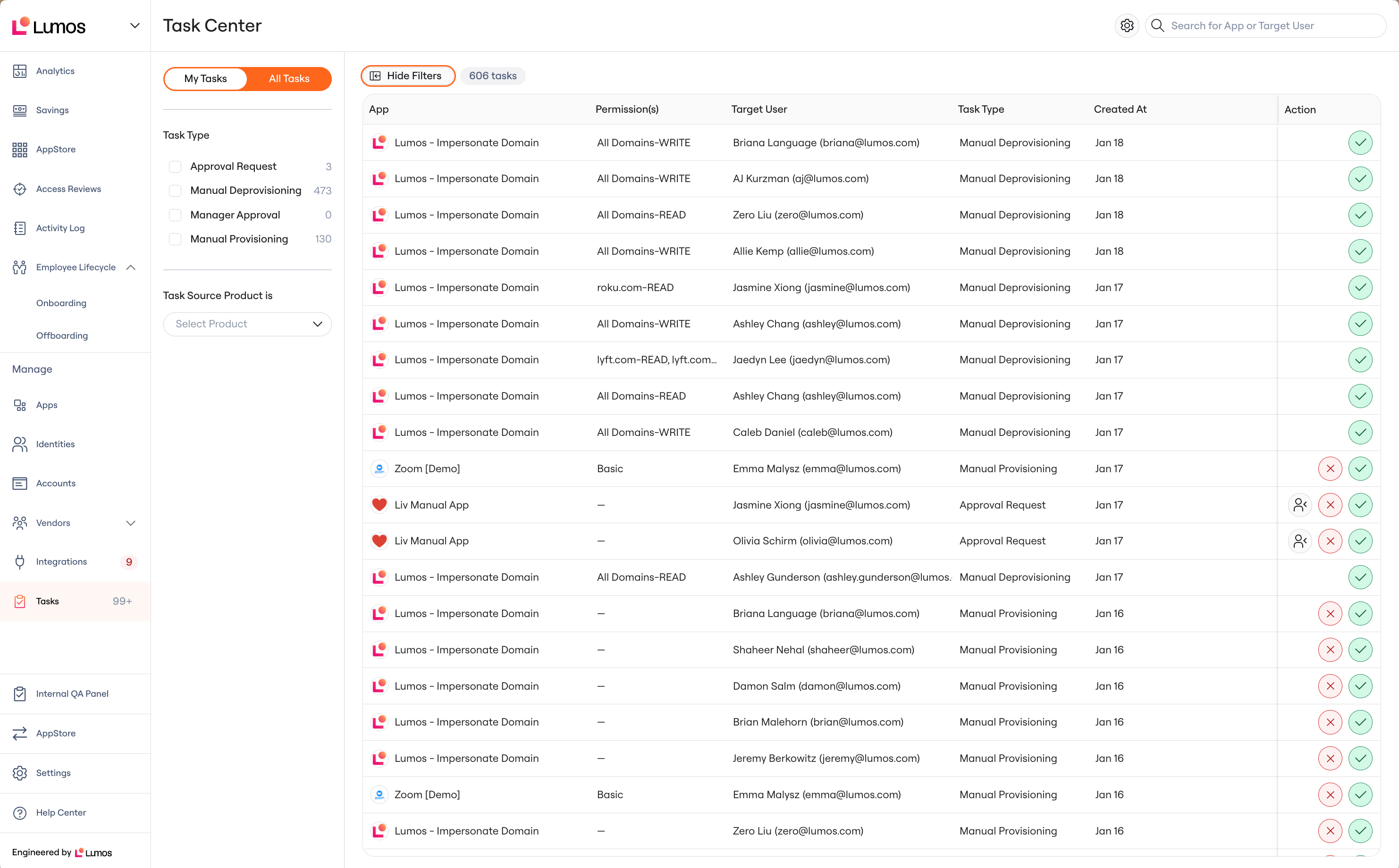
A table-style layout, with infinite scroll, so you can view more tasks.
-
Filters:
- Task Type, such as Approval Request or Error Task.
- Blocked status, to show only blocked tasks.
- Assigned to, to show tasks assigned to specific people. This filter appears only if you can see All Tasks.
-
Task Source Product, which indicates which Lumos product or flow created the task:
- AppStore: Tasks related to self-service access requests
- Offboarding: Manual removal tasks generated from employee terminations
- Onboarding: Tasks related to onboarding (provisioning)
- Platform: Manual removal tasks routed from the Single app pages.
-
Filters:
- A search bar that finds tasks by app or target user.
- A My Tasks and All Tasks toggle at the top of the filter sidebar. My Tasks shows only the tasks assigned to you. All Tasks shows tasks assigned to anyone, and appears only if your role lets you view all tasks, such as Admin, Read Only Admin, or AppStore Read Only Admin. See Lumos Roles. For example, to find an access request waiting on your approval, open My Tasks, then under Task Type select Approval Request.
- Sort in the table by ascending or descending
-
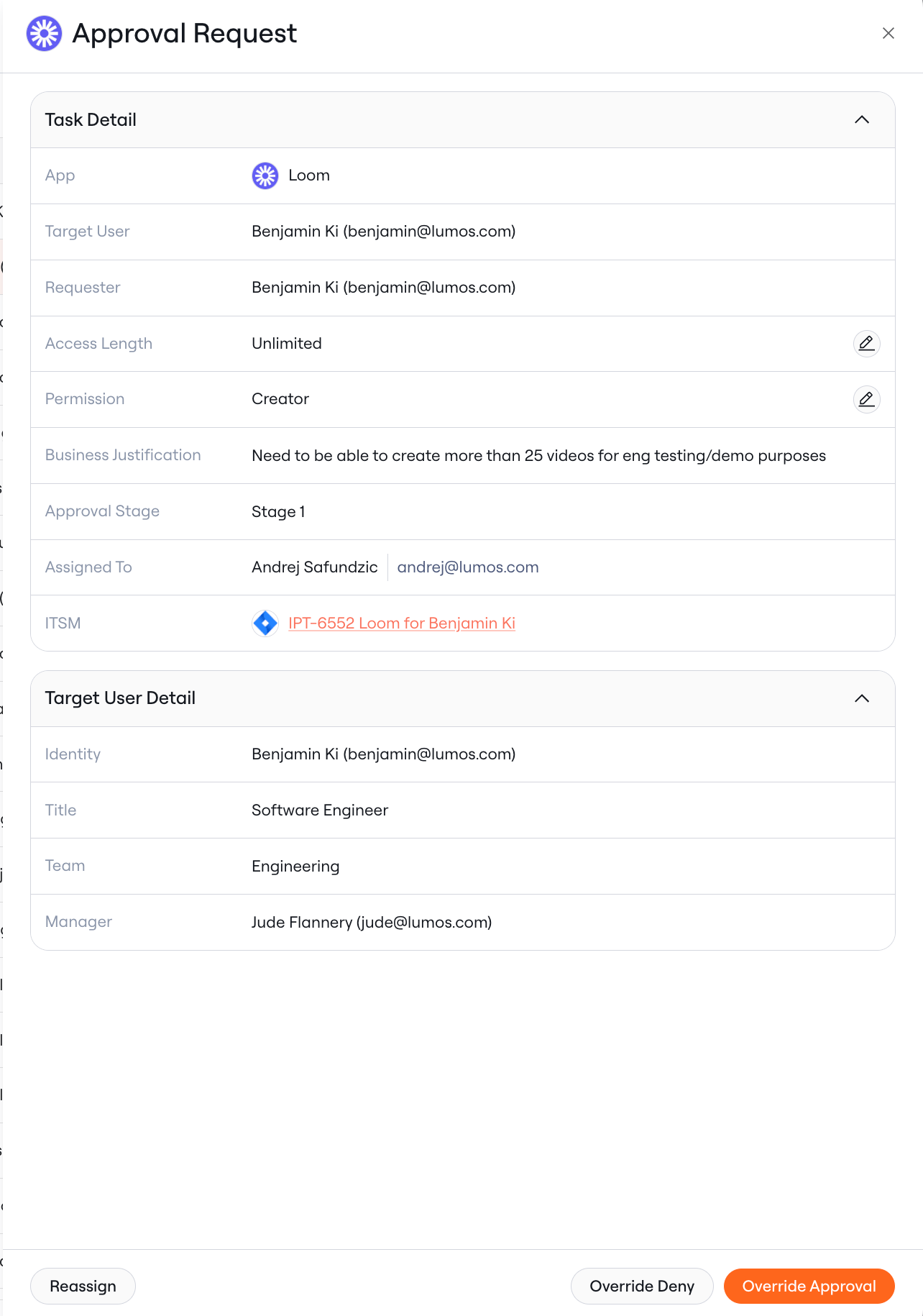
A standardized task view with key information around the target user and request.
- The ability to deep link your tasks to send to other users.
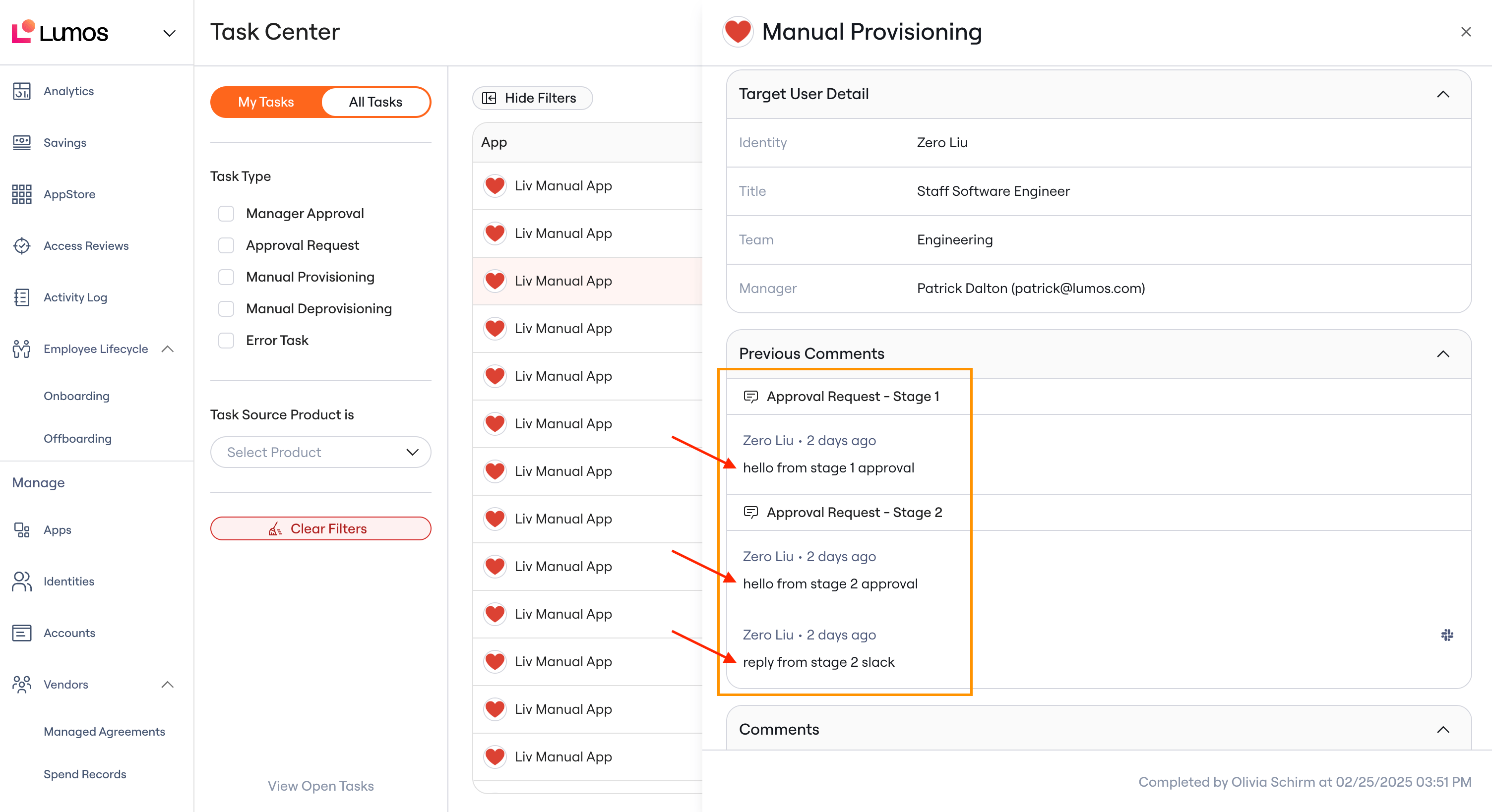
- Direct commenting within the task detail drawer within the Web UI. Admins and task assignees can post comments, notifying other assignees and requesters. In multi-staged requests, admins can view all comments from earlier stages.
- Error Tasks. See this article for more information on these task types.
Limitations
There are a couple of legacy tasks that are not supported in the current Task Center. They are:- Legacy offboarding removal tasks: These are created when a task has been created for the app admin to remove access.
- Legacy time-based access expiration tasks: These are created when a time-based access request in the AppStore has expired. The expired request generates a task due to (1) an error in the deprovisioning or (2) the provisioning plan also having a manual provisioning step, kicking over a manual deprovisioning step to the end user.
FAQs
-
I have some feedback. How can I get this to the team?
- Contact your CSM or support@lumos.com.
-
Can I make a saved view to return to?
- This is not supported today. Lumos may build support for this in the next quarter or two.