

Overview
When Lumos discovers accounts from multiple sources (e.g., Okta sync and a CSV upload) and matches these accounts to a User, it uses a priority system to determine the final Account Status displayed for the Account in the UI. This article explains how that works and highlights common scenarios that can cause confusion.How Account Status is Determined
When multiple found accounts exist for the same user in the same app, Lumos uses a two-step priority system to determine Account Status.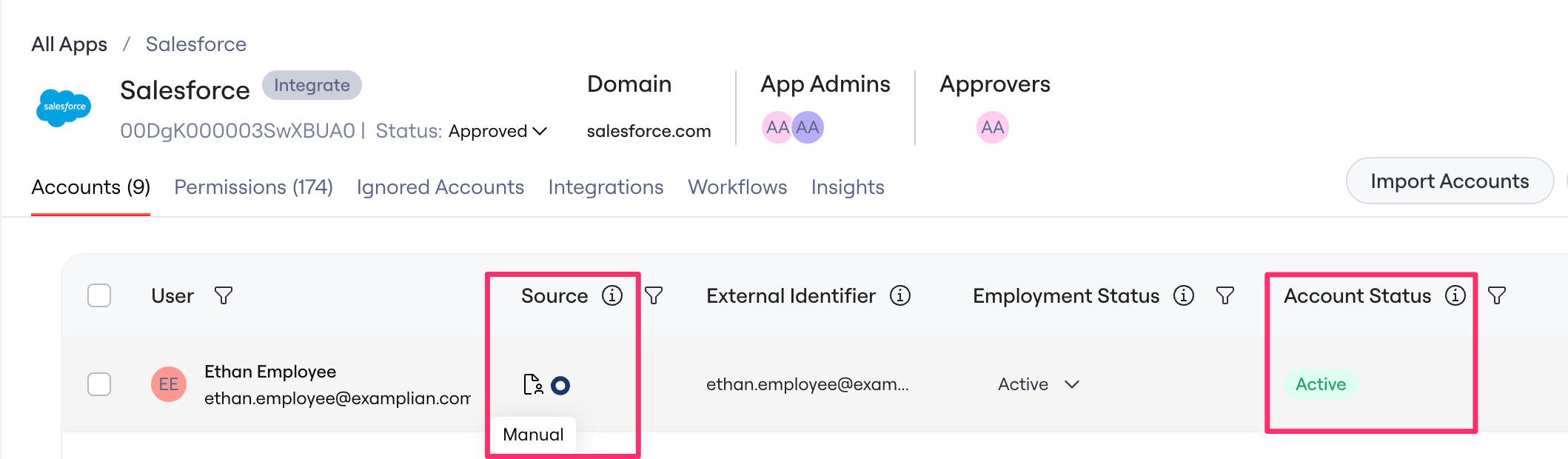
Step 1: Source Priority
Lumos first ranks found accounts by their app source:Step 2: Status Priority (Tiebreaker)
If multiple found accounts have the same source priority, Lumos selects the status that indicates the user has access. Why?From a security and compliance perspective, it’s better to over-report access than under-report it. If even one source says a user has access, Lumos displays them as having access until all sources confirm they don’t.
Example
If:- An Okta found account shows SUSPENDED
- A CSV-uploaded found account shows ACTIVE
- Both sources have priority 1 (tie)
- ACTIVE wins because it indicates the user may still have access
- Result: Account displays as ACTIVE