After this article…
You’ll know how to match an account from an app to a User in Lumos.Why should you match Unmatched accounts?
Accounts in Lumos that aren’t matched to a user are labeled “Unmatched”. More info on how that happens can be found here:How does Lumos match accounts? When an account is matched to a User in Lumos, you’ll be able to view that account, along with the rest of the accounts that belong to that User, on that User’s page in Lumos. This provides a better picture of what app accounts each employee has and enables you to tie an account to a specific employee identity during audits and other routine exercises.Steps
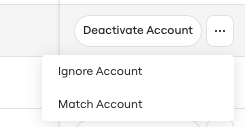
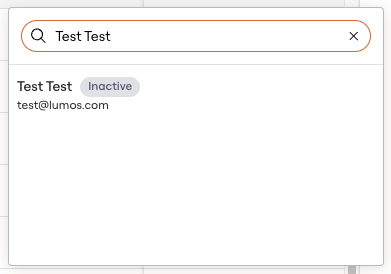
1. Find the account you want to match