After a user logs in, how long does a Lumos session last?
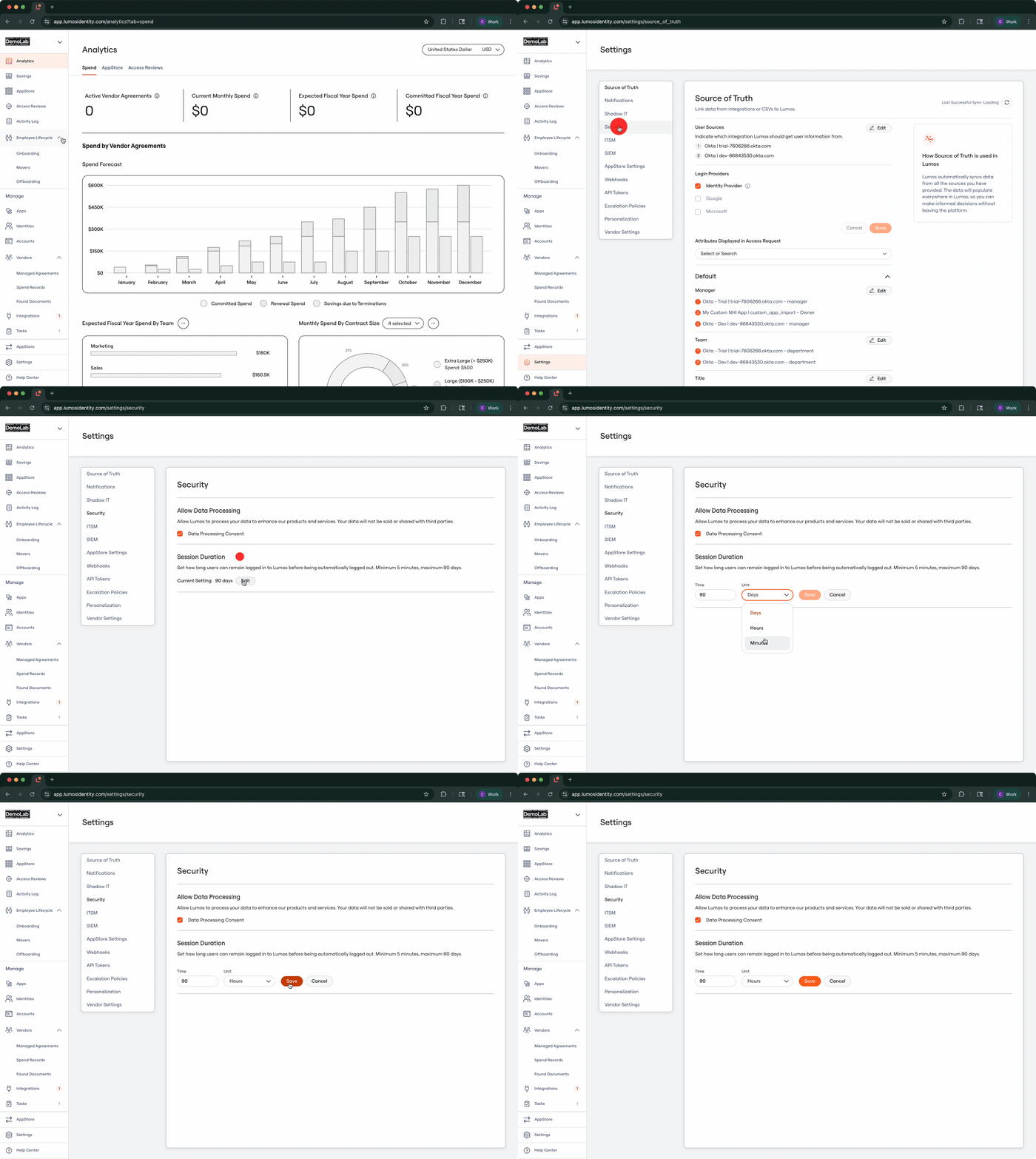
By default Lumos session durations are set to a maximum of 90 days.What if 90 days is too long?
You can change the default Lumos session duration by navigating to the Settings > Security page (https://app.lumosidentity.com/settings/security). The shortest duration that Lumos will accept is 5 minutes with a maximum being 90 days.