

Use Cases
The Mover Events page shows all detected changes so you can track organizational movements and debug issues with your access automation. This page can be used for:- Debugging access issues - understanding why a user received or lost access to certain applications
- Compliance auditing - providing auditors with a timeline of events that led to access changes
- Monitoring HR data sync - ensuring Lumos is receiving updated employee information from your HRIS system
Viewing Mover Events
In order to view a list of all mover events, head to the Employee Lifecycle > Movers page. Here you’ll see a comprehensive timeline of all mover events detected by Lumos.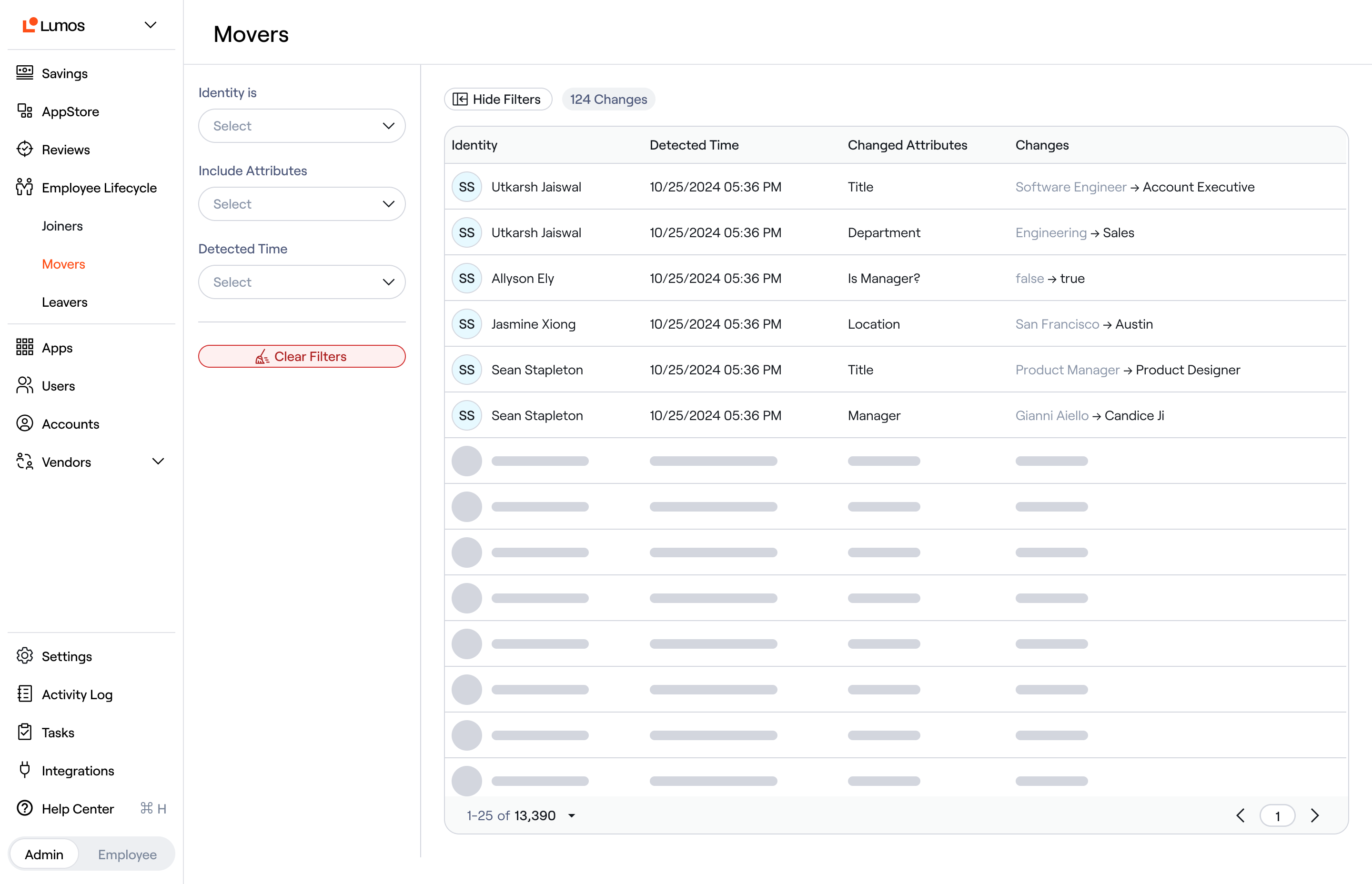
Understanding Event Details
Every mover event displays the following information:- Identity - this is the employee who experienced the change
- Detection Time - this is when Lumos first detected the change. The time is shown in your local timezone.
- Changed Attribute - which attribute on the identity was modified (team, title, manager, location, etc.). For group membership changes, this will say “Lumos Group Membership”
- Changes - the previous and new values for the changed attribute
FAQs
Why don’t I see recent changes that I know happened? Employee lifecycle events are detected when Lumos syncs data from your connected HR system or Identity Provider. If you don’t see a recent change, check that:- Your HR system integration is healthy and synced recently
- The changed attribute is properly configured in your Source of Truth settings