

Background
Knowledge Hub is where Lumos stores the context that makes your AI agents smarter: app ownership, purpose, sensitivity notes, and policy intent that agents reference at runtime. Knowledge Hub MCP exposes that context through the Lumos Admin MCP (Model Context Protocol) server, so the AI tools you already use (Claude Code, Claude Desktop, Cursor, and others) can read and write Knowledge Hub entries programmatically, without logging into Lumos.When to use Knowledge Hub MCP
- Keep Knowledge Hub entries current without logging into Lumos for every update.
- Let an AI agent populate entries for new apps as they are connected.
- Build internal automations that read or write org context at runtime.
Prerequisites
- Knowledge Hub is enabled for your domain.
- You have an MCP-compatible client (Claude Code, Claude Desktop, Cursor, or another tool that supports MCP over OAuth).
- You have Lumos Admin access to authorize the connection. Internal users acting on another domain need cross-domain access to write to that domain.
How to connect
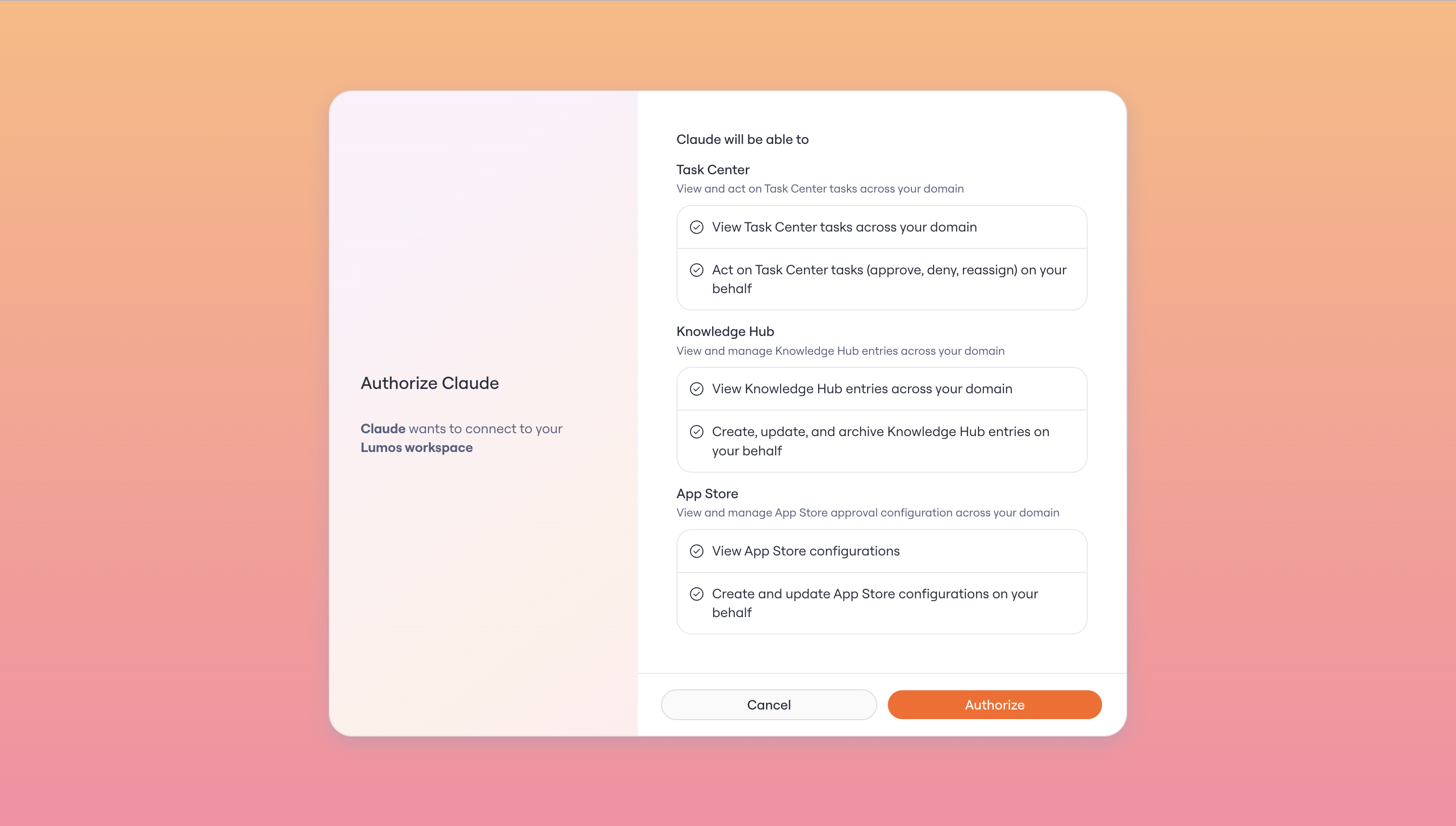
Authorizing the Lumos Admin MCP connection, including read and write access to Knowledge Hub.
- In your MCP-compatible client, add the Lumos Admin MCP server. The server is live and connectable today in Claude Code and Claude Desktop. (The exact endpoint URL and setup steps will be documented at launch.)
- When prompted, authenticate with your Lumos Admin credentials and approve the requested scopes.
- Your client can now list, read, create, and update Knowledge Hub entries as MCP resources.
What you can do over MCP
- Read entries: list all Knowledge Hub entries or fetch a specific entry by app or topic.
- Create entries: add a new entry for an app that does not have one yet.
- Update entries: edit the purpose, owner, or sensitivity notes for an existing entry.
- Upload files: attach files to an entry for richer context.
Limitations
- Knowledge Hub MCP is scoped to knowledge entries. It does not expose access data, entitlements, or account information.
- Access is role-gated: Admin-level authorization is required to connect. Internal users acting on a customer’s domain need cross-domain access to write to that domain.
- Lumos-internal entries are hidden from the MCP surface.
- The Lumos REST API does not yet create or edit Knowledge Hub entries. REST API parity is planned so the two stay consistent. Until then, use the MCP for reads and writes.