You will see the Activity Log event “Custom App Accounts Updated” when the CSV import upload is completed:
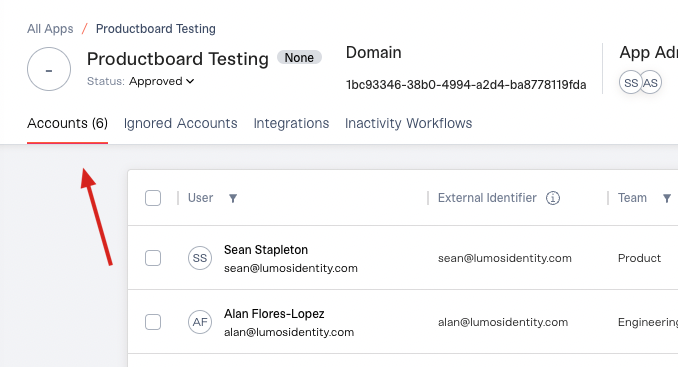
If something goes wrong during the upload, you’ll see a “Custom App Submission Failed” event in the Activity Log. Check your field mappings, formatting, and Status values. See Custom Data (CSV) Formatting Requirements.If you are uploading a CSV for an app that has no existing accounts, you can also check the Accounts tab. Accounts can take up to 15 minutes to populate after an import, so wait before comparing. Then check that the number in the Accounts tab matches the number of rows in your file (minus the header row).
Assistant
Responses are generated using AI and may contain mistakes.