Access Reviews
Inline Permission Editing You can now edit Permission display names and descriptions directly in Lumos - no CSV required. Previously, even small changes meant downloading, updating, and re-uploading a CSV file. Now, just hover over a field on the Permissions tab, make your edit, and save. Updates apply instantly and will show up in current and future Access Reviews, helping reviewers understand entitlements without cryptic system names. This makes it faster to test changes, correct errors, and keep Permissions up to date.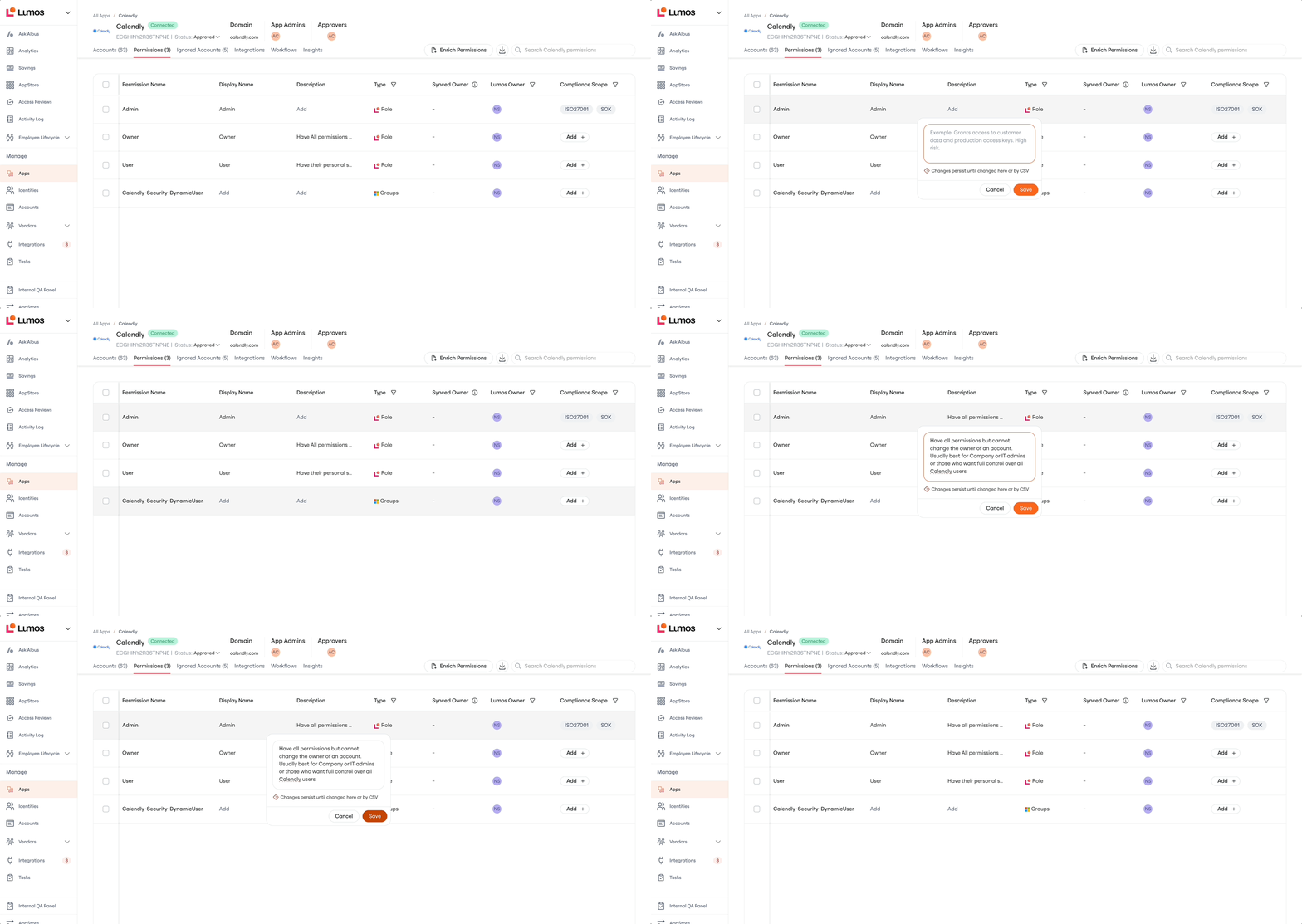 Help Center Article
Analytics
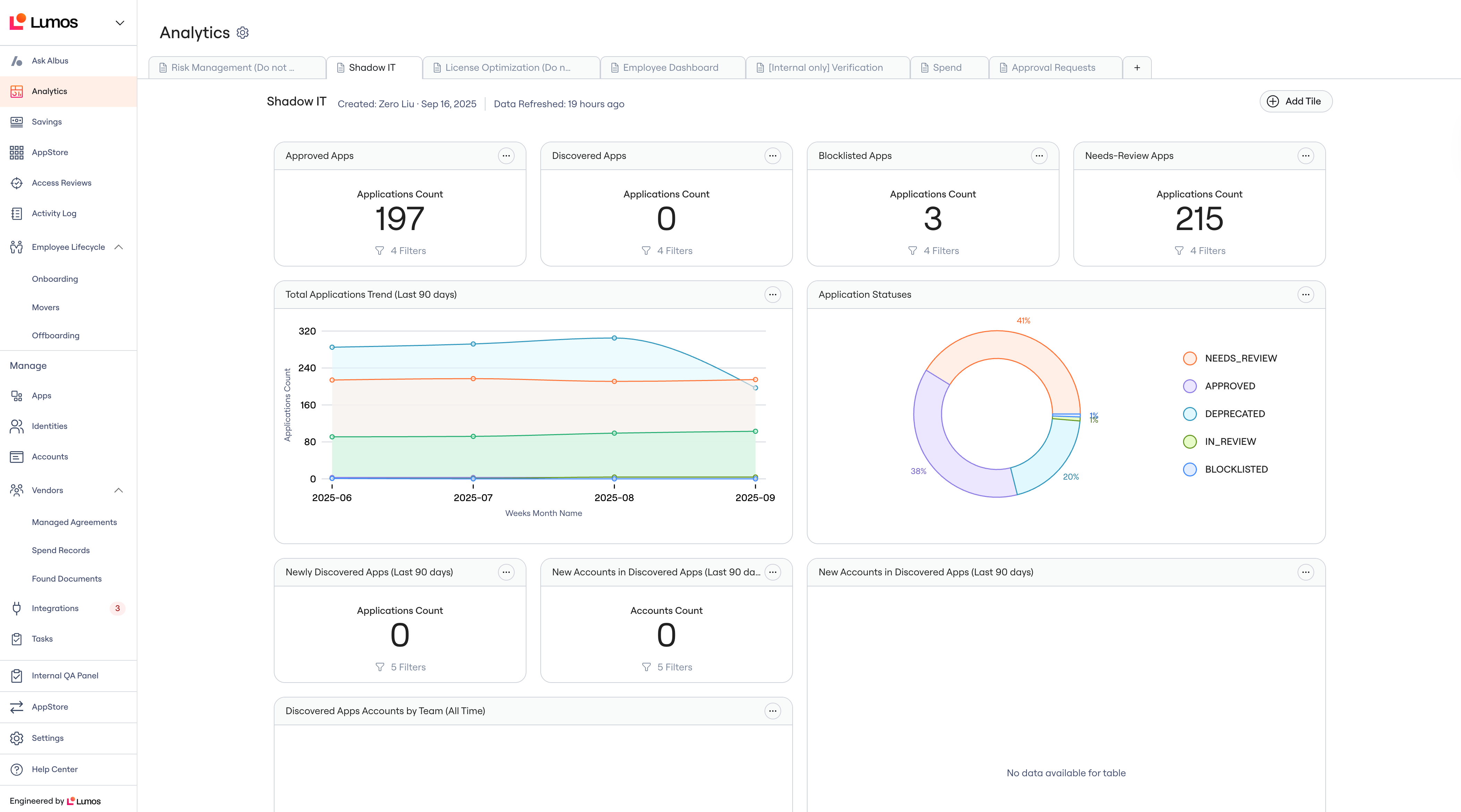
Customizable Dashboards [Beta] You can now build your own dashboards in Lumos - no more exporting CSVs or stitching together spreadsheets. Admins can start with pre-built templates (like License Optimization, Security Posture, or Shadow IT Analysis) or create custom dashboards from scratch. The AI-powered chart builder generates charts from natural language prompts (e.g. “Show me inactive users by department”). With customizable dashboards, you can:- Save hours of manual reporting every week
- Share live, always-updated dashboards across your org
- Give executives and app owners self-service visibility into SaaS usage, spend, and security
Integrations
Enhancements to Existing Connectors
Lumos has shipped a number of improvements to make current integrations more flexible and aligned with customer workflows:- Netsuite: Updated role fetching logic to include all roles.
- Microsoft Office365 [Beta]: Now syncs
last_loginand supports assignable licenses. - Salesforce: Added ability to exclude portal users.
- Jetbrains: Refactored license model to match API changes.
- Hubspot: Assign users to secondary teams.
- Gitlab: Option to include/exclude billable users.
- Coupa: Released a new read-only version.
- Greenhouse: Sync roles as entitlements.
- Lucid and Grammarly: Connection stability improvements.
Newly released:
Note: Asana, Github, and Grafana may already be in your UI - if you’re utilizing one of these connections, Lumos recommends reconnecting to unlock provisioning capabilities.Identities
Edit Email Addresses
Admins can now manually edit user email addresses directly in the Lumos admin panel. Once edited, Lumos masters the email, preventing it from being overwritten by source systems like Workday or Okta. This gives IT admins a quick way to fix errors caused by onboarding workflow rules or upstream data quality issues, avoiding blocked accounts and manual IT intervention. Help Center Article)Lifecycle Management
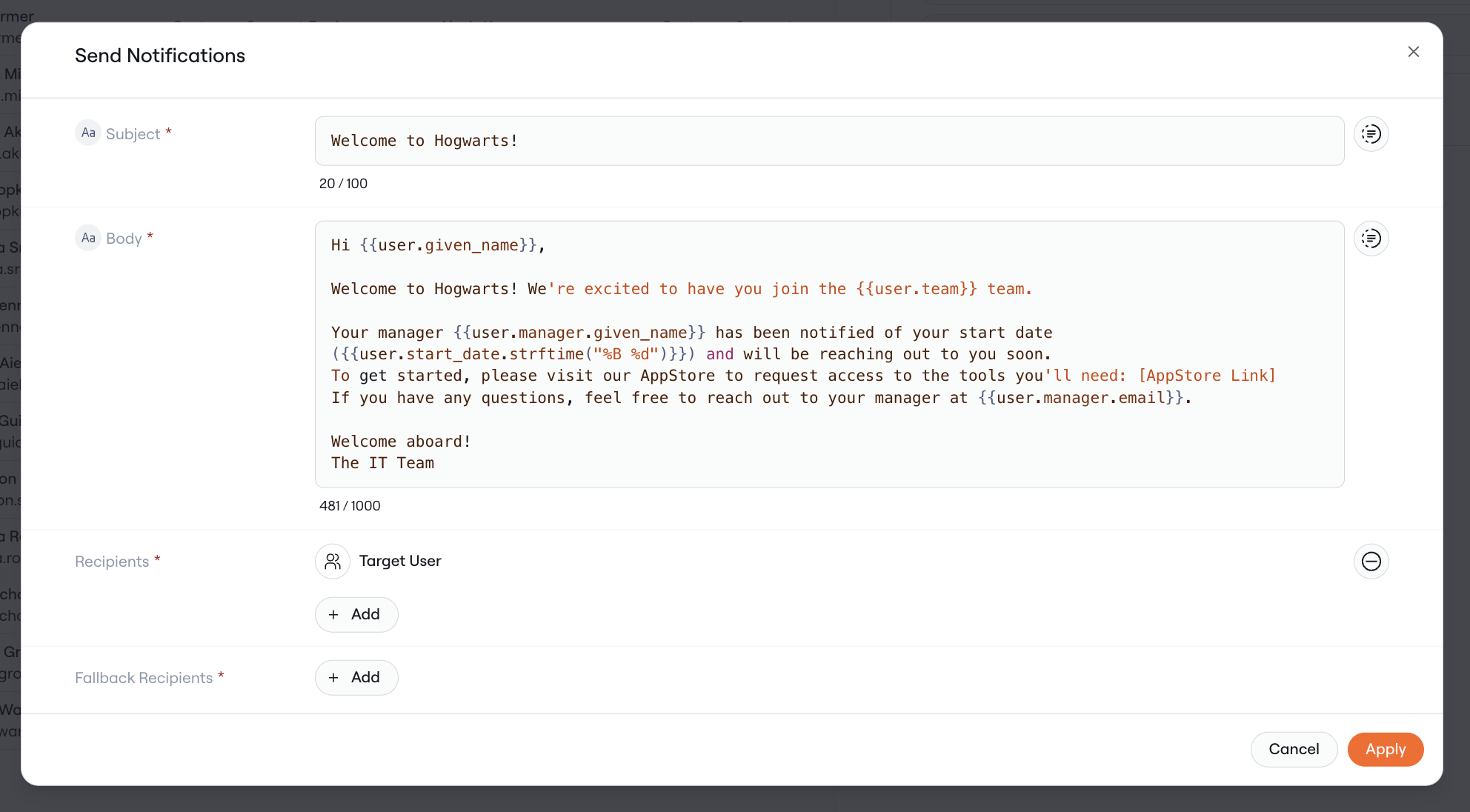
Send Notification Workflow Step
Lumos has added a new Send Notification step that can be used across workflows (Onboarding, Movers, Offboarding, AppStore). This gives admins far more control over how key workflow events are communicated to employees and stakeholders.- Fully customizable subject, body, and recipients
- Supports Email, Slack, and Microsoft Teams
- Works for a wide range of scenarios, from welcome messages for new hires to offboarding confirmations for managers and HR
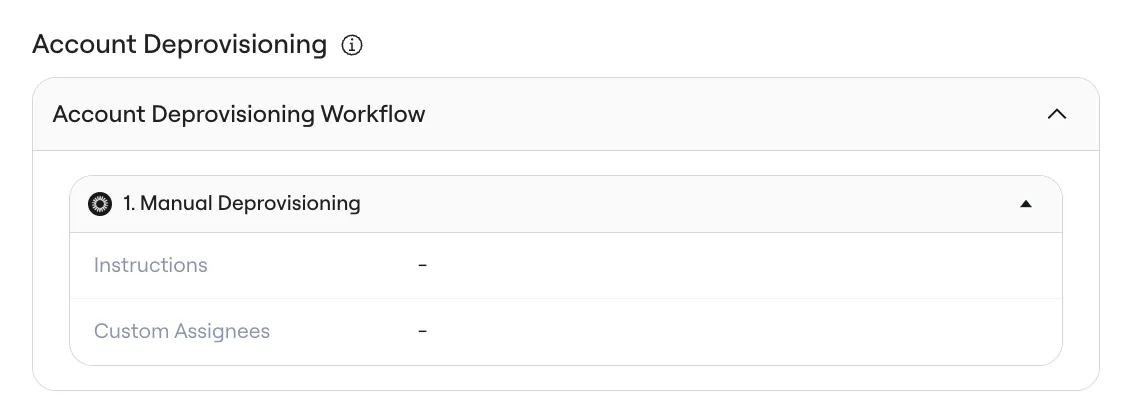
Account Deprovisioning Workflows
Lumos now supports Account Deprovisioning Workflows, allowing for full automation of the end-to-end account lifecycle, reducing risk and ensuring no empty accounts linger.- Lives under AppStore > [App] > Account Deprovisioning Workflow
- Enables time-based access for entire accounts (e.g., interns, contractors)
- Automates account clean-up after a Mover event