> ## Documentation Index
> Fetch the complete documentation index at: https://docs.lumos.com/llms.txt
> Use this file to discover all available pages before exploring further.
# Lumos Session Timeouts
## After a user logs in, how long does a Lumos session last?
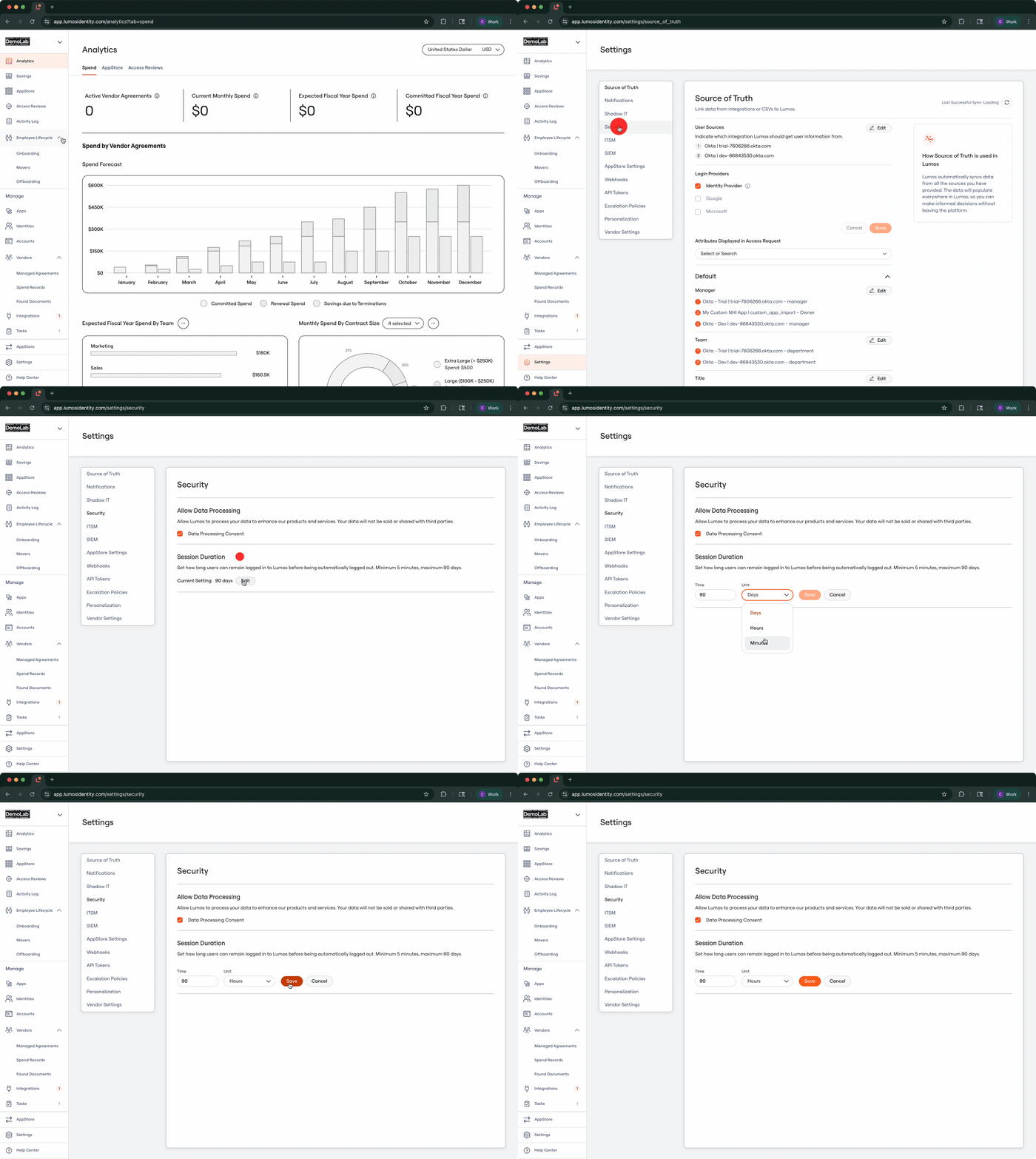
By default Lumos session durations are set to a maximum of 90 days.
## What if 90 days is too long?
You can change the default Lumos session duration by navigating to the ***Settings > Security*** page ([https://app.lumosidentity.com/settings/security](https://app.lumosidentity.com/settings/security)).
The shortest duration that Lumos will accept is 5 minutes with a maximum being 90 days.