> ## Documentation Index
> Fetch the complete documentation index at: https://docs.lumos.com/llms.txt
> Use this file to discover all available pages before exploring further.
# Managing App Session Timeouts
## Background
### What is a Session Timeout?
A session timeout is the predetermined duration of time that elapses after a user logs in, after which they must log in again to continue accessing the application.
For instance, if an app sets a 7-day Session Timeout, and a user logs in on Monday, they will not be prompted to log in again until the following Monday. This functionality enables users to access the app throughout the week without needing to log in multiple times.
Session Timeouts can be established by default by the app, configured by an administrator, or may not be implemented at all, depending on the app's security policies.
## How Lumos uses Session Timeouts
Lumos utilizes the last login timestamp to track user activity in apps where more fine-grained activity data is not available. The session timeout context is important because if a user is not forced to login periodically, it is possible for a user to be active without generating log-in events. This mechanism therefore helps in maintaining accurate user activity records.
**Example:**
* **App:** Foomos with a 7-day timeout.
* **Scenario:** User A logs into Foomos on 1/1 and uses it on 1/1, 1/4, and 1/6.
* **Result:** Lumos records the last login date as 1/1, despite the most recent activity on 1/6.
This aspect is vital for interpreting last login data and assessing user activity within Lumos accurately. In scenarios where inactivity workflows are set up, it is not possible to configure activity thresholds shorter than the Session Timeout to prevent discrepancies where a user remains active but does not log back in. Similarly if an app does not have session timeouts configured, Lumos will not allow you to configure an inactivity workflow based on last login data.
Applications with just Last Login data that have Unknown session timeouts or No Enforced Session timeouts will **NOT** support inactivity worfklows
## Configuring an App's Session Timeout in Lumos
### How Lumos determines an App's Default Session Timeout
Lumos recognizes default Session Timeouts for commonly used apps and applies these settings as a baseline. However, these defaults can be overridden with custom Session Timeout settings specific to your organization's needs.
### How to customize any App's Session Timeout
Lumos allows you to configure an app's session timeout from the All Apps table as shown below.
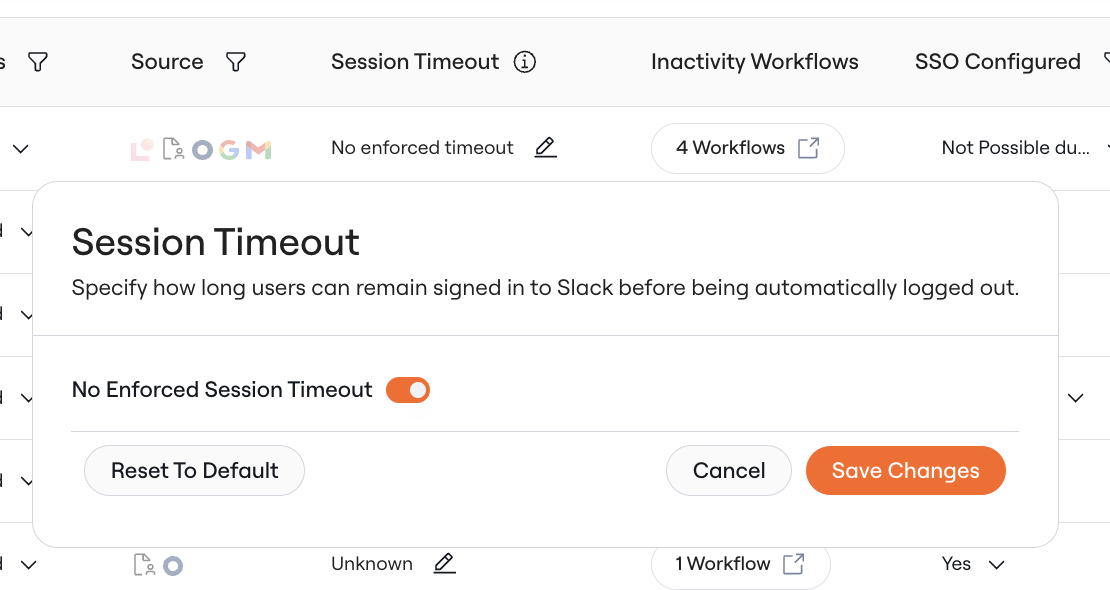
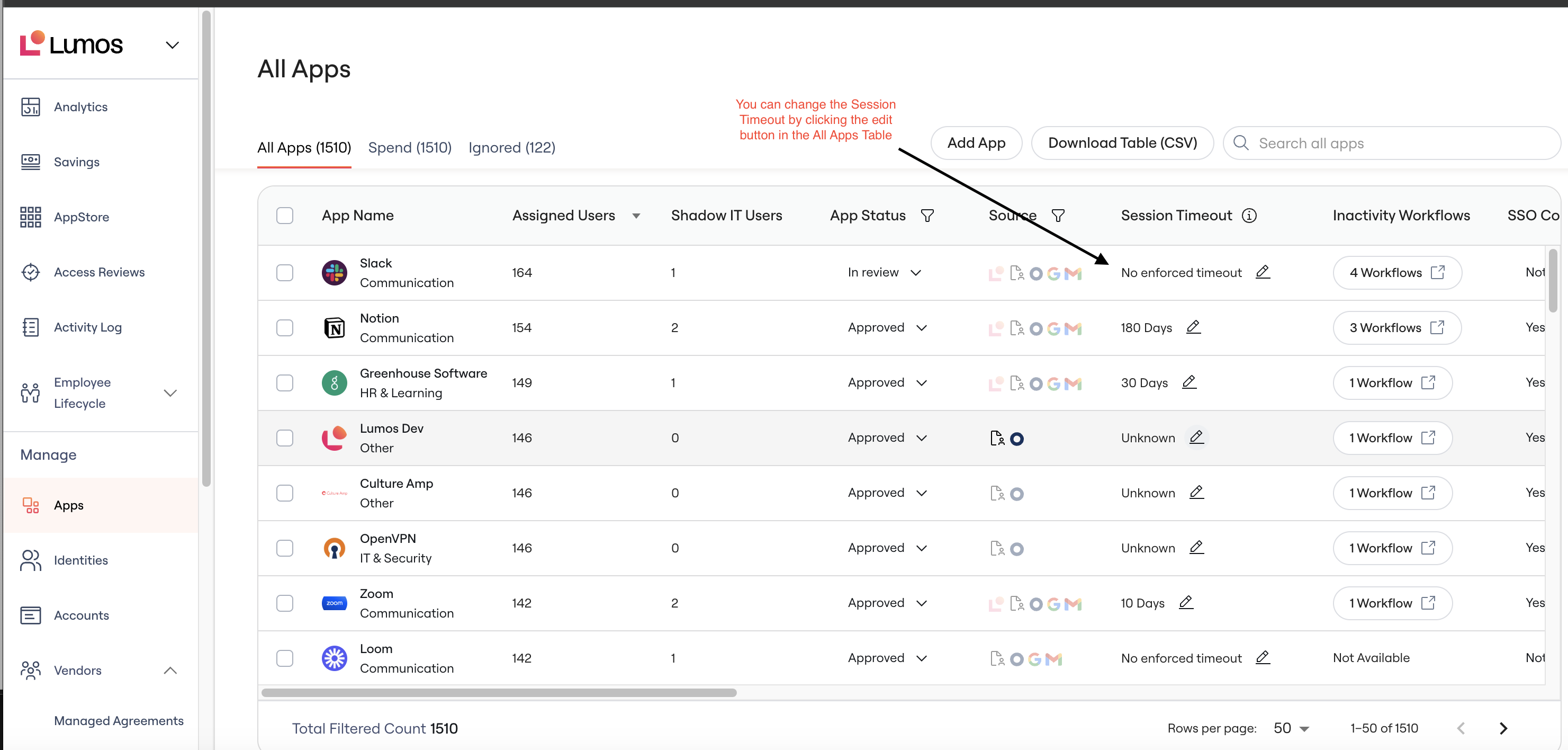 You have the following options for session timeouts:
1. **No enforced session timeout:** For apps that do not require timeout
You have the following options for session timeouts:
1. **No enforced session timeout:** For apps that do not require timeout
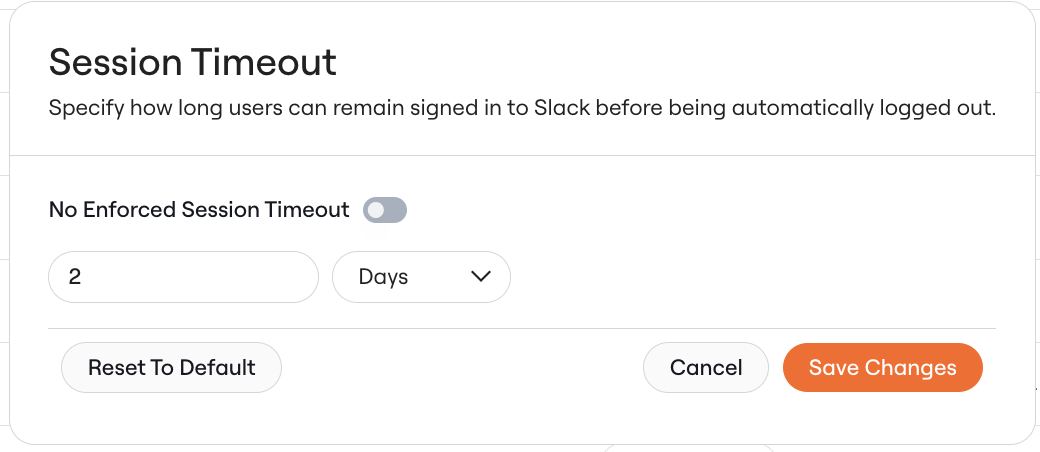
 2. **X days:**
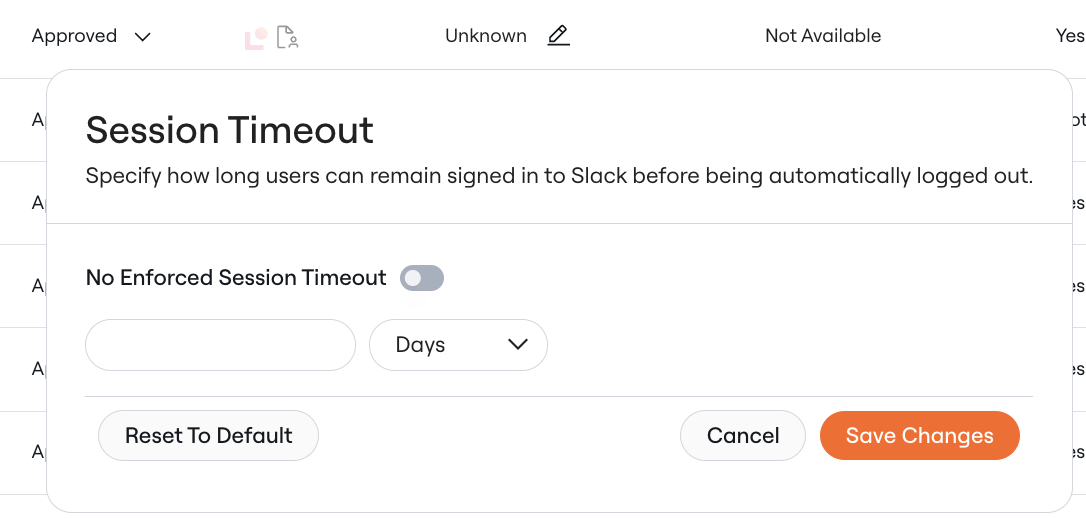
 3. **Unknown:** For apps with no defined session timeout
 ## FAQ
1. Which Applications can I make inactivity workflows for?
1. Any application with Last Activity Data
2. Applications with Last Login data **AND** defined session timeouts of X days.
1. The inactivity period cannot be shorter than the session timeout.
2. Why can't I make an inactivity workflow for some apps with Unknown Session Timeouts or No enforced Session Timeouts?
Inactivity workflows auto-remove users based on the available activity data. If an app only has Last Login, Lumos cannot assess whether they have been active or not without knowing whether that user was prompted to log in recently due to an enforced session timeout.
3. Will Lumos remove any inactivity workflows created before the introduction of session timeouts - specifically for Apps with just Last Login and undefined session timeouts?
No, Lumos will not remove any existing inactivity workflows with the introduction of session timeouts.
## FAQ
1. Which Applications can I make inactivity workflows for?
1. Any application with Last Activity Data
2. Applications with Last Login data **AND** defined session timeouts of X days.
1. The inactivity period cannot be shorter than the session timeout.
2. Why can't I make an inactivity workflow for some apps with Unknown Session Timeouts or No enforced Session Timeouts?
Inactivity workflows auto-remove users based on the available activity data. If an app only has Last Login, Lumos cannot assess whether they have been active or not without knowing whether that user was prompted to log in recently due to an enforced session timeout.
3. Will Lumos remove any inactivity workflows created before the introduction of session timeouts - specifically for Apps with just Last Login and undefined session timeouts?
No, Lumos will not remove any existing inactivity workflows with the introduction of session timeouts.