> ## Documentation Index
> Fetch the complete documentation index at: https://docs.lumos.com/llms.txt
> Use this file to discover all available pages before exploring further.
# Inactivity Workflows 101
## The problem
Employees get accounts in company apps when they join, change roles, or need access for a project. When they stop using an account, it often stays active until an **Access Review** or an app admin notices it, which can cost your company money or create a security risk. *See* [*Using Lumos for Access Reviews*](/kb/access-reviews/preparing-and-completing-an-access-review/using-lumos-for-access-reviews)
Contacting each employee manually is tedious.
## The solution
Inactivity Workflows in Lumos *automatically* reclaim unused software accounts or licenses from employees that are no longer using them.
## How it works
When someone's account becomes "inactive" using a timeframe that you define, Lumos will send a notification, via email and/or Slack, to the person that's supposed to make a decision. That could be the owner of the account, the app owner, or a specific person.
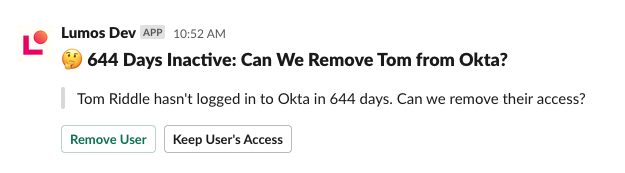
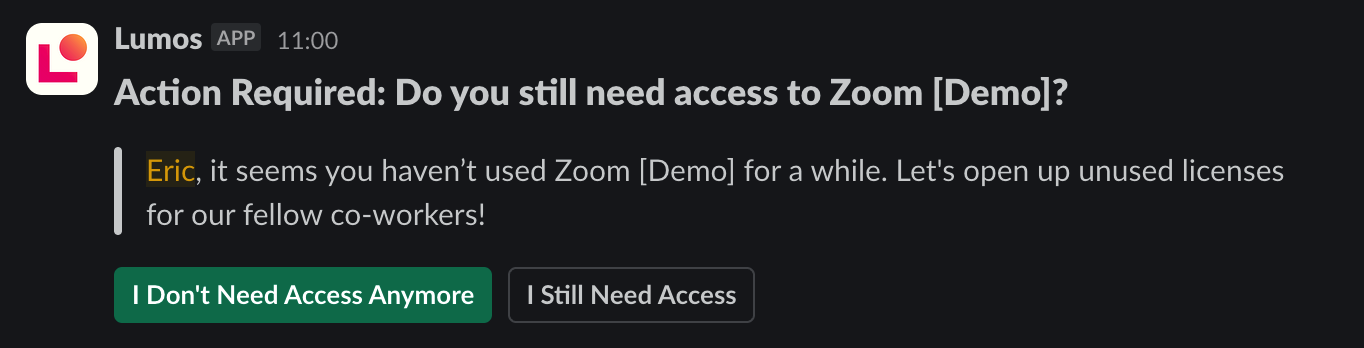
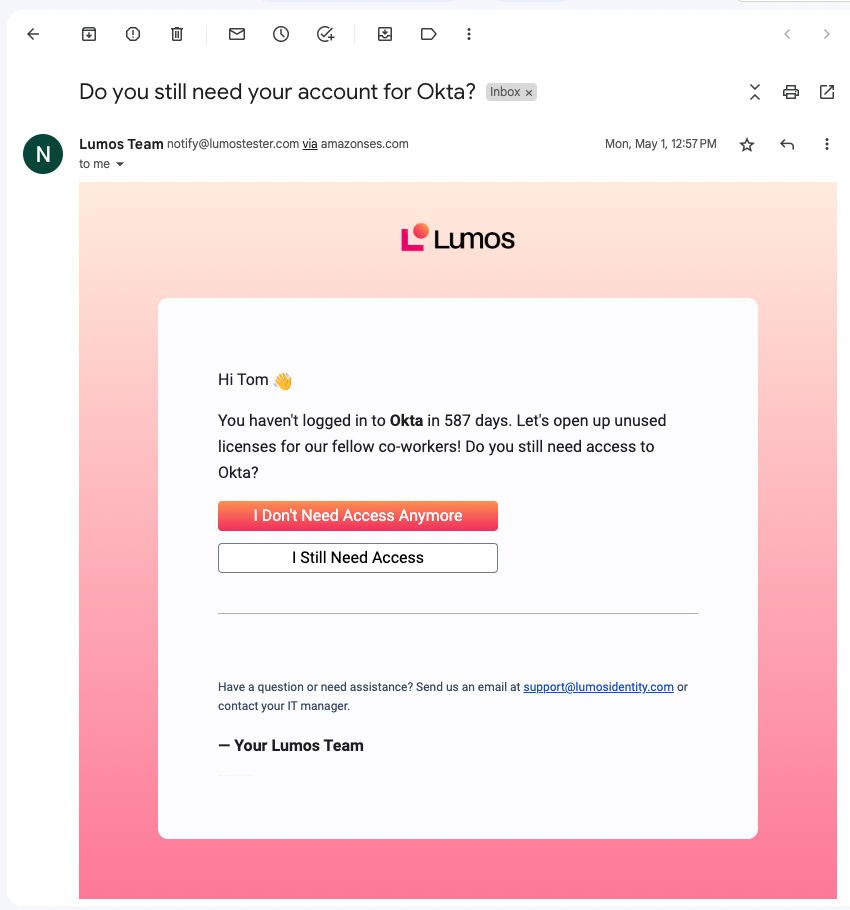 If the responder says that access is still needed, Lumos restarts the clock and will kick off the reminder again if the account goes inactive.
> Example: Suppose an inactivity workflow is configured to trigger after **60 days of inactivity**. If the employee responds that they still need access, Lumos will:
>
> 1. **Reset the inactivity timer** — it will wait another 60 days.
>
> 2. **At the end of that period**, Lumos will check whether the account has remained inactive the entire time.
>
> 3. **If the account is still inactive**, Lumos will send a new notification to confirm continued access needs.
If they say they **don't** need access, Lumos can automatically *remove* their account or license behind the scenes via a removal process you configure.
These workflows run automatically every day, so you don't have to audit license usage manually, and they route decisions to the right people.
## How do I get started?
See [Creating an Inactivity Workflow](/kb/saas-management/inactivity-workflows/creating-an-inactivity-workflow) to set up your first workflow.
If the responder says that access is still needed, Lumos restarts the clock and will kick off the reminder again if the account goes inactive.
> Example: Suppose an inactivity workflow is configured to trigger after **60 days of inactivity**. If the employee responds that they still need access, Lumos will:
>
> 1. **Reset the inactivity timer** — it will wait another 60 days.
>
> 2. **At the end of that period**, Lumos will check whether the account has remained inactive the entire time.
>
> 3. **If the account is still inactive**, Lumos will send a new notification to confirm continued access needs.
If they say they **don't** need access, Lumos can automatically *remove* their account or license behind the scenes via a removal process you configure.
These workflows run automatically every day, so you don't have to audit license usage manually, and they route decisions to the right people.
## How do I get started?
See [Creating an Inactivity Workflow](/kb/saas-management/inactivity-workflows/creating-an-inactivity-workflow) to set up your first workflow.