> ## Documentation Index
> Fetch the complete documentation index at: https://docs.lumos.com/llms.txt
> Use this file to discover all available pages before exploring further.
# Understanding Access with Access Policy Insights
### Background
Open any Access Policy and you'll see an Insight Badge on every app and permission, telling you whether the access it grants actually belongs. Lumos builds each Insight from real assignment and usage data, so you get the evidence behind a policy without leaving the page.
### What you can do with insights
* **Confirm a policy with the right people.** Hand a policy to the Policy Owner with the assignment and usage context built in, so they can confirm it's the right access for their group without a separate spreadsheet.
* **Spot access that may not belong.** A `Rarely Used` or `Rarely Assigned` Insights to flag access worth a second look before you publish.
* **Review AI-drafted policies with confidence.** Check the reasoning behind Albus's suggested access on the Policy page.
* **Keep the evidence in-product.** Read the rationale on the policy page instead of digging through chat history.
### Viewing Access Policy Insights
1. Go to Access Policies
2. Select a Policy to view Insights for
3. View Insights on the Policy Page
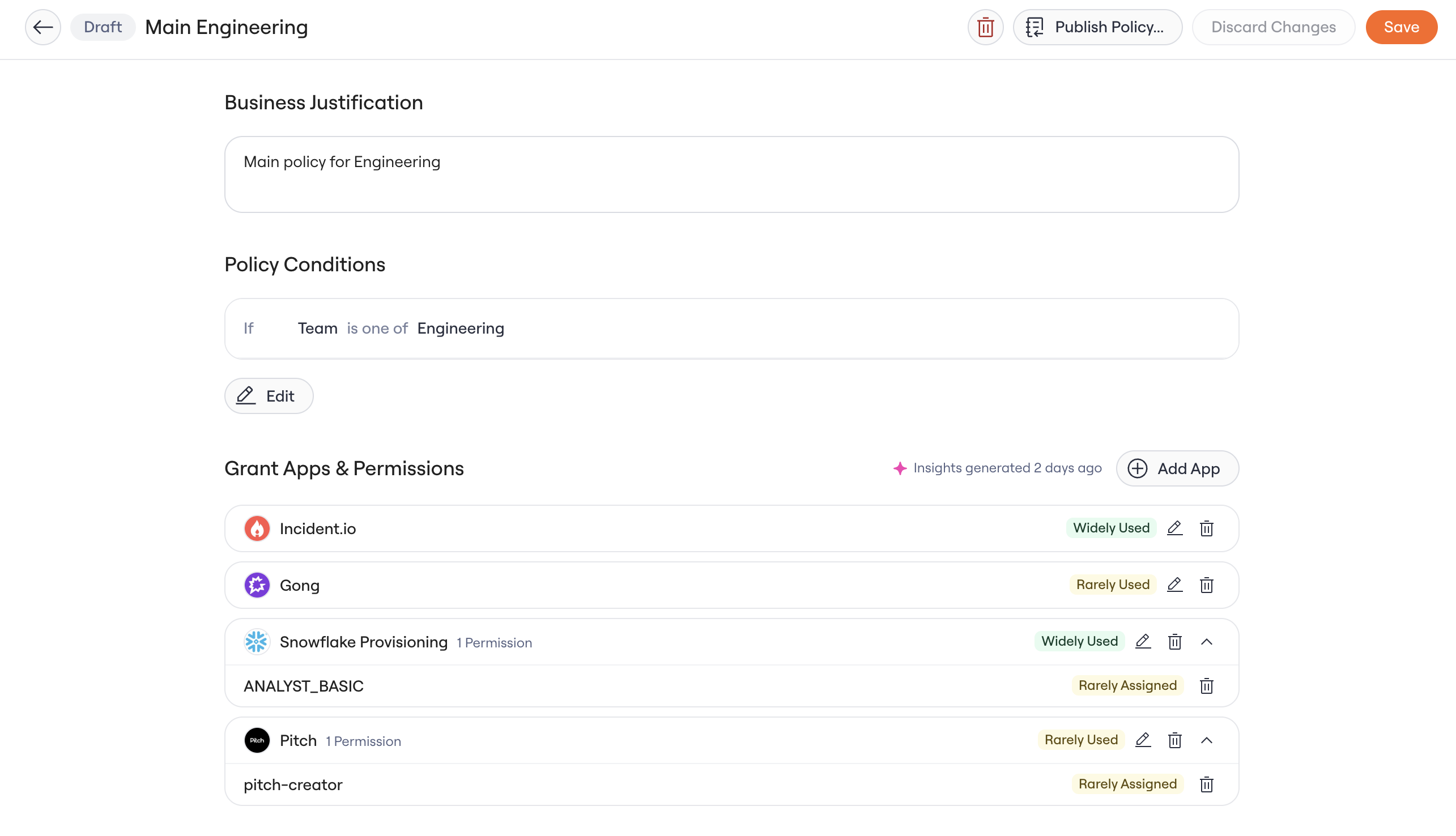 Lumos looks at the identities in scope for the policy and evaluates their assignment and usage. You'll see a single Insight on each app and permission.
1. **Essential Access:** marked as birthright in the access matrix.
2. **Rarely Used:** fewer than `50%` of identities in the policy used it in the last 90 days.
3. **Widely Used:** `50%` or more of identities in the policy used it in the last 90 days.
4. **Rarely Assigned:** fewer than `80%` of identities in the policy are assigned this access.
5. **Widely Assigned:** `80%` or more of identities in the policy are assigned this access.
When Lumos has no signal to compute, you'll see `No Data`
### See the detail behind a badge
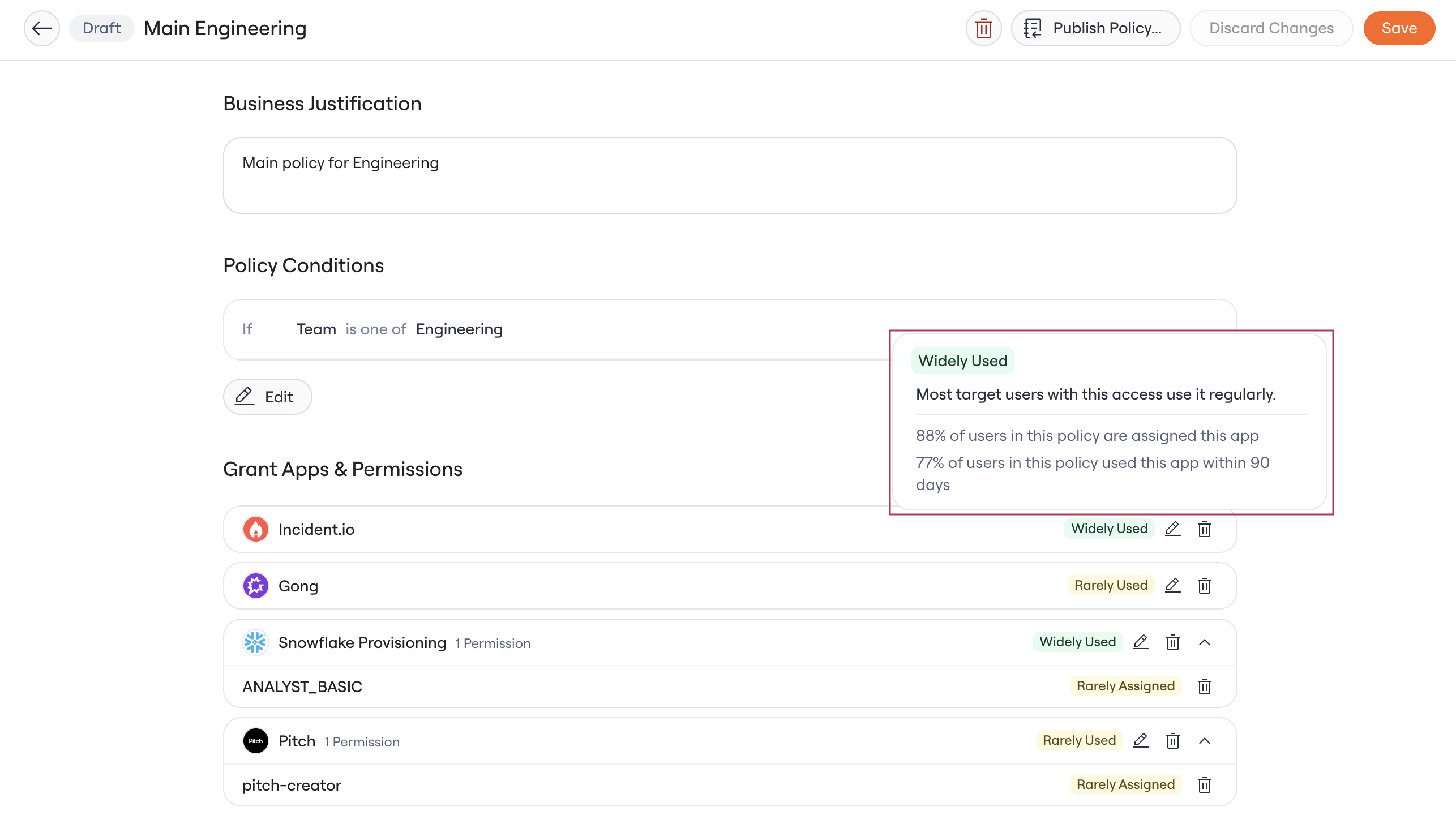
Hover over any badge to open a popover with the assignment and usage percentages for that app or permission, plus a short explanation. You'll see percentages at both the app and permission level when they're available.
Lumos looks at the identities in scope for the policy and evaluates their assignment and usage. You'll see a single Insight on each app and permission.
1. **Essential Access:** marked as birthright in the access matrix.
2. **Rarely Used:** fewer than `50%` of identities in the policy used it in the last 90 days.
3. **Widely Used:** `50%` or more of identities in the policy used it in the last 90 days.
4. **Rarely Assigned:** fewer than `80%` of identities in the policy are assigned this access.
5. **Widely Assigned:** `80%` or more of identities in the policy are assigned this access.
When Lumos has no signal to compute, you'll see `No Data`
### See the detail behind a badge
Hover over any badge to open a popover with the assignment and usage percentages for that app or permission, plus a short explanation. You'll see percentages at both the app and permission level when they're available.
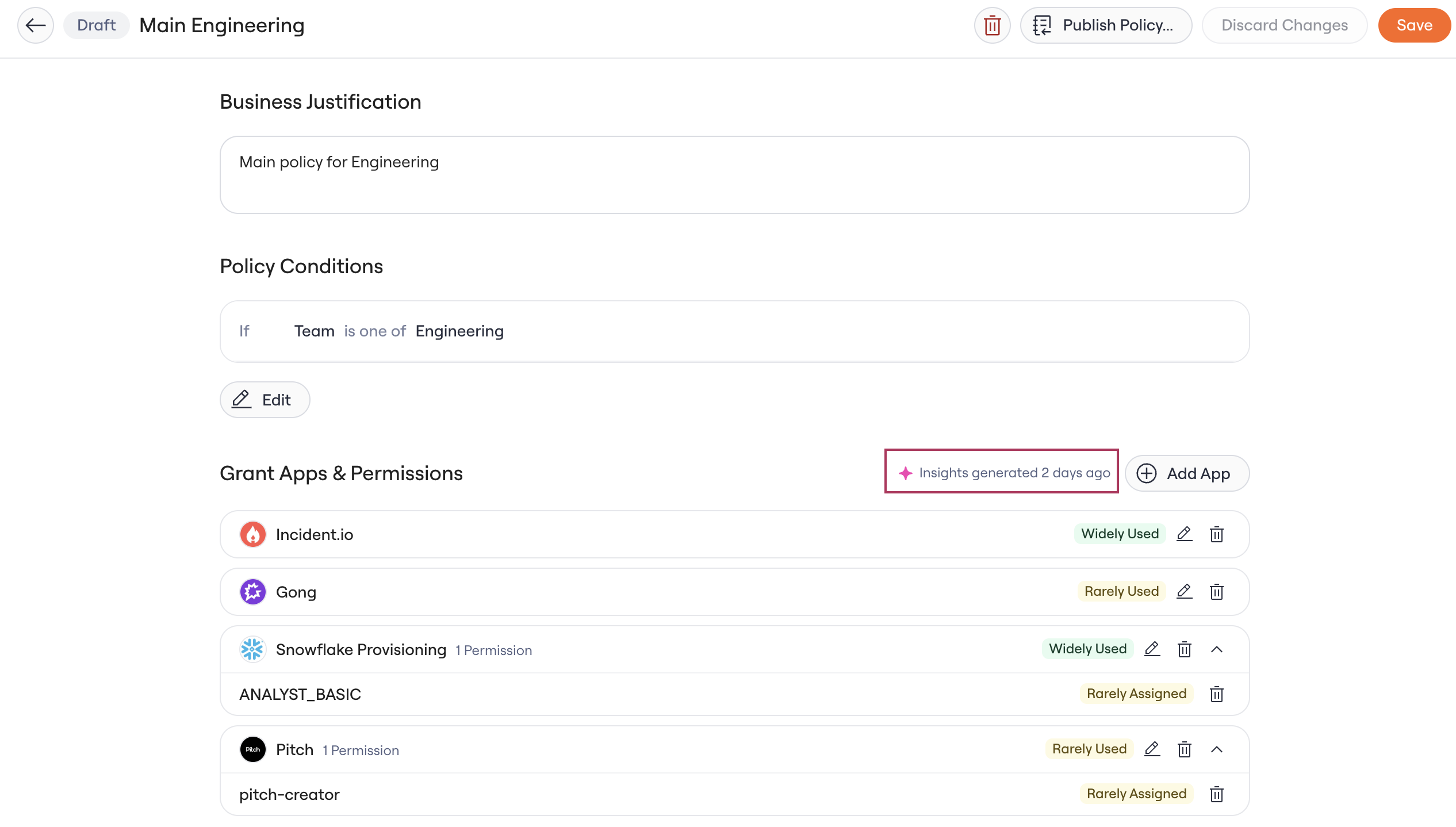
 Check the Grant Apps & Permissions section header to see when Lumos last generated insights (for example, `Insights generated 2 minutes ago`). While a refresh runs, the header shows a generating or refreshing state. If the latest run failed, you'll see a banner in its place.
 ### Data Freshness
Policy Insights refresh:
* **When a policy changes:** you create, edit, or publish it, through the UI or the public REST API.
* **On a weekly schedule:** every 7 days (Sundays at 19:00 UTC).
.
### Data Freshness
Policy Insights refresh:
* **When a policy changes:** you create, edit, or publish it, through the UI or the public REST API.
* **On a weekly schedule:** every 7 days (Sundays at 19:00 UTC).
.