> ## Documentation Index
> Fetch the complete documentation index at: https://docs.lumos.com/llms.txt
> Use this file to discover all available pages before exploring further.
# Configuring App Provisioning for Onboarding
## Background
Onboarding now runs on standardized account workflows, and you can optionally give Onboarding its own provisioning workflow per app. Previously, AppStore, Onboarding, and Movers always shared a single provisioning workflow for an app. If you configure nothing, behavior is unchanged: Onboarding continues to use the app's default provisioning workflow.
References
[Standardized Account Workflows](/kb/quick_start_guide/standardized-account-workflows)
## Why use this
* **Provision new hires differently than requesters.** Give Onboarding a workflow with extra steps (for example, a manual welcome task) without changing how AppStore requests provision.
* **You don't have to configure anything.** If the app's default provisioning workflow works for new hires too, leave it as is. Onboarding uses the app's default workflow until you assign it one of its own.Configuring an Onboarding workflow
**Before you start:** you need permission to manage workflows in Lumos. If you don't see the Account Workflows tab or can't edit workflows, ask your Lumos administrator for access.
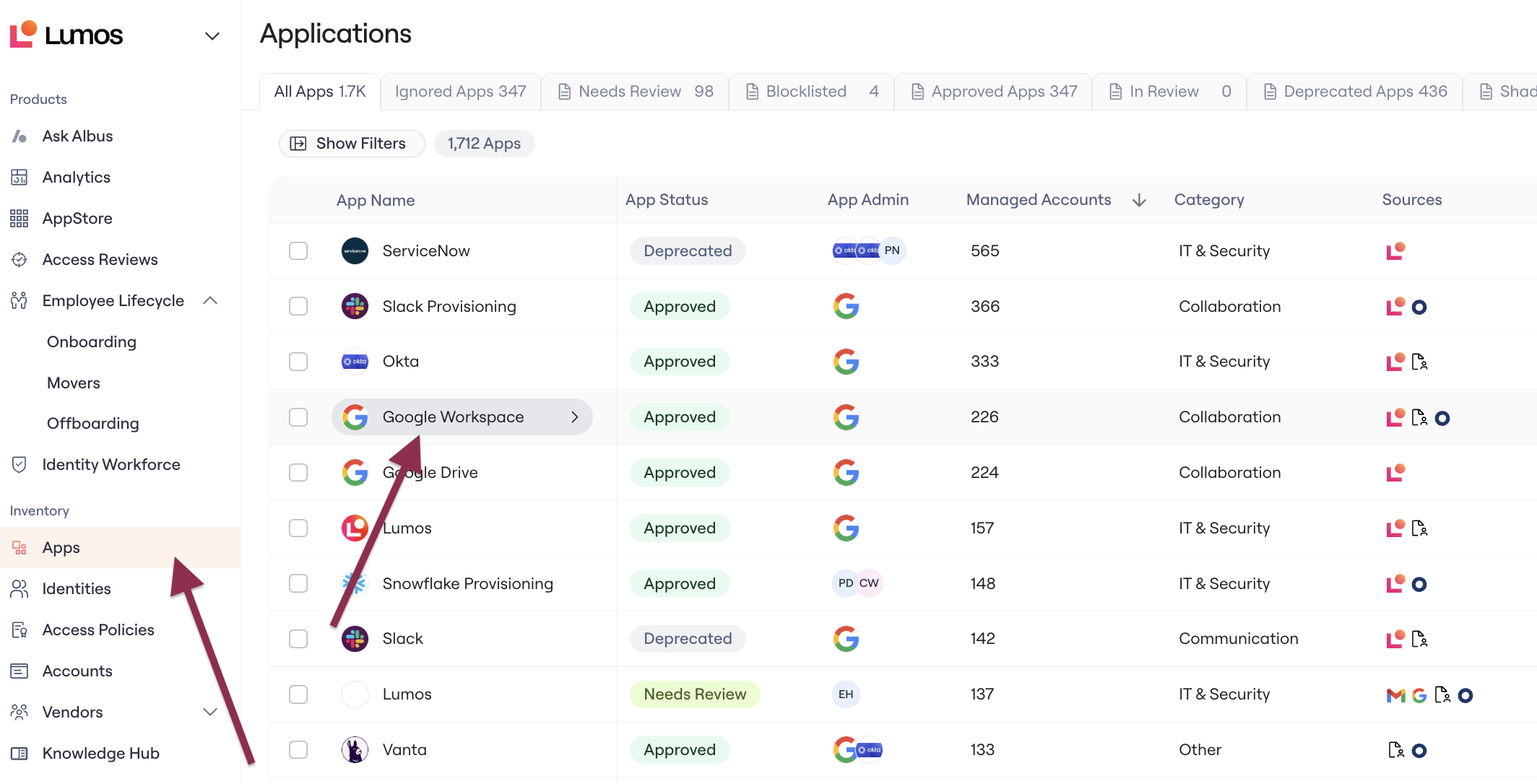
1. In the left nav, go to **Apps** > Select the **app** you want to configure to open its page.
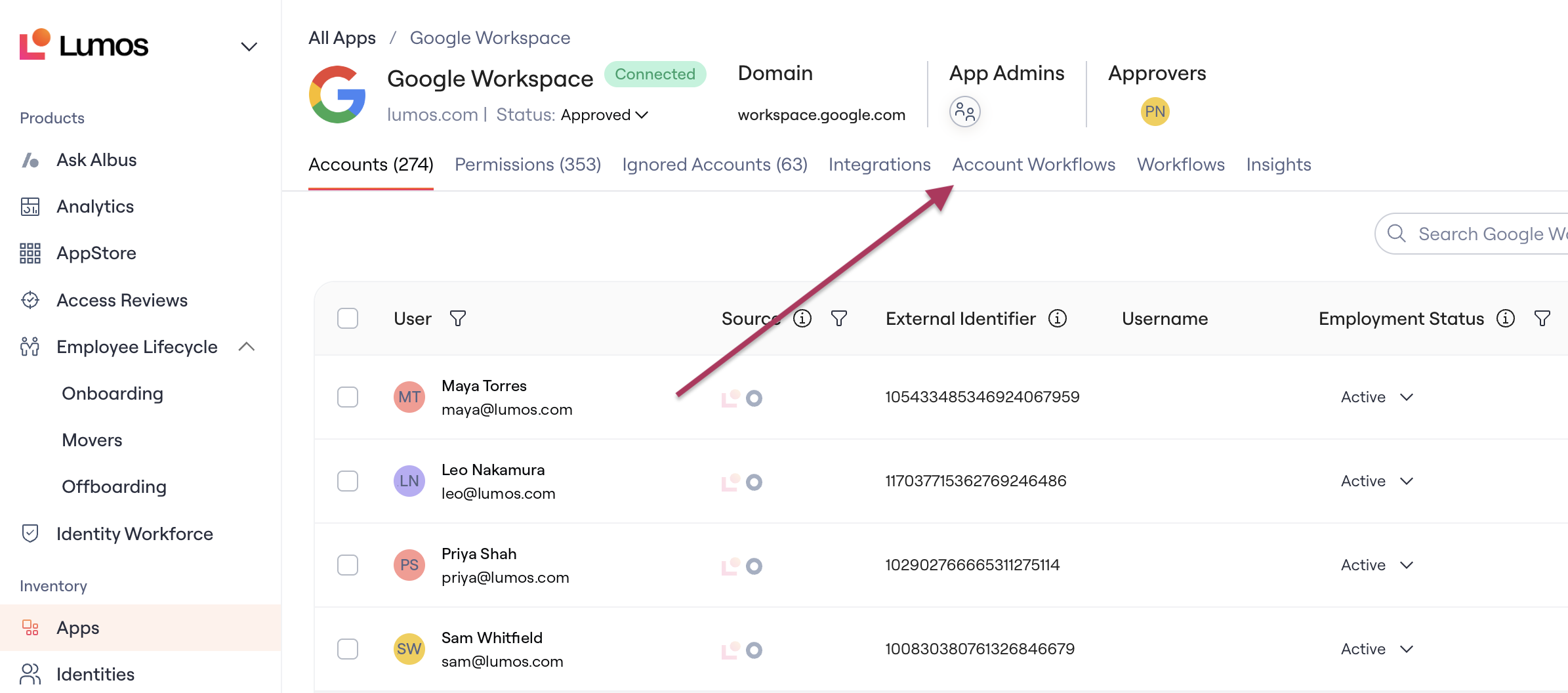
 2. Navigate to the **Account Workflows** tab.
 3. View existing workflows, or click **Create Workflow** to create a new one (details in [Standardized Account Workflows](/kb/quick_start_guide/standardized-account-workflows))
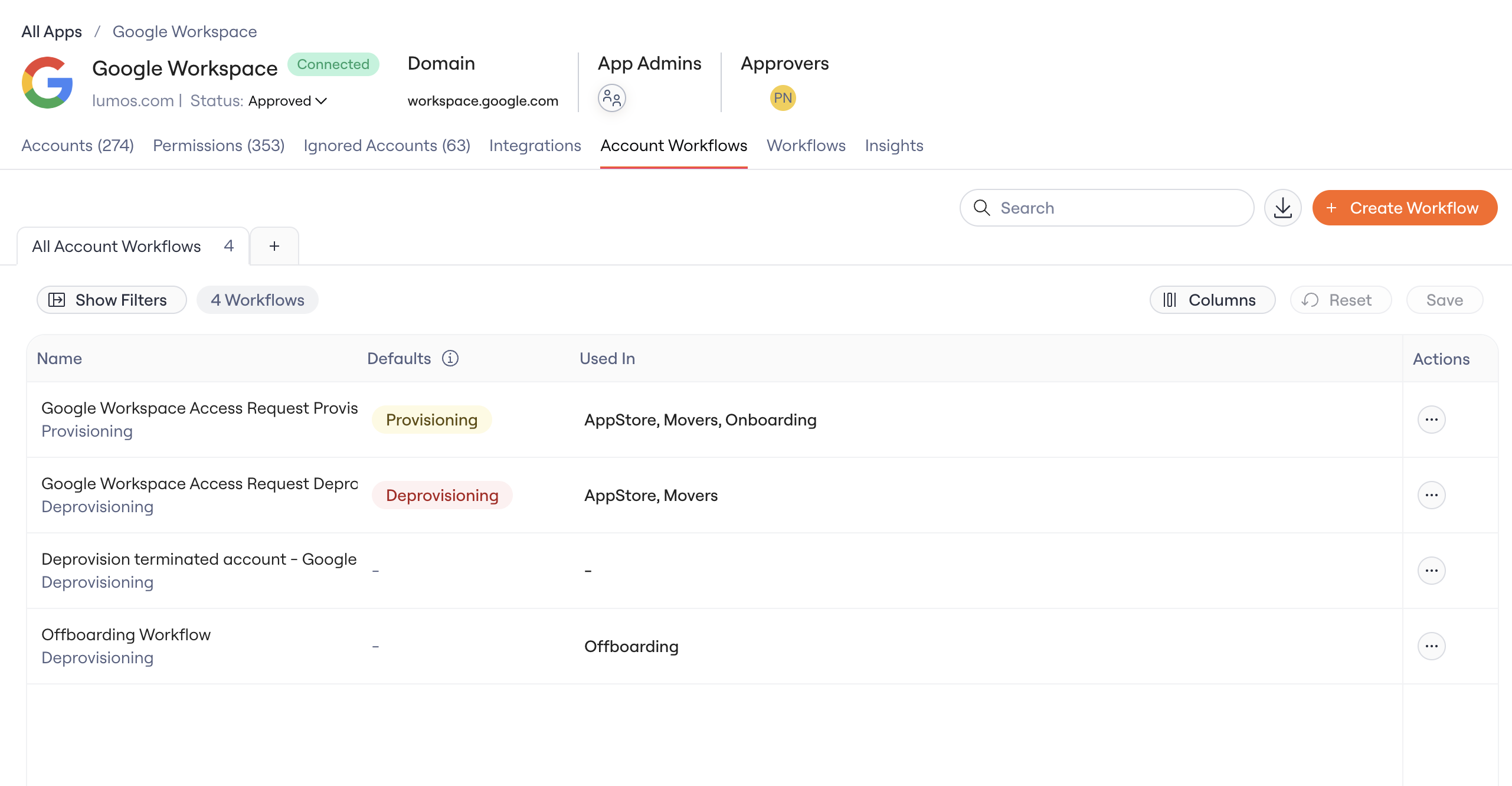 4. Navigate to the Provisioning workflow you want to use for Onboarding. Every workflow is assigned as either Provisioning or Deprovisioning. Onboarding provisions access, so only provisioning workflows are available for it.
5. In the workflow's **Used in** setting, check **Onboarding**.
4. Navigate to the Provisioning workflow you want to use for Onboarding. Every workflow is assigned as either Provisioning or Deprovisioning. Onboarding provisions access, so only provisioning workflows are available for it.
5. In the workflow's **Used in** setting, check **Onboarding**.
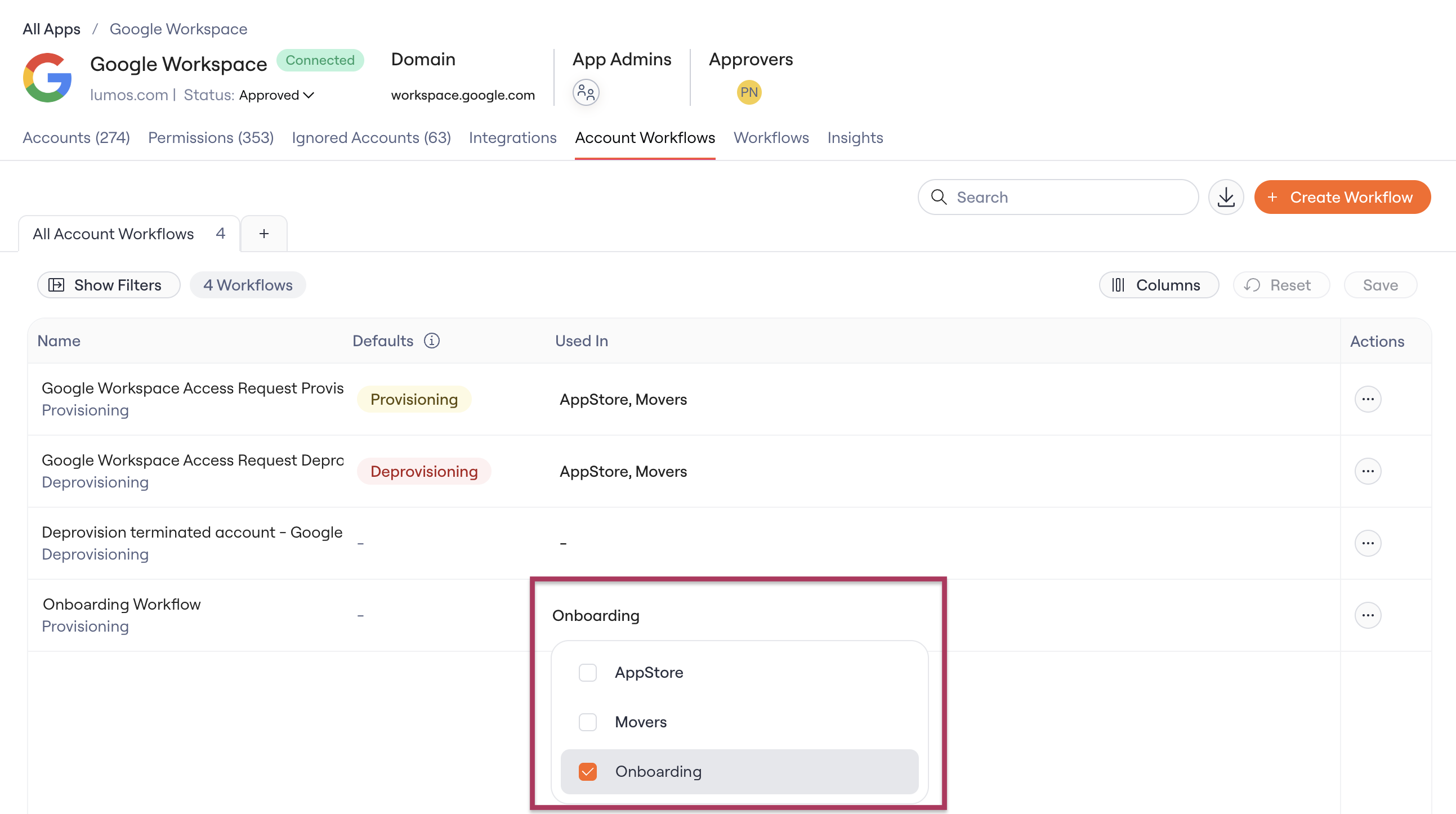 When checked, this workflow runs during onboardings for this app. When unchecked, Onboarding reverts to the app's default provisioning workflow.
**Editing a workflow that other products use?**
A workflow can be shared by more than one Lumos product. If you edit one that's also used elsewhere (for example, by AppStore or Movers), your changes apply everywhere it's used. Lumos warns you before you save, shows you exactly which products would be affected, and offers to save your changes as a separate copy so the original stays as it is.
These workflows cover the user's account in the app. When onboarding grants individual entitlements (like groups or roles), Lumos uses the default provisioning workflow configured for that entitlement on the app's **Permissions** tab.
## Notifications
New hires are not emailed about the access requests Onboarding creates for them. Normally, Lumos messages a user as their access requests move along (created, approved, completed). Onboarding-driven requests skip these messages, so a new hire isn't flooded with a notification for every app they're granted on day one.
## FAQ
**Do I need to configure anything after this release?**
No. If you don't assign a separate workflow, Onboarding keeps using the app's default provisioning workflow, same as before.
**Can Onboarding share a workflow with AppStore or Movers?**
Yes. Workflows are shared. Assign the same workflow to multiple product areas, or give each its own.
When checked, this workflow runs during onboardings for this app. When unchecked, Onboarding reverts to the app's default provisioning workflow.
**Editing a workflow that other products use?**
A workflow can be shared by more than one Lumos product. If you edit one that's also used elsewhere (for example, by AppStore or Movers), your changes apply everywhere it's used. Lumos warns you before you save, shows you exactly which products would be affected, and offers to save your changes as a separate copy so the original stays as it is.
These workflows cover the user's account in the app. When onboarding grants individual entitlements (like groups or roles), Lumos uses the default provisioning workflow configured for that entitlement on the app's **Permissions** tab.
## Notifications
New hires are not emailed about the access requests Onboarding creates for them. Normally, Lumos messages a user as their access requests move along (created, approved, completed). Onboarding-driven requests skip these messages, so a new hire isn't flooded with a notification for every app they're granted on day one.
## FAQ
**Do I need to configure anything after this release?**
No. If you don't assign a separate workflow, Onboarding keeps using the app's default provisioning workflow, same as before.
**Can Onboarding share a workflow with AppStore or Movers?**
Yes. Workflows are shared. Assign the same workflow to multiple product areas, or give each its own.