> ## Documentation Index
> Fetch the complete documentation index at: https://docs.lumos.com/llms.txt
> Use this file to discover all available pages before exploring further.
# How to: Configure Removals for Apps
When you remove an account from an application as part of an offboarding, you may want to configure an ordered set of steps, which may be automated as part of the direct integration you connected, or manual, routing a task to the app admin via the task center to conduct the removal manually.
## Instructions
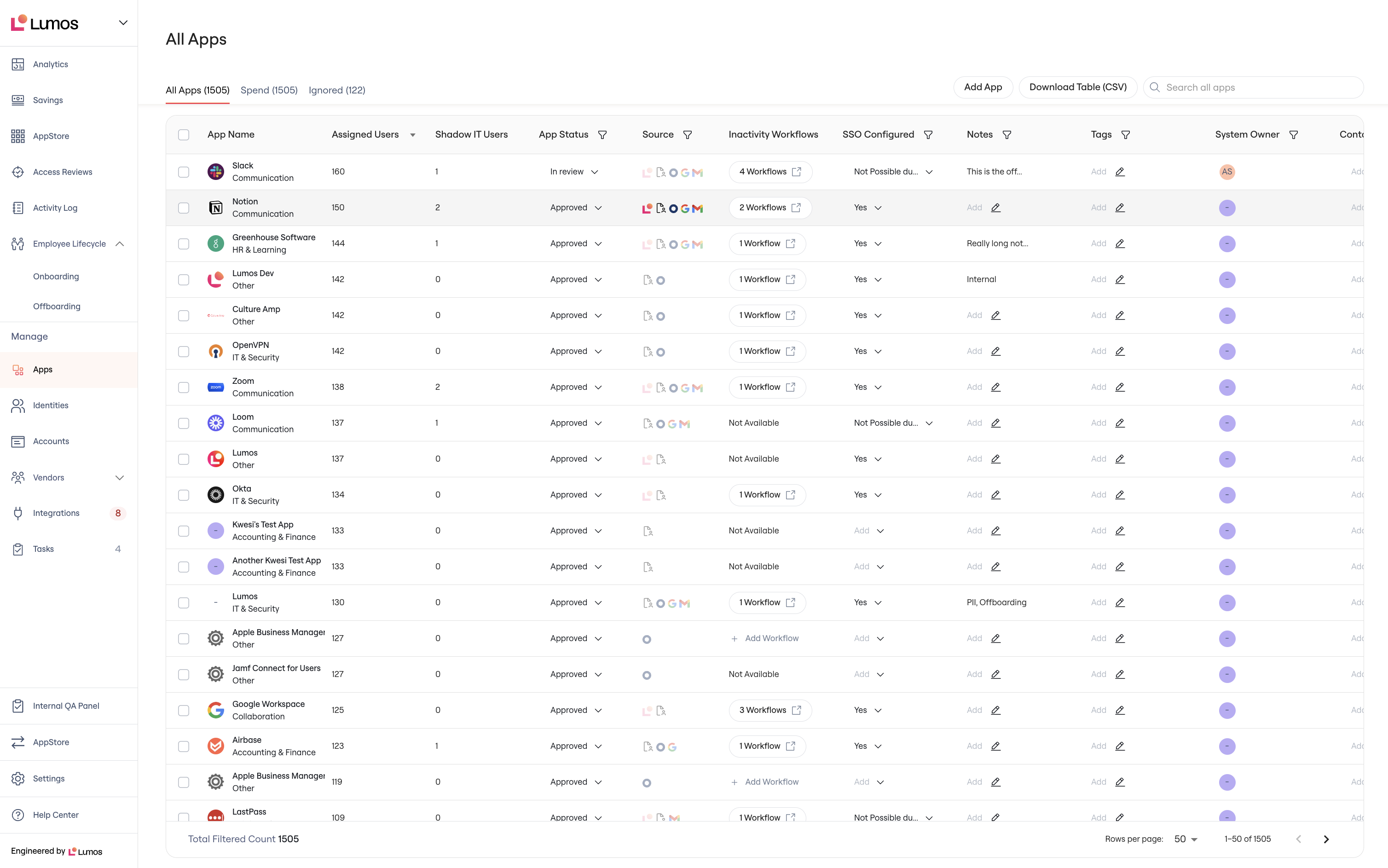
### 1. Go to the Apps table and click into an app.
 ### 2. Go to the Integrations tab for the app.
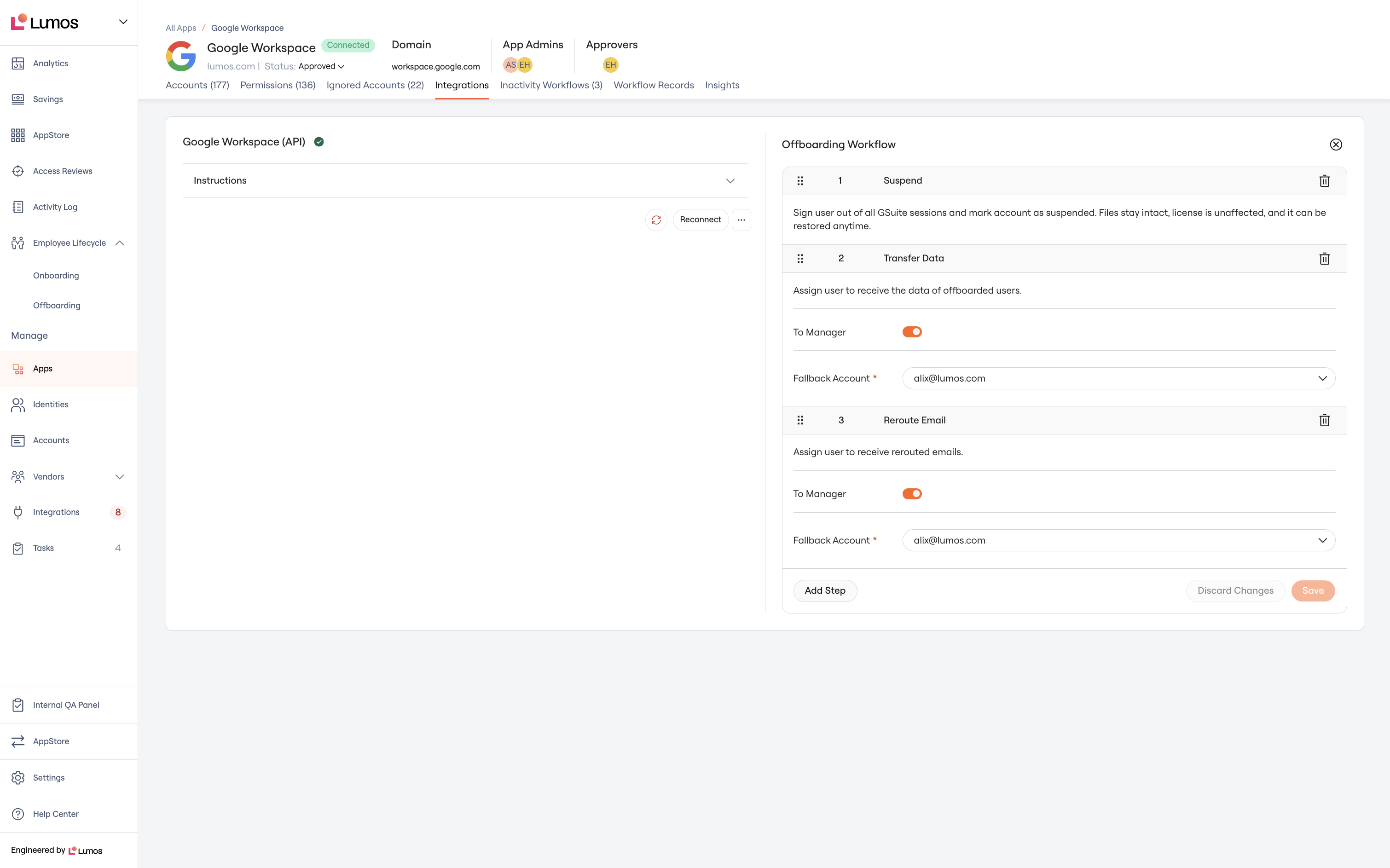 ### 3. Configure your removal
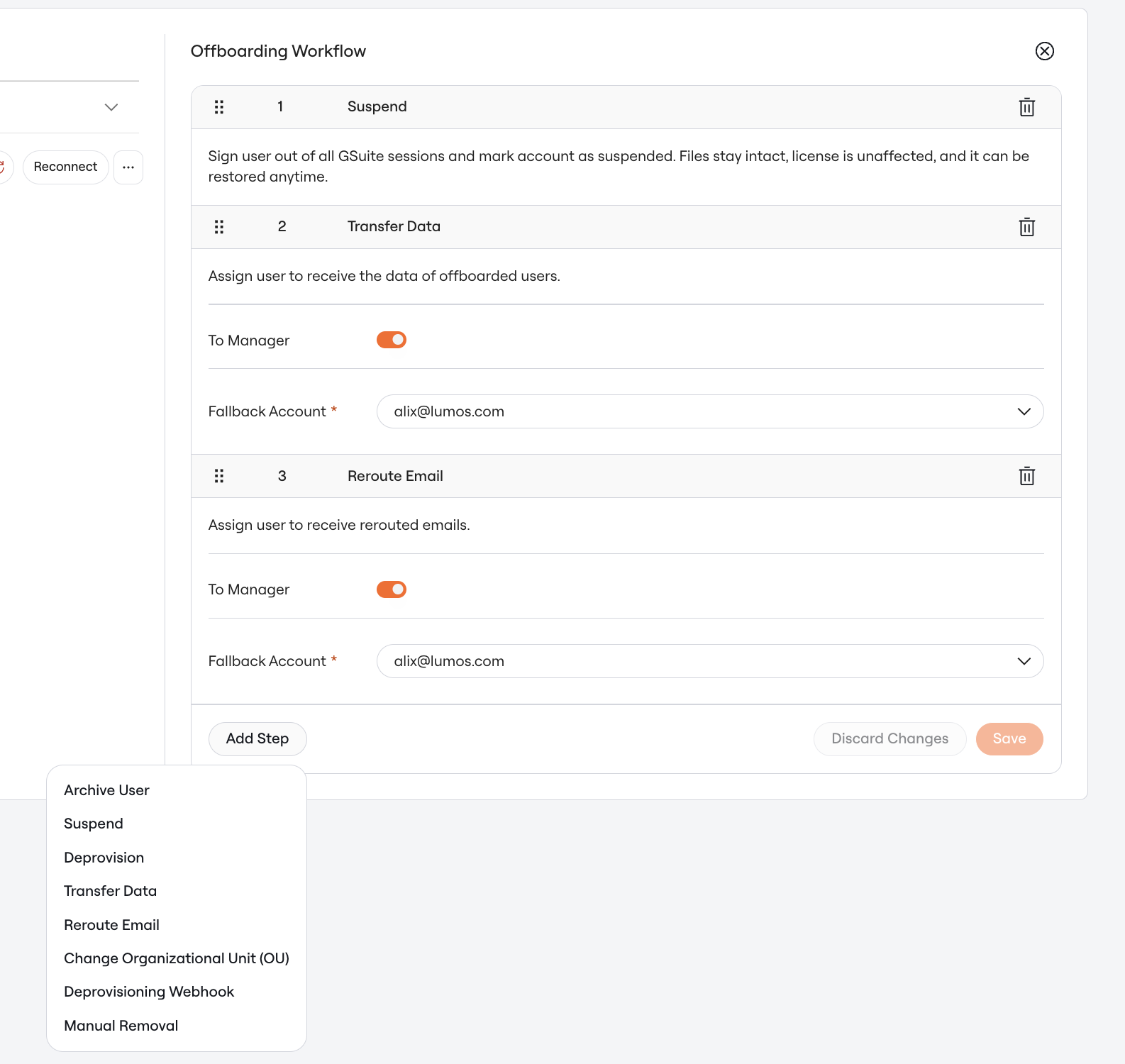
Clicking 'Add Step' will populate with all of the possible steps to configure. Please note that you can:
* re-order steps by dragging and dropping
* remove steps by clicking the trash can on the right
* add a manual removal task by clicking "Manual Removal" and optionally include instructions for the task to the app admin
* remove **all** steps by clicking the x in the top right, which will automatically exclude the app from offboardings.
### 3. Configure your removal
Clicking 'Add Step' will populate with all of the possible steps to configure. Please note that you can:
* re-order steps by dragging and dropping
* remove steps by clicking the trash can on the right
* add a manual removal task by clicking "Manual Removal" and optionally include instructions for the task to the app admin
* remove **all** steps by clicking the x in the top right, which will automatically exclude the app from offboardings.
 ### 4. Click Save
### 5. Setup complete
All future offboardings use this workflow.
### 4. Click Save
### 5. Setup complete
All future offboardings use this workflow.