> ## Documentation Index
> Fetch the complete documentation index at: https://docs.lumos.com/llms.txt
> Use this file to discover all available pages before exploring further.
# Excluding Apps from Offboardings
## **Background**
This article explains how to exclude certain apps and their accounts from offboardings. If you've run Shadow IT discovery, not all apps and accounts belong in an offboarding, and alerting app admins for those apps creates unnecessary noise.
## **Configurations**
If you navigate to your [Lifecycle Management Settings](https://app.lumosidentity.com/settings/lifecycle_management), you'll see an option to configure "Apps to Include".
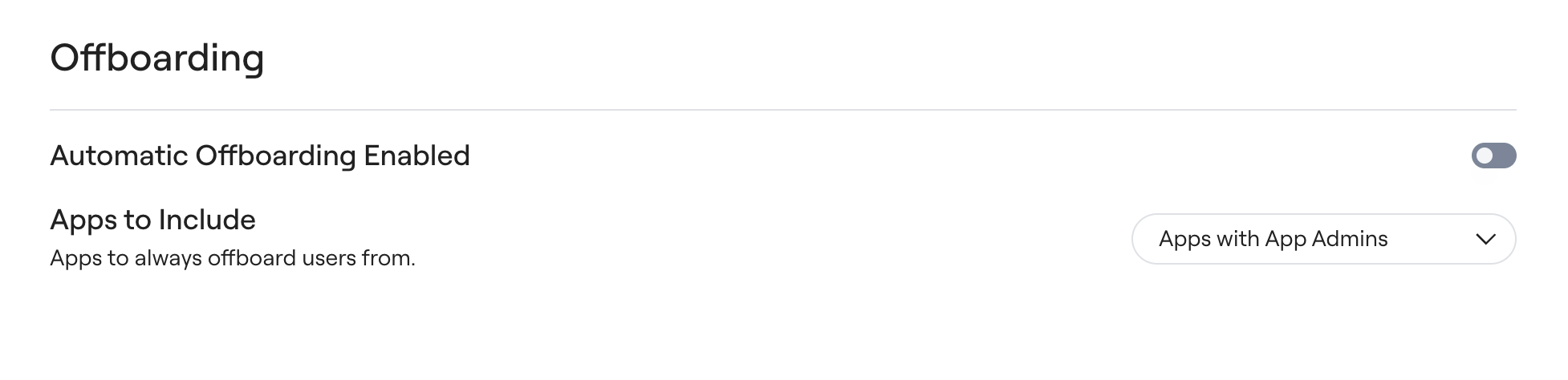 You'll notice that by default it's set to be Apps with App Admins. This is because you've likely configured app admins for apps that you care about within Lumos - you've defined an owner at the organization for this app. **This means that apps (and their accounts) without app admins will automatically get excluded from an offboarding.** You can set an app admin for any apps you want to be included.
Alternatively, the other option is Approved Apps, which will look at the App Status on the Apps table to determine what apps should be considered included for an offboarding.
You'll notice that by default it's set to be Apps with App Admins. This is because you've likely configured app admins for apps that you care about within Lumos - you've defined an owner at the organization for this app. **This means that apps (and their accounts) without app admins will automatically get excluded from an offboarding.** You can set an app admin for any apps you want to be included.
Alternatively, the other option is Approved Apps, which will look at the App Status on the Apps table to determine what apps should be considered included for an offboarding.
 **In this case, this means that apps (and their accounts) that have an App Status of Blocklisted, Deprecated, Discovered, and Needs Review will automatically get excluded from an offboarding.** You can update the status for any apps you want to be included.
 ### Apps without Removals Configured
Some of your apps may also be configured explicitly to "do nothing" in Lumos, for example when another system automates the removal.
If you configure your accounts to have no removal steps, these accounts will also get marked as Excluded during an offboarding.
## **FAQs**
#### **Can I use another way to customize what apps are included in an offboarding?**
Not at this time. Please reach out to your CSM with additional requests.
#### **I want to clear out an app admin from an app - how can I do this?**
Reach out to your CSM.
### Apps without Removals Configured
Some of your apps may also be configured explicitly to "do nothing" in Lumos, for example when another system automates the removal.
If you configure your accounts to have no removal steps, these accounts will also get marked as Excluded during an offboarding.
## **FAQs**
#### **Can I use another way to customize what apps are included in an offboarding?**
Not at this time. Please reach out to your CSM with additional requests.
#### **I want to clear out an app admin from an app - how can I do this?**
Reach out to your CSM.