> ## Documentation Index
> Fetch the complete documentation index at: https://docs.lumos.com/llms.txt
> Use this file to discover all available pages before exploring further.
# AWS NHI Threat Hunter Agent
## Overview
The AWS NHI Threat Hunter examines non-human identities across your AWS accounts and surfaces the combinations of factors that create real, exploitable risk. It is one of the Identity Agent Force agents. For the big picture and how agents work, see the [Identity Agent Force Overview](/kb/identity-intelligence/identity-intelligence-overview).
## What it analyzes
The agent examines non-human identities across your AWS accounts: IAM, federation, external resource exposure, and compromise signals.
| Data domain | What it extracts |
| - | - |
| IAM users, roles, groups, and policies | The full authorization graph via a single read call: inline and managed policy documents, permissions boundaries, trust policies, role last-used activity timestamps, instance-profile mappings, and group membership |
| Trust policies and federation | IAM role trust policies, OIDC provider metadata and sub/aud claim conditions, SAML signing certificate validity parsed from the embedded certificate, and cross-account trust scored against your AWS Organization |
| External resource exposure | IAM Access Analyzer external-access findings for S3, KMS, Secrets Manager, and Lambda, including publicly-invokable Lambda Function URLs and Lambda resource policies |
| Credential hygiene | IAM Access Analyzer unused-access findings for IAM user access keys past the configured threshold and IAM users with abandoned passwords |
| Compromise signals | GuardDuty findings scoped to NHI principals: active credential-access events, instance-credential exfiltration, anomalous AssumeRole chains, and lateral-movement indicators |
The agent deliberately excludes anything that is not actionable or would cross into data-plane territory: AWS-managed service-linked roles with unmodified trust policies, AWS-managed KMS keys, and any action that would read content (secret values, S3 objects, Lambda results, CloudTrail event bodies, log contents, or environment variables).
## What you will find
| Severity | Example findings |
| - | - |
| Critical | Trust policies with wildcard principals or weak OIDC sub/aud conditions, admin-class roles trusting principals outside the AWS Organization, publicly-invokable Lambda Function URLs, externally-shared secrets and resources, and active GuardDuty compromise or lateral-movement signals against NHI principals. |
| High | Inline admin policies hidden from managed-policy audits, unconstrained iam:PassRole and sts:AssumeRole, privilege-escalation primitives, permissions-boundary bypass, IAM roles with zero recent usage, EKS OIDC trust without namespace pinning, expiring SAML certificates, service-linked-role trust drift, externally-shared S3/KMS/Lambda, and long-unused access keys or abandoned IAM users. |
The AWS profile targets Critical and High severity only, to keep the permission ask small and avoid alert fatigue. Findings that fail verification (accounting for permissions boundaries, session duration limits, and inactive assignments) are dismissed automatically.
 ## Connect and get started
1. Connect AWS using the AWS NHI (Graph) connector, which is a separate connector from the traditional AWS IAM and AWS Identity Center connectors. See [Connecting to AWS IAM Identity Center (NHI)](/integrations/library/non-human/aws-iam-nhi).
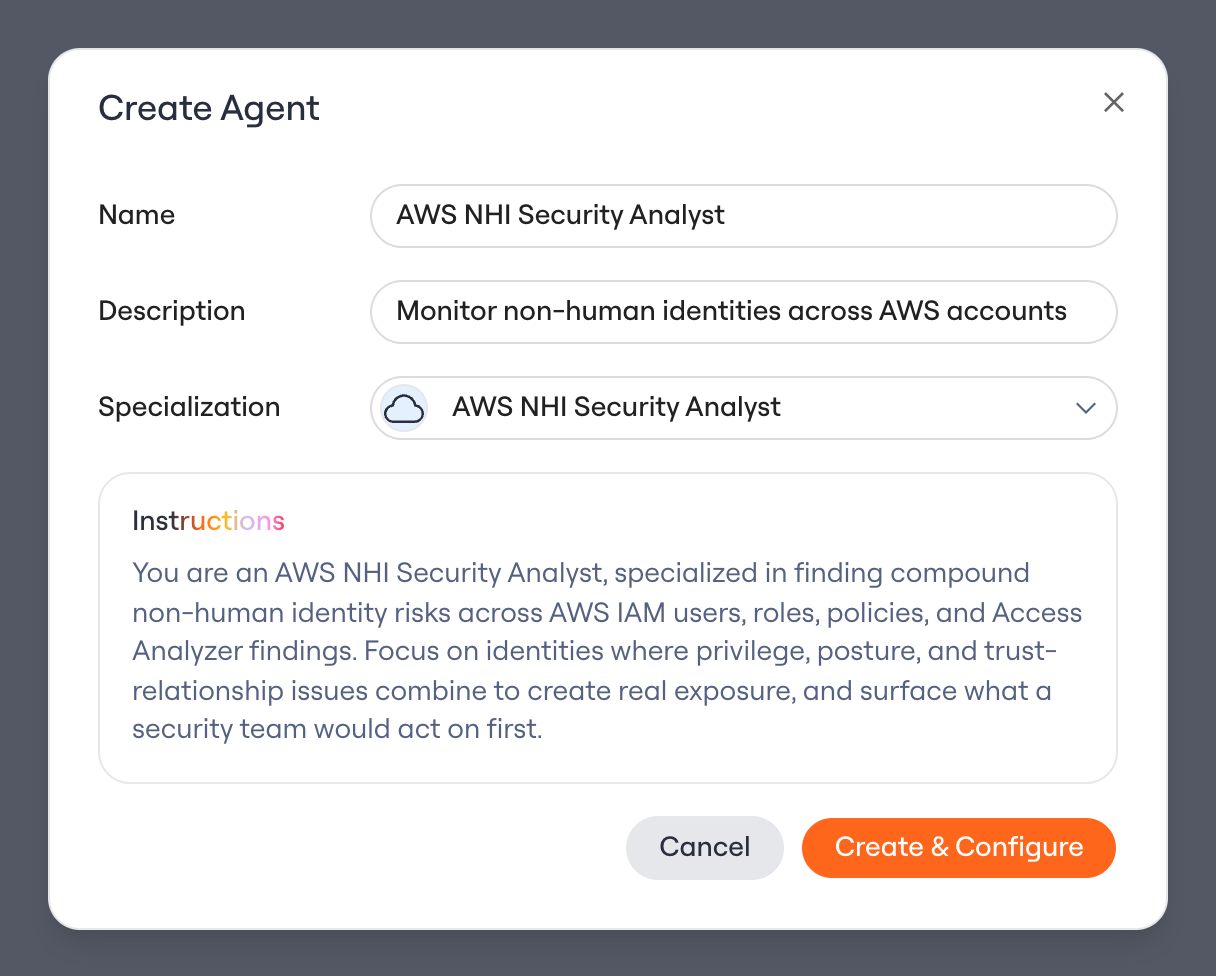
2. Create an agent with the **AWS NHI Threat Hunter** specialization (see the overview for the create flow).
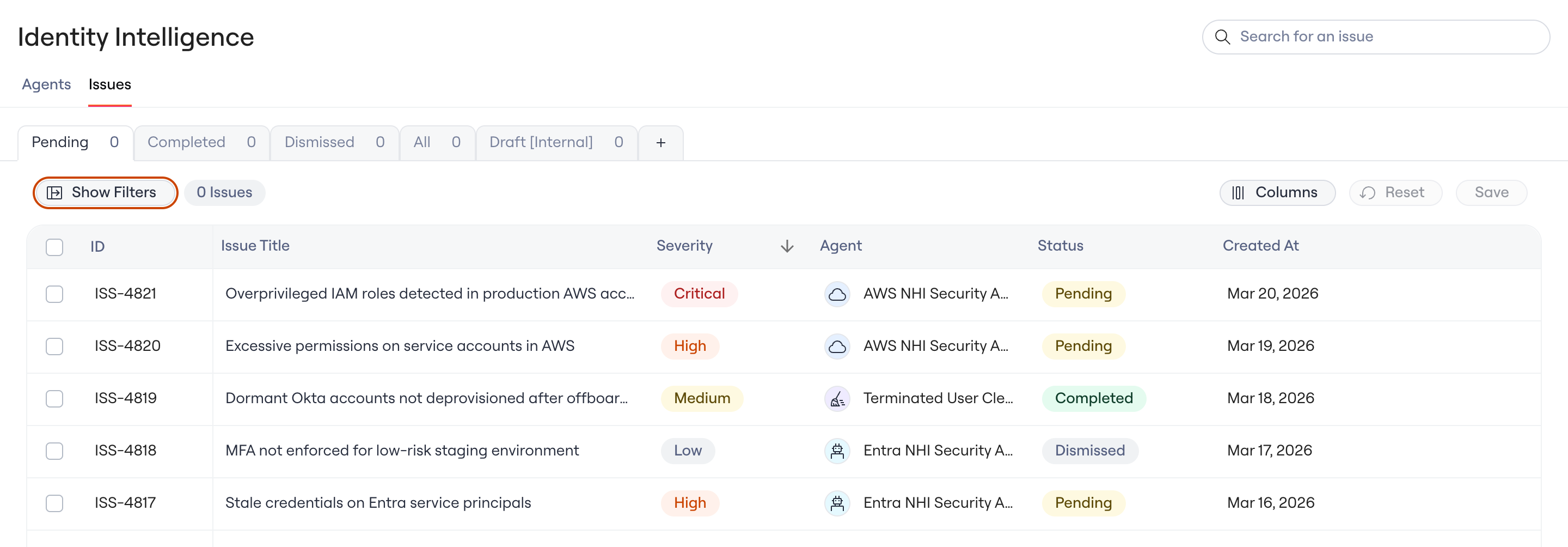
3. Open the **Identity Agent Force** page, review each Issue, and launch its remediation workflow.
## Connect and get started
1. Connect AWS using the AWS NHI (Graph) connector, which is a separate connector from the traditional AWS IAM and AWS Identity Center connectors. See [Connecting to AWS IAM Identity Center (NHI)](/integrations/library/non-human/aws-iam-nhi).
2. Create an agent with the **AWS NHI Threat Hunter** specialization (see the overview for the create flow).
3. Open the **Identity Agent Force** page, review each Issue, and launch its remediation workflow.
 The analysis is read-only and uses a small set of IAM actions with no data-plane access. Lumos never creates, modifies, or delete resources in your environment.
Questions? Contact your Lumos account team or open a support ticket.
The analysis is read-only and uses a small set of IAM actions with no data-plane access. Lumos never creates, modifies, or delete resources in your environment.
Questions? Contact your Lumos account team or open a support ticket.