> ## Documentation Index
> Fetch the complete documentation index at: https://docs.lumos.com/llms.txt
> Use this file to discover all available pages before exploring further.
# Is there a notification when a CSV import is finished uploading?
## Question
Is there a notification in the UI when a CSV import is finished uploading?
## Answer
You will see the Activity Log event "Custom App Accounts Updated" when the CSV import upload is completed:
 If something goes wrong during the upload, you'll see a "Custom App Submission Failed" event in the Activity Log. Check your field mappings, formatting, and Status values. See [Custom Data (CSV) Formatting Requirements](/kb/identities/custom-apps/custom-data-csv-formatting-requirements).
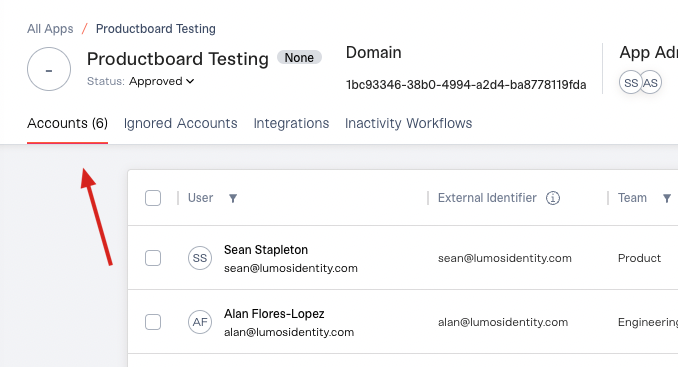
If you are uploading a CSV for an app that has no existing accounts, you can also check the *Accounts* tab. Accounts can take up to 15 minutes to populate after an import, so wait before comparing. Then check that the number in the *Accounts* tab matches the number of rows in your file (minus the header row).
If something goes wrong during the upload, you'll see a "Custom App Submission Failed" event in the Activity Log. Check your field mappings, formatting, and Status values. See [Custom Data (CSV) Formatting Requirements](/kb/identities/custom-apps/custom-data-csv-formatting-requirements).
If you are uploading a CSV for an app that has no existing accounts, you can also check the *Accounts* tab. Accounts can take up to 15 minutes to populate after an import, so wait before comparing. Then check that the number in the *Accounts* tab matches the number of rows in your file (minus the header row).