> ## Documentation Index
> Fetch the complete documentation index at: https://docs.lumos.com/llms.txt
> Use this file to discover all available pages before exploring further.
# Merging Lumos Apps
Lumos pulls apps in from several sources, so the same app can show up more than once in your All Apps table. Merging combines duplicates into one app so you get a single view of its accounts and can deprovision from one place.
## When to merge
Common cases:
* An app from your IdP (Okta, OneLogin, Entra ID, etc.) and the same app connected through a direct Lumos integration.
* Two discovered apps that represent the same SaaS application.
* An app and a custom app you imported manually.
Finish merging before you start an access review. Reviews use a snapshot of app data taken when the review is created, so merges made after that won't show up in it.
## How to merge apps
1. Go to the [All Apps table](https://app.lumosidentity.com/apps).
2. Select the checkbox next to the apps you want to merge.
3. Click **Merge** in the bar at the top of the screen.
 4. Review the before and after preview, then click **Merge Apps**.
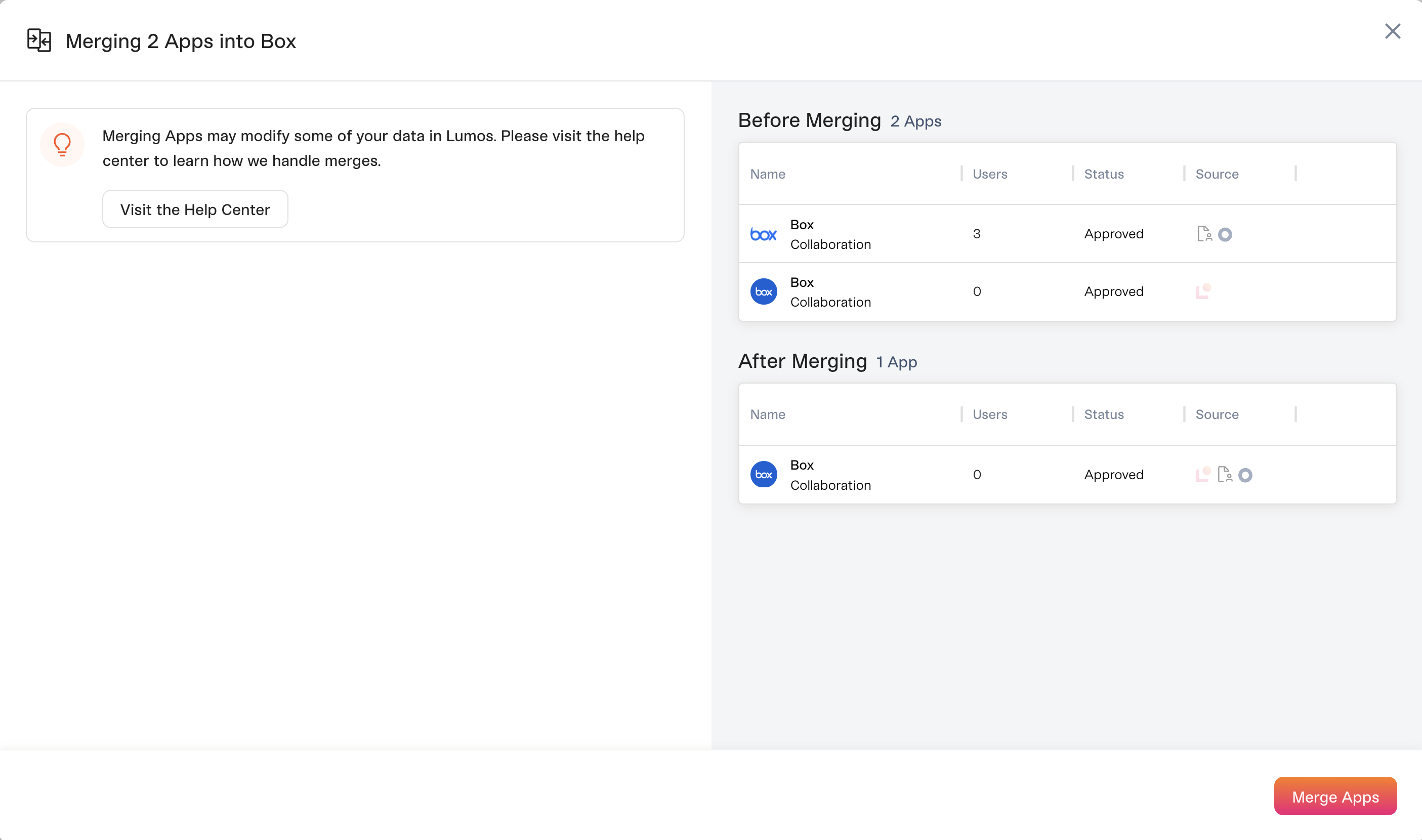 The merged app appears in the UI within about a minute.
## What happens when you merge
Lumos keeps your existing configuration wherever it can.
* **AppStore:** If only one app is configured in the AppStore, Lumos keeps that configuration. If more than one is, Lumos keeps the one from the highest-priority source: direct Lumos integration first, then IdP-delegated apps, then other discovered apps.
* **Inactivity workflows:** If both apps have an inactivity workflow, Lumos keeps both.
* **Access reviews:** Reviews already in progress don't pick up the merge. See the warning above.
## Undoing a merge
You can't unmerge apps yourself. Contact your CSM or [support@lumos.com](mailto:support@lumos.com) and we'll help.
The merged app appears in the UI within about a minute.
## What happens when you merge
Lumos keeps your existing configuration wherever it can.
* **AppStore:** If only one app is configured in the AppStore, Lumos keeps that configuration. If more than one is, Lumos keeps the one from the highest-priority source: direct Lumos integration first, then IdP-delegated apps, then other discovered apps.
* **Inactivity workflows:** If both apps have an inactivity workflow, Lumos keeps both.
* **Access reviews:** Reviews already in progress don't pick up the merge. See the warning above.
## Undoing a merge
You can't unmerge apps yourself. Contact your CSM or [support@lumos.com](mailto:support@lumos.com) and we'll help.