> ## Documentation Index
> Fetch the complete documentation index at: https://docs.lumos.com/llms.txt
> Use this file to discover all available pages before exploring further.
# How do I approve an access request on someone's behalf?
## Problem
I need to approve an access request for someone, and I'm not the assigned approver for that request. How can I approve it on their behalf?
## Solution
If you're a **Lumos Admin**, you can override the approval from the Task Center. *See[Lumos Roles](/kb/identities/lumos_roles/lumos-roles)*
The Task Center opens to the **My Tasks** view, which shows only tasks assigned to you. An approval request assigned to someone else will not appear there, so switch to **All Tasks** first.
1. Go to the Task Center and switch the view selector to **All Tasks**. You can also use this direct link: [All Tasks in the Lumos Task Center](https://app.lumosidentity.com/tasks?tab=all_tasks)
2. Locate the approval request you want to act on. To narrow a long list, filter by *Task Type* and select *Approval Request*.
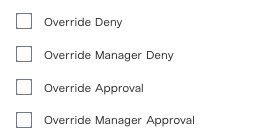
3. Select the request's row to open the task detail panel, then click **Override Approval** at the bottom of the panel. To end the request instead, click **Override Deny**. The *Action* column on each row also carries icon shortcuts for the same actions.
You can review and edit the request details in that same panel before deciding.
## Notes
The **My Tasks** and **All Tasks** selector sits at the top of the Task Center filter sidebar. If you do not see it, click **Show Filters** to expand the sidebar.
The selected view resets to **My Tasks** each time you return to the Task Center. Bookmark the All Tasks link above if you use this regularly.
Override actions require the **Admin** role. A **Read-Only Admin** can open the All Tasks view but will not see the override buttons.
Approve and Override Approval are mutually exclusive. If you are yourself an assigned approver on a request, you will see **Approve** and **Deny** on it rather than the override actions.
## FAQ
### How is an approval override audited in Lumos?
Lumos records every override in the [Lumos Activity Log](https://app.lumosidentity.com/activity_log).
There are multiple types of "override" events that you can filter on in the *Event* column (examples are in the screenshot below).