> ## Documentation Index
> Fetch the complete documentation index at: https://docs.lumos.com/llms.txt
> Use this file to discover all available pages before exploring further.
# Setting up ABAC Approvals
## **Background**
Attribute-based approvals route requests to a person based on attributes of the requester, such as their team lead or department head, instead of a named user or group. Configure a field in Lumos to route approvals to the person who has the most context.
## **Instructions**
### **1. Go to your Source of Truth settings and configure your Approver fields.**
Once you access your [Source of Truth settings](https://app.lumosidentity.com/settings/source_of_truth), you should be able to configure a custom field. **Make sure you select "This is a user type."** as Lumos will be trying to match this field with a user to route requests to.
### **2. Configure your approvals to use your new field.**
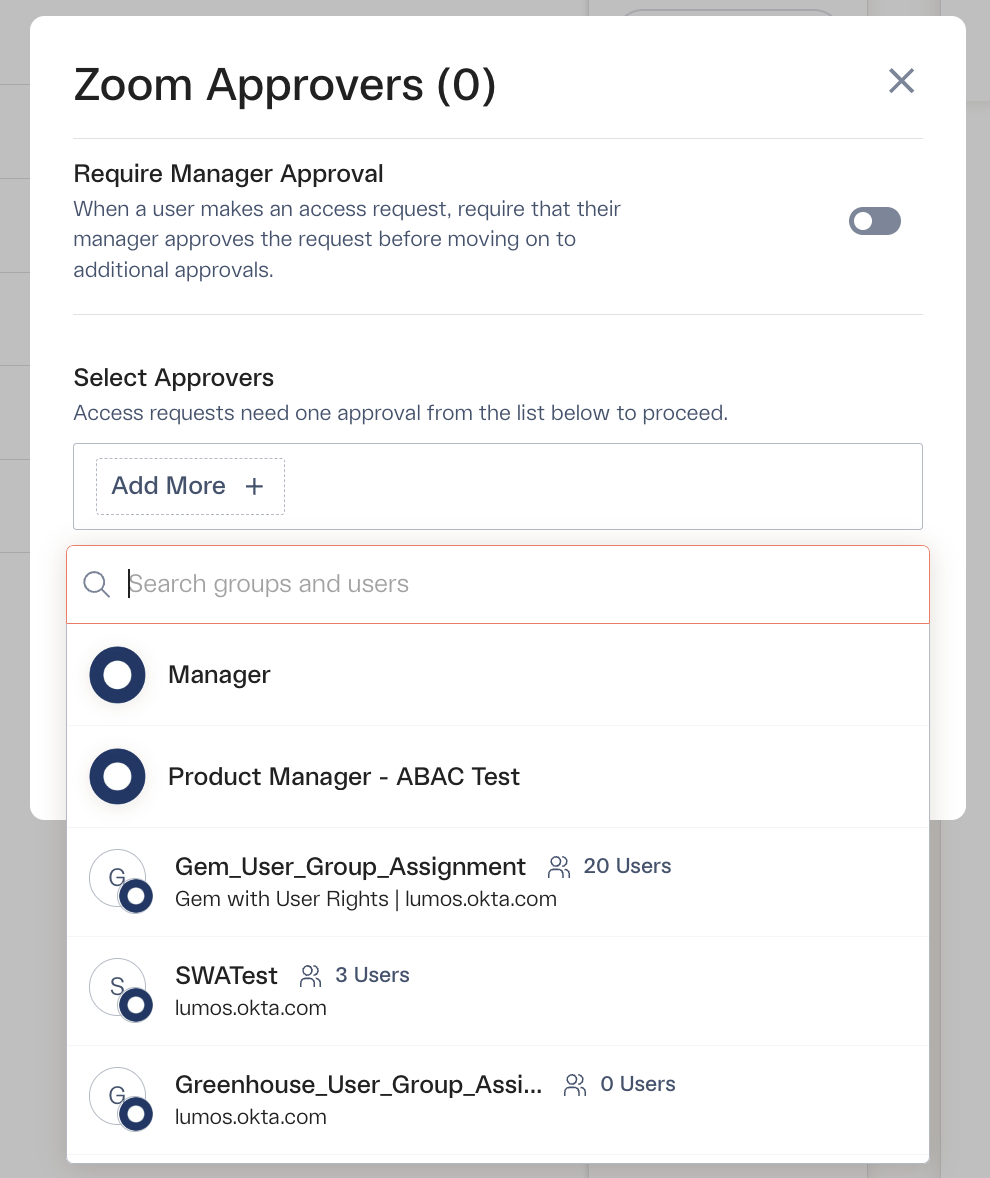
Once the field has synced, you should be able to configure this as an approver on your requests. Note that you can not only select an attribute-based approver, but you can still regularly add individual or named groups as approvers as well.
 ## **FAQs**
#### **1. What happens if I'm not seeing the new field to configure as an approver?**
This may mean that the data has not synced into Lumos yet -- navigate to your Source of Truth settings and click the "Re-sync data" button.
## **FAQs**
#### **1. What happens if I'm not seeing the new field to configure as an approver?**
This may mean that the data has not synced into Lumos yet -- navigate to your Source of Truth settings and click the "Re-sync data" button.
 #### **2. What happens if the approver is not valid/properly matched?**
For example, say you have your Netsuite app routing to the Department Head for approval, but for some reason, Bob's Department Head is not configured on his Okta profile.
In these scenarios, Lumos routes the approval to the app admin on the request, noting that Lumos wasn't able to find the user. Like so:
#### **2. What happens if the approver is not valid/properly matched?**
For example, say you have your Netsuite app routing to the Department Head for approval, but for some reason, Bob's Department Head is not configured on his Okta profile.
In these scenarios, Lumos routes the approval to the app admin on the request, noting that Lumos wasn't able to find the user. Like so:
 The app admin will be able to reroute the approval OR reassign the request from the Web UI.