> ## Documentation Index
> Fetch the complete documentation index at: https://docs.lumos.com/llms.txt
> Use this file to discover all available pages before exploring further.
# Segregation of Duties in UARs
## Segregation of Duties (SoD) in Access Reviews
### What is Segregation of Duties (SoD)?
Segregation of Duties (SoD) is a foundational principle in internal controls—especially for organizations subject to compliance frameworks like SOX. The goal: no single user should have too much access across critical systems, which could lead to fraud, errors, or data breaches.
With Lumos, you can define and enforce SoD rules by identifying toxic combinations of roles or permissions that should not coexist—across or within applications.
***
## Defining SoD rules
To create a new SoD rule:
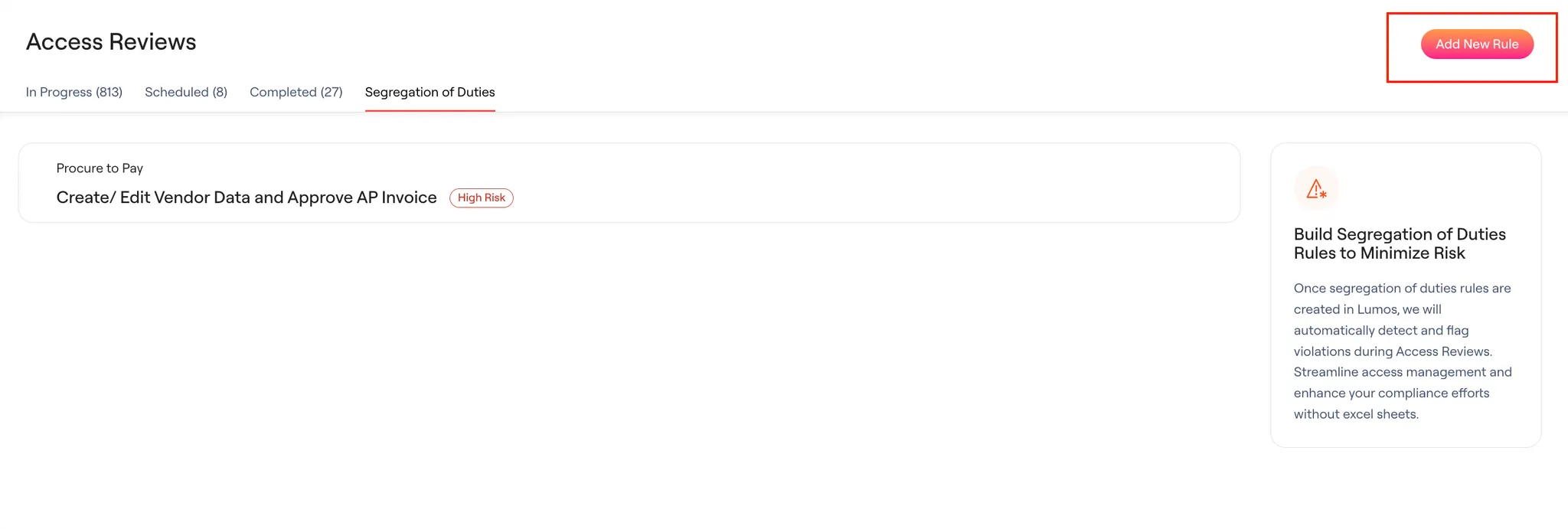
1. Click **Add New Rule**.
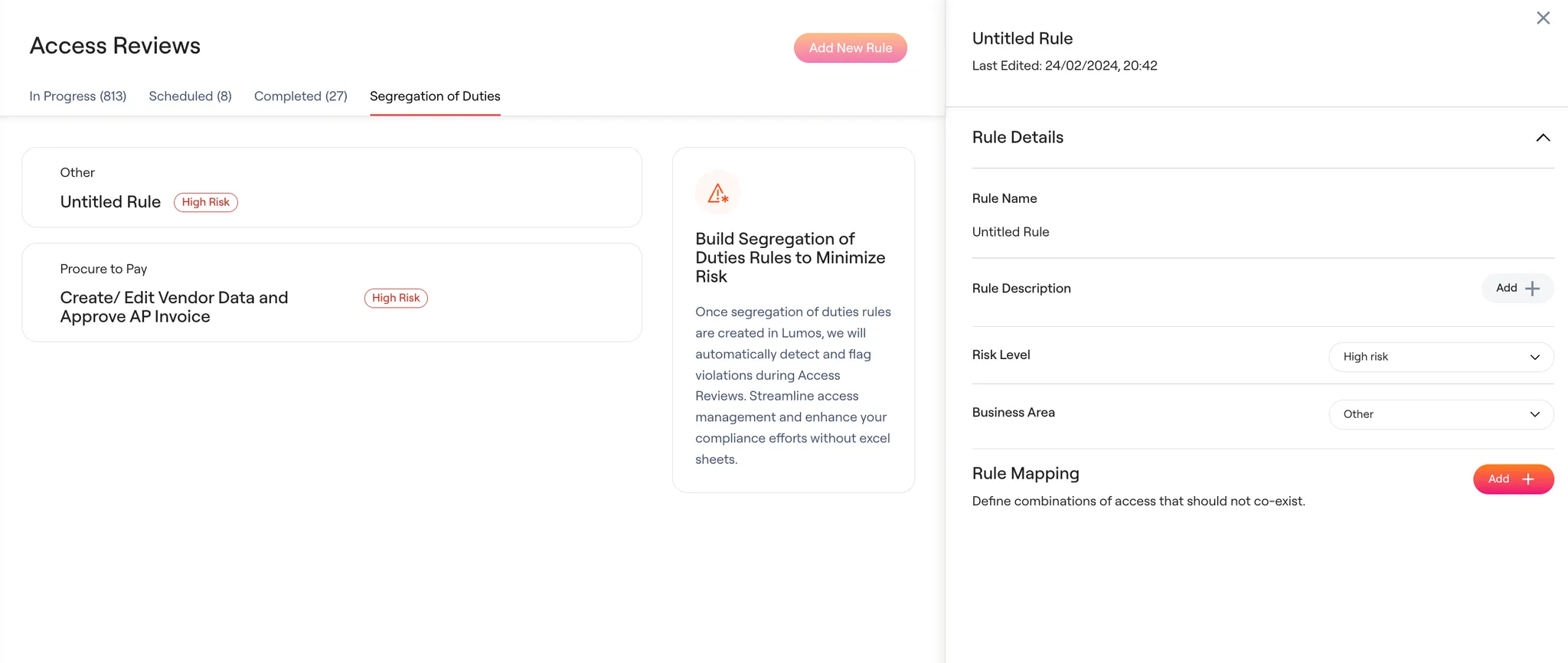 2. Name the rule and optionally add a description to clarify its purpose and impact.
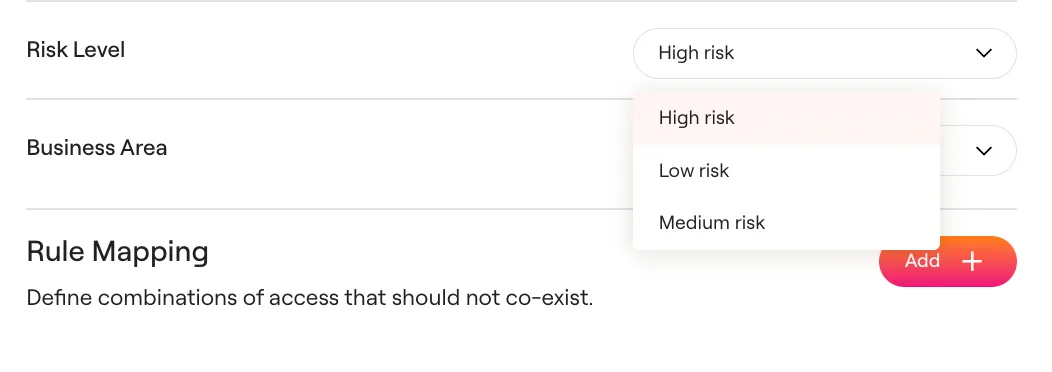
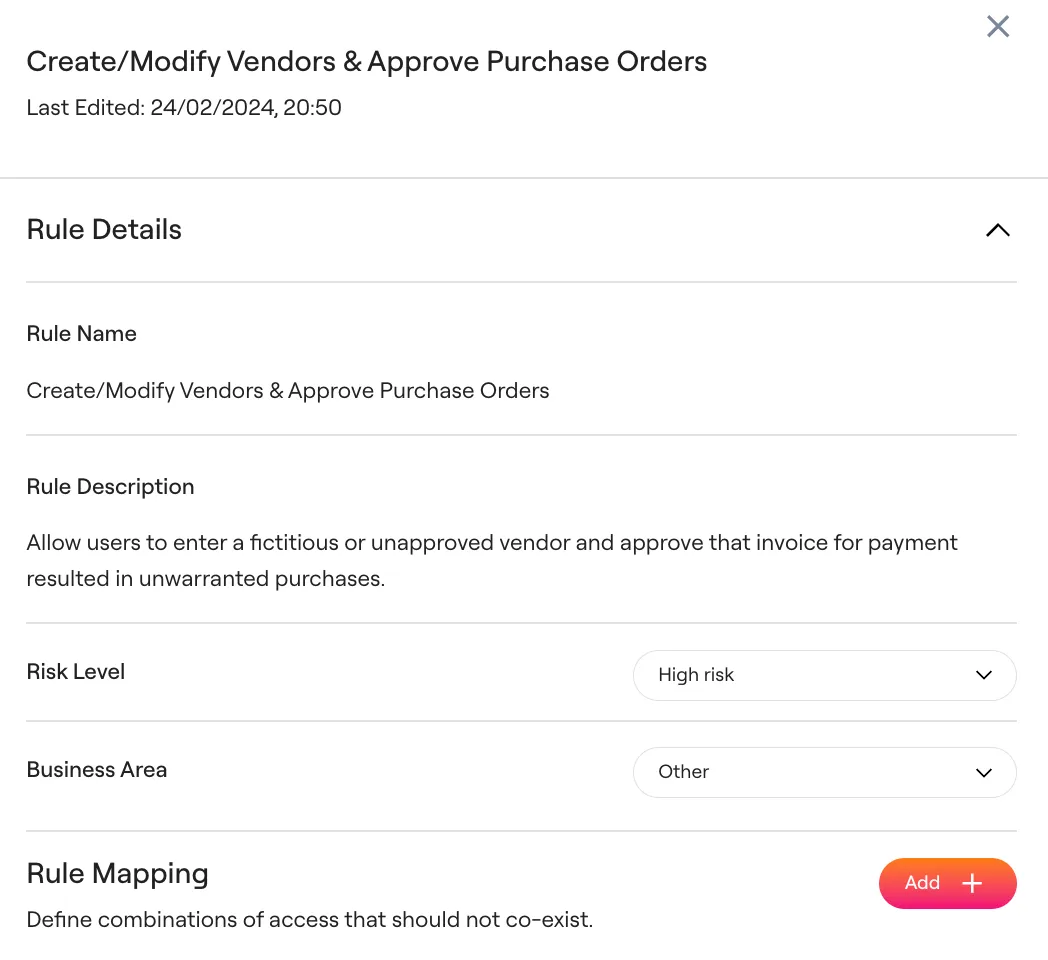 3. Set a **Risk Level** (default is High). Risk levels are not currently used in reviews but may be supported in the future.
 4. Define a **Business Area** (e.g., Procure to Pay, Record to Reconcile, etc.) to organize rules.
5. Map out toxic role combinations by selecting:
* Application A + Role/Permission A
* Application B + Role/Permission B
4. Define a **Business Area** (e.g., Procure to Pay, Record to Reconcile, etc.) to organize rules.
5. Map out toxic role combinations by selecting:
* Application A + Role/Permission A
* Application B + Role/Permission B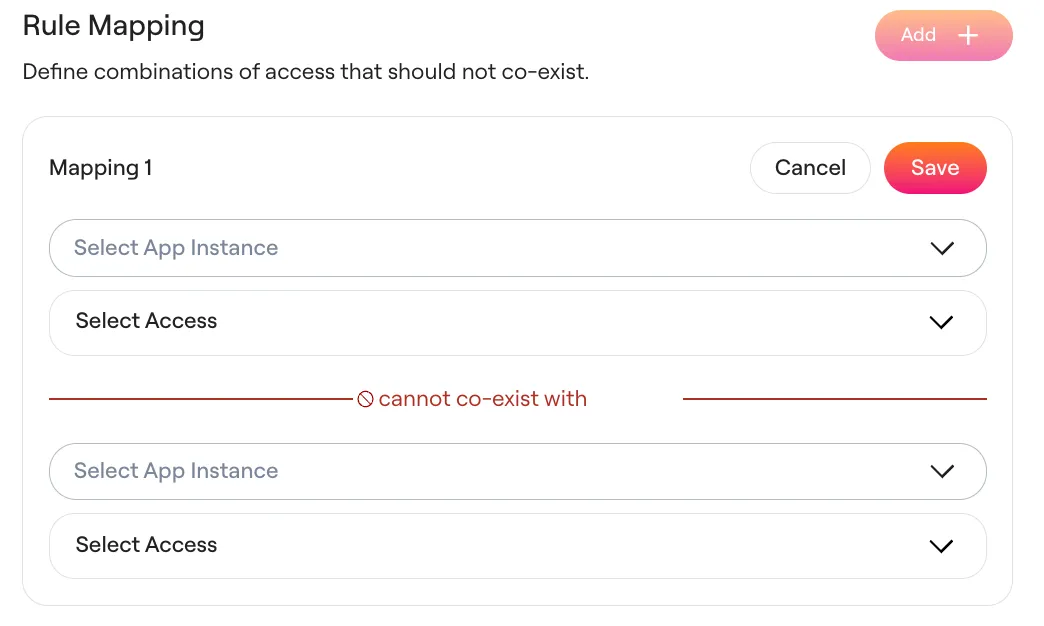 These two combinations cannot coexist. Violations will be flagged during reviews.
***
## Reviewing SoD violations in Access Reviews
Once you've defined SoD rules in Lumos, you can detect and act on violations during user access reviews.
### Identifying violations
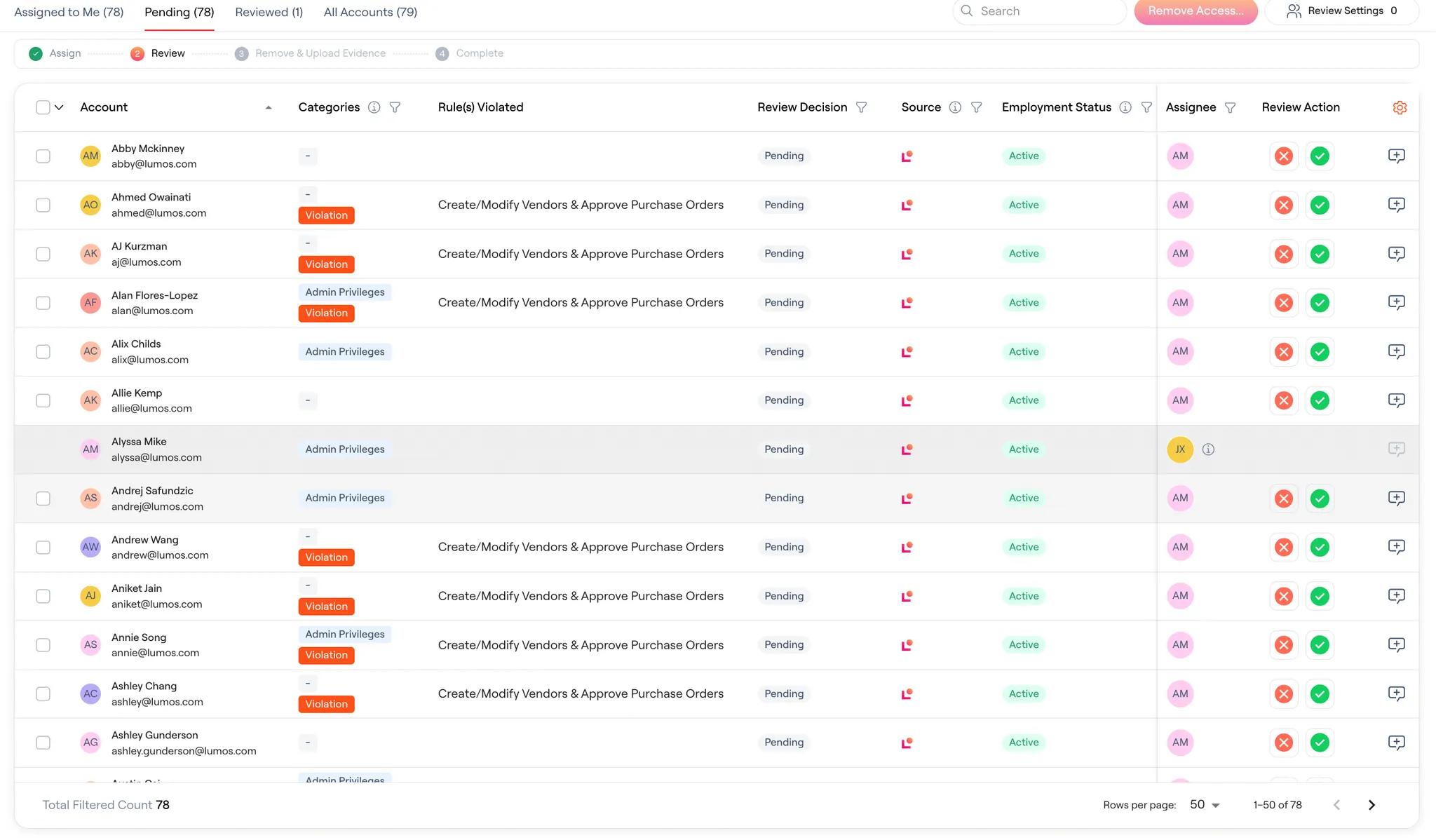
* Accounts with SoD violations will be tagged with a **"Violation"** category.
* A new column called **“SOD Rule(s) Violated”** displays the specific rule(s) triggered by the conflict.
* These violations are flagged even if the conflicting roles/permissions are across **different applications**.
These two combinations cannot coexist. Violations will be flagged during reviews.
***
## Reviewing SoD violations in Access Reviews
Once you've defined SoD rules in Lumos, you can detect and act on violations during user access reviews.
### Identifying violations
* Accounts with SoD violations will be tagged with a **"Violation"** category.
* A new column called **“SOD Rule(s) Violated”** displays the specific rule(s) triggered by the conflict.
* These violations are flagged even if the conflicting roles/permissions are across **different applications**.
 ### Scoping Access Reviews to SoD rules
You can scope an access review to only include accounts that violate specific SoD rules, making it easier to focus on high-risk users.
To do so:
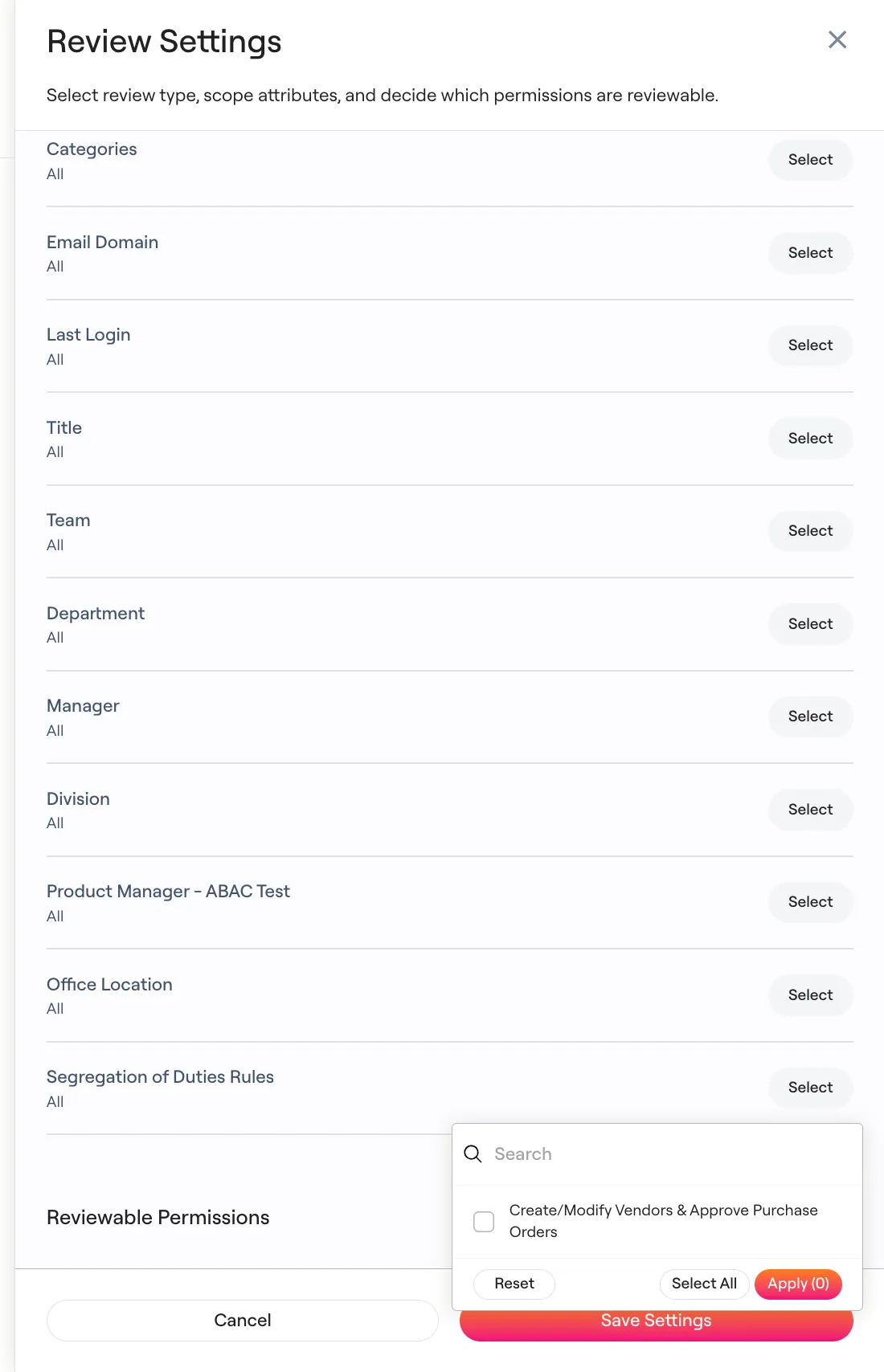
1. Go to **Review Settings** in your access review.
2. Scroll to the **Segregation of Duties Rules** filter.
3. Select the rule(s) you want to review.
4. Click **Apply**, then **Save Settings**.
Only accounts that violate the selected SoD rules will appear in the review.
### Scoping Access Reviews to SoD rules
You can scope an access review to only include accounts that violate specific SoD rules, making it easier to focus on high-risk users.
To do so:
1. Go to **Review Settings** in your access review.
2. Scroll to the **Segregation of Duties Rules** filter.
3. Select the rule(s) you want to review.
4. Click **Apply**, then **Save Settings**.
Only accounts that violate the selected SoD rules will appear in the review.
 ***
## Ideal for
* Public companies and SOX-regulated organizations
* Teams managing access to sensitive systems like ERP, HRIS, CRM, and financial tools
***
## Known limitations
* Lumos does **not** currently provide out-of-the-box SoD rule templates or pre-mapped combinations of permissions.
***
## Ideal for
* Public companies and SOX-regulated organizations
* Teams managing access to sensitive systems like ERP, HRIS, CRM, and financial tools
***
## Known limitations
* Lumos does **not** currently provide out-of-the-box SoD rule templates or pre-mapped combinations of permissions.