> ## Documentation Index
> Fetch the complete documentation index at: https://docs.lumos.com/llms.txt
> Use this file to discover all available pages before exploring further.
# Duplicating an Access Review
## Background
You've already done an access review in Lumos and you want to do another one for the same apps.
You can *duplicate* your review to carry over the settings from a previous review and save yourself a ton of time and clicks.
## Steps
**1.** [**Find the review**](https://app.lumosidentity.com/access_reviews) **you want to duplicate.**
**2. Click the "..." button and choose "Duplicate Review".**
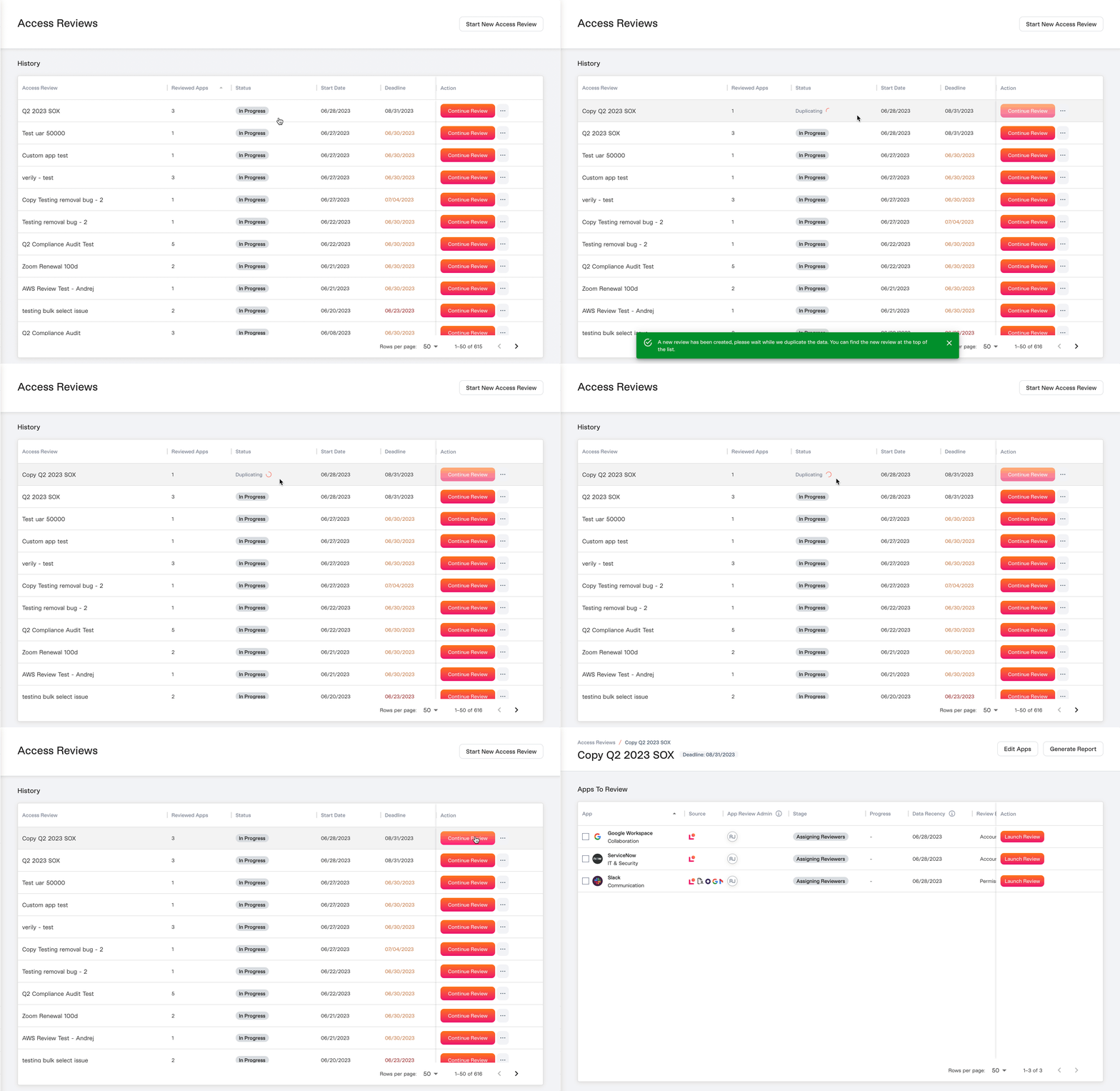 A new review will be created and the *Status* will be "Duplicating" until everything is copied over, at which point it transitions to "In Progress".
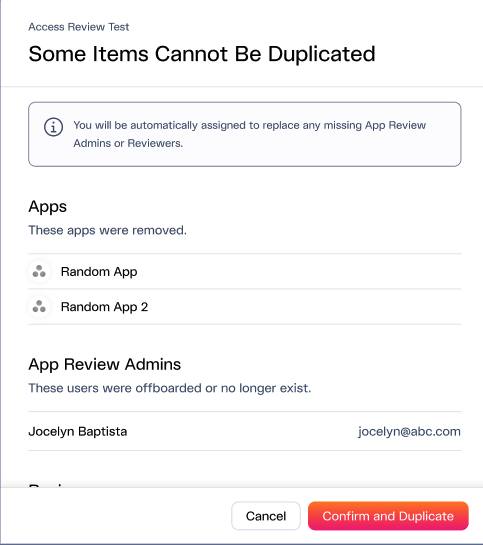
If there's any missing information that can't be duplicated you'll be notified with a pop-up and asked to confirm.
A new review will be created and the *Status* will be "Duplicating" until everything is copied over, at which point it transitions to "In Progress".
If there's any missing information that can't be duplicated you'll be notified with a pop-up and asked to confirm.
 **3. Edit the review. *See***\*[Editing an Access Review](/kb/access-reviews/preparing-and-completing-an-access-review/editing-an-access-review)\*
You should change the review name and make sure the deadline makes sense.
**4. Click "Continue Review" to prepare your review. *See***\*[Choosing Access Review Apps](/kb/access-reviews/preparing-and-completing-an-access-review/choosing-access-review-apps)\*
## What data is copied from the last review?
For a description of how Lumos reuses the previous Access Review's data, see [How Lumos Reuses Access Review Data](/kb/access-reviews/preparing-and-completing-an-access-review/how-lumos-reuses-access-review-data)
**3. Edit the review. *See***\*[Editing an Access Review](/kb/access-reviews/preparing-and-completing-an-access-review/editing-an-access-review)\*
You should change the review name and make sure the deadline makes sense.
**4. Click "Continue Review" to prepare your review. *See***\*[Choosing Access Review Apps](/kb/access-reviews/preparing-and-completing-an-access-review/choosing-access-review-apps)\*
## What data is copied from the last review?
For a description of how Lumos reuses the previous Access Review's data, see [How Lumos Reuses Access Review Data](/kb/access-reviews/preparing-and-completing-an-access-review/how-lumos-reuses-access-review-data)