> ## Documentation Index
> Fetch the complete documentation index at: https://docs.lumos.com/llms.txt
> Use this file to discover all available pages before exploring further.
# Access Review Notifications
## Overview
When you set up an access review, Lumos sends notifications at three points:
1. **Before the review launches -** to the people who set it up (Review Owners and App Review Admins), so the review is ready and its data is accurate. Some of these will block the review from launching until they're resolved.
2. **At launch -** confirming to those same people that the review launched, and inviting Reviewers to start their reviews.
3. **After the review launches** - to Reviewers, and to anyone responsible for removing access, reminding them until the review is complete.
This article lists every notification: who receives it, when it's sent, whether it needs action, and whether it can block the launch.
### How to read the timing column
Several notifications are sent more than once, as a series of reminders. The timing column lists each send point:
* **"4 and 2 weekdays before the deadline"** means two reminders - one 4 weekdays before, and another 2 weekdays before.
* **"7, 4, 2, and 1 days before launch"** means a reminder at each of those four points.
"Weekday" means Monday–Friday; weekend days are skipped. Scheduled reminders are sent at 12:00 PM US Central Time.
## All notifications at a glance
| **Notification** | **Who receives it (Roles)** | **When it's sent** | **Action needed?** | **Blocks launch?** |
| - | - | - | - | - |
| Upcoming scheduled review | Review Owner | 7 days and 1 day before launch | No | No |
| Potential outdated data (integration) | Review Owner | 7, 4, 2, and 1 days before launch | Yes | Yes |
| Potential outdated data (CSV) | Review Owner | 7, 4, 2, and 1 days before launch | Yes | Yes |
| Apps not marked complete (from a previous recurring review) | Review Owner, App Review Admins (for their apps) | Before launch, while the previous review is still incomplete | Yes | Yes |
| Missing reviewers and app admins | Review Owner (for all apps) | 7, 4, 2, and 1 days before launch | Yes | No |
| Missing reviewers | App Review Admins (for their apps) | 7, 4, 2, and 1 days before launch | Yes | No |
| Access review launched | Review Owner, App Review Admins (for their apps) | On launch day | No | No |
| Review invitation | Reviewers | On launch day | Yes | No |
| Review Reminder | Reviewers | 4 and 2 weekdays before the deadline, on the deadline day, then every weekday after until complete. Also sent every Tuesday while the deadline is more than a week away. Can also be sent ad hoc. | Yes | No |
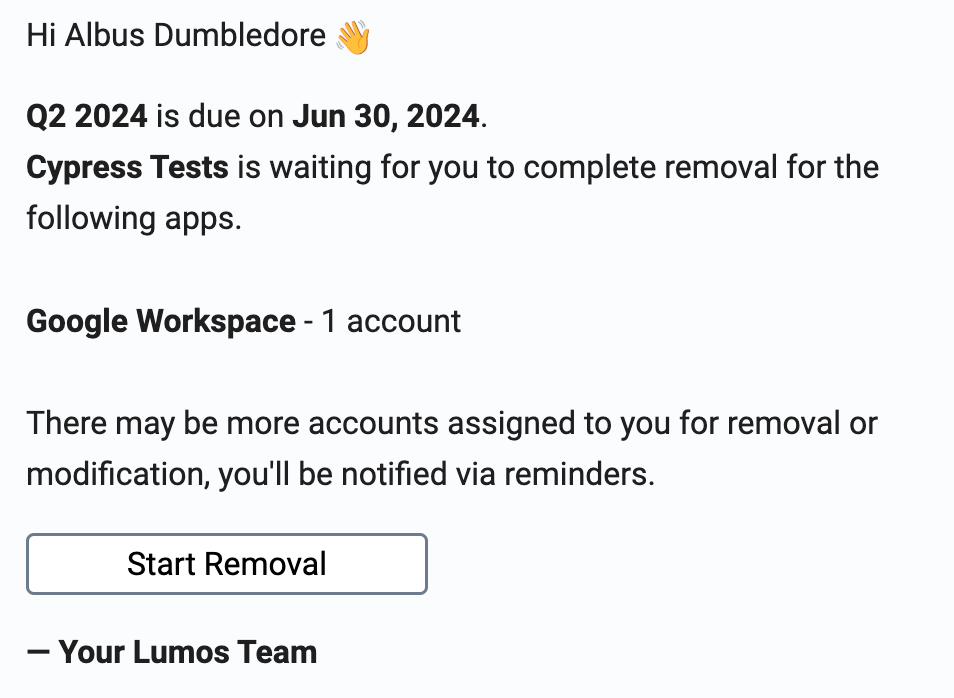
| Removal | Assignee (the person removing access) | 4 and 2 weekdays before the deadline, on the deadline day, then every day after until complete | Yes | No |
| Escalation Policy Notifications | Previous Assignee, Escalated Assignees | A daily reminder before escalation; then at the trigger and 1 hour or 1 day after. Only if an Escalation Policy is configured. | Yes | No |
| App review ready to complete | App Reviewer | 2 weekdays after the app review becomes ready to complete | Yes | No |
| Access review ready to complete | Review Owner | 2 and 4 weekdays after the full review becomes ready to complete | Yes | No |
**Delivery channels:** Most notifications are sent by Slack, Microsoft Teams, and email. A few are chat-only — "App review ready to complete" and "Access review ready to complete" are sent via Slack/Teams but not email.
## Reviewer reminder schedule
This is the schedule auditors most often ask about: once a review is launched, how often is a reviewer chased until they finish?
Each Reviewer who still has outstanding items is reminded on this fixed schedule:
* **4 weekdays before the deadline**
* **2 weekdays before the deadline**
* **On the deadline day**
* **Every weekday after the deadline**, until they complete their review
* Plus, while the deadline is still more than a week away, a nudge **every Tuesday**
**Example.** For a review whose deadline falls on a **Friday**, a reviewer who hasn't finished is reminded on:
* **Monday** that week (4 weekdays before the deadline)
* **Wednesday** that week (2 weekdays before the deadline)
* **Friday** (the deadline day)
* then the following **Monday, Tuesday, Wednesday**, and so on: every weekday after, until their review is complete.
This cadence is a fixed default; it isn't configured per review. To automatically escalate overdue reviewers to a manager, app admin, or the review owner, use **Escalation Policies**, a separate feature configured on the review.
### Removal reminders
When a review results in access that must be manually removed, the person assigned to remove it (who may be different from the reviewer) is reminded on the same **4-and-2-weekdays-before** pattern, on the deadline day, and then **every day** after the deadline, including weekends, until the removal is done.
## Notification details
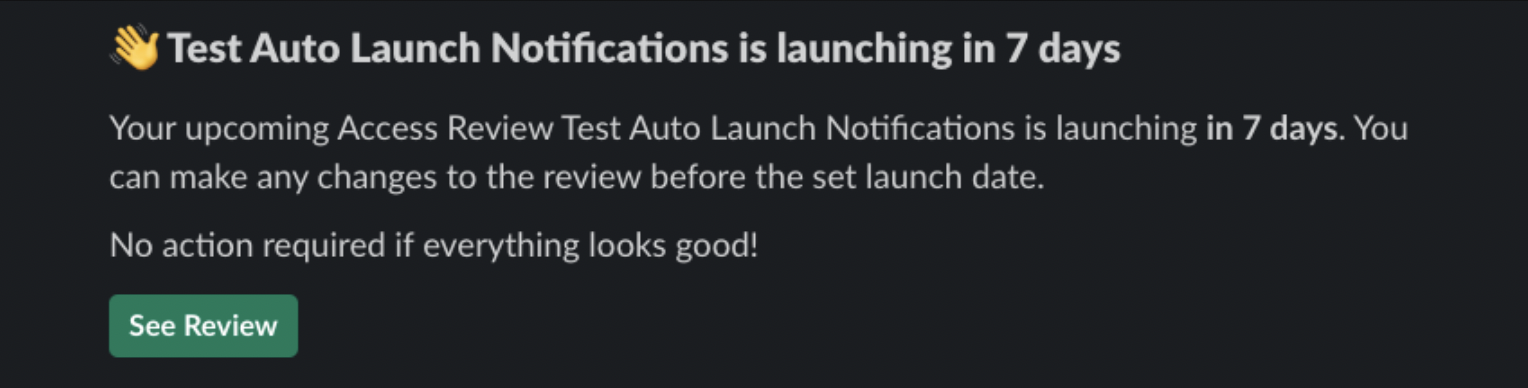
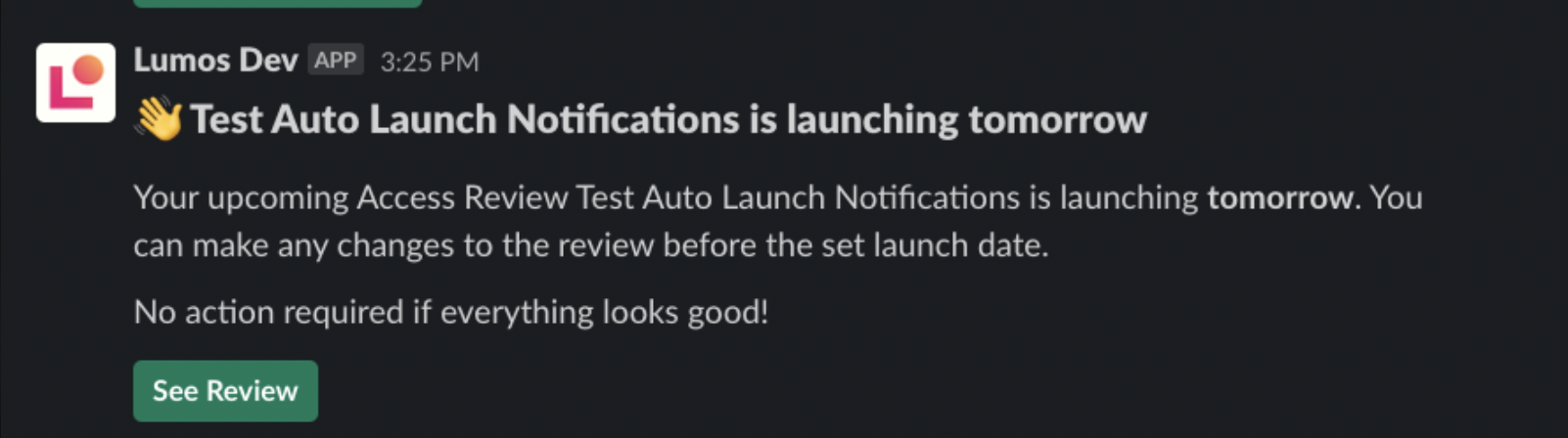
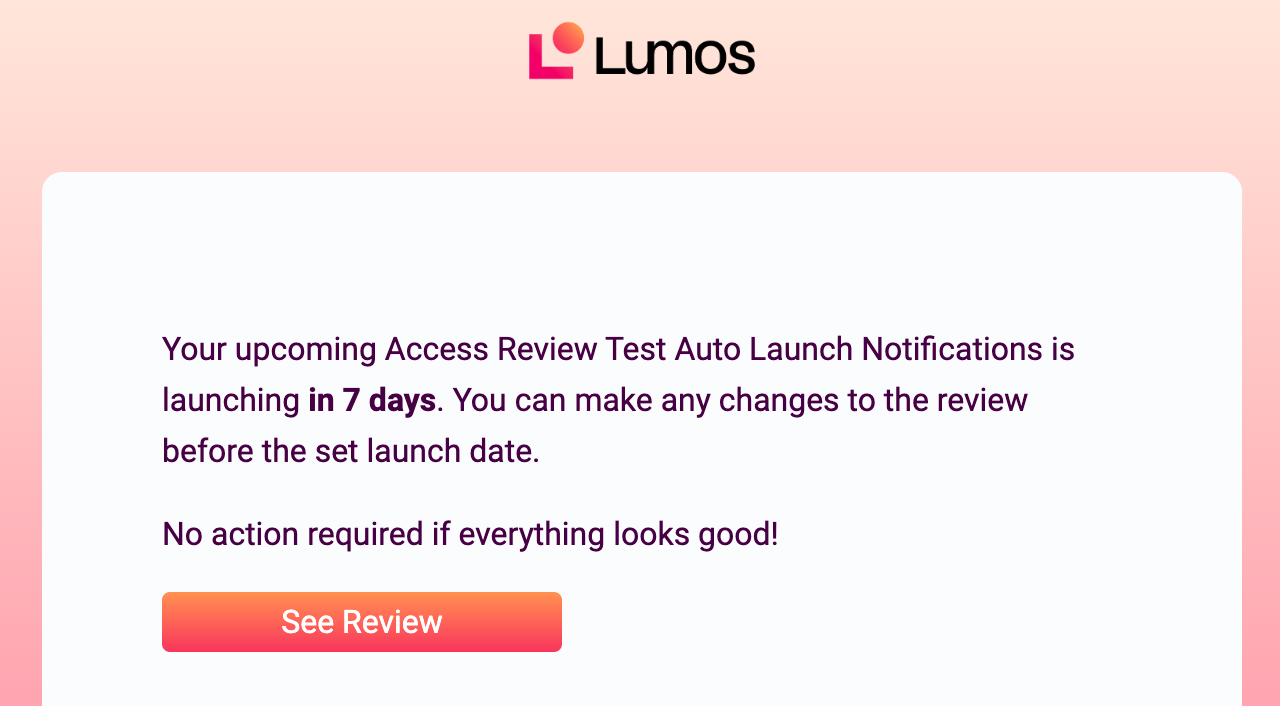
### Upcoming scheduled review
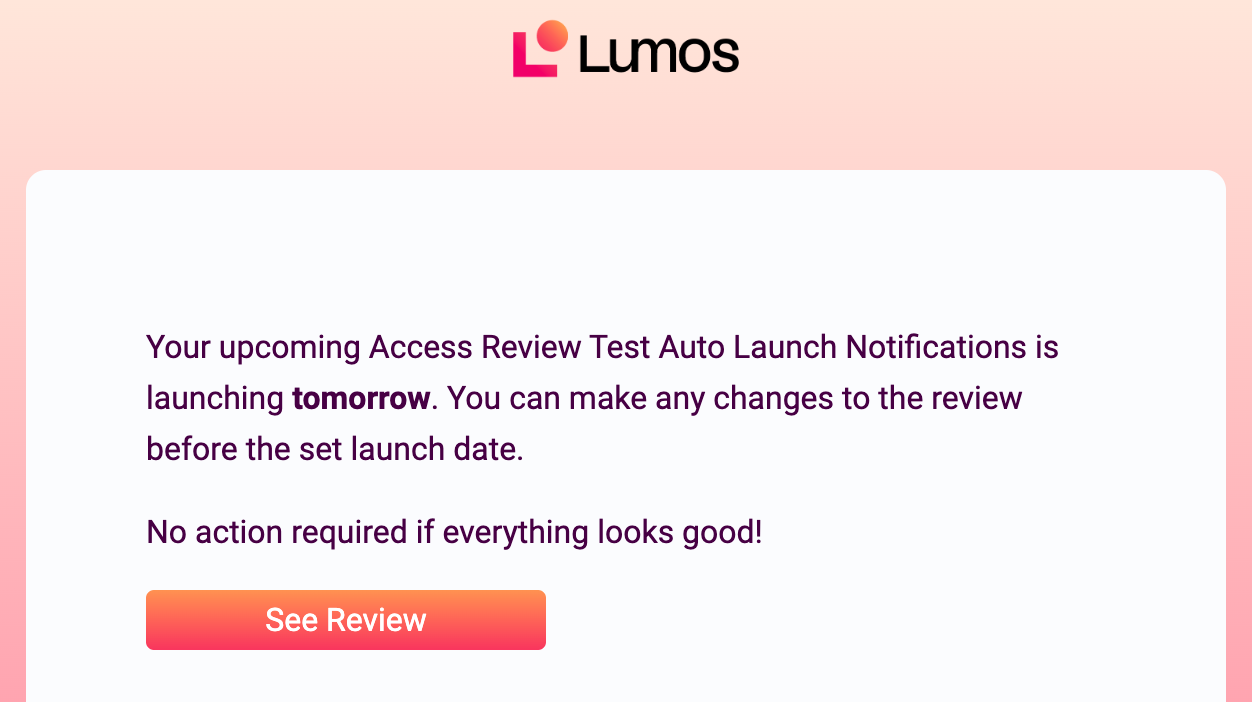
This lets the Review Owner know that a previously-scheduled review is set to launch soon. *See* [*Scheduling an Access Review*](/kb/access-reviews/preparing-and-completing-an-access-review/scheduling-an-access-review)
#### Slack Notifications
 #### Email Notifications
**Launching in 7 Days**
#### Email Notifications
**Launching in 7 Days**

 **Launching Tomorrow**

 ### Potential outdated data (integration)
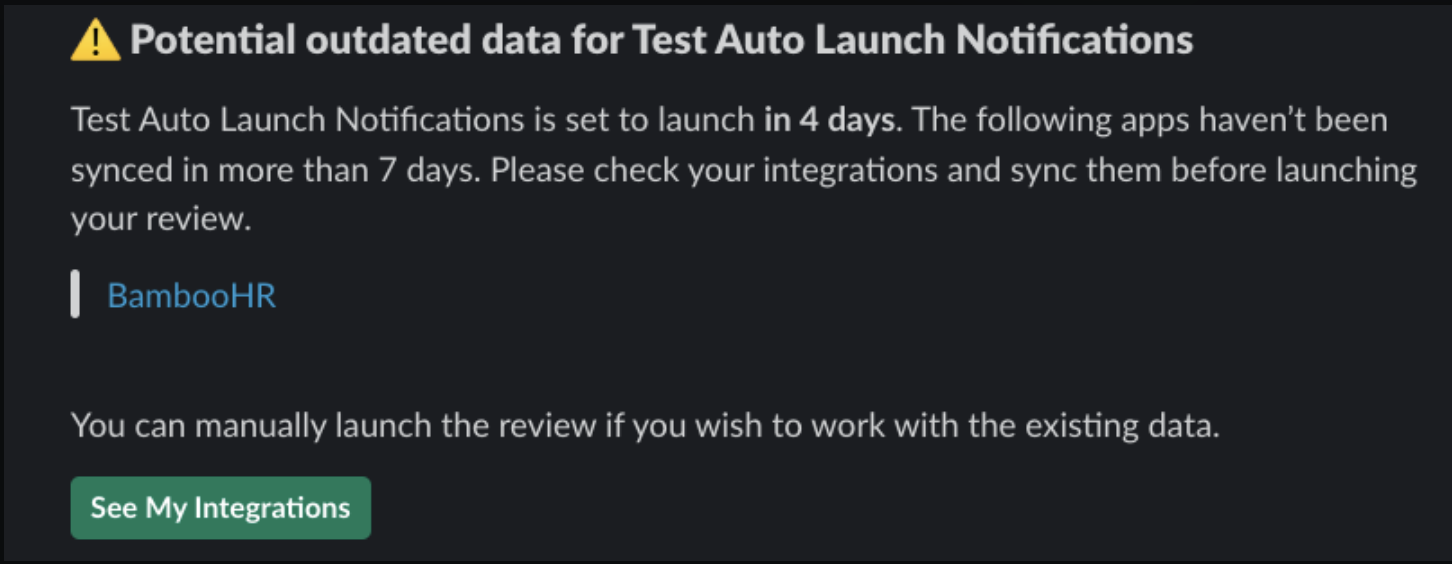
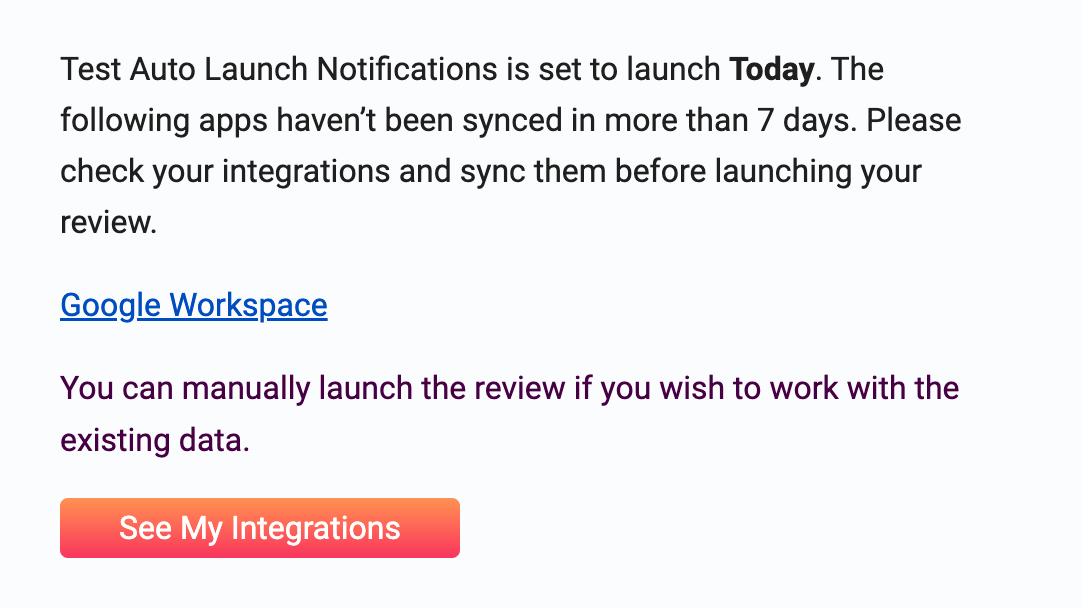
This is sent when a scheduled access review has outdated data sourced from an integration that may need to be fixed. Usually, this means the integration in Lumos is not connected to the service provider. *See* [*Scheduling an Access Review*](/kb/access-reviews/preparing-and-completing-an-access-review/scheduling-an-access-review)
Click the link in the notification to view your integrations and correct any issues.
Failure to act on this notification will block your scheduled review from launching.
#### **Slack Notification**
### Potential outdated data (integration)
This is sent when a scheduled access review has outdated data sourced from an integration that may need to be fixed. Usually, this means the integration in Lumos is not connected to the service provider. *See* [*Scheduling an Access Review*](/kb/access-reviews/preparing-and-completing-an-access-review/scheduling-an-access-review)
Click the link in the notification to view your integrations and correct any issues.
Failure to act on this notification will block your scheduled review from launching.
#### **Slack Notification**
 #### Email Notification

 ### Potential outdated data (CSV)
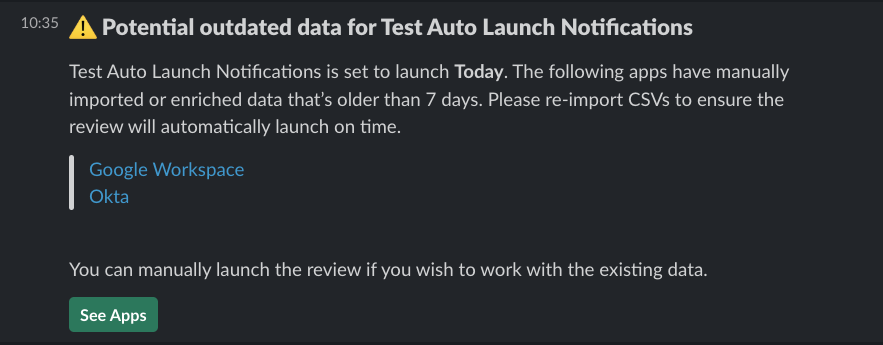
This is sent when a scheduled access review has outdated data sourced from a CSV that may need to be corrected. *See* [*Scheduling an Access Review*](/kb/access-reviews/preparing-and-completing-an-access-review/scheduling-an-access-review)
Click the link in the notification to view the apps and upload new CSVs, if needed.
Failure to act on this notification will block your scheduled review from launching.
#### Slack Notification
### Potential outdated data (CSV)
This is sent when a scheduled access review has outdated data sourced from a CSV that may need to be corrected. *See* [*Scheduling an Access Review*](/kb/access-reviews/preparing-and-completing-an-access-review/scheduling-an-access-review)
Click the link in the notification to view the apps and upload new CSVs, if needed.
Failure to act on this notification will block your scheduled review from launching.
#### Slack Notification
 #### Email Notification
 ### Apps not marked as completed
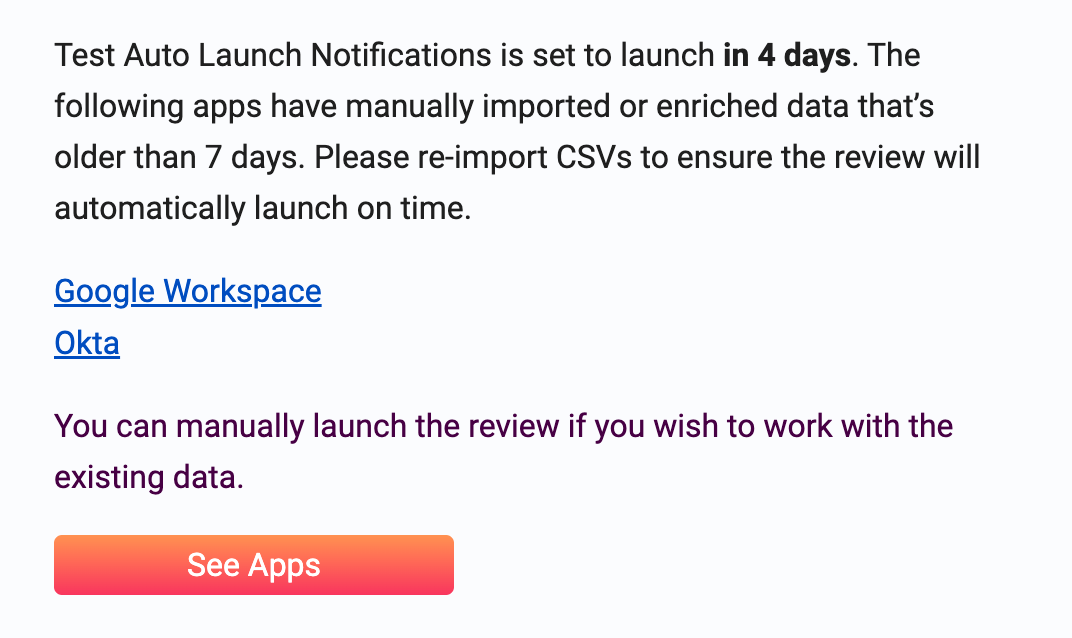
This is sent for upcoming recurring reviews *(see* [*Scheduling an Access Review*](/kb/access-reviews/preparing-and-completing-an-access-review/scheduling-an-access-review)*)* when apps from the previous review are still not marked as completed *(see* [*Completing an Access Review*](/kb/quick_start_guide/access_reviews/access_reviews_for_new_to_access_reviews_employees/completing-an-access-review)*)*.
Click the link to check what needs to be done for the previous review so that it can be completed.
Failure to act on this notification will block your scheduled review from launching.
#### Slack Notification
### Apps not marked as completed
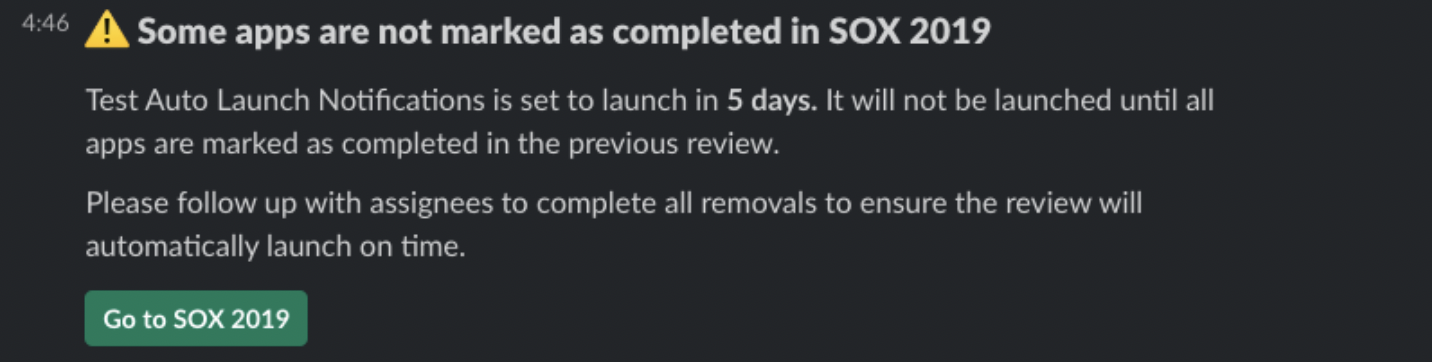
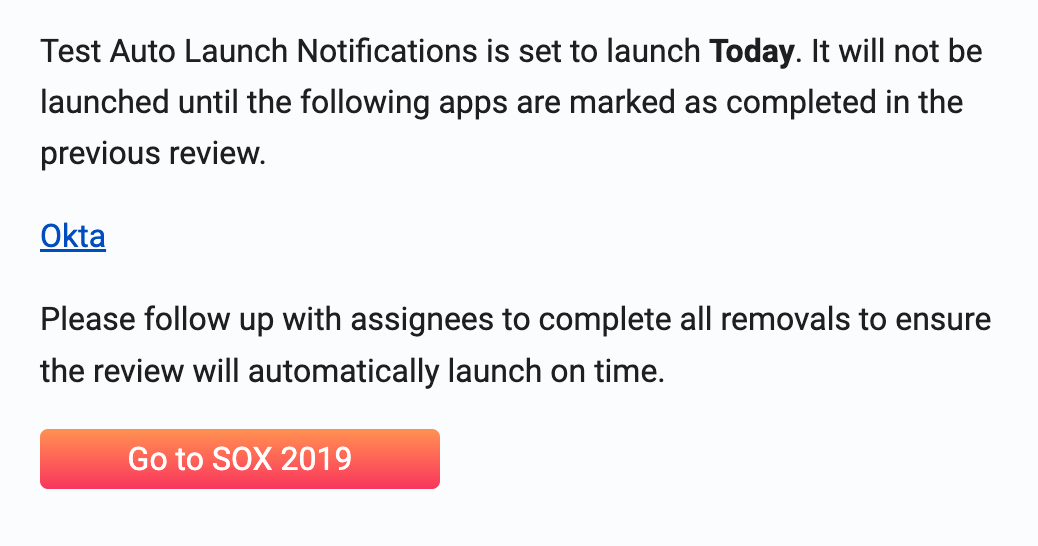
This is sent for upcoming recurring reviews *(see* [*Scheduling an Access Review*](/kb/access-reviews/preparing-and-completing-an-access-review/scheduling-an-access-review)*)* when apps from the previous review are still not marked as completed *(see* [*Completing an Access Review*](/kb/quick_start_guide/access_reviews/access_reviews_for_new_to_access_reviews_employees/completing-an-access-review)*)*.
Click the link to check what needs to be done for the previous review so that it can be completed.
Failure to act on this notification will block your scheduled review from launching.
#### Slack Notification
 #### Email Notification

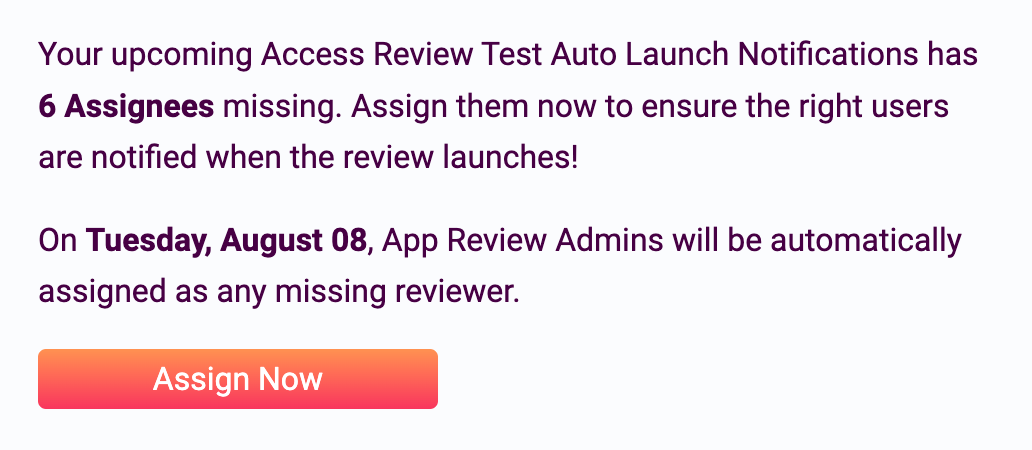
 ### Missing reviewers and App Review Admins
This is sent to the Review Owner when a scheduled review is missing Reviewers and/or App Review Admins.
Click the link to complete the assignments.
The Review Owner will be assigned as the App Review Admin and Reviewer for anything unassigned.
#### Slack Notification
### Missing reviewers and App Review Admins
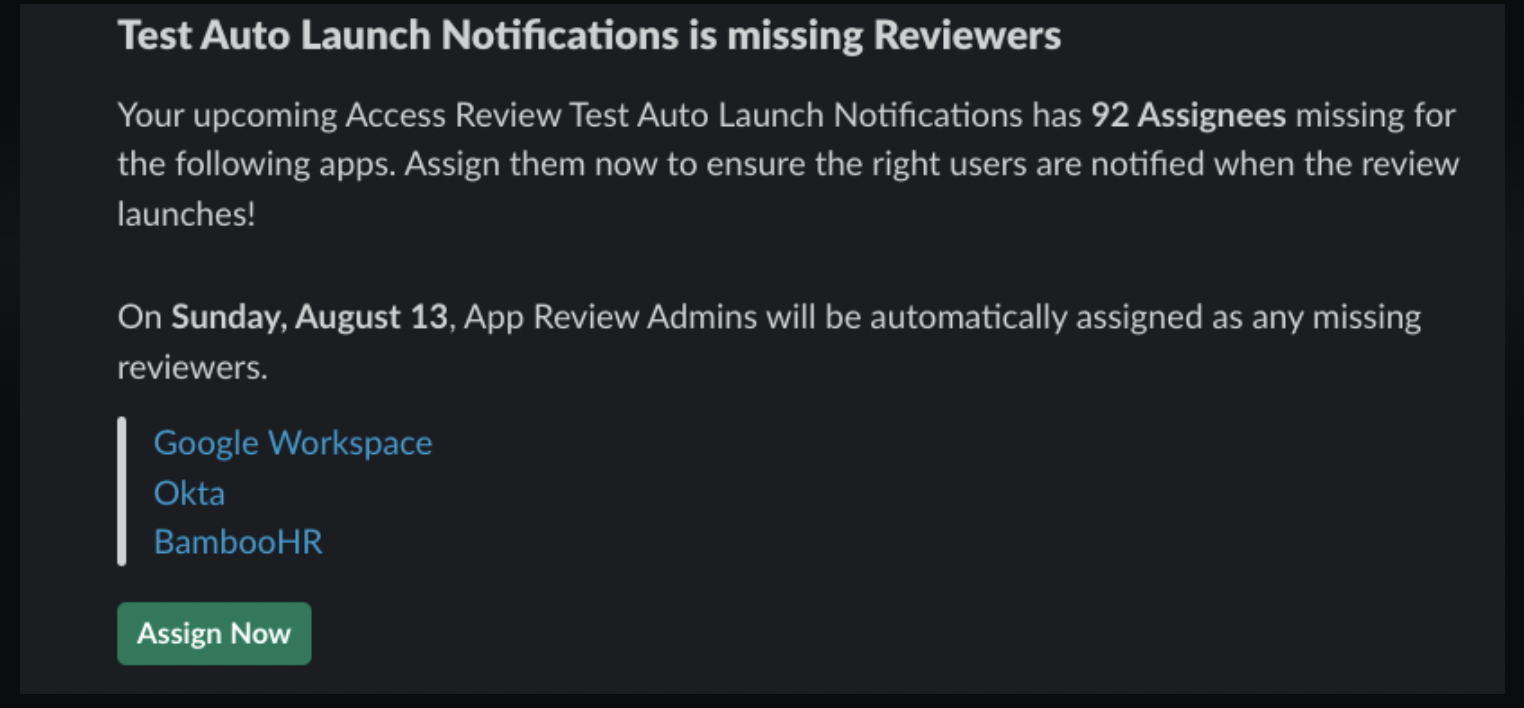
This is sent to the Review Owner when a scheduled review is missing Reviewers and/or App Review Admins.
Click the link to complete the assignments.
The Review Owner will be assigned as the App Review Admin and Reviewer for anything unassigned.
#### Slack Notification
 #### Email Notification

 ### Missing reviewers
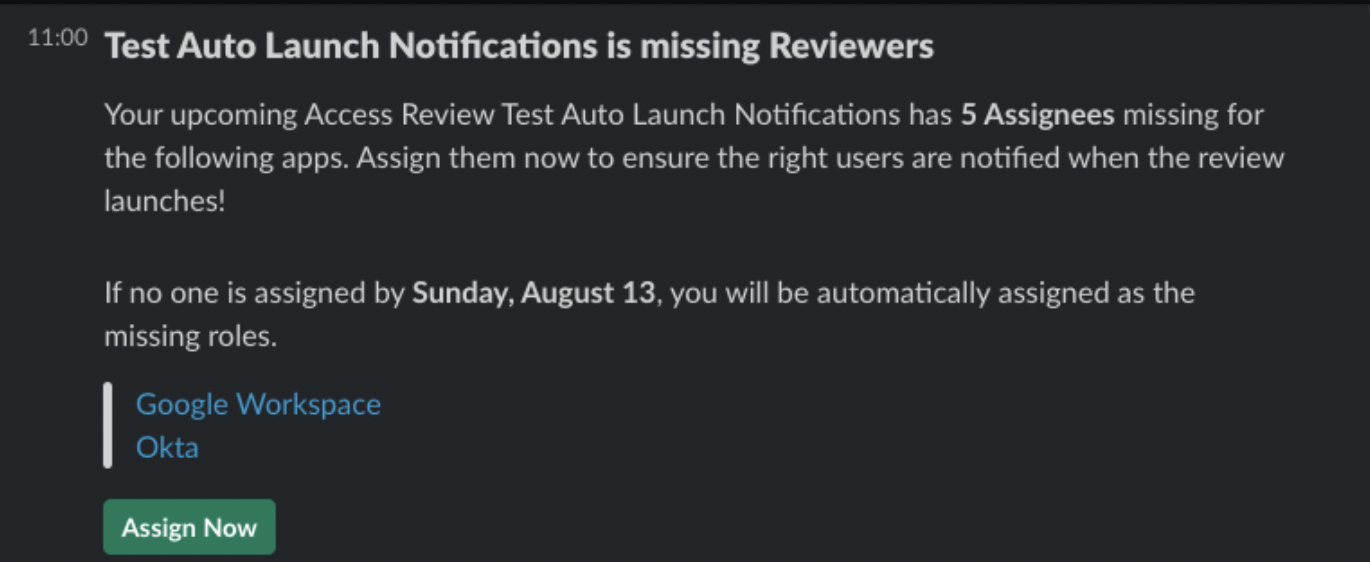
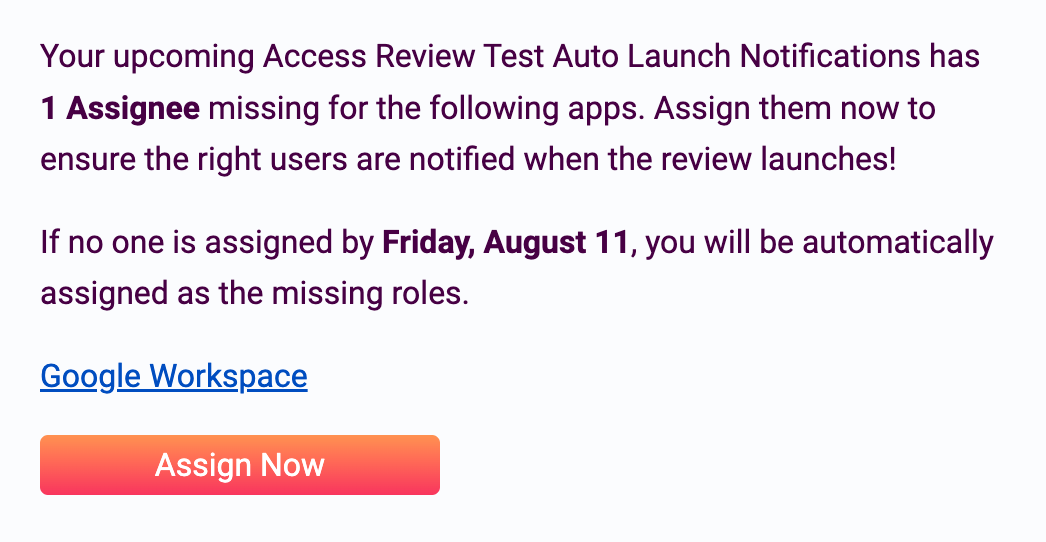
This is sent to App Review Admins when a scheduled review is missing Reviewers. This is similar to the **"Missing reviewers and App Review Admins"** notification, but only for App Review Admins. *See* [*Access Review Notifications*](/kb/access-reviews/preparing-and-completing-an-access-review/access-review-notifications)
Click the link to complete the Reviewer assignments.
The App Review Admin will be assigned as the Reviewer for anything unassigned.
#### Slack Notification
### Missing reviewers
This is sent to App Review Admins when a scheduled review is missing Reviewers. This is similar to the **"Missing reviewers and App Review Admins"** notification, but only for App Review Admins. *See* [*Access Review Notifications*](/kb/access-reviews/preparing-and-completing-an-access-review/access-review-notifications)
Click the link to complete the Reviewer assignments.
The App Review Admin will be assigned as the Reviewer for anything unassigned.
#### Slack Notification
 #### Email Notification
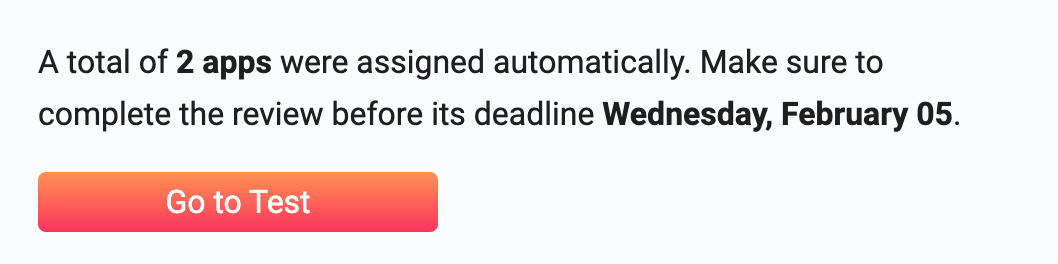
 ### Access review successfully launched
This is sent when the review was successfully launched.
#### Slack Notification
### Access review successfully launched
This is sent when the review was successfully launched.
#### Slack Notification
 #### Email Notification

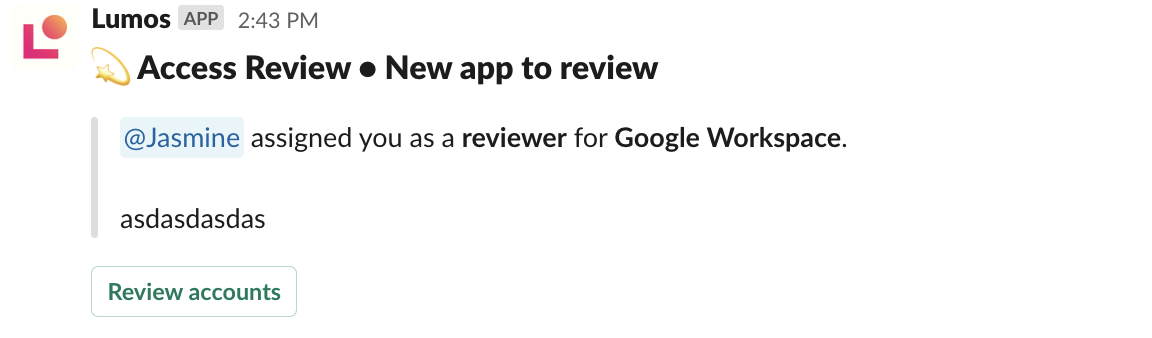
 ### Review invitation
This is sent to Reviewers when they're invited to review accounts after the review is launched.
#### Slack Notification
### Review invitation
This is sent to Reviewers when they're invited to review accounts after the review is launched.
#### Slack Notification
 #### Email Notification

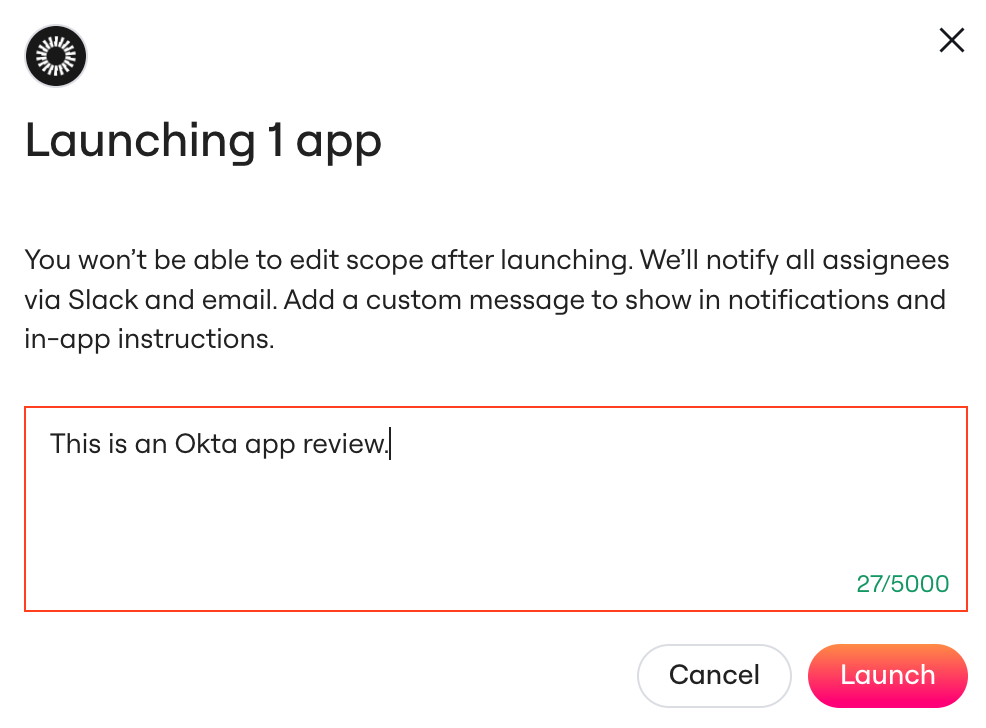
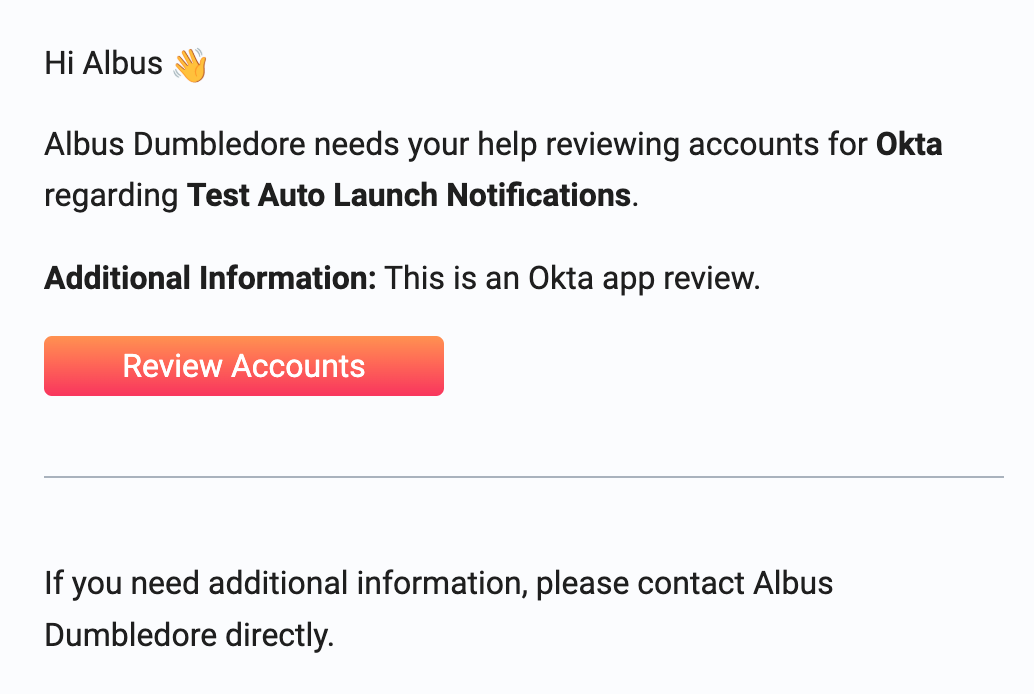 Note: the *Additional Information* is populated from the additional context when launching the review for an app:
 ## Account Review Reminders
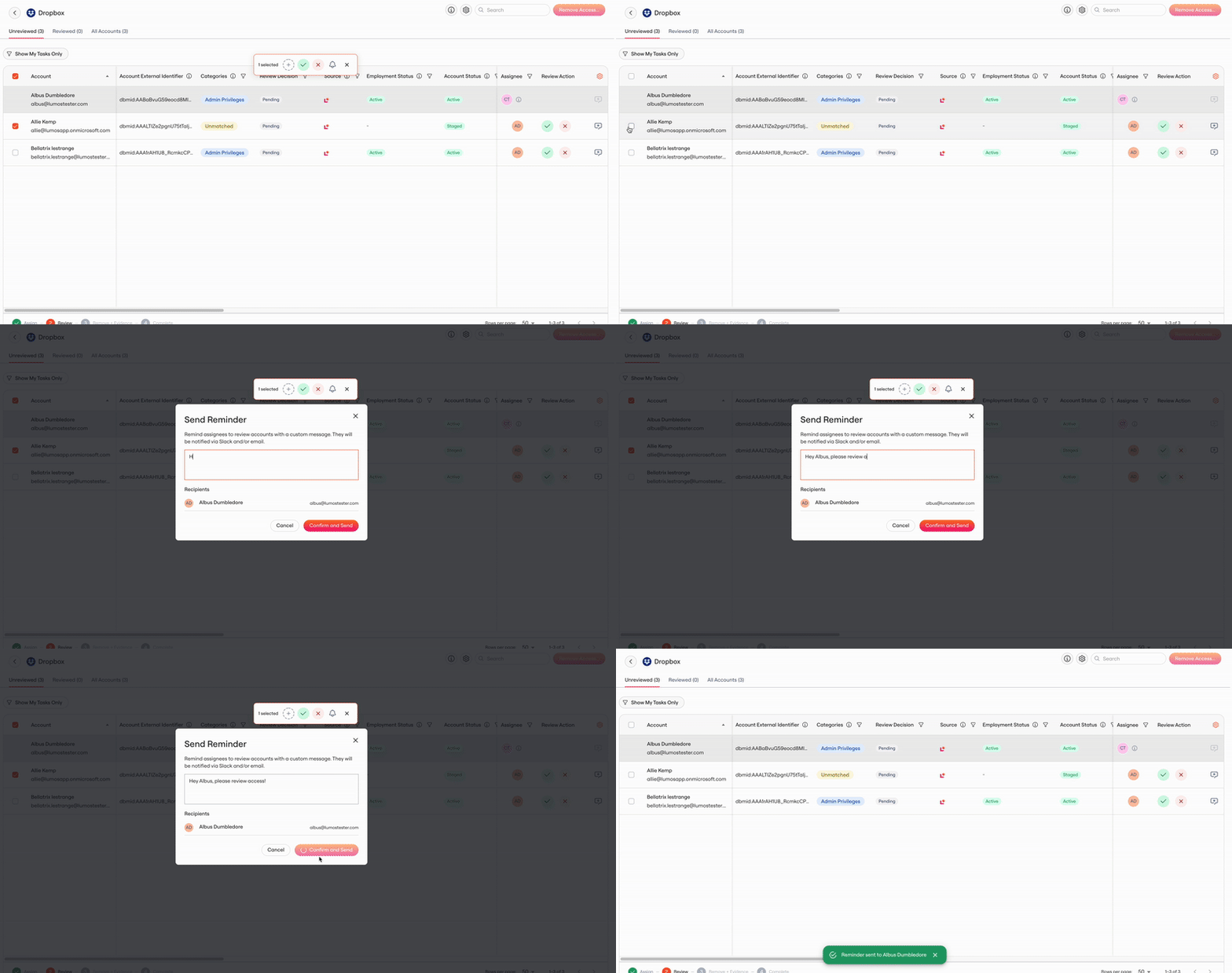
### Ad Hoc Reminders
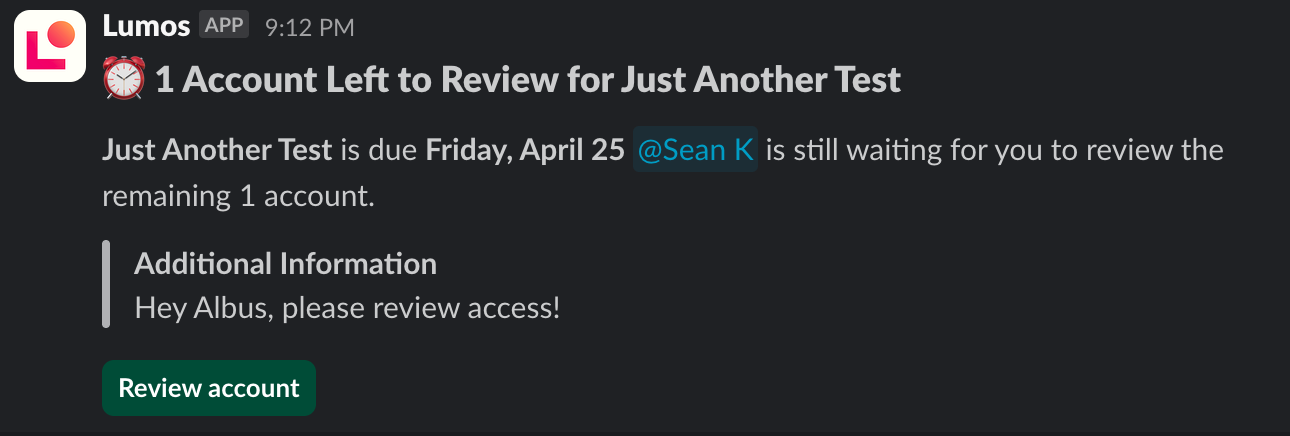
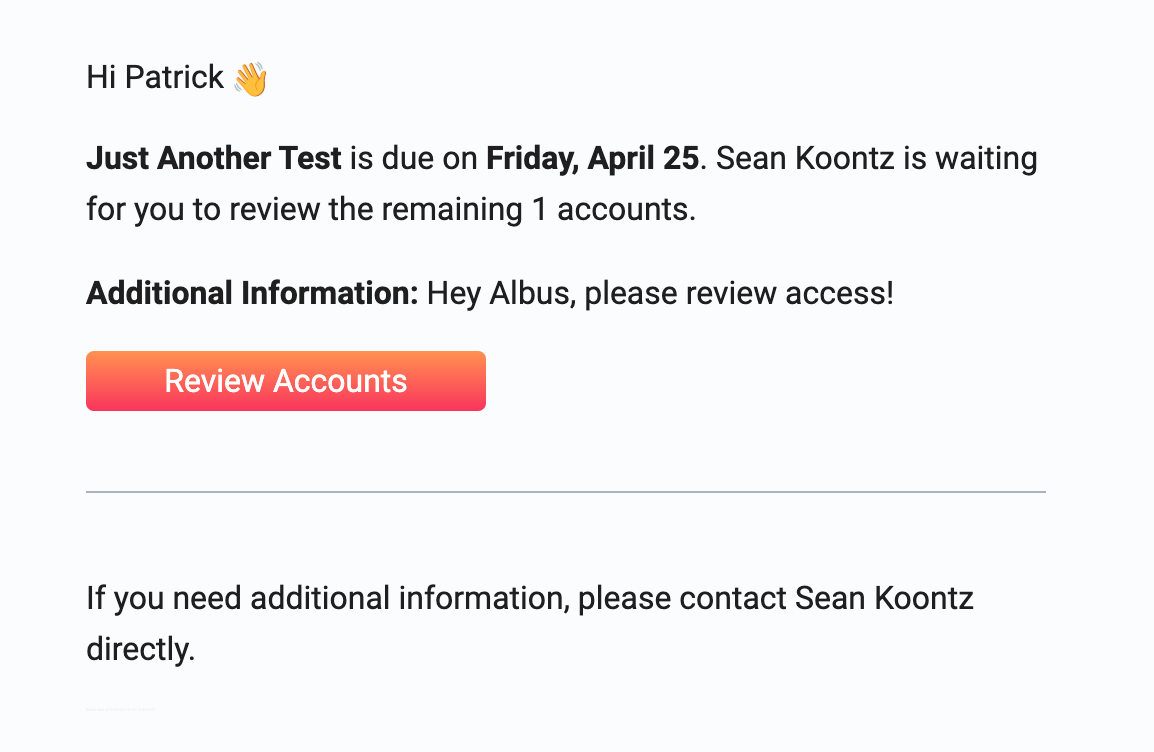
You may send reminders from the web application at any time for a launched review. Your message will show up as "Additional Information" to delegated reviewers.
## Account Review Reminders
### Ad Hoc Reminders
You may send reminders from the web application at any time for a launched review. Your message will show up as "Additional Information" to delegated reviewers.
 #### Slack Notification
 #### Email Notification

 ### Scheduled Review Reminders
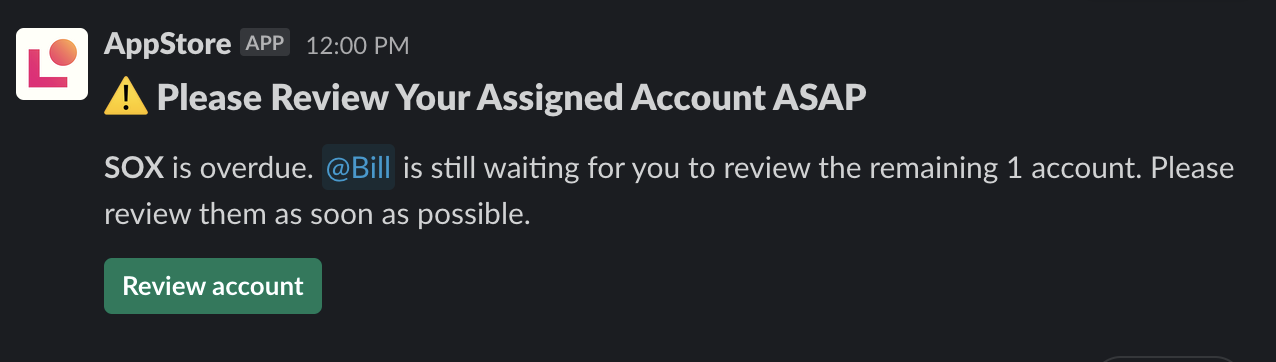
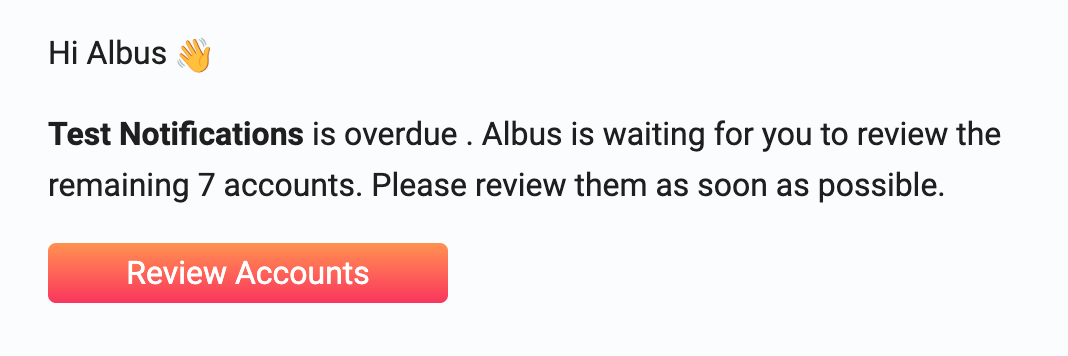
There are also scheduled reminders for reviewers, the following section shows them after the review deadline.
#### Slack Notification
### Scheduled Review Reminders
There are also scheduled reminders for reviewers, the following section shows them after the review deadline.
#### Slack Notification
 #### Email Notification

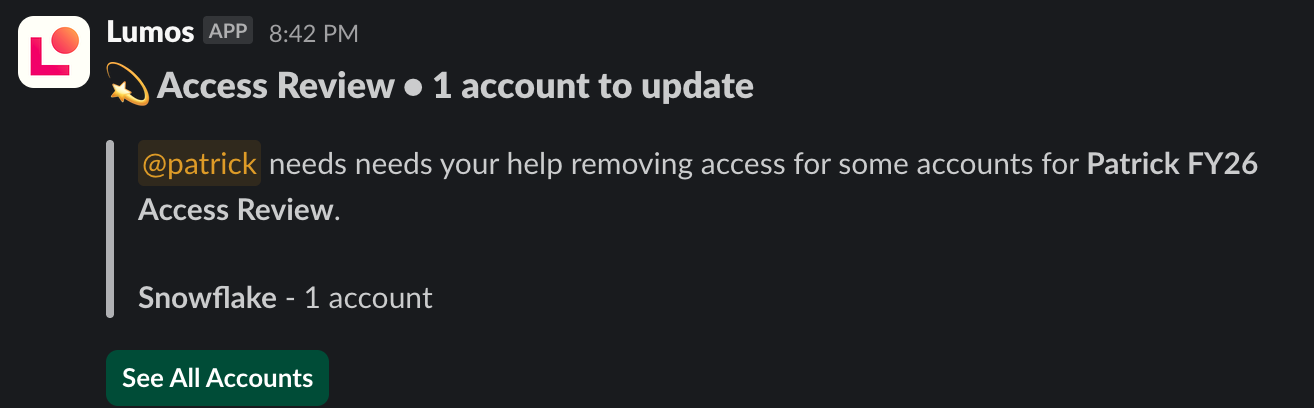
 ### Removal Reminders
Removal reminders are kicked off when manual action is needed to remove accounts. There will be specific remover assigned to this action that may be separate from the account reviewer.
#### Slack Notification
### Removal Reminders
Removal reminders are kicked off when manual action is needed to remove accounts. There will be specific remover assigned to this action that may be separate from the account reviewer.
#### Slack Notification
 #### Email Notification

 ## Escalation Policy Notifications
There are three types of escalation policy notifications:
#### Daily Reminder (before escalation):
> Subject: Reminder: Complete Your Access Review Tasks
>
> Your access review tasks for \{review\_name} are overdue and will be escalated
>
> if not completed today.
>
> \[Complete your review now]
#### Previous Assignee (after escalation)
> Subject: Notice: Your \{review\_name} tasks have been escalated
>
> Tasks for \{review\_name} have been escalated based on your organization's policies.
>
> No further action is needed from you.
#### New Assignee (after escalation)
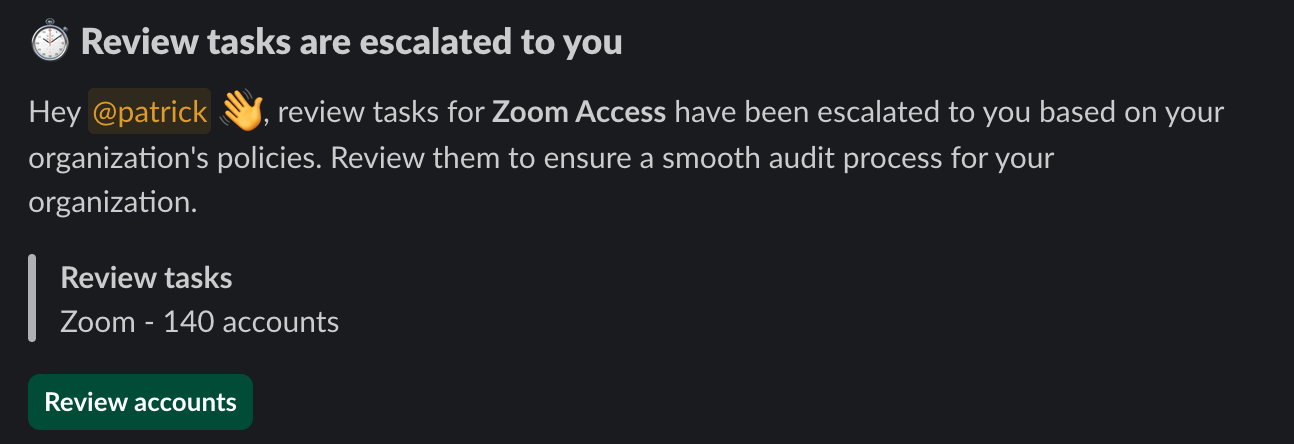
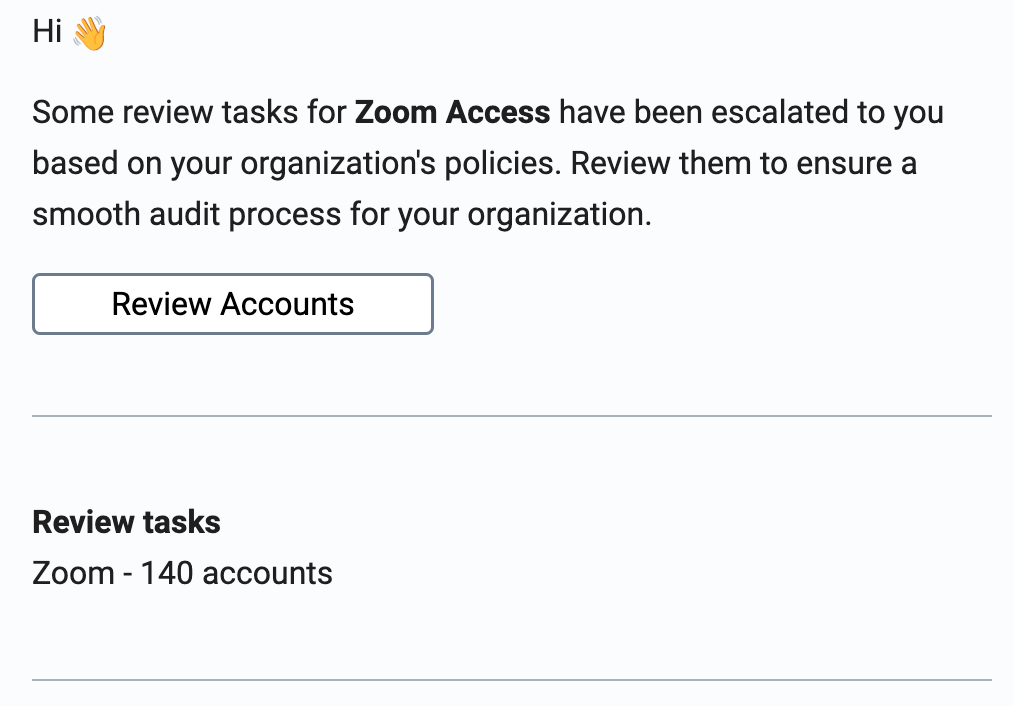
When an Access Review Escalation Policy is triggered (more info see [here](/kb/access-reviews/preparing-and-completing-an-access-review/setting-up-access-review-escalations-)), the escalated assignee will receive the following notifications.
#### Slack
## Escalation Policy Notifications
There are three types of escalation policy notifications:
#### Daily Reminder (before escalation):
> Subject: Reminder: Complete Your Access Review Tasks
>
> Your access review tasks for \{review\_name} are overdue and will be escalated
>
> if not completed today.
>
> \[Complete your review now]
#### Previous Assignee (after escalation)
> Subject: Notice: Your \{review\_name} tasks have been escalated
>
> Tasks for \{review\_name} have been escalated based on your organization's policies.
>
> No further action is needed from you.
#### New Assignee (after escalation)
When an Access Review Escalation Policy is triggered (more info see [here](/kb/access-reviews/preparing-and-completing-an-access-review/setting-up-access-review-escalations-)), the escalated assignee will receive the following notifications.
#### Slack
 #### Email

 ### Access Review Ready to Complete
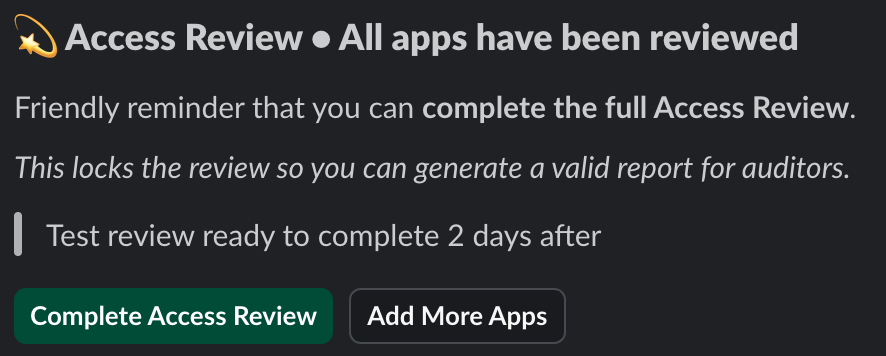
This message is sent 2 weekdays after an access review is ready to complete.
Note: this is currently not available for email notifications.
#### Slack
### Access Review Ready to Complete
This message is sent 2 weekdays after an access review is ready to complete.
Note: this is currently not available for email notifications.
#### Slack
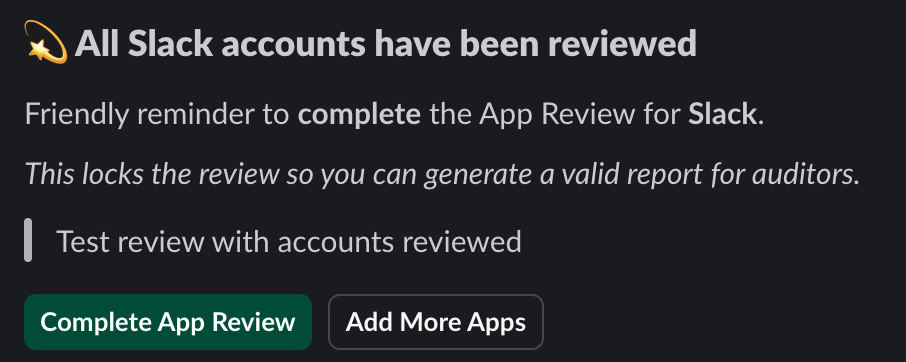 ### Access Review Ready to Complete
This message is sent 2 and 4 weekdays after the review is ready to complete.
Note: this is currently not available for email notifications.
#### Slack
### Access Review Ready to Complete
This message is sent 2 and 4 weekdays after the review is ready to complete.
Note: this is currently not available for email notifications.
#### Slack