> ## Documentation Index
> Fetch the complete documentation index at: https://docs.lumos.com/llms.txt
> Use this file to discover all available pages before exploring further.
# Updating the Access Review Snapshot
> Refresh the data in an Access Review by re-syncing app data with an updated scope or by uploading a new CSV that overwrites existing accounts.
## Background
You've created your Access Review (see [Creating a New Access Review](/for-admins/access-reviews/creating-a-new-access-review)) and scoped it. To refresh the data or include or exclude accounts, sync the latest data and edit the scope from within the Access Review.
## How to update Access Review data
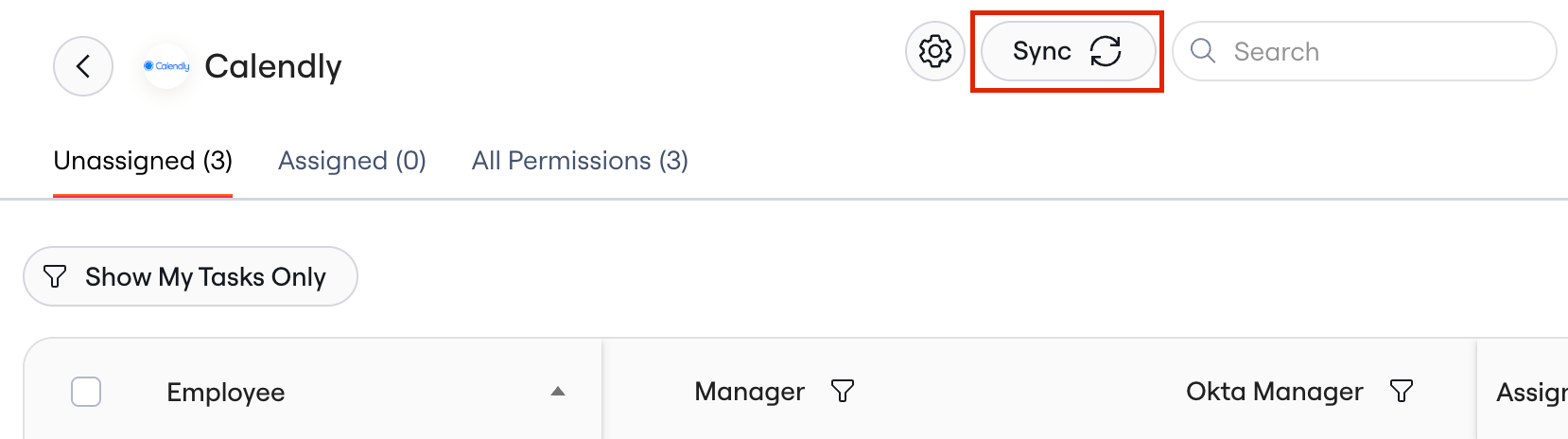
**1. Click on Sync within the App's Access Review**
 **2. Choose whether to re-sync app data or upload a new CSV**
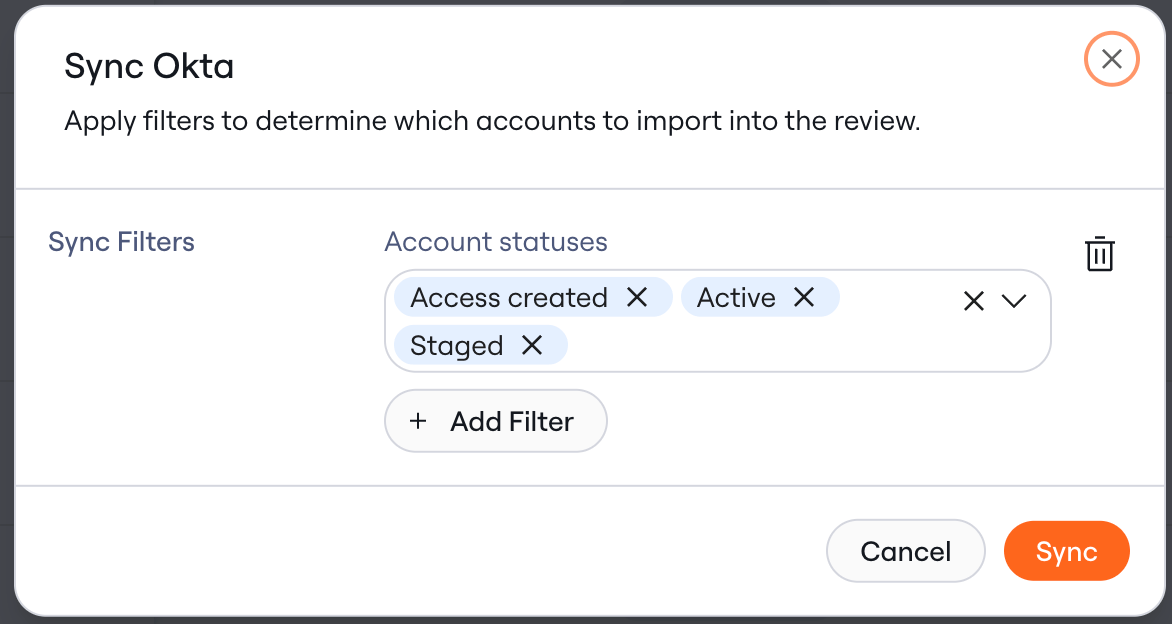
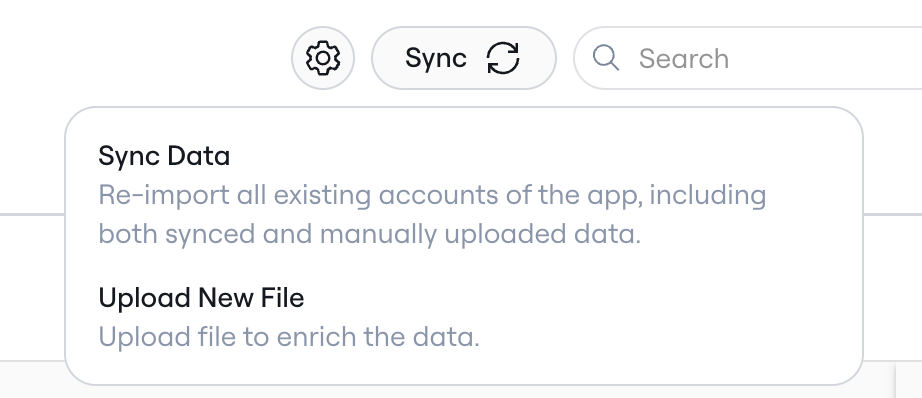 * **Sync Data:** Re-imports available accounts of the app including both synced and manually uploaded data
* You can edit the scope the Access Review prior to syncing by editing, adding, or deleting filters across available app attributes
* Click **Sync** after making your selections
* **Sync Data:** Re-imports available accounts of the app including both synced and manually uploaded data
* You can edit the scope the Access Review prior to syncing by editing, adding, or deleting filters across available app attributes
* Click **Sync** after making your selections
 * **Upload new file:** Overwrite existing accounts with accounts from the newly uploaded file.
The accounts in the Access Review now reflect the latest sync or upload.
* **Upload new file:** Overwrite existing accounts with accounts from the newly uploaded file.
The accounts in the Access Review now reflect the latest sync or upload.